
Disclosure: As an Amazon Associate I earn from qualifying purchases.
Introduction
A desk can start feeling messy and uncomfortable fast.
Maybe your laptop sits too low. Maybe your cables are everywhere. Maybe your lighting is bad, your wrist feels tired, or your headphones are always taking up space.
The good news is that you do not need a full desk makeover to make your workspace feel better. A few small productivity accessories can make your setup cleaner, more comfortable, and easier to use every day.
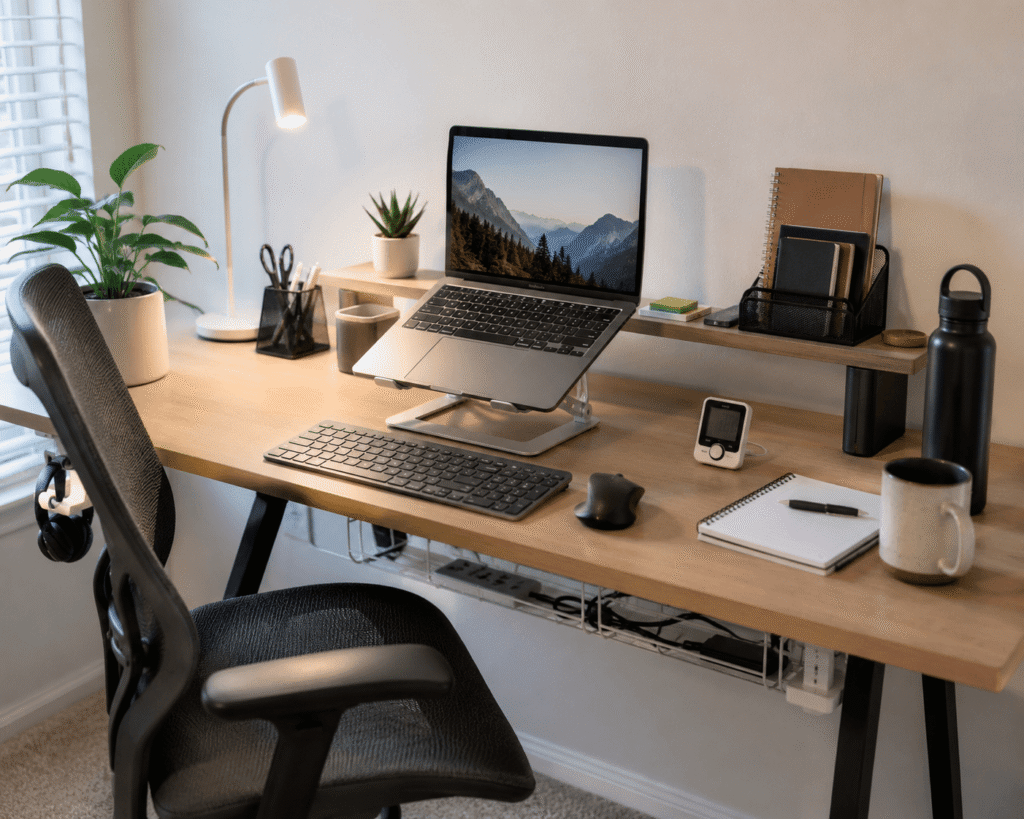
If you want a more focused workspace, these Prime Day productivity accessories are simple upgrades that can help without overcomplicating your setup. You can also check out this guide on how to create a focus-friendly desk setup if you want more ideas.
Quick Picks
- Best overall: Gogoonike Adjustable Laptop Stand
- Best budget option: Seniny Digital Pomodoro Timer
- Best for small desks: Colorpanda Monitor Light Bar
Prices are approximate and may change. Ratings and review counts reflect current product data.
Comfort and Ergonomic Upgrades
Gogoonike Adjustable Laptop Stand

A simple option like this adjustable laptop stand can make your desk feel more comfortable almost immediately.
It raises your laptop closer to eye level, which helps reduce the habit of leaning forward or looking down all day. It also creates extra space underneath your laptop for small items like a notebook, keyboard, or planner.
This is best for remote workers, students, or anyone using a laptop as their main screen.
For example, if you start the day sitting normally but slowly end up hunched over your keyboard, this type of upgrade can help your setup support better posture.
If you already use a separate keyboard and mouse, a laptop riser like this is an easy no-fuss addition.
A simple addition that makes your desk feel more organized right away.
UGREEN Vertical Wireless Mouse

A no-fuss option like this vertical wireless mouse is useful if your wrist gets tired after long sessions.
The vertical shape encourages a more natural hand position compared to a traditional flat mouse. That can make a noticeable difference if you spend hours working, editing, browsing, or studying.
It is best for people who use a mouse all day and want a small ergonomic improvement without replacing their whole desk.
For example, if your hand starts feeling tense after several hours of spreadsheets or content work, this type of mouse can make daily use feel smoother.
If comfort is your main priority, an ergonomic mouse like this is one of the easiest ways to improve your setup.
One of those upgrades you notice almost immediately.
CushZone Under Desk Foot Rest

A simple tool like this under desk foot rest can improve comfort in a way many people overlook.
A foot rest helps keep your feet supported, especially if your chair is slightly too high or your feet do not sit flat on the floor. Better lower-body support can make long desk sessions feel less tiring.
This is best for home office users, students, and anyone who sits for long blocks of time.
For example, if you often shift around in your chair trying to get comfortable, a foot rest can give your sitting position more stability.
A comfort upgrade like this foot rest is easy to add under most desks.
Easy to add without changing your whole setup.
Lighting Upgrades for Focus
SUPERDANNY LED Clamp Desk Lamp

A simple option like this clamp desk lamp gives you better lighting without taking over your desk.
The clamp design is useful because it attaches to the side of your desk instead of sitting directly on the surface. That makes it a smart choice for small desks, dorm rooms, and compact home offices.
It is best for people who read, write, study, or work in rooms where the main lighting is not enough.
For example, if you work in the evening and your room light feels too harsh or too dim, an adjustable lamp can help create a calmer work zone.
If you are building a more focused setup, a flexible lamp like this can make your workspace feel easier to use.
A simple addition that improves both comfort and productivity.
Colorpanda Monitor Light Bar

If you just want a quick upgrade, this monitor light bar is a simple option.
It sits above your monitor and lights your desk from the top, which helps save surface space. That makes it especially useful for compact workstations where a regular lamp would feel too bulky.
This is best for small desk setups, monitor-based workstations, and anyone who wants cleaner lighting without adding another item to the desktop.
For example, if your desk feels crowded already, a monitor light bar can improve visibility without using extra room.
For more simple layout inspiration, you can explore these minimalist desk setup ideas for better focus.
A lighting upgrade like this monitor light bar is easy to add without changing your whole setup.
One of the easiest ways to improve your setup without adding bulk.
Organization and Productivity Accessories
Ucanng Under Desk Cable Tray

A simple option like this under desk cable tray helps clean up one of the most annoying parts of any desk setup.
Loose cables, chargers, and power strips can make even a nice desk look messy. A cable tray moves those wires underneath the desk so your workspace looks cleaner from the top.
This is best for anyone with multiple devices, chargers, monitors, or a power strip near the desk.
For example, if you have laptop chargers, phone cables, and monitor wires running everywhere, this type of cable management can make the whole setup feel calmer.
You can also check out more cable management ideas for a cleaner desk if your workspace needs a bigger reset.
A tray like this cable organizer is a simple addition that makes your desk feel more organized right away.
Simple Houseware Drawer Organizer

You do not need to overthink a drawer organizer like this.
It gives small items a proper place so your pens, sticky notes, chargers, clips, and desk tools are not all mixed together. That makes your workspace easier to reset at the end of the day.
This is best for students, remote workers, and anyone who has a drawer that slowly turns into a junk drawer.
For example, instead of wasting time looking for a pen or cable, you can open the drawer and know exactly where everything is.
If you want a cleaner workspace without changing the top of your desk, something like this is a practical upgrade.
One of those small upgrades that delivers daily benefits.
Seniny Digital Pomodoro Timer
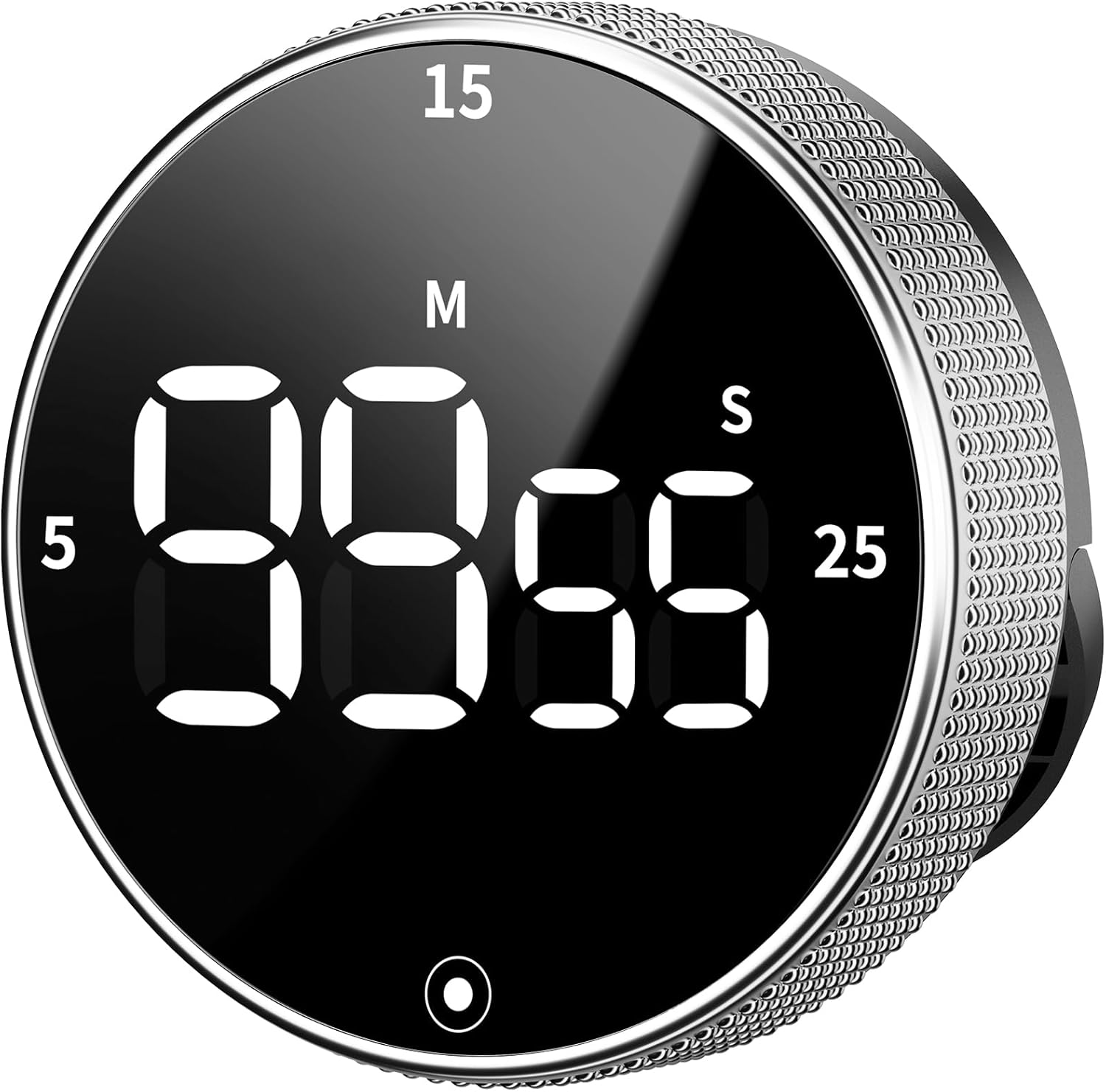
A tool like this digital Pomodoro timer can help you stay focused without relying only on motivation.
A timer makes work sessions feel more manageable by breaking tasks into smaller blocks. It is especially useful for writing, studying, admin work, or deep focus sessions.
This is best for people who get distracted easily or struggle to start tasks that feel too big.
For example, setting one 25-minute focus session can make a project feel less overwhelming than telling yourself to work for hours.
If you are building a productivity desk setup, a visual timer like this is a small upgrade that can change how you approach your day.
One of the easiest productivity upgrades you can make.
Lamicall Adhesive Headphone Hanger

A no-fuss option like this adhesive headphone hanger helps keep your desk surface clear.
Headphones often end up on the desk, keyboard, monitor stand, or chair. A simple hanger gives them a dedicated place without taking up extra room.
This is best for people who use headphones for calls, music, gaming, studying, or focused work.
For example, if you switch between meetings and quiet work throughout the day, having your headphones within reach but off the desk makes the setup feel cleaner.
Something like this under desk hanger works especially well for smaller desks where surface space matters.
Easy to add without changing your entire setup.
What to Look For Before Buying
Before choosing productivity accessories, keep it simple.
Start with the problem you actually want to fix. If your neck hurts, look at posture upgrades. If your desk feels messy, start with cable management or drawer organization. If you get distracted, a timer may be more useful than another decorative item.
Also measure your space before buying anything that attaches to your desk. Clamp lamps, cable trays, and foot rests are useful, but they still need to fit your setup.
For small desks, prioritize accessories that save surface space. Monitor light bars, under-desk organizers, and compact stands are usually better than bulky items.
The best Prime Day productivity accessories are not always the most complicated ones. They are the ones you will actually use every day.
Conclusion
A better desk setup does not have to be expensive or difficult.
Small upgrades like a laptop stand, better lighting, a cable tray, or a simple timer can make your workspace feel cleaner, more comfortable, and easier to focus in.
You do not need to buy everything at once. Start with the problem that bothers you most, then add one simple improvement at a time.
For more inspiration, you can explore more minimalist desk setup ideas to keep your workspace simple, clean, and practical.