
Disclosure: As an Amazon Associate I earn from qualifying purchases.
Introduction
A cluttered desk doesn’t just look messy—it slowly breaks your focus.
You sit down to work, but something always feels off. The lighting is harsh, cables are everywhere, your posture isn’t great, and small distractions keep pulling you away.
This isn’t a motivation problem. It’s a setup problem.
The right desk environment removes friction. It helps you stay in the zone longer, feel more comfortable, and get more done—especially in small spaces.
Prices are approximate and may change. Ratings and review counts reflect current product data.
You don’t need a full redesign. A few practical upgrades can completely change how your desk works.
Simple Upgrades That Improve Focus
Quntis Monitor Light Bar

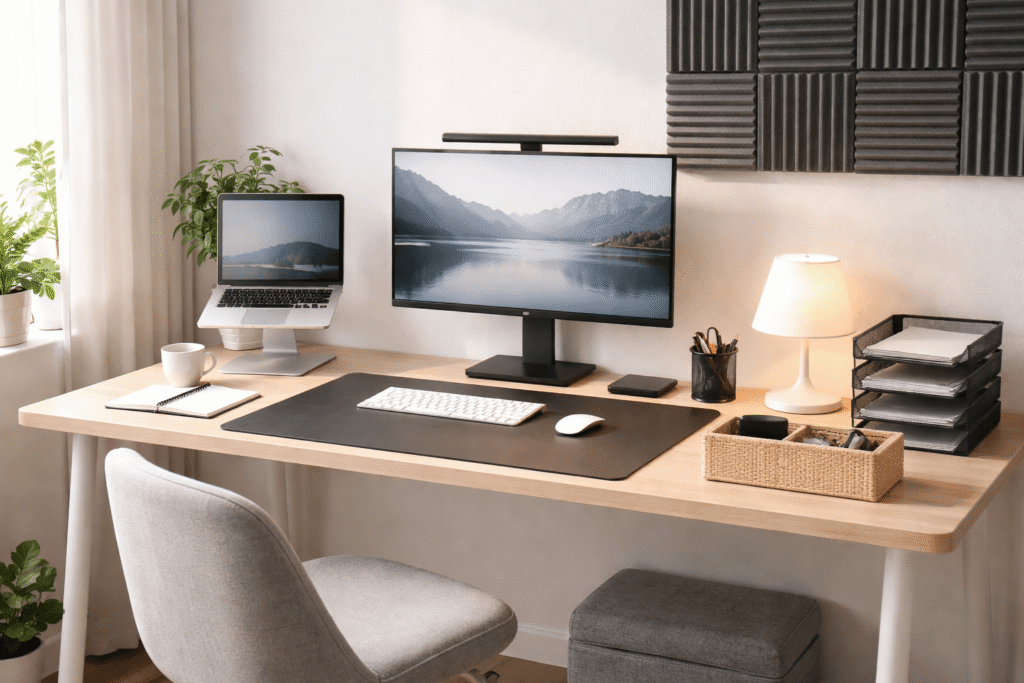
The Quntis Computer Monitor Light Bar sits on top of your screen and lights up your desk without shining directly into your eyes.
This is especially useful if you work at night or in uneven lighting. Instead of glare or shadows, you get clean, focused light exactly where you need it.
If you’ve ever worked late and felt your eyes getting tired faster than usual, this kind of lighting helps reduce that strain.
It’s a simple upgrade that makes a big difference—your desk feels calmer, and it’s easier to stay focused for longer sessions.
Best for: remote workers or students who spend hours in front of a screen.
Amazon Basics Wireless Charging Pad

The Amazon Basics 15W Qi Wireless Charging Pad gives your phone a dedicated place on your desk.
No cables. No searching.
You just drop your phone on it and keep working.
This helps more than you’d expect. Instead of constantly picking up your phone, it stays in one spot—charging, out of the way.
It’s a small change that helps reduce distractions during deep work.
Best for: anyone trying to stay focused without completely disconnecting.
Aothia Leather Desk Pad

The Aothia PU Leather Desk Pad Protector covers a large portion of your desk and instantly makes it feel more organized.
Even if your desk isn’t technically messy, it can still feel visually noisy. A desk pad creates a defined workspace that feels clean and intentional.
Imagine sitting down and everything—your keyboard, mouse, notebook—has a clear place. That alone helps reduce mental clutter.
Best for: small setups that need a cleaner, more minimal look.
Smart Organization for Small Desks
Cantalop Cable Management Box

The Cantalop Rattan Cable Management Box hides power strips and messy cables inside a single container.
Cables are one of the biggest sources of visual clutter. Even a good setup can feel chaotic because of them.
With this, everything stays hidden and contained.
Picture your desk with no visible cable mess underneath—it immediately feels cleaner, and your attention isn’t pulled away by visual noise.
Best for: multi-device setups with chargers, monitors, and accessories.
Supeasy 5-Tray Desk Organizer

The Supeasy 5-Tray Paper Organizer gives structure to papers, notebooks, and documents that would otherwise pile up.
Instead of stacking things randomly, you separate them into clear layers.
For example: current work on top, reference material in the middle, finished items at the bottom.
This reduces decision fatigue—you always know where things are.
Best for: students or remote workers dealing with physical documents.
DEVAISE 3-Drawer File Cabinet

The DEVAISE 3 Drawer Mobile File Cabinet adds hidden storage under your desk without taking up surface space.
If your desk feels crowded, it’s often because too many items are sitting on top.
Moving less-used items into drawers clears your workspace instantly.
Think chargers, notebooks, or random accessories—still accessible, but no longer in your line of sight.
Best for: small desks that need more storage without adding clutter.
APPHOME Under Desk Headphone Hook

The APPHOME Under Desk Headphone Hook gives your headphones a permanent place under your desk.
Without it, headphones tend to float around—on your desk, chair, or keyboard.
With a hook, they’re always within reach but never in the way.
It’s one of those small changes that helps maintain a clean workspace effortlessly.
Best for: anyone using headphones daily for work, calls, or focus.
Comfort Improvements for Long Work Sessions
Lamicall Adjustable Laptop Stand

The Lamicall Adjustable Laptop Stand raises your laptop to eye level and improves posture instantly.
Working directly on a laptop often leads to hunching, which builds up discomfort over time.
With a stand, your neck stays aligned, and your setup feels more natural.
If you’ve ever ended a work session with neck or shoulder tension, this is a simple fix that helps prevent it.
Best for: remote workers using laptops as their main device.
ComfiLife Ergonomic Foot Rest

The ComfiLife Adjustable Memory Foam Foot Rest supports your feet and helps stabilize your posture.
If your feet don’t rest comfortably on the ground, your entire sitting position shifts.
This leads to subtle discomfort that builds over hours.
A footrest fixes that by giving your legs proper support, which improves overall comfort.
Best for: long work sessions where posture matters.
Focusound Acoustic Foam Panels

The Focusound Acoustic Foam Panels help reduce noise and echo in your workspace.
This is especially useful if you’re working in a shared room or a space with a lot of background noise.
Even a small amount of sound dampening can make it easier to concentrate.
Imagine fewer distractions from echoes or outside noise—it becomes much easier to stay in a focused state.
Best for: home offices, shared spaces, or anyone sensitive to noise.
What to Look For Before Buying
A better desk setup isn’t about adding more—it’s about removing friction.
Keep these in mind:
- Fit your space: Choose items that don’t overcrowd your desk
- Solve real problems: Focus on what actually bothers you daily
- Keep it simple: Easy-to-use products are more likely to stick
- Reduce visual noise: Clean design helps your brain stay focused
- Prioritize comfort: If you work long hours, ergonomics matter more than aesthetics
The goal is a clean workspace that supports your workflow—not distracts from it.
Conclusion
A focus-friendly desk setup doesn’t require a complete overhaul.
It’s built through small, intentional changes that reduce distractions, improve comfort, and make your workspace easier to use.
Better lighting, cleaner organization, and improved posture can completely change how your desk feels—and how you work.
Start with what bothers you most right now.
Fix that one thing.
Then build from there.