
Disclosure: As an Amazon Associate I earn from qualifying purchases.
1. Introduction
If your desk feels crowded, distracting, or uncomfortable, you’re not alone.
A lot of people working from home deal with the same thing: cables everywhere, random items piling up, poor lighting, and a setup that makes it harder to focus instead of easier. Over time, this kind of environment quietly drains your energy and productivity.
This guide is for remote workers, students, and anyone building a home workspace—especially in small apartments or shared spaces—who wants something clean, functional, and affordable.
You don’t need a designer desk or expensive gear to fix your setup.
What you need is a system.
By the end of this guide, you’ll understand how to:
- Create a clean, minimalist desk setup
- Improve your focus and reduce distractions
- Build a more comfortable work environment
- Make smarter decisions before buying anything
This isn’t about aesthetics. It’s about clarity, control, and building a space that actually helps you work better.
2. Core Foundations
Why your desk setup matters
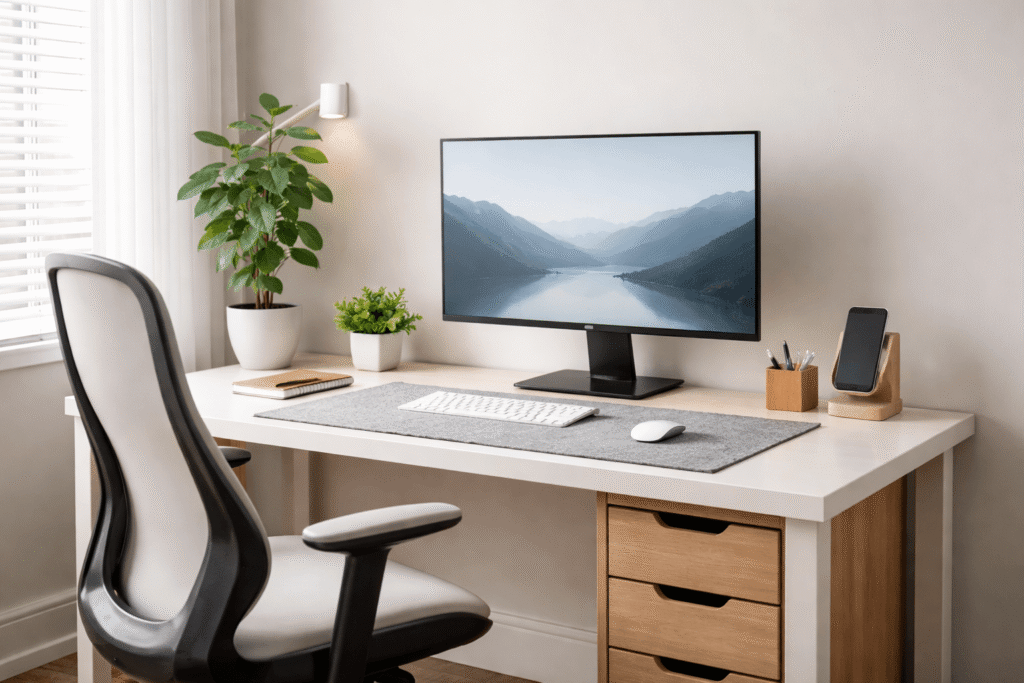
Your desk is not just a surface—it’s your daily environment.
Every object on it either supports your work or distracts you from it.
When your setup is cluttered or poorly arranged, your brain has to process more noise. That leads to:
- Faster mental fatigue
- Lower focus
- More friction when starting tasks
A clean setup reduces decision fatigue. You sit down, and everything just works.
How environment affects focus
Your brain constantly scans your surroundings.
Visual clutter = cognitive load.
That means even if you’re not actively looking at the mess on your desk, it still affects your ability to concentrate.
A minimalist setup does three things:
- Removes unnecessary visual input
- Creates clear “zones” for work
- Signals your brain that it’s time to focus
The 4 key pillars
1. Space
You don’t need a big desk. You need usable space.
Even a small desk can feel spacious if it’s clear and organized.
2. Organization
Everything should have a purpose and a place.
If you have to think about where something is, your system is broken.
3. Comfort
If your body is uncomfortable, your mind won’t focus.
Posture, chair support, and screen height matter more than most people realize.
4. Lighting
Bad lighting leads to eye strain, headaches, and fatigue.
Good lighting improves both productivity and mood.
3. The Setup System
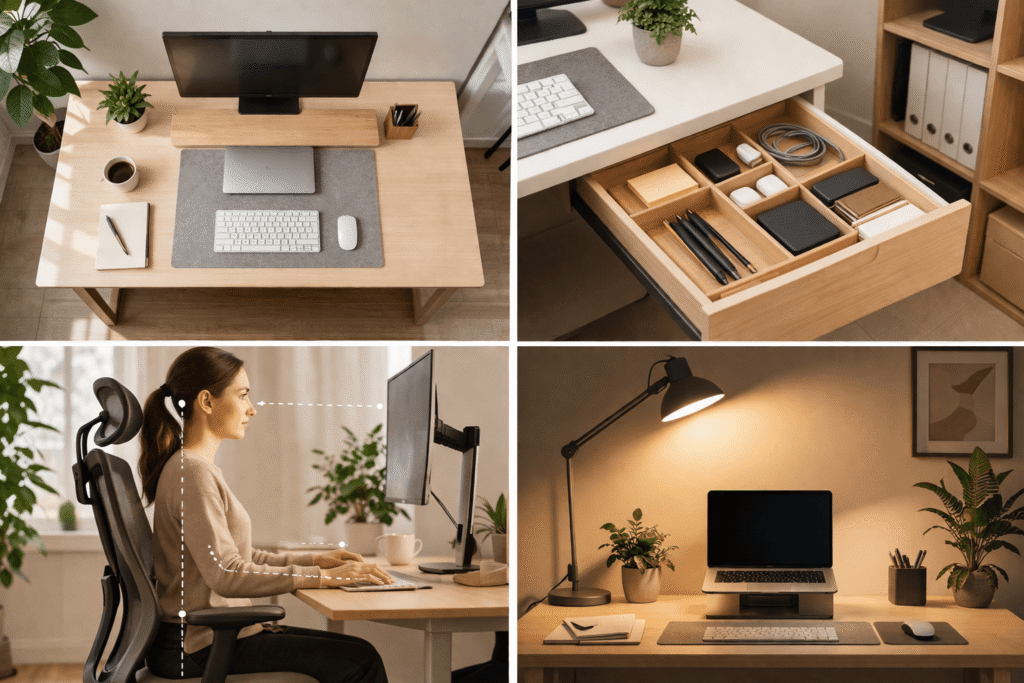
Instead of thinking about your desk as a collection of items, think of it as layers.
Each layer solves a different problem.
1. Surface (your desk space)
This is your foundation.
Your goal here is simple:
Keep only what you actively use.
That usually means:
- Laptop or monitor
- Keyboard and mouse
- One or two essential tools
Everything else should be stored elsewhere.
A clean surface reduces friction and makes your workspace feel lighter immediately.
2. Structure (layout & placement)
Where things go matters just as much as what you keep.
Ask yourself:
- Can I reach everything easily?
- Is my screen at eye level?
- Is my workflow smooth from left to right?
A good layout reduces unnecessary movement and keeps you in a flow state longer.
3. Comfort (posture & support)
This is where most people struggle.
If your setup causes:
- neck strain
- back pain
- wrist discomfort
…it will slowly destroy your productivity.
Focus on:
- neutral spine position
- elbows at a natural angle
- screen at eye level
Comfort isn’t a luxury. It’s a requirement.
4. Focus (distraction control)
Your desk should help you focus, not fight for your attention.
Remove:
- random objects
- unrelated gadgets
- visual clutter
Consider creating a “single-purpose zone”:
When you sit at your desk, you do one thing: work.
5. Lighting (visibility + mood)
Lighting is often ignored, but it has a huge impact.
You want:
- even light across your workspace
- no harsh shadows
- minimal glare on your screen
Good lighting reduces eye strain and helps maintain energy throughout the day.
4. Practical Recommendations (Soft Buyer Intent)
These are not must-haves. They are tools that support the system.
1. Adjustable ergonomic chair under $150
Example: BestOffice Gaming Chair
What it is: A chair with basic lumbar support and adjustable height.
Why it matters: Your chair determines your posture for hours every day.
Who it’s for: Anyone working more than 2–3 hours at a desk.
Use case: Long work sessions without back fatigue.
Problem solved: Lower back pain and poor sitting posture.
2. Compact desk organizer for small spaces
Example: Supeasy 5 Trays Paper Organizer Letter Tray
What it is: A small tray or vertical organizer for essentials.
Why it matters: Keeps small items off your main workspace.
Who it’s for: People with limited desk space.
Use case: Storing pens, notes, chargers in one place.
Problem solved: Surface clutter.
3. Budget desk lamp with adjustable brightness
Example: Led Desk Lamp for Office Home
What it is: A simple lamp with adjustable light levels.
Why it matters: Helps reduce eye strain, especially at night.
Who it’s for: Anyone working in low-light environments.
Use case: Evening work sessions.
Problem solved: Poor visibility and fatigue.
4. Laptop stand or monitor riser
Example: Rain Design 10032 mStand Laptop Stand
What it is: A platform that raises your screen.
Why it matters: Aligns your screen with eye level.
Who it’s for: Laptop users or low monitor setups.
Use case: Daily work without neck strain.
Problem solved: Bad posture and neck pain.
5. Basic cable management kit
Example: 60 PCS 6 Inches Reusable Cable Ties
What it is: Clips, ties, or sleeves to organize cables.
Why it matters: Reduces visual clutter instantly.
Who it’s for: Anyone with multiple devices.
Use case: Cleaning up messy cable areas.
Problem solved: Tangled wires and distraction.
6. Minimal desk mat
Example: Aothia Non-Slip Waterproof PU Leather Desk Pad
What it is: A simple surface mat for keyboard and mouse.
Why it matters: Defines your work zone.
Who it’s for: People who want a cleaner visual layout.
Use case: Creating a consistent working area.
Problem solved: Disorganized surface feel.
7. Small drawer unit or under-desk storage
Example: Laura Davidson Furniture Stockpile 2 Drawer Mobile File Cabinet with Lock
What it is: Hidden storage for non-essential items.
Why it matters: Keeps your desk clean without throwing things away.
Who it’s for: People with limited storage options.
Use case: Storing documents, cables, accessories.
Problem solved: Overflow on desk surface.
5. Budget Strategy
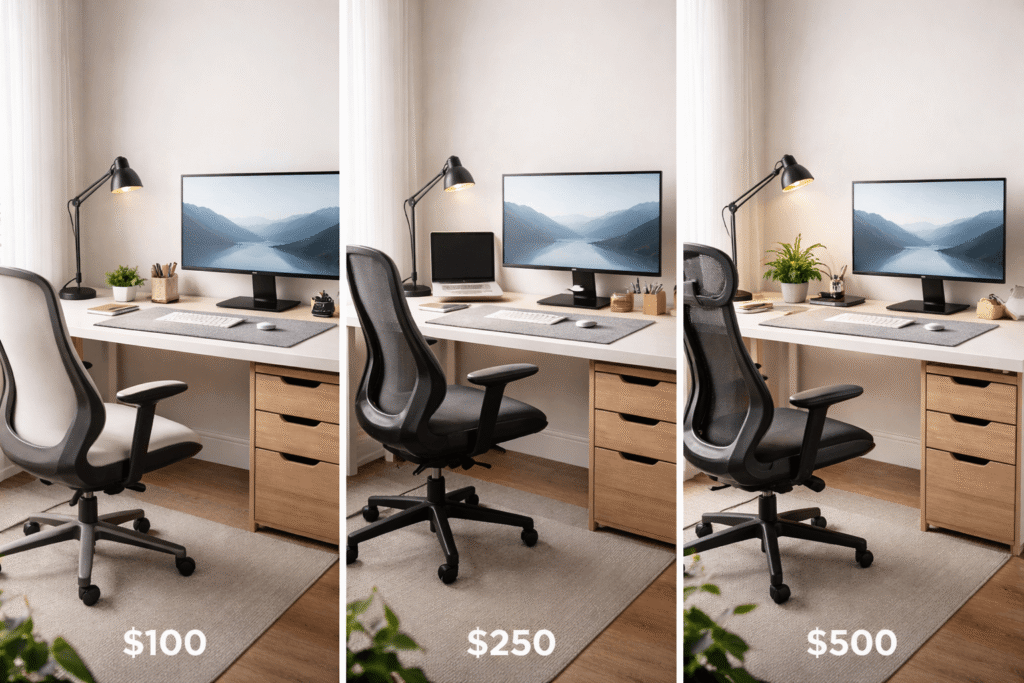
You don’t need to upgrade everything at once.
The key is prioritization.
$100 Setup
Focus on the biggest impact per dollar.
Priorities:
- Declutter completely (free)
- Basic desk lamp
- Simple cable management
- Cheap organizer
What matters:
Clarity and usability.
What to delay:
Chair upgrades, aesthetic items.
$250 Setup
Now you can improve comfort.
Priorities:
- Entry-level ergonomic chair
- Laptop stand or monitor riser
- Better lighting
What matters:
Posture and long-term comfort.
What to delay:
Decor and advanced accessories.
$500 Setup
This is where your setup becomes stable.
Priorities:
- Solid chair
- Improved lighting
- Storage solutions
- Clean layout system
What matters:
Consistency and sustainability.
What to avoid:
Buying random upgrades just because you have budget.
6. Common Mistakes
1. Overloading the desk
Too many items = constant distraction.
Even useful things become noise when there are too many of them.
2. Ignoring ergonomics
You might not feel it immediately, but poor posture builds up over time.
Eventually, it affects both health and productivity.
3. Bad lighting
Working in dim or uneven light leads to fatigue faster than you expect.
4. Buying random gadgets
A new accessory won’t fix a broken system.
Without structure, you’re just adding more clutter.
5. No clear purpose for the desk
If your desk is used for everything—work, eating, entertainment—it loses its function.
Clarity creates focus.
6. Trying to copy aesthetic setups
What looks good online doesn’t always work in real life.
Your setup should match your space, your work, and your habits.
7. Internal Linking Opportunities
If you want to go deeper, you can explore:
- Desk organization systems for small spaces
- Cable management strategies for clean setups
- Minimalist workspace
These topics build on the same foundation and help refine your setup over time.
8. Final Summary + Action Plan
Key takeaways
- A good desk setup is a system, not a shopping list
- Focus on space, organization, comfort, and lighting
- Remove before you add
- Prioritize function over aesthetics
- Upgrade gradually
Simple action plan
Start today:
- Clear your desk completely
- Put back only what you actually use
- Fix your screen height
- Improve your lighting
- Organize cables and small items
Then:
- Add upgrades slowly
- Focus on comfort first
- Keep your setup simple
A minimalist desk is not about having less.
It’s about having only what helps you work better.