
Disclosure: As an Amazon Associate I earn from qualifying purchases.
A cluttered desk doesn’t just look messy—it slowly drains your focus.
You sit down to work, and within minutes you’re shifting things around, clearing space, or getting distracted by everything in front of you. Cables pile up, small items disappear, and even simple tasks feel harder than they should.
You don’t need a full redesign to fix this.
Prices are approximate and may change. Ratings and review counts reflect current product data.
A few practical upgrades can turn your desk into a cleaner, more focused workspace—especially if you’re working with limited space.
Simple Upgrades That Improve Focus
Lamicall Adjustable Laptop Stand (Foldable Aluminum)

If you’re working directly on your laptop, your screen is likely too low—and your desk feels more crowded than it should.
The Lamicall adjustable stand raises your laptop and folds away when not in use, making it a simple upgrade for both ergonomics and space.
Real-life use:
You start your day, place your laptop on the stand, and suddenly your desk opens up. You can slide a notebook or keyboard underneath instead of spreading everything out.
Why it helps:
It improves posture and creates vertical space—one of the fastest ways to clean up a small desk.
Best for:
Laptop users who want a cleaner, more structured setup.
QUASIO Wireless Keyboard and Mouse Combo (Full Size with Palm Rest)

Once your laptop is elevated, typing directly on it becomes uncomfortable.
This wireless combo gives you a full-size keyboard with a palm rest and a clean, cable-free setup.
Real-life use:
Instead of leaning forward, you sit back, type comfortably, and keep your desk layout minimal without wires getting in the way.
Why it helps:
It separates your typing position from your screen and reduces clutter at the same time.
Best for:
Anyone working long hours who wants a more comfortable and focused workflow.
Quntis Monitor Light Bar (Auto-Dimming, No Glare)

Lighting can quietly affect your focus more than you expect.
The Quntis monitor light bar sits on top of your screen and lights your desk evenly—without taking up any desk space.
Real-life use:
Late at night, instead of turning on a harsh overhead light, your workspace stays softly lit and easy on the eyes.
Why it helps:
It reduces eye strain and eliminates the need for bulky desk lamps.
Best for:
Small setups or anyone working in the evening.
Smart Organization for Small Desks
Cinati Under Desk Cable Management Tray (No-Drill Clamp)

Cables are one of the biggest sources of visual clutter.
This no-drill tray clamps under your desk and hides power strips and wires completely.
Real-life use:
Instead of seeing tangled cables every time you sit down, everything is tucked neatly underneath your desk.
Why it helps:
It creates a clean visual environment, which helps reduce distractions.
Best for:
Desks with multiple devices—laptop, monitor, lighting, chargers.
Besilord Bamboo Drawer Organizer (5 Slots)

Small items tend to pile up fast—pens, cables, USB drives, random accessories.
This bamboo organizer gives everything a place without feeling cheap or cluttered.
Real-life use:
You open your drawer and instantly find what you need instead of digging through a pile of mixed items.
Why it helps:
It keeps your desk surface clean by organizing essentials out of sight.
Best for:
People who want a clean desk but still need quick access to tools.
Rain Design mStand Laptop Stand (Fixed Aluminum Riser)

If you use an external monitor, your laptop often just sits there unused.
The Rain Design mStand lifts your laptop into a fixed position, making it ideal as a secondary screen or storage solution.
Real-life use:
Your laptop stays connected and visible, but no longer takes up valuable desk space.
Why it helps:
It creates a more structured layout and reduces horizontal clutter.
Best for:
Dual-screen users or more permanent desk setups.
Keepo Peg Board Wall Organizer (Modular Panels)

When desk space is limited, wall space becomes essential.
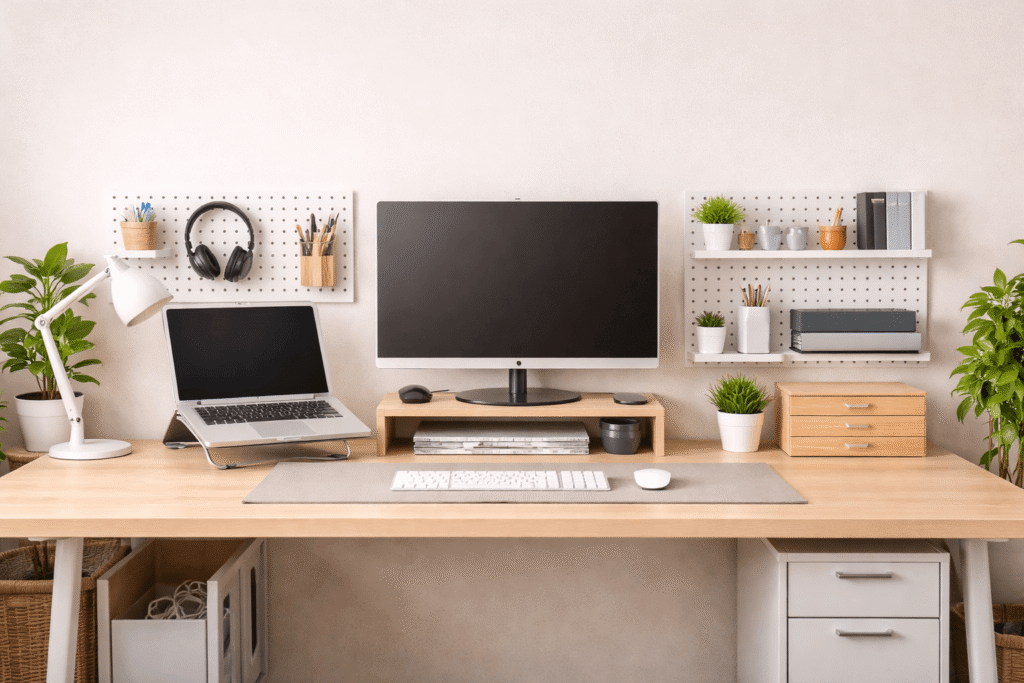
The Keepo pegboard system lets you move accessories off your desk and onto a clean vertical surface.
Real-life use:
Your headphones, cables, or small tools hang neatly on the wall instead of sitting on your desk.
Why it helps:
It keeps frequently used items visible but out of your workspace.
Best for:
Small desks or setups that feel overcrowded.
Laura Davidson Mobile File Cabinet (2 Drawer, Lockable)

Paper clutter builds up faster than you expect.
A compact mobile file cabinet gives you a dedicated space for documents, notebooks, and anything you don’t want on your desk.
Real-life use:
Instead of stacking papers on your desk, everything is stored neatly in drawers—and you can roll the cabinet out of sight if needed.
Why it helps:
It removes bulk items from your desk while keeping them accessible.
Best for:
Remote workers dealing with paperwork or larger accessories.
Comfort Improvements for Long Work Sessions
Aothia PU Leather Desk Pad (Non-Slip, Waterproof)

A desk mat might seem like a small detail, but it changes how your workspace feels.
The Aothia desk pad creates a defined work zone and keeps everything in place.
Real-life use:
Your keyboard, mouse, and notebook stay aligned instead of sliding around, making your desk feel more intentional.
Why it helps:
It visually organizes your workspace and reduces small distractions.
Best for:
Anyone who wants a cleaner, more cohesive desk setup.
ComfiLife Gel & Memory Foam Seat Cushion

If your chair isn’t comfortable, your focus won’t last.
This cushion adds support without needing to replace your entire chair.
Real-life use:
After a few hours of work, you’re still sitting comfortably instead of constantly adjusting your position.
Why it helps:
It reduces pressure and improves posture, which helps you stay focused longer.
Best for:
Long work sessions or budget-friendly setups.
What to Look For Before Buying
Not every upgrade will fit your desk or workflow.
Here’s what actually matters:
Measure your space first
Small desks benefit more from vertical storage than wide accessories.
Choose multi-purpose items
A laptop stand that frees space or a cabinet that hides clutter is more valuable than single-use items.
Think about cable flow
Adding devices without managing cables can make things worse instead of better.
Avoid overloading your desk
A cleaner workspace comes from fewer, better choices—not more products.
Final Thoughts
A cleaner workspace isn’t about removing everything—it’s about organizing what actually matters.
Small changes like lifting your laptop, hiding cables, or using vertical storage can completely shift how your desk feels. You spend less time adjusting your space and more time working with clarity.
Over time, that leads to better focus, better comfort, and a setup that actually supports you.