
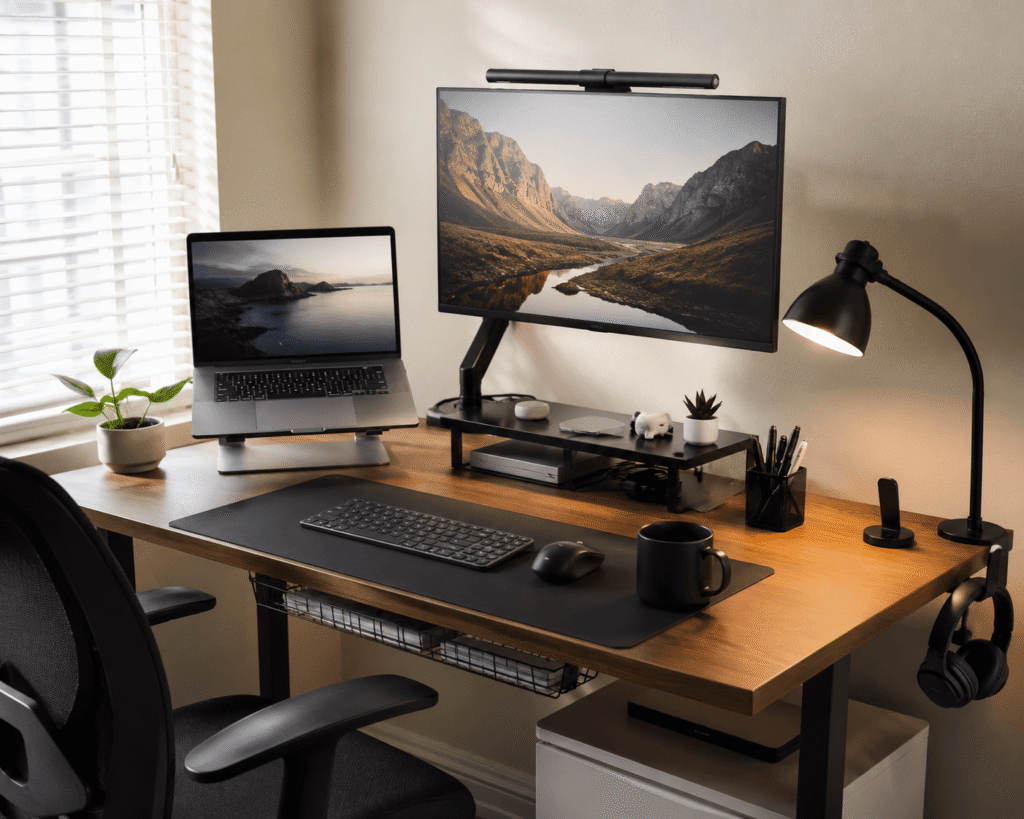
Disclosure: As an Amazon Associate I earn from qualifying purchases.
A good monitor can make work easier, but the accessories around it often decide how comfortable, clean, and productive your desk actually feels.
If your screen sits too low, your cables are messy, or your desk feels crowded, you probably do not need a full setup rebuild. A few small monitor accessories can make your workspace easier to use every day.
The goal is simple: more comfort, less clutter, and a setup that feels easier to sit down at. If you want more practical upgrades beyond monitor accessories, you can also explore these simple desk upgrades that make working from home better.
Quick Picks
- Best overall: WALI Single Monitor Arm
- Best budget option: WALI Monitor Stand
- Best for small desks: Lamicall Headphone Hanger
Prices are approximate and may change. Ratings and review counts reflect current product data.
Monitor Comfort and Positioning
WALI Single Monitor Arm
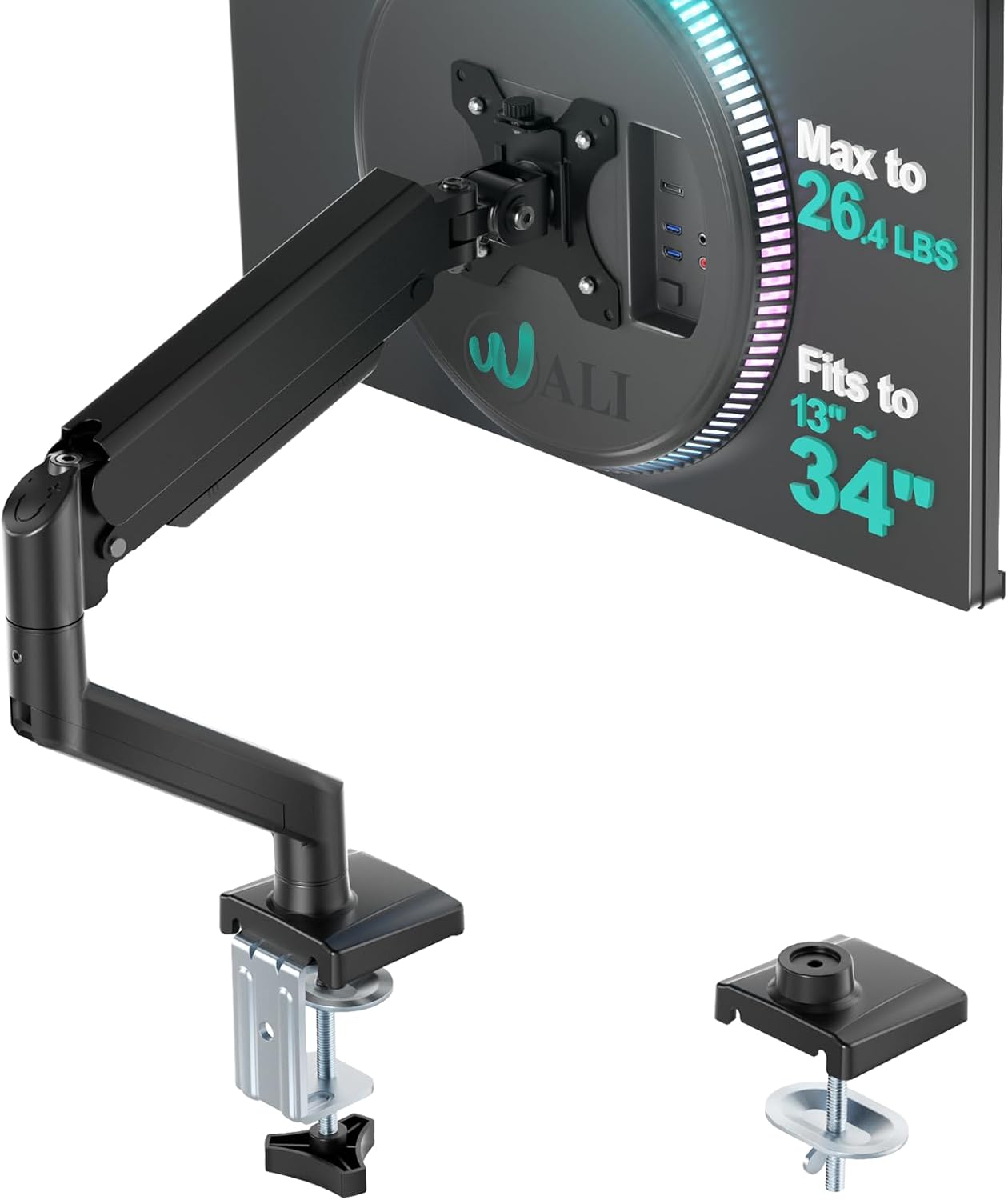
A monitor arm is one of the easiest ways to improve your desk setup without buying a new monitor. A simple option like this lifts the screen off your desk and gives you more control over height, distance, and viewing angle.
This is useful if your monitor sits too low or takes up too much surface space. It can also help make your desk feel cleaner because the bulky default stand is no longer in the way.
It is best for remote workers, students, and anyone who wants better posture during long work sessions.
For example, if your keyboard, notebook, and coffee mug are always fighting for space, a monitor arm can instantly open up the center of your desk. This type of upgrade is especially helpful if you want more room without changing your entire setup.
One of those upgrades you notice almost immediately.
Airlonv Clamp Desk Lamp

Good lighting makes a desk feel easier to use, especially if you work early in the morning or later at night. A tool like this clamps onto the desk, so it gives you focused lighting without taking up much surface space.
The flexible neck makes it easier to aim the light where you need it, whether you are reading notes, writing, studying, or working beside your monitor.
It is best for small desks, study setups, and home offices with poor room lighting.
A real-life use case is simple: instead of turning on harsh overhead lighting, you can add softer task lighting directly over your work area. Something like this can make evening work feel more comfortable and less distracting.
Easy to add without changing your whole setup.
Basics Monitor Stand Riser

A monitor riser helps bring your screen closer to eye level while adding storage underneath. A no-fuss option like this is helpful if your monitor feels too low or your desk needs more structure.
It can reduce the habit of looking down at your screen, which may make long work sessions more comfortable. The extra storage area can also hold notebooks, small accessories, or a keyboard when not in use.
This is best for people who want a simple ergonomic improvement without using a clamp or installing anything.
If your desk feels messy at the end of every day, a riser gives small items a place to go. This type of setup upgrade works well for both home offices and student desks.
A simple addition that makes your desk feel more organized right away.
WALI Monitor Stand

If you just want a quick upgrade, the WALI Monitor Stand is a simple budget-friendly choice. It raises your monitor slightly and creates space underneath for basic desk storage.
It is useful if you want a cleaner desk without spending much or making your setup complicated.
This is best for students, small apartments, dorm rooms, and anyone building a practical workspace on a budget.
For example, you can slide a notebook, planner, or small keyboard underneath it when you are done working. A simple option like this helps your desk feel less crowded almost immediately.
A solid, no-fuss addition to most desks.
Organization and Cable Control
Ucanng Cable Management Tray

Messy cables can make even a good desk setup feel unfinished. A tool like this helps move cords, power strips, and adapters off the floor and out of sight.
The main benefit is visual calm. When cables are hidden underneath the desk, the whole workspace feels cleaner and easier to maintain.
It is best for people with monitors, laptop chargers, lamps, speakers, and other plugged-in accessories.
Imagine sitting down to work without seeing a pile of tangled cords under your desk. Something like this is a small upgrade, but it can make your setup feel much more intentional.
One of the easiest ways to improve a clean workspace.
Lamicall Headphone Hanger

Headphones are useful, but they take up space fast when they are left on the desk. A simple option like this gives them a dedicated spot without adding another stand to your workspace.
It works well under a desk, on the side of a desk, or near your monitor area depending on your layout.
This is best for remote workers, gamers, students, and anyone who uses headphones for calls or focus sessions.
A real-life scenario is easy to picture: you finish a meeting, hang your headset up, and your desk stays clear. This small upgrade is especially useful if you are working with limited space.
Easy to add without changing your entire setup.
UGREEN USB-C Hub

A USB-C hub makes your desk easier to use if you connect multiple devices throughout the day. A tool like this can add extra ports for accessories, storage devices, and displays without constantly reaching behind your laptop.
It is especially helpful for laptop users who work with external monitors, webcams, keyboards, mice, or other desk tools.
This is best for productivity setups where convenience matters.
For example, instead of unplugging and replugging several cables every time you move your laptop, a hub can keep your setup more consistent. Something like this makes your desk feel easier to use day after day.
A practical upgrade for a more productive desk setup.
Video Calls, Secondary Screens, and Maintenance
InnoGear Webcam Stand

A webcam stand helps you position your camera more naturally for meetings, classes, or content work. A simple option like this gives you more control than balancing a webcam on top of a monitor.
It can improve your camera angle, reduce awkward framing, and help keep your desk setup more flexible.
This is best for remote workers, online students, teachers, streamers, and anyone who spends time on video calls.
For example, if your camera angle always feels too low or too high, a dedicated stand gives you more control. This type of upgrade can make your workspace look more professional during calls.
One of those upgrades that quietly improves your workflow.
LISEN Tablet Stand

A tablet stand can work as a small secondary-screen accessory, especially if you use a tablet for notes, messages, reference material, or video calls. A no-fuss option like this keeps the device upright and easier to see.
It is useful for people who want a simple second-screen feeling without adding a full monitor.
This is best for students, remote workers, and anyone who likes keeping notes or reference pages visible beside the main screen.
For example, you can keep your task list, calendar, or research open on a tablet while your main monitor stays focused on work. Something like this helps improve workflow without taking over the desk.
Easy to add to a small desk setup.
iO CLEAN Screen Cleaning Kit

A clean screen makes your whole setup feel better. A budget-friendly option like this helps remove dust, fingerprints, and smudges from monitors, laptops, tablets, and other screens.
It is not the most exciting accessory, but it is one of the most useful.
This is best for anyone who wants a cleaner workspace and a clearer display.
A real-life example: before starting work, a quick screen wipe can make text look sharper and reduce visual distractions. This type of simple desk accessory is easy to keep nearby and use regularly.
Easy to add and easy to appreciate.
What to Look For Before Buying
Before buying monitor accessories, start with your biggest daily annoyance.
If your neck feels uncomfortable, look at a monitor arm or riser first. If your desk looks messy, cable management and storage accessories will probably make the biggest difference.
If your setup feels dark, a clamp desk lamp can improve comfort without taking up much room.
Also consider your desk size. Some accessories work better for larger desks, while others are better for compact spaces. If you are trying to build a cleaner and more focused workspace, this guide on how to create a productive desk setup at home can help you plan the full setup more intentionally.
You do not need to overthink this. Pick the upgrade that solves the problem you notice every day.
Conclusion
The best Prime Day monitor accessories are not about making your desk look expensive. They are about making your setup easier to use.
A monitor arm can free up space. A riser can improve comfort. A cable tray can clean up visual clutter. A USB-C hub can make your daily workflow smoother.
Start with one simple upgrade and build from there. Small changes can make your desk feel cleaner, more comfortable, and more productive without replacing everything.
For more practical product ideas, you can also check out these desk accessories worth buying if you want more affordable ways to improve your workspace.