

Disclosure: As an Amazon Associate I earn from qualifying purchases.
A messy desk can make even a good workspace feel harder to use.
Loose cables collect dust, fall behind your desk, tangle around power strips, and make your setup look more chaotic than it needs to be. If you work from home, study online, or use multiple devices every day, cable clutter can quietly make your desk feel smaller and more distracting.
The good news is that cable management is one of the easiest desk upgrades to fix. You do not need a full desk makeover. A few simple tools can make your space look cleaner, feel more organized, and work better day to day.
If you are also improving your setup on a budget, these budget desk setup ideas can help you make smart upgrades without overthinking every purchase.
Quick Picks
- Best overall: Ucanng Under Desk Cable Tray
- Best budget option: Nettbe Reusable Cable Ties
- Best for small desks: SOULWIT Adhesive Cable Clips
Prices are approximate and may change. Ratings and review counts reflect current product data.
Best Cable Management Deals for Cleaner Desks
Ucanng Under Desk Cable Tray

An under-desk cable tray is one of the easiest ways to clean up the area around your desk. A simple option like this gives power strips, adapters, and extra cable length a place to sit instead of hanging underneath your workspace.
This is useful because it solves the biggest visual problem first. Instead of seeing a messy cluster of wires every time you sit down, most of the clutter gets moved out of sight.
It is best for remote workers, students, and anyone using a monitor, laptop charger, lamp, speakers, or docking station at the same desk.
A real-life example is a basic home office where the power strip sits on the floor with five different cables running into it. With this type of setup upgrade, those cables can sit under the desk in a cleaner, more controlled way.
A simple addition that makes your desk feel more organized right away.
Nettbe Reusable Cable Ties

Cable ties are not exciting, but they work. A tool like this helps bundle loose cords together so your desk looks cleaner without requiring a complicated setup.
These are especially useful for chargers, monitor cables, USB cords, and extra wire length behind the desk. Because they are reusable, you can adjust them whenever your setup changes.
They are best for people who want a quick upgrade without spending much or installing anything permanent.
If your desk has several cables running in different directions, tying them into neat groups can make the whole setup feel calmer in just a few minutes.
A budget-friendly option like this is one of those small upgrades you notice almost immediately.
SOULWIT Adhesive Cable Clips

Adhesive cable clips are great for controlling cables before they become annoying. A simple tool like this sticks to your desk, wall, or nearby surface and keeps charging cables from sliding away or falling behind furniture.
They are especially helpful on small desks where there is no room for bulky organizers. You can use them for phone chargers, laptop cables, lamp cords, Ethernet cables, or USB wires.
This is best for students, apartment setups, and anyone working with limited desk space.
For example, if your phone charger always falls behind the desk after you unplug it, a clip can keep it exactly where you need it.
Something like this is easy to add without changing your entire setup.
Best Power and Charging Cable Management Deals
YECAYE Cable Management Box

A cable management box helps hide one of the messiest parts of any workspace: the power strip. A no-fuss option like this gives cords and adapters a cleaner place to live instead of leaving everything exposed on the floor.
It is useful if your desk area has a lot of plugs, especially for monitors, chargers, lamps, and office accessories.
This is best for home offices, shared rooms, and setups where you want the desk area to look cleaner without drilling or mounting anything.
A realistic example is a work-from-home setup where the power strip is visible beside the desk. Placing it inside a box makes the area feel more intentional and less messy.
Something like this is a solid, no-fuss addition to most desks.
UWIWUTEI Power Strip Tower

A power strip tower is useful when you have more devices than outlets. This type of upgrade gives you a more organized way to plug in multiple devices without spreading cords across the floor.
The vertical design can also save space compared to a traditional flat power strip. That makes it useful for dorm rooms, compact home offices, and desks with multiple chargers.
It is best for people using a laptop, monitor, phone charger, lamp, speakers, and other desk accessories in the same area.
For a small workspace, having one controlled power hub can feel much cleaner than running cords to different wall outlets.
A tool like this is easy to add without changing your whole setup.
GETPALS 3-in-1 Charging Stand

A charging stand helps reduce the number of loose charging cables on your desk. A simple option like this creates one dedicated charging spot for multiple everyday devices.
It is useful because small devices often create the most annoying clutter. Phones, earbuds, and watches can easily take over your desk if each one has its own cable.
This is best for users who want a cleaner nightstand, desk, or small home office setup.
A real-life scenario is ending the workday with your phone, earbuds, and watch scattered across the desk. A stand gives them one place to go, which makes the workspace easier to reset.
Something like this helps your desk feel more organized without much effort.
Best Small Desk Cable Management Accessories
Alex Tech Cable Sleeve
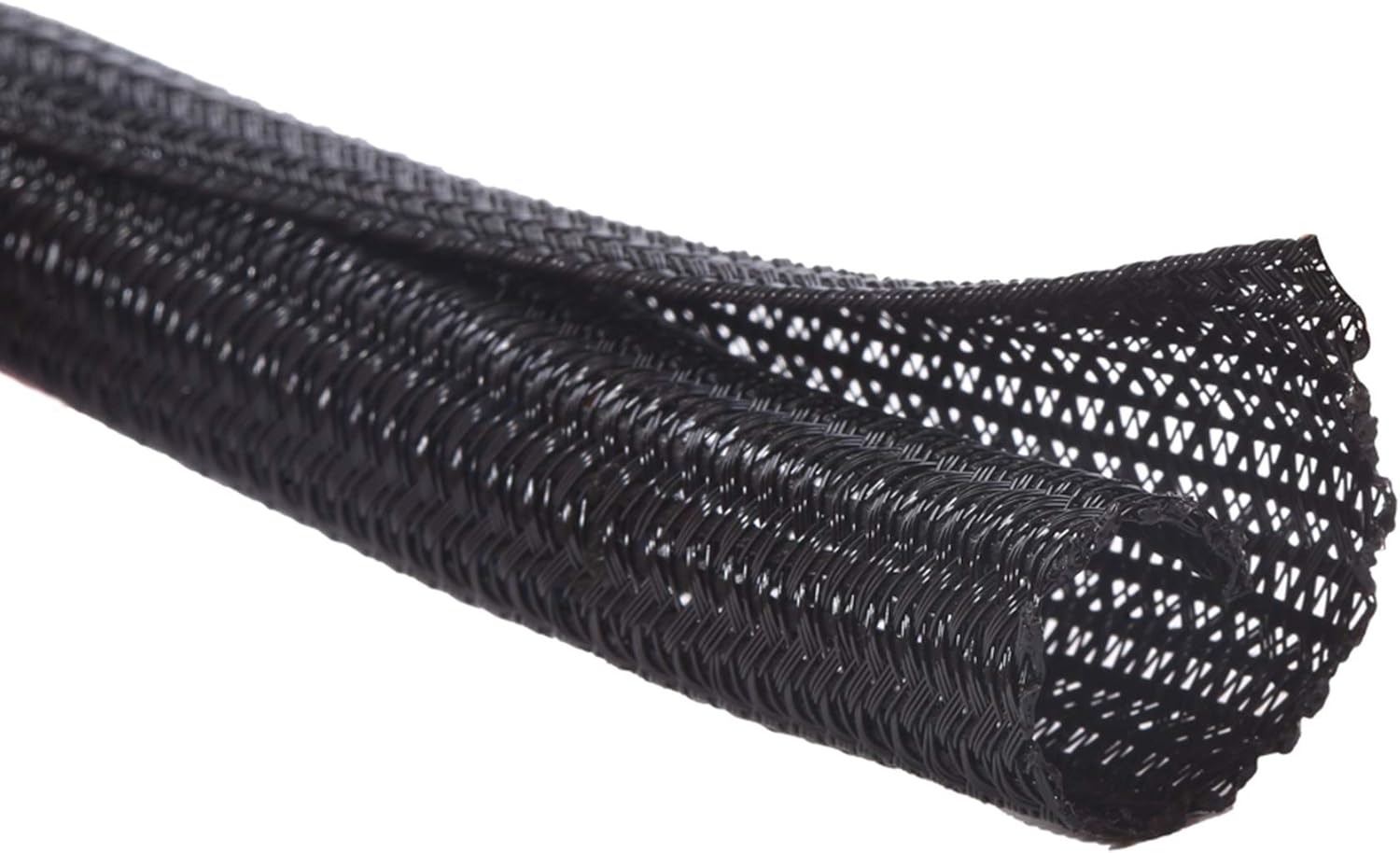
A cable sleeve is useful when several cables run in the same direction. A tool like this wraps around multiple cords and turns them into one cleaner-looking bundle.
This is especially helpful for monitor cables, speaker wires, PC cables, and cords running from the desk to the floor.
It is best for users who want their setup to look cleaner but do not want to replace their current equipment.
For example, if you have several black cables hanging behind your desk, a sleeve can make them look like one organized line instead of a messy bundle.
A simple option like this is one of the easiest ways to improve your setup visually.
ErGear Single Monitor Arm

A monitor arm can improve both desk space and cable organization. This type of upgrade lifts your monitor off the desk and often includes cable routing to keep display and power cables cleaner.
It is useful because it frees up surface space while also helping your monitor area look less crowded.
This is best for remote workers, students, and anyone using an external monitor on a smaller desk.
If your monitor stand takes up too much room, switching to a monitor arm can make the desk feel more open almost immediately. It can also support a more comfortable home office setup by giving you more control over screen position.
Something like this is a practical upgrade if you want both comfort and a cleaner workspace.
Trilancer Cable Labels

Cable labels are a simple way to stop guessing which cord belongs to which device. A budget-friendly option like this helps you identify chargers, monitor cables, printer cords, and power adapters at a glance.
They are useful if your desk setup changes often or if several cables look almost identical.
This is best for people with multiple devices, shared workspaces, or setups that include a computer, monitor, speakers, and accessories.
A common scenario is trying to unplug one device and accidentally disconnecting the wrong cable. Labels make that much less likely.
A tool like this adds organization without making your setup more complicated.
SMILE STATION Magnetic Wireless Chargers

A wireless charging pad removes one cable from your daily routine. A simple option like this gives your phone or accessories a dedicated charging spot without leaving a loose cable across your desk.
It is useful for anyone who wants a cleaner surface and fewer cables around their main work area.
This is best for minimalist setups, bedside desks, workstations, and small desks where cable clutter builds up quickly.
For example, instead of plugging and unplugging your phone several times a day, you can place it on the charger when you sit down.
Something like this is easy to add without changing your entire setup.
What to Look For Before Buying
Before buying cable management products, start with the main problem on your desk.
If the mess is under the desk, start with a cable tray or cable management box. If the problem is loose cords on the surface, cable clips or a charging stand may be enough.
If your setup feels cramped, a monitor arm can free up space while improving cable routing. For more practical changes like this, these simple desk changes that improve your workflow can help you prioritize what actually matters.
Also consider whether you want a permanent or flexible solution. Adhesive clips are simple, but cable ties and sleeves are easier to adjust later.
You do not need to overthink this. Start with the cable clutter you notice most often and fix that first.
Conclusion
Cable management is one of the simplest ways to make your desk feel cleaner, calmer, and easier to use.
You do not need a perfect setup. Even a cable tray, a few reusable ties, or some adhesive clips can make your workspace look more organized right away.
For most people, the best approach is to pick one or two upgrades that solve the biggest daily annoyance. That could mean hiding a power strip, stopping chargers from falling behind the desk, or creating a cleaner charging area.
Once the cables are under control, your desk feels more focused, more comfortable, and easier to maintain.