
Disclosure: As an Amazon Associate I earn from qualifying purchases.
Working from home sounds great until your desk starts feeling cramped, distracting, or uncomfortable after a few hours.
A messy cable situation, bad lighting, limited space, or an awkward laptop position can slowly make your workday harder than it needs to be. The good news is that you don’t need a full office makeover to fix it.
A few simple desk upgrades can make your setup feel cleaner, more comfortable, and easier to focus in. Most of these changes are affordable, easy to add, and useful even in small apartments, dorm rooms, or shared spaces.
If you’re building a cleaner workspace from scratch, this complete guide to minimalist desk setup 2026 is a helpful next step.
Quick Picks
- Best overall: Amazon Basics Adjustable Laptop Stand
- Best budget option: Gorilla Grip Memory Foam Wrist Rest
- Best for small desks: Voncerus Clamp Desk Lamp
Prices are approximate and may change. Ratings and review counts reflect current product data.
Desk Upgrades That Improve Comfort and Focus
Amazon Basics Adjustable Laptop Stand

If you work from a laptop most of the day, a simple option like this can make your setup feel better almost immediately.
The Amazon Basics Adjustable Laptop Stand raises your screen closer to eye level, which can help reduce neck strain and improve posture. It also folds down, so it works well if you move between rooms or need to store your setup at the end of the day.
It’s best for remote workers, students, and home office users who want a cleaner laptop setup without buying a large monitor.
A real-life example: if you spend hours on video calls or writing documents, your neck and shoulders may feel less tense when your screen is not sitting flat on the desk.
This type of upgrade is easy to add without changing your whole setup.
A simple addition that makes your desk feel more comfortable right away.
Voncerus Clamp Desk Lamp

Bad lighting can make a workspace feel dull, tiring, and harder to focus in. A tool like this is useful because it adds direct light without taking up much desk space.
The Voncerus Clamp Desk Lamp attaches to the edge of your desk and has multiple brightness settings. That makes it a smart choice for small desks where a regular lamp base would take up too much room.
It’s best for people who work early mornings, late nights, or in rooms with weak overhead lighting.
For example, if you’re reading notes, writing, or working through an evening task, better lighting can make the desk feel more intentional and less draining.
If you just want a quick upgrade, something like this is a simple option.
One of those upgrades you notice almost immediately.
Gorilla Grip Memory Foam Wrist Rest

If your wrists feel tired after typing, a budget-friendly option like this can make long work sessions more comfortable.
The Gorilla Grip Memory Foam Wrist Rest gives your wrists softer support while using a keyboard and mouse. It’s a small ergonomic upgrade, but it can make a difference if you type for hours each day.
It’s best for remote workers, students, writers, and anyone who spends a lot of time at a keyboard.
A simple scenario: you’re working on assignments, emails, or client tasks for several hours, and your hands start feeling stiff. A wrist rest helps make the setup feel less harsh.
This no-fuss option is easy to add even if your desk is already small.
Easy to add without changing your entire setup.
Small Desk Organization Upgrades
WALI Monitor Stand Riser

A cluttered desk often feels worse because everything sits on the same flat surface. A simple tool like this helps you organize vertically instead.
The WALI Monitor Stand Riser lifts your monitor, laptop, or small printer while adding a drawer and pen holders for basic desk items. It’s useful if you want more structure without adding bulky storage furniture.
It’s best for small desk setups where notebooks, pens, chargers, and accessories pile up quickly.
For example, you can slide small items into the drawer instead of leaving them scattered around your keyboard.
If your desk feels crowded, this type of setup upgrade can create more breathing room fast.
A solid, no-fuss addition to most desks.
Cinati Under Desk Cable Tray

Messy cables can make even a nice desk feel chaotic. A simple option like this keeps cords off the floor and away from the main desk surface.
The Cinati Under Desk Cable Tray clamps under your desk, so you do not need to drill into the surface. It helps hold power strips, charging cables, and loose wires in one cleaner place.
It’s best for anyone using a laptop, monitor, lamp, phone charger, or multiple devices at the same desk.
A real-life scenario: instead of seeing cables hanging behind your desk every time you sit down, the setup feels cleaner and easier to maintain.
If you’re working on a clean workspace, something like this is one of the easiest places to start.
One of those upgrades that improves your setup with very little effort.
Practical Upgrades for Better Workflow
Yootech Wireless Charging Pad
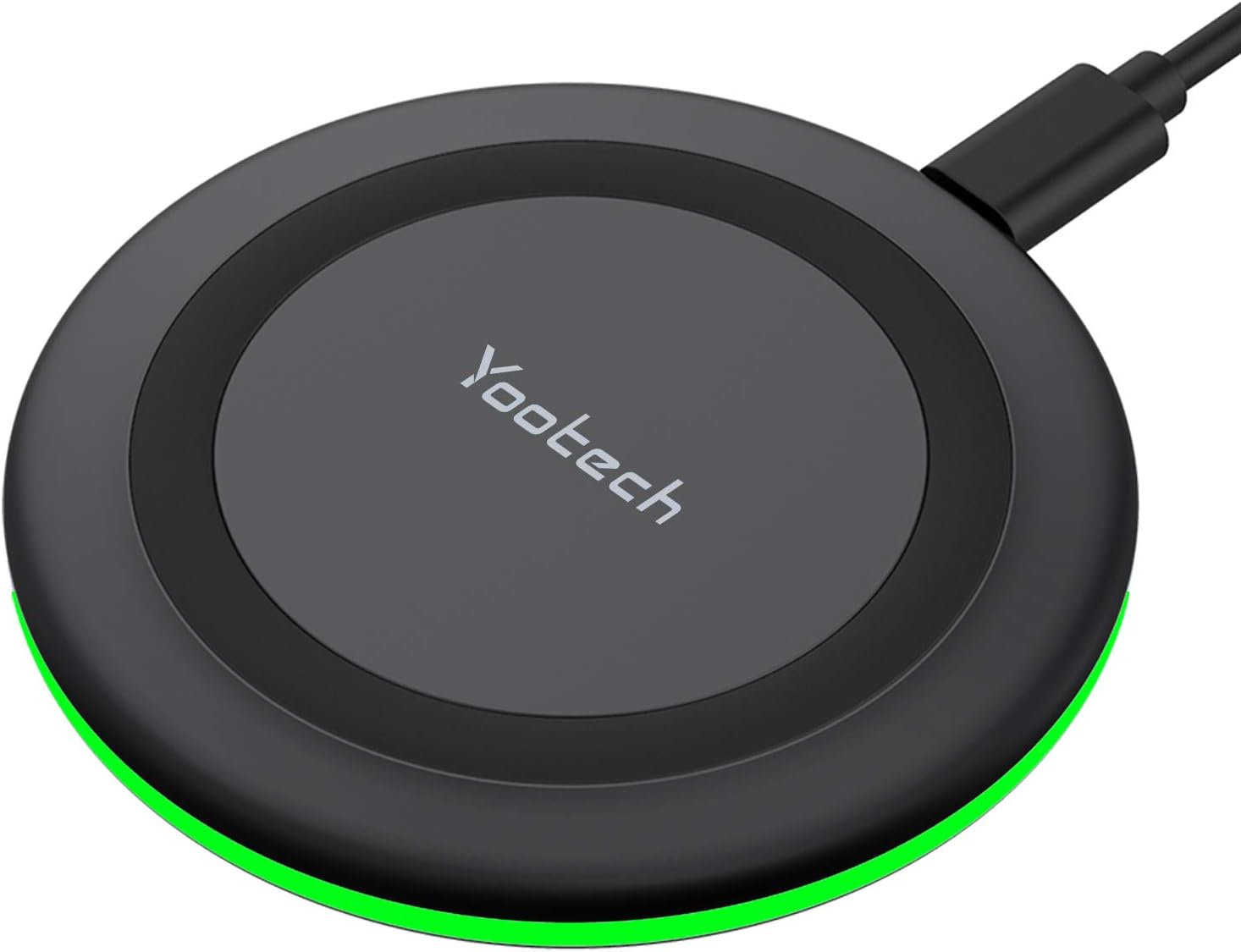
A phone charger cable can easily become one more piece of clutter. A simple setup upgrade like this keeps charging more convenient and cleaner.
The Yootech Wireless Charging Pad gives your phone a dedicated charging spot on the desk. Instead of plugging and unplugging a cable throughout the day, you can place your phone down and keep working.
It’s best for people who use their phone for calls, timers, music, reminders, or two-factor authentication during the workday.
A real-life scenario: your phone stays charged while still being easy to grab when needed, without another loose cable taking over your workspace.
Something like this works especially well on small desks where every cable matters.
Easy to add without changing your whole setup.
CloudBliss Under Desk Foot Rest

A foot rest may not look exciting, but it can make sitting for long periods feel more comfortable. A budget-friendly option like this supports your feet and helps create a more relaxed sitting position.
The CloudBliss Under Desk Foot Rest uses soft foam and has a removable cover, making it a practical comfort upgrade for home offices.
It’s best for shorter users, people whose feet do not rest comfortably on the floor, or anyone who feels leg discomfort during long desk sessions.
For example, during long meetings or focused writing blocks, a foot rest can make your posture feel more stable and less awkward.
If you’re building a more comfortable home office setup, this type of upgrade is easy to overlook but genuinely useful.
One of the simplest ergonomic upgrades you can make.
TSJ Office Desktop Whiteboard

If sticky notes keep piling up around your monitor, a tool like this gives you a cleaner place for quick reminders.
The TSJ Office Desktop Whiteboard is small enough to sit on a desk without taking over the workspace. It works well for daily priorities, meeting notes, study tasks, or quick reminders.
It’s best for students, remote workers, and anyone who likes visual organization but wants less paper clutter.
A simple scenario: instead of opening another app just to check your top three tasks, you can keep them visible right in front of you.
For a better productivity desk setup, something like this can help you stay focused without overcomplicating your system.
A clean and practical addition for everyday productivity.
What to Look For Before Buying
Size Compatibility
Always check your available desk space first. Some products look compact online but may feel too bulky on a small desk.
Measure the area where the item will go before buying, especially for monitor risers, lamps, and organizers.
Easy Setup
The best desk upgrades are the ones you will actually use. Look for simple products that do not require complicated installation.
Clamp lamps, foldable laptop stands, drawer trays, and cable trays are good examples of practical upgrades that are easy to add.
Multi-Function Design
If you have limited space, choose products that solve more than one problem.
A monitor riser with a drawer, a lamp that clamps to the desk, or a cable tray that hides multiple wires can make a small setup feel much more organized.
Comfort First
A nice-looking desk is useful, but comfort matters more if you sit there every day.
Wrist support, better screen height, good lighting, and a foot rest can all make working from home feel less tiring.
Clutter Control
Before buying decorative items, fix the things that create daily friction.
Cables, loose supplies, poor lighting, and awkward device placement usually make the biggest difference once improved.
Conclusion
Working from home becomes easier when your desk supports the way you actually work.
You do not need expensive furniture or a full office redesign to make your setup better. Small upgrades like a laptop stand, clamp lamp, cable tray, drawer organizer, or foot rest can make your desk feel cleaner, more comfortable, and easier to focus in.
The best approach is to start with the problem you notice most. If your desk feels messy, organize cables and small items first. If your body feels uncomfortable, start with posture and wrist support. If your space feels dull, improve the lighting.
You don’t need to overthink this. One or two simple upgrades can make your workspace feel noticeably better.
For more practical ideas, you can explore these small desk upgrades that make your workspace feel new again.