
Disclosure: As an Amazon Associate I earn from qualifying purchases.
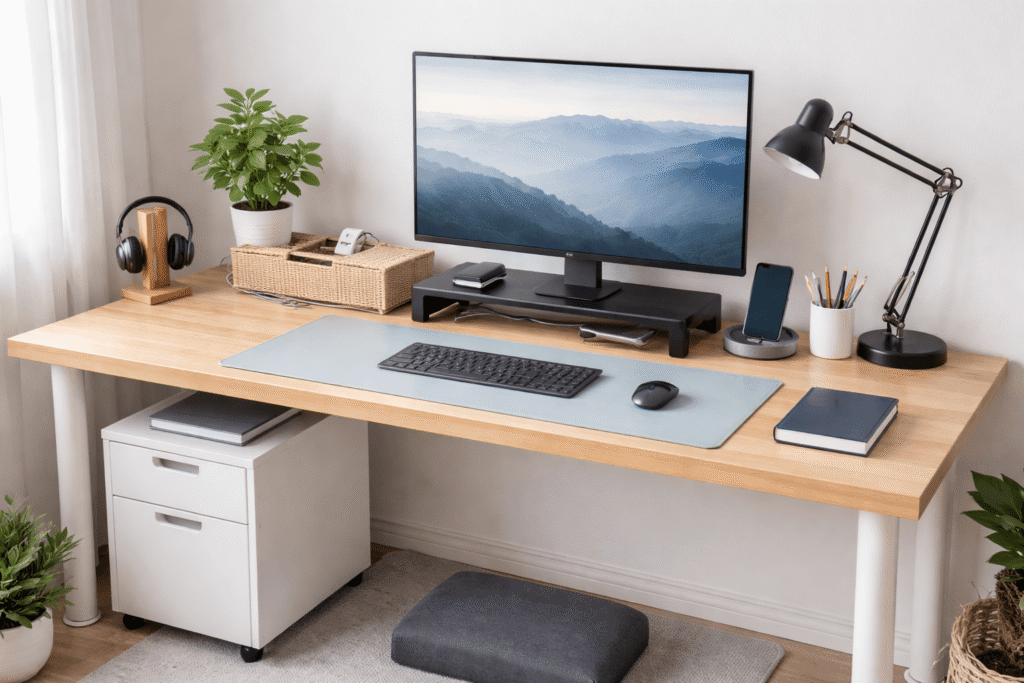
A cluttered desk doesn’t just look messy—it quietly drains your focus.
If you’ve ever sat down to work and felt distracted, uncomfortable, or unmotivated within minutes, your desk setup might be working against you. Poor ergonomics, visual clutter, and lack of structure can turn even simple tasks into slow, frustrating work sessions.
The good news is that most of these problems don’t require a full overhaul. A few simple upgrades can make a big difference—helping you stay focused, work longer without discomfort, and keep your space under control.
Prices are approximate and may change. Ratings and review counts reflect current product data.
Below are some of the most common desk setup mistakes—and the practical fixes that actually improve how your workspace feels and functions.
Simple Upgrades That Improve Focus
EVOOMI Back Saver Monitor Stand (2-Pack)

One of the biggest mistakes is working with a screen that’s too low. It causes neck strain and slowly pulls your posture forward.
The EVOOMI metal monitor riser lifts your screen to a more natural height while adding usable space underneath. The mesh steel design keeps things stable, and the extra clearance helps reduce surface clutter.
Real-life use case:
If your monitor sits flat on the desk and you constantly lean forward, raising it even a few inches makes your posture feel more natural right away.
Benefit: Better posture and less tension, which helps you stay focused longer without fatigue.
Lamicall Adjustable Laptop Stand

Using a laptop directly on the desk is one of the most common productivity killers.
The Lamicall adjustable aluminum stand brings your screen up while staying foldable and compact—ideal for small setups or flexible workspaces.
Real-life use case:
If you work from different spots (desk, kitchen table, even couch occasionally), this stand lets you maintain a consistent setup anywhere.
Benefit: Reduces neck strain and creates a more ergonomic working position.
Micomlan Architect LED Desk Lamp

Bad lighting leads to eye strain and low energy faster than most people expect.
The Micomlan desk lamp uses a wide, adjustable arm and auto-dimming features to give consistent lighting without harsh glare.
Real-life use case:
Late-night work or early mornings feel much easier when your desk is properly lit instead of relying on uneven overhead lighting.
Benefit: Helps reduce eye fatigue and keeps your focus steady during long sessions.
Smart Organization for Small Desks
Cantalop Rattan Cable Management Box

Visible cables create constant visual noise—and that noise makes it harder to focus.
This handmade rattan cable box hides power strips, chargers, and loose cords while still allowing airflow through side openings.
Real-life use case:
If you have multiple devices plugged in (monitor, laptop, phone), this keeps everything contained instead of spilling across your desk.
Benefit: Cleaner visual space, which helps reduce distractions immediately.
Amazon Basics Metal Mesh Desk Organizer (6 Compartments)

A messy drawer—or worse, a messy desk—slows you down every time you need something.
This simple metal mesh organizer keeps everyday items like pens, notes, and small accessories in fixed sections.
Real-life use case:
Instead of searching for a pen or charger, you instinctively reach to the same spot every time.
Benefit: Saves time and removes small daily friction.
Laura Davidson 2-Drawer Mobile File Cabinet

Stacking papers or random items on your desk is a fast way to lose usable space.
This mobile filing cabinet slides neatly under your desk and gives you structured storage for documents, tech accessories, or even personal items.
Real-life use case:
If your desk surface keeps filling up with “temporary” items, this gives them a proper place without crowding your workspace.
Benefit: Keeps your desk clear while still keeping essentials within reach.
Aothia Leather Desk Pad (Large Desk Mat)

Working directly on a bare desk often feels scattered and unstructured.
The Aothia desk pad creates a defined workspace area while protecting the surface and improving mouse movement.
Real-life use case:
If your setup feels visually messy, even when it’s not, a desk mat pulls everything together into one clean zone.
Benefit: Makes your desk feel more organized and comfortable with minimal effort.
Comfort Improvements for Long Work Sessions
ComfiLife Adjustable Memory Foam Foot Rest

Many people ignore what’s happening under the desk—but it affects your entire posture.
The ComfiLife footrest uses memory foam and adjustable height to support your legs and keep your sitting position stable.
Real-life use case:
If your chair feels slightly too high or your feet don’t sit flat, this fixes the imbalance instantly.
Benefit: Improves circulation and reduces lower-body fatigue during long work sessions.
Arteck Wireless Keyboard and Mouse Combo
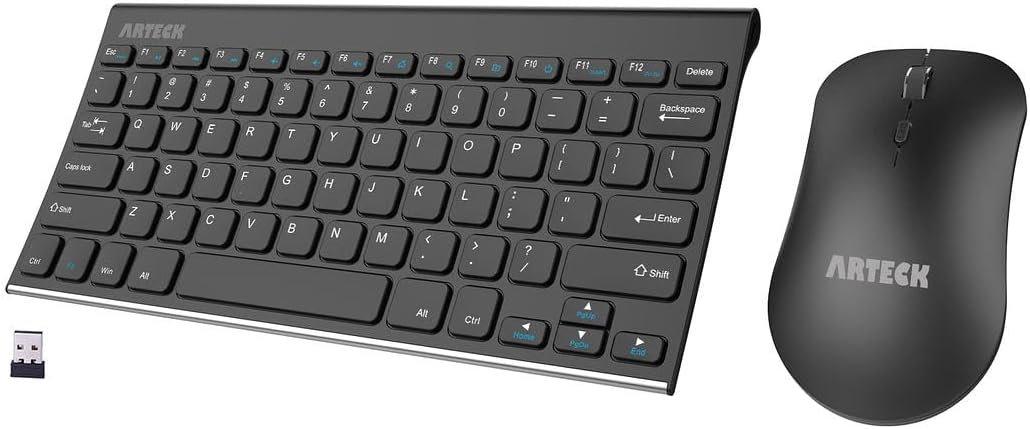
Bulky keyboards and cables can make small desks feel cramped fast.
The Arteck wireless combo keeps things simple with a slim design and rechargeable setup, reducing cable clutter.
Real-life use case:
If your desk feels crowded, switching to a wireless setup frees up space immediately.
Benefit: Cleaner layout and more room to move, which helps you stay comfortable and focused.
What to Look For Before Buying
Not every upgrade is worth adding to your desk. Focus on changes that directly improve how you work.
Prioritize ergonomics first
Anything that affects posture (monitor height, foot position) has the biggest long-term impact.
Think in terms of space, not just items
Choose products that reduce clutter or combine multiple functions.
Avoid overloading your setup
Too many accessories can recreate the same problem you’re trying to fix.
Look for flexibility
Foldable, adjustable, or mobile items work best in small setups.
Focus on daily use
If you don’t use it often, it shouldn’t take up space on your desk.
Conclusion
Most productivity issues don’t come from a lack of discipline—they come from friction in your environment.
A cluttered or uncomfortable desk makes it harder to focus, even if you don’t realize it right away.
The goal isn’t to build a perfect setup overnight. It’s to remove small obstacles that slow you down.
A cleaner surface, better posture, and fewer distractions can completely change how your workday feels.
And in most cases, it only takes a few simple upgrades to get there.