
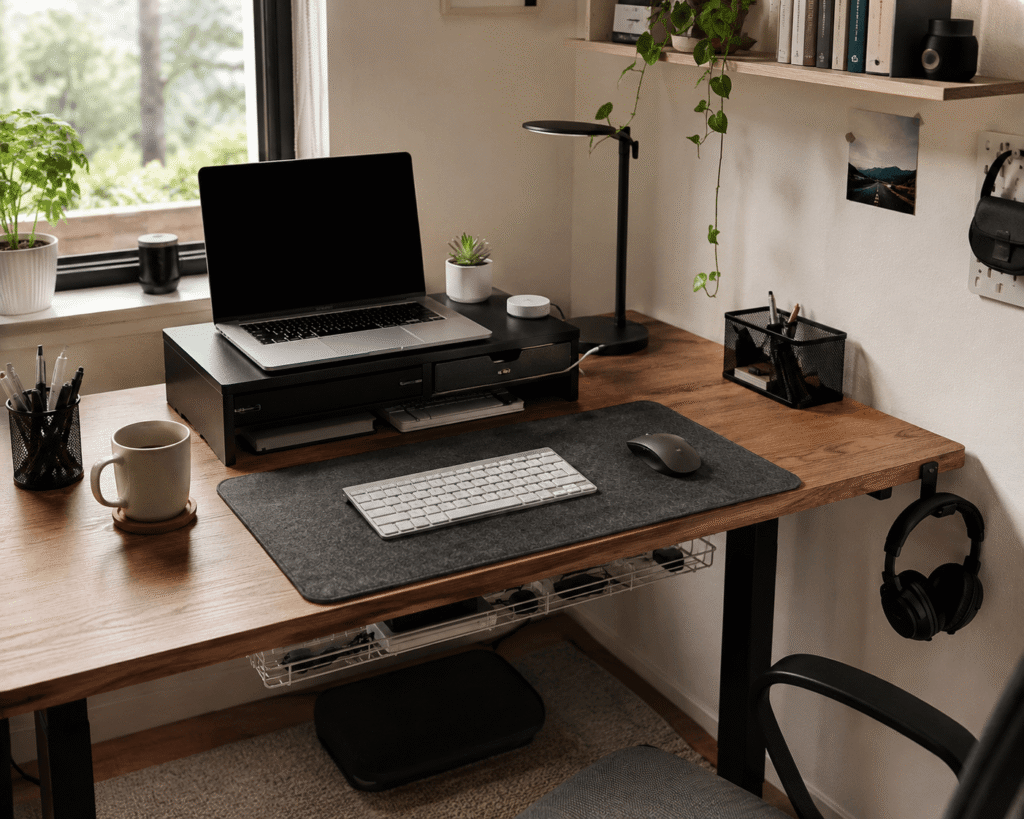
Disclosure: As an Amazon Associate I earn from qualifying purchases.
A cluttered desk can make work feel heavier than it needs to be.
You sit down to focus, but cables are everywhere, your headphones are in the way, your laptop sits too low, and small items keep spreading across the surface. Even if your desk is technically functional, it can start to feel messy, distracting, and mentally crowded.
The good news is that you do not need a full home office makeover. A few simple upgrades can make your workspace feel cleaner, calmer, and easier to use every day.
If you want more ways to build a calmer workspace, this guide on how to create a focus-friendly desk setup is a helpful next step.
Quick Picks
- Best overall: OPNICE Monitor Stand Riser
- Best budget option: Mt.Jun Under-Desk Headphone Hook
- Best for small desks: Gogoonike Adjustable Laptop Stand
Prices are approximate and may change. Ratings and review counts reflect current product data.
Easy Desk Upgrades That Make Everything Look Cleaner
DAWNTREES Felt Desk Mat

A simple option like this can make your desk feel more intentional almost instantly.
A felt desk mat gives your keyboard, mouse, and daily work items a clear home. Instead of everything floating around the desk, the mat creates one defined work zone.
It is best for people who want a cleaner setup without adding storage bins, shelves, or extra furniture. It also helps protect the desk surface from scratches and everyday wear.
Picture a small desk with a laptop, mouse, coffee cup, and notebook. Once the mat is down, the whole area feels more controlled.
If you just want a quick visual reset, this type of desk upgrade is easy to add without changing your entire setup.
A simple addition that makes your desk feel more organized right away.
Mt.Jun Under-Desk Headphone Hook

A no-fuss option like this solves one of the most common desk clutter problems.
Headphones take up more space than they should. They often end up beside the keyboard, on top of notebooks, or hanging awkwardly from the monitor.
An under-desk headphone hook keeps them out of the way but still easy to reach. It is best for remote workers, students, gamers, or anyone who uses headphones throughout the day.
For example, after a video call, you can hang your headphones under the desk instead of leaving them on the work surface.
If your desk feels crowded, something like this is one of the easiest ways to clear space fast.
Easy to add without changing your whole setup.
Qi Wireless Charging Pad

A tool like this helps reduce the number of loose charging cables on your desk.
A wireless charging pad gives your phone one consistent place to sit while you work. Instead of plugging and unplugging a cable all day, you simply place the phone down and keep going.
This is best for people who use their phone for work calls, messages, two-factor authentication, or quick checks throughout the day.
In a real setup, this keeps your phone from sliding around the desk or getting buried under papers and notebooks.
If cable clutter is one of your biggest distractions, this type of upgrade can make your workspace feel cleaner with very little effort.
One of the easiest ways to improve your setup without overthinking it.
Comfort Upgrades for Better Focus
CloudBliss Foam Foot Rest

A simple comfort upgrade like this can make long work sessions feel less tiring.
A foam foot rest supports your feet and legs while you sit. It can help if your chair height does not match your desk perfectly or if your feet do not rest comfortably on the floor.
This is best for remote workers, students, and anyone sitting for long hours at a desk.
Imagine working through a long study session or client project. Instead of constantly shifting your legs, your feet have a softer, more stable place to rest.
For a cleaner and more comfortable home office setup, something like this adds comfort without taking up desk space.
One of those upgrades that quietly improves your setup over time.
OPNICE Monitor Stand Riser

A desk upgrade like this gives you better screen height and extra storage at the same time.
A monitor stand riser lifts your screen closer to eye level while creating usable space underneath. This one also includes storage features, which makes it practical for pens, small accessories, notebooks, or office supplies.
It is best for people who want one product that improves both comfort and organization.
For example, if your keyboard, sticky notes, pens, and charger are always spread across the desk, a riser gives those items a more natural place to go.
If you want more desk organization ideas, a monitor riser like this is a strong place to start.
A solid, no-fuss addition to most desks.
Gogoonike Adjustable Laptop Stand

A simple option like this is especially useful if you work from a laptop every day.
A laptop stand lifts your screen higher, which can help reduce the habit of looking down for hours. It also frees up space underneath the laptop, making a small desk feel less cramped.
This is best for students, remote workers, and anyone using a laptop as their main computer.
For example, if you work at a small desk in a bedroom or apartment, raising the laptop can instantly make the setup feel more structured.
If you are working with limited space, this fits naturally with other small desk setup ideas.
A practical upgrade that makes small workspaces feel more usable.
Organization Tools for a Cleaner Workspace
Best World LED Desk Lamp

A compact upgrade like this improves your lighting without taking over the desk.
A small LED desk lamp gives you focused light for reading, writing, studying, or working at night. Good lighting can make a desk feel more comfortable and less visually messy.
This is best for people working in bedrooms, shared spaces, dorm rooms, or home offices with poor overhead lighting.
Picture a late-night work session where you do not want to brighten the whole room. A compact lamp gives your workspace its own calm zone.
If your desk feels dull or uncomfortable, a simple lamp like this can make the area feel more usable right away.
A simple upgrade that improves comfort and focus.
Ucanng Cable Management Tray

A tool like this helps clean up the space under your desk, not just the surface.
A cable management tray holds wires, power strips, and extra cable length so they are not hanging everywhere. This makes the entire setup look cleaner and easier to maintain.
It is best for people using monitors, chargers, lamps, speakers, or multiple desk accessories.
In real life, this helps if you keep seeing cables around your feet or behind your desk every time you sit down.
For a truly clean workspace, this type of cable upgrade can make a big difference without being visible.
A simple addition that makes your desk area feel more organized right away.
Metal Mesh Desk Organizer

A budget-friendly option like this keeps small desk items from turning into clutter.
A mesh desk organizer gives pens, sticky notes, paper clips, chargers, and small supplies a dedicated place. Instead of spreading across the desk, everything stays grouped and easy to reach.
This is best for students, home office users, and anyone who still uses notebooks, pens, or paper during the day.
For example, if you constantly search for a pen before calls or meetings, this keeps the basics visible and contained.
If your desk surface gets messy quickly, something like this can make daily cleanup much easier.
A small change that makes everyday work smoother.
Tensirock Dual Monitor Stand Riser
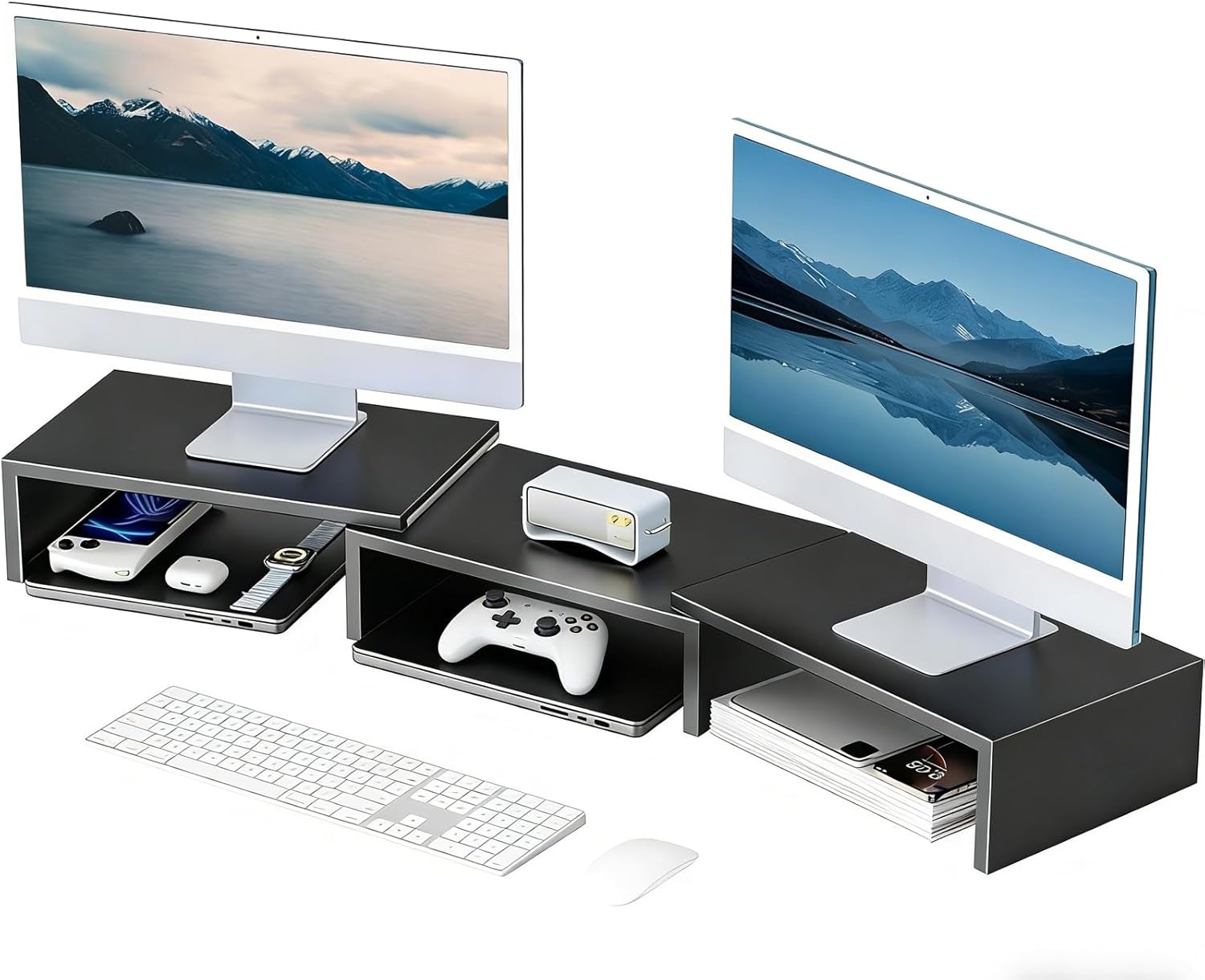
A setup upgrade like this works well if you use a wider desk or dual monitors.
A dual monitor stand riser gives your screens a cleaner base while creating open storage underneath. That lower space can hold keyboards, notebooks, controllers, or other items you do not need every second.
This is best for people with larger setups, dual-monitor workstations, or creators who need a more organized desktop.
Picture finishing work and sliding your keyboard under the stand. The desk instantly looks cleaner without needing a drawer.
If your current setup feels spread out, a stand riser like this can bring everything together visually.
Easy to add without rebuilding your whole setup.
What to Look For Before Buying
Start with the problem that annoys you most.
If your desk looks messy, focus on cable management, a desk mat, or an organizer. If your body feels uncomfortable, start with a laptop stand, monitor riser, foot rest, or better lighting.
Measure your desk before buying anything. Small desks need compact upgrades that create space instead of stealing it.
Prioritize products that solve more than one problem. A monitor riser with storage, for example, can improve comfort and organization at the same time.
Avoid overloading your setup. A clean desk does not need ten new accessories. One or two useful changes can make the whole area feel better.
Conclusion
Clean desk setup ideas work best when they make your daily routine easier.
You do not need a perfect aesthetic or a complete office redesign. A better mat, less cable clutter, improved lighting, or a simple storage upgrade can make your desk feel calmer almost immediately.
Start with the easiest problem to fix. Once your desk feels cleaner, it becomes easier to focus, work, study, and actually enjoy the space.
For more practical upgrades, you can also explore these best desk setup ideas for small spaces.