

Disclosure: As an Amazon Associate I earn from qualifying purchases.
A messy desk can make even simple tasks feel distracting.
Loose charging cables, tangled monitor wires, and power strips sitting on the floor can turn a clean setup into visual clutter fast. And when you work from home, study, or spend long hours at your desk, that kind of mess can make it harder to focus.
The good news is that you do not need a full desk makeover to fix it.
A few practical cable organizers can make your workspace feel cleaner, calmer, and easier to use. If you are working with a smaller desk setup, these simple upgrades can make a noticeable difference without taking over your space.
For more layout inspiration, you can also check out these minimal desk setup ideas for small spaces.
Quick Picks
- Best overall: Ucanng Under Desk Cable Management Tray
- Best budget option: Nettbe Reusable Cable Ties
- Best for small desks: JOYROOM Magnetic Cable Clips
Prices are approximate and may change. Ratings and review counts reflect current product data.
Simple Cable Organizers That Instantly Reduce Desk Clutter
Ucanng Under Desk Cable Management Tray

The Ucanng Under Desk Cable Management Tray is designed to hold power strips, adapters, and loose wires underneath your desk instead of letting them hang in view.
If you just want a cleaner setup without drilling into your desk, a simple option like this can be a low-risk place to start. It keeps cables off the floor and makes your desk look more intentional from the front.
This is best for remote workers, students, or home office users with several devices plugged in at once.
For example, if your laptop charger, monitor cable, and lamp cord are all dropping behind the desk, this tray gives them one place to sit. That makes the whole workspace feel cleaner without changing your entire setup.
For most desks, this type of upgrade is practical, affordable, and easy to understand.
A simple addition that makes your desk feel more organized right away.
SOULWIT Adhesive Cable Clips

SOULWIT Adhesive Cable Clips are small sticky clips that hold individual cables in place along the edge, back, or side of your desk.
A tool like this is useful when your phone charger, USB cable, or laptop cord keeps falling onto the floor. Instead of reaching behind the desk every time, your cable stays where you need it.
These are best for smaller desks, dorm setups, nightstands, and simple home offices.
In real life, this is the kind of product you notice when you sit down to work and your charging cable is already within reach. It does not make your desk feel complicated. It just removes one small daily annoyance.
If you want an easy first step, a no-fuss option like this is simple to add without overthinking it.
Easy to add without changing your whole setup.
Alex Tech Cable Sleeve
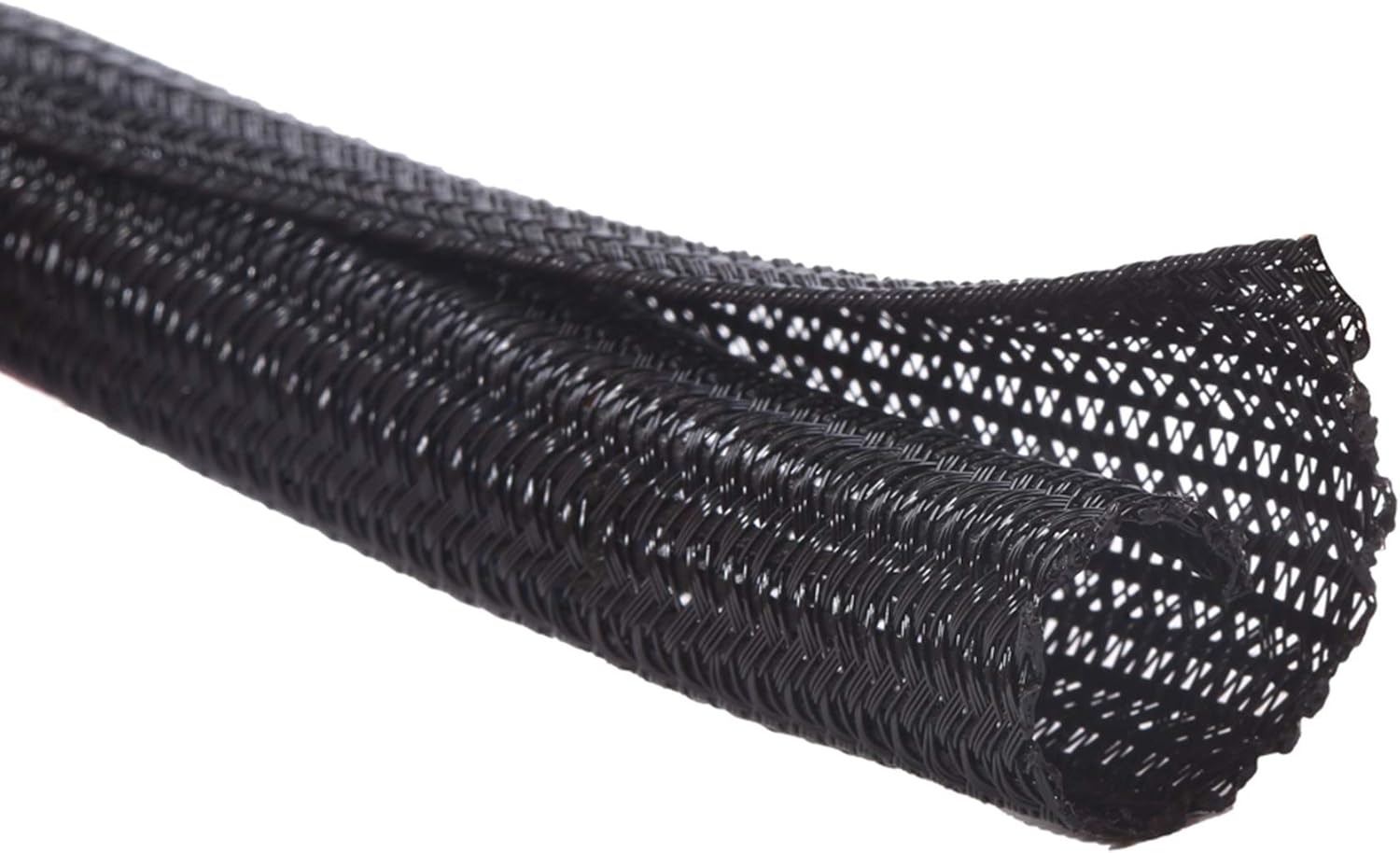
The Alex Tech Cable Sleeve wraps multiple cords into one cleaner-looking bundle.
Instead of seeing several separate wires behind your desk, something like this helps turn them into one more organized line. It is especially useful behind monitors, under desks, or around entertainment-style work areas.
This is best for people who have multiple cables running in the same direction.
For example, if your monitor, webcam, speakers, and power cables all run down the back of your desk, a sleeve can make the setup look much cleaner almost immediately. It also helps protect cords from extra wear.
If cable clutter is visible in your workspace or video call background, this type of cable sleeve is a simple visual fix.
One of those upgrades you notice almost immediately.
Desk Organization Tools That Keep Cables Under Control
ENONCI Cable Raceway Kit

The ENONCI Cable Raceway Kit gives you a channel for routing wires neatly under or behind your desk.
A simple setup upgrade like this works well when you want cables to follow a cleaner path instead of hanging loosely. It is more structured than clips, but still simple enough for a basic home office.
This is best for desks with monitor cables, power cords, router wires, or other cables that need a dedicated route.
For example, if your cables are visible from the side of your desk, a raceway can help hide and guide them so the whole area looks more finished. It also makes cleaning around the desk easier.
If you are trying to build a clean workspace, a cable raceway like this can help reduce visual noise.
Easy to add without changing your entire setup.
Nettbe Reusable Cable Ties

Nettbe Reusable Cable Ties are simple adjustable straps for bundling loose cables together.
If you want the most budget-friendly cable management upgrade, a simple option like this is hard to overcomplicate. You can use them behind your desk, inside drawers, around chargers, or for extra cable length near a power strip.
They are best for people who move cables around often and do not want permanent zip ties.
For example, if you have extra charger length sitting behind your desk, reusable ties let you bundle it neatly without damaging the cable. If you later move your setup, you can easily reopen and adjust them.
For small fixes, something like this is one of the easiest ways to make a desk look less messy.
A simple addition that improves the setup right away.
YECAYE Cable Management Box

The YECAYE Cable Management Box is made to hide a power strip and extra cords inside a cleaner-looking container.
A cable box like this is useful if your power strip is sitting on the floor collecting dust or creating a tangled mess near your feet. It keeps the most chaotic part of the setup contained.
This is best for home offices, shared rooms, family spaces, or desks near pets and kids.
In a real workspace, this can make a big difference if your desk looks clean on top but messy underneath. Instead of seeing a power strip and several plugs, the box keeps everything visually calmer.
If you want one visible clutter problem to disappear quickly, this type of organizer is a practical choice.
A solid, no-fuss addition to most desks.
Small Desk Cable Solutions That Save Space
ErGear Single Monitor Arm

The ErGear Single Monitor Arm lifts your monitor off the desk and includes cable management to help route wires more cleanly.
This is more than just a cable organizer. An upgrade like this can free up desk space, improve screen positioning, and reduce visible cord clutter at the same time.
It is best for small desks, remote workers, students, and anyone who wants a more comfortable monitor height.
For example, if your monitor base takes up too much room, a monitor arm opens up space underneath for notebooks, a keyboard, or small accessories. The built-in cable routing also keeps wires from spreading across the back of the desk.
If you are exploring desk gadgets for remote workers, something like this can improve both comfort and organization.
One of the easiest ways to make a desk feel more modern and useful.
JOYROOM Magnetic Cable Clips
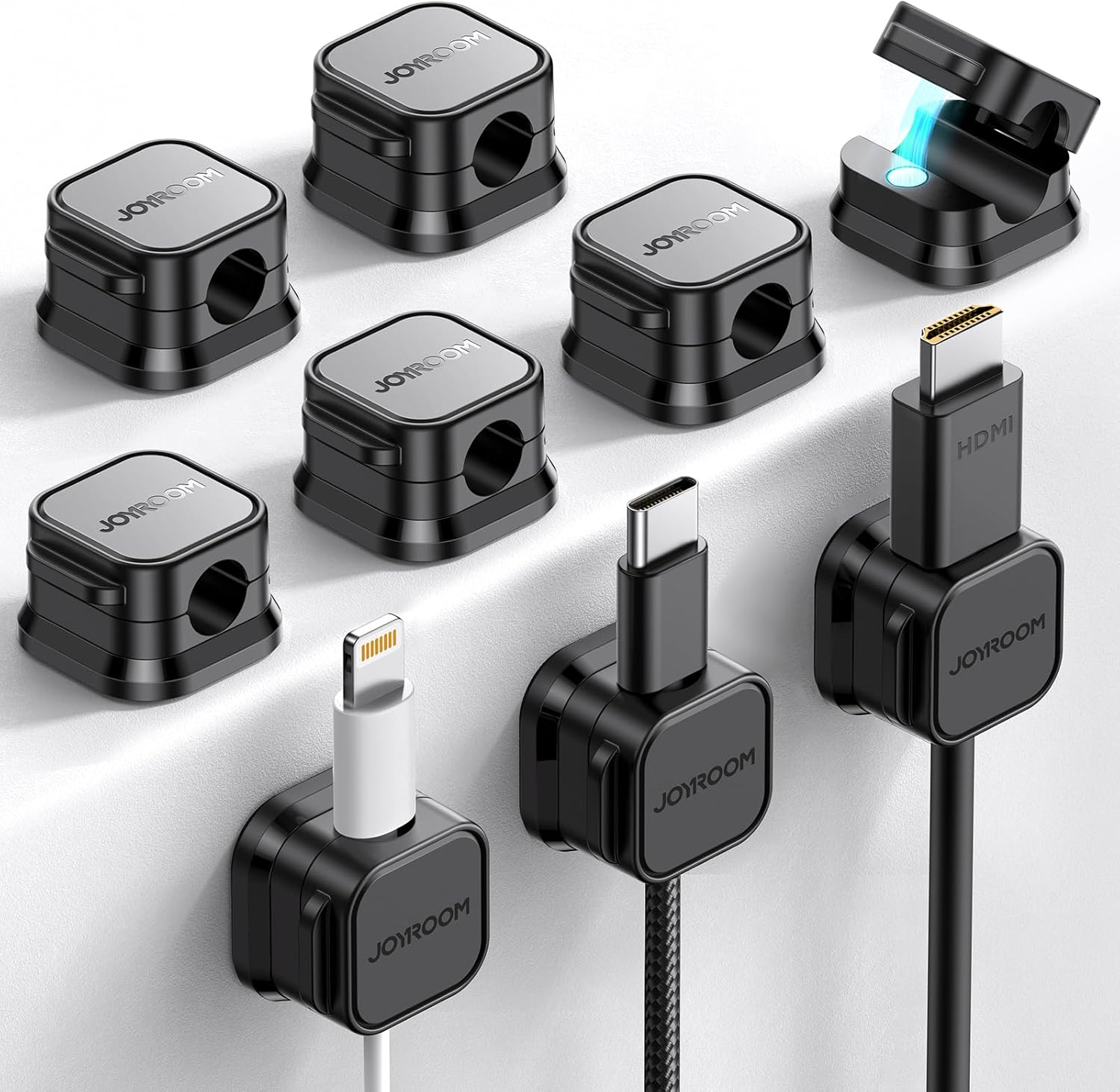
JOYROOM Magnetic Cable Clips hold frequently used cables in place with a small adhesive base and magnetic cable holders.
A tool like this works well for phone chargers, USB-C cables, tablet chargers, and other cables you grab throughout the day. Instead of letting them slide behind the desk, they stay parked where you need them.
These are best for small desks, bedside desks, and minimal workspaces.
For example, if you charge your phone during work but hate seeing the cable loose on the desktop, magnetic clips keep it accessible without making the surface feel messy.
For quick daily convenience, a compact option like this is easy to add and easy to use.
A small upgrade that adds convenience immediately.
DISIWENE Desk Cable Grommets

DISIWENE Desk Cable Grommets help route cables through a desk hole instead of letting them spread across the surface.
If your desk already has a cable opening, a simple option like this can make that area look cleaner and more finished. It guides cords downward and keeps the desktop from feeling crowded.
This is best for desks with built-in cable holes or DIY setups where you want a cleaner wire path.
For example, if your monitor or keyboard cables run across the desktop, a grommet can help send them straight through the desk instead. That keeps more of the surface open for actual work.
For a cleaner layout, this type of desk cable organizer works well without adding bulky accessories.
Easy to add without overthinking your setup.
What to Look For Before Buying
Desk Size
Smaller desks usually benefit more from compact tools like clips, cable ties, sleeves, and monitor arms.
Larger desks can handle trays, boxes, and raceways more easily.
Number of Devices
A laptop-only setup may only need cable clips and reusable ties.
A multi-monitor desk usually needs stronger cable management, like a tray, sleeve, or raceway.
Visibility
Think about where the clutter is.
If the mess is under the desk, choose a tray or cable box. If the clutter is on the desktop, clips, grommets, or magnetic holders may work better.
Installation Style
Adhesive organizers are easy to install and good for renters.
Mounted trays and raceways can look cleaner long term, but they may require more setup.
Flexibility
If you change your desk often, reusable ties and clips are usually better.
If your setup stays the same, a tray, sleeve, or raceway can create a cleaner long-term result.
Conclusion
A clutter-free desk does not require a perfect setup or expensive gear.
Most cable problems can be fixed with a few simple products that keep wires hidden, grouped, or easier to reach. Start with the biggest annoyance first, whether that is cables falling behind your desk, a messy power strip, or visible monitor wires.
You do not need to overthink this. Even one small cable organizer can make your desk feel cleaner, calmer, and easier to use every day.
You can also explore more productivity desk setup ideas if you want to keep improving your workspace without adding clutter.