
Disclosure: As an Amazon Associate I earn from qualifying purchases.
An uncomfortable desk setup usually isn’t caused by one big problem.
It’s often a bunch of little things adding friction throughout the day.
Your wrists feel strained after typing. Cables are always in the way. Video calls look dim and distracting. Your chair gets uncomfortable by mid-afternoon.
Small annoyances like these chip away at focus.
The good news is they’re often easy to fix.
A few thoughtful desk comfort upgrades can make a workspace feel cleaner, more supportive, and much easier to work in—especially in small setups where every improvement matters.
Prices are approximate and may change. Ratings and review counts reflect current product data.
Prices are approximate and may change. Ratings and review counts reflect current product data.
These practical upgrades solve real problems without overcomplicating your desk.
Simple Upgrades That Improve Focus
MEKASS Ergonomic Wrist Rest Set

If you spend hours typing, wrist fatigue can sneak up fast.
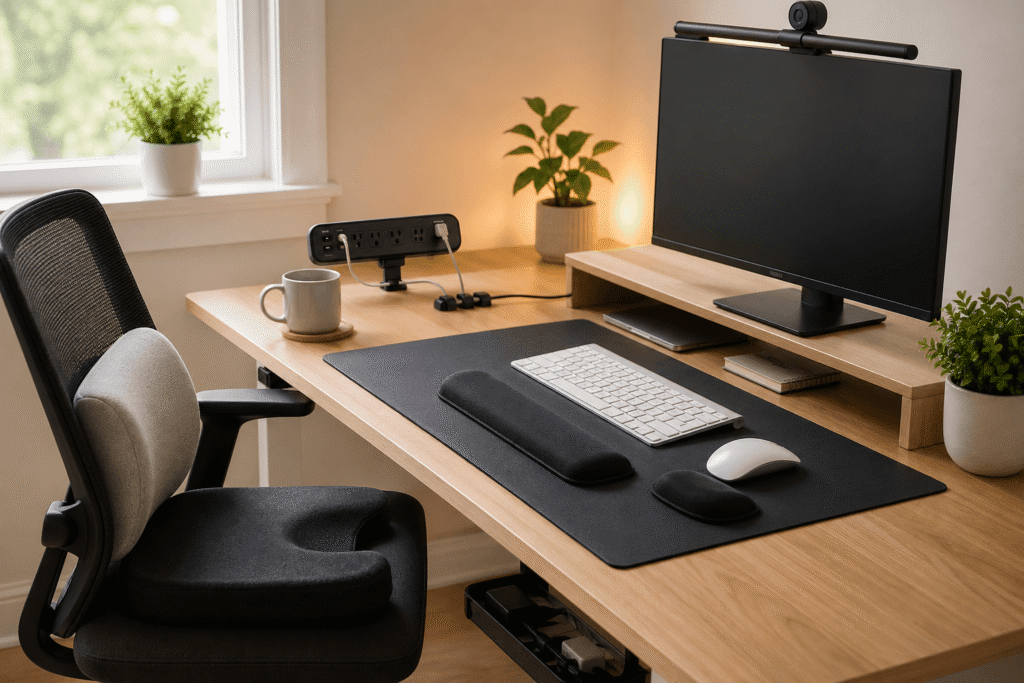
The MEKASS Ergonomic Wrist Rest adds soft memory foam support for both your keyboard and mouse, helping reduce pressure while keeping your hands in a more natural position.
It’s especially useful for writers, programmers, students, or anyone doing repetitive computer work.
Real-life use case: if your wrists feel sore after email-heavy mornings or long editing sessions, this is a simple upgrade that can make daily work feel noticeably easier.
The non-slip base also helps keep everything stable, which reduces those little interruptions caused by shifting accessories.
It’s a small change that makes a big difference for comfort and focus.
Cyezcor Video Conference Lighting Kit

Poor lighting can make a desk feel gloomy and can make video calls look worse than they need to.
A monitor-mounted light like the Cyezcor Video Conference Lighting Kit solves both.
It adds clean front-facing light without taking up desk space, which is ideal for small setups.
Useful for remote workers in meetings, online students, or anyone who works after dark.
If you’ve ever looked tired or shadowed on a Zoom call because the room lighting was bad, this helps fix that fast.
It also creates a brighter workspace, which can help reduce eye strain and improve focus during long sessions.
Smart Organization for Small Desks
Jgstkcity Desk Clamp Power Strip

Power strips are rarely designed with desk setups in mind.
They usually end up under the desk, tangled in cables, or hard to reach.
This desk clamp power strip mounts right to the desk edge, putting outlets and charging ports where you actually need them.
That’s especially useful if you regularly charge a laptop, phone, tablet, or accessories.
Real-life scenario: instead of crawling under the desk to plug something in, everything is right beside you.
That convenience alone can make a workspace feel much smoother to use.
For small desks, it also frees up floor space and reduces cable mess.
Lamicall Rotatable Cord Organizer

Loose charging cables have a way of making even tidy desks feel messy.
The Lamicall cord organizers fix a simple but annoying problem: cables slipping behind the desk or tangling together.
They hold charging cables exactly where you need them.
Useful if you’re constantly reaching behind furniture for a phone charger or untangling cords.
It’s one of those upgrades that doesn’t seem exciting until you use it.
Then you wonder why you waited.
For clean workspace lovers, this helps reduce distractions through less visual clutter alone.
Comfort Improvements for Long Work Sessions
ComfiLife Premium Seat Cushion

Not everyone wants to replace an office chair.
Sometimes improving the chair you already have is the smarter move.
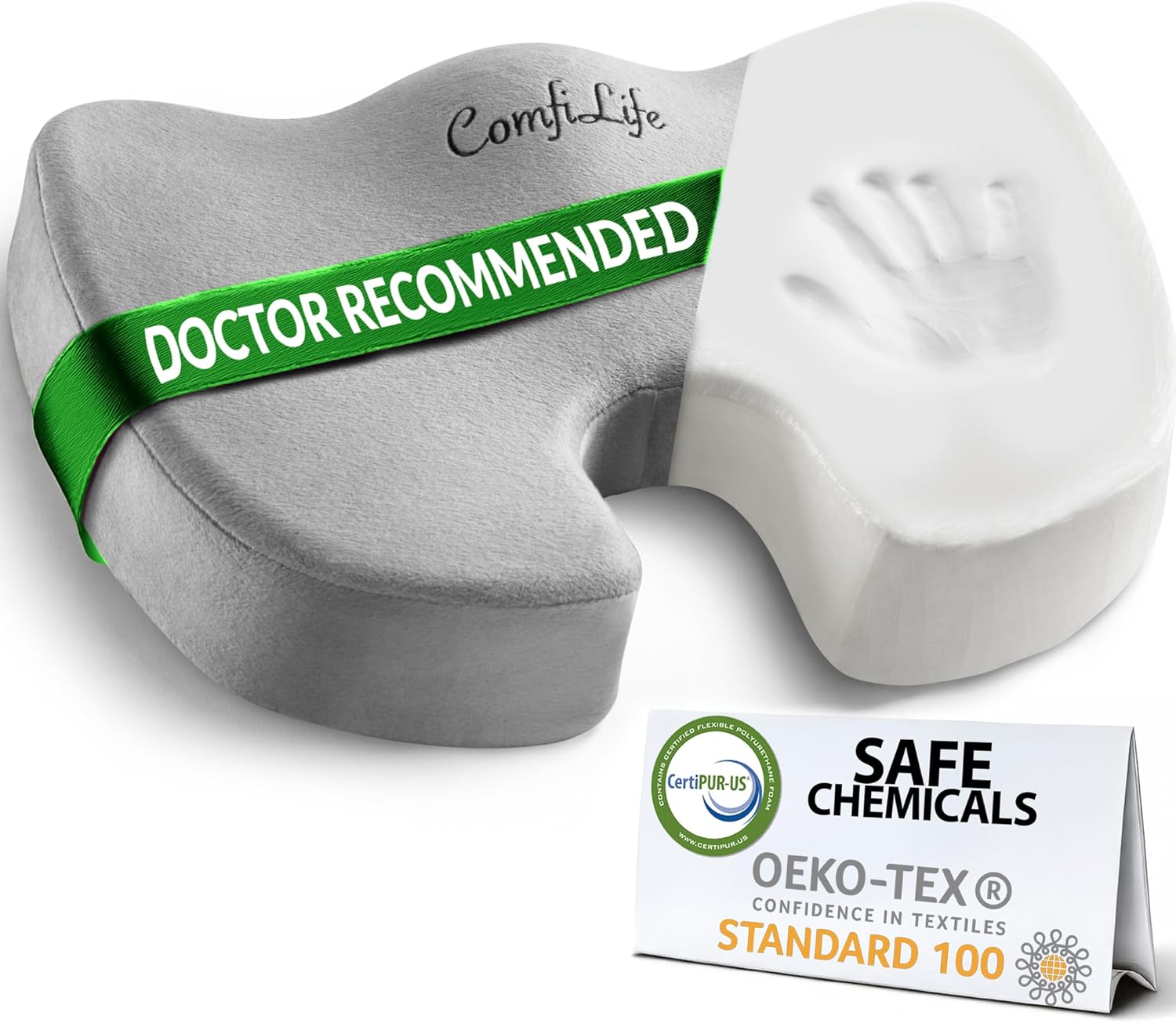
The ComfiLife Premium Seat Cushion adds memory foam support that can make long work sessions far more comfortable, especially if you use a basic task chair or kitchen chair as a desk seat.
Helpful for remote workers, students, and anyone sitting for hours at a time.
Real-life use case: if your lower back or tailbone starts bothering you by afternoon, this kind of support can be a surprisingly practical fix.
It’s a useful upgrade if you work long hours and want more comfort without changing your entire setup.
ComfiLife Under Desk Foot Rest
Foot support often gets overlooked.
But posture usually starts from the ground up.
The ComfiLife Foot Rest helps support better leg positioning and can reduce the restless shifting that happens during long desk sessions.
Especially useful for compact desks, shorter users, or chairs that never seem adjusted quite right.
If you often cross one leg under the chair or keep adjusting your sitting position, this may solve the problem more than a chair upgrade would.
It helps create a more relaxed working posture, which often leads to better focus too.
Add a Desk Mat for a Softer Work Surface

A desk mat still deserves a place on this list because it solves multiple small problems at once.
It protects the desk surface, softens contact points, and visually pulls a setup together.
That matters more than people realize.
If your desk feels scattered with notebooks, devices, and accessories, a desk mat creates a cleaner visual zone for work.
That can help reduce distractions while making the setup feel more intentional.
For small desks especially, that sense of order matters.
What to Look For Before Buying
Solve the Problems You Notice Daily
Start with what bothers you most.
Wrist strain?
Poor posture?
Cable clutter?
Bad lighting?
The best upgrades remove recurring friction.
That’s where the biggest improvement happens.
Choose Multi-Function Products
Products that solve two problems at once often work best in small spaces.
A clamp power strip saves space and improves charging.
A foot rest adds comfort and posture support.
That kind of upgrade tends to age well.
Favor Compact, Low-Clutter Designs
Comfort products shouldn’t create more visual mess.
Look for clean designs that improve the setup without crowding it.
That’s especially important in small home office layouts.
Think Long Work Sessions
Some accessories seem minor until hour six.
Supportive products often matter more over time than they do in the first five minutes.
That’s worth keeping in mind.
Final Thoughts
A more comfortable desk doesn’t usually come from a huge redesign.
It comes from removing little points of friction.
Better support.
Less clutter.
Smarter lighting.
More comfortable sitting.
These kinds of desk comfort upgrades don’t just add accessories.
They make a workspace feel easier to use.
And that often leads to the real goal—a setup that helps you stay focused, comfortable, and productive every day.