
Disclosure: As an Amazon Associate I earn from qualifying purchases.
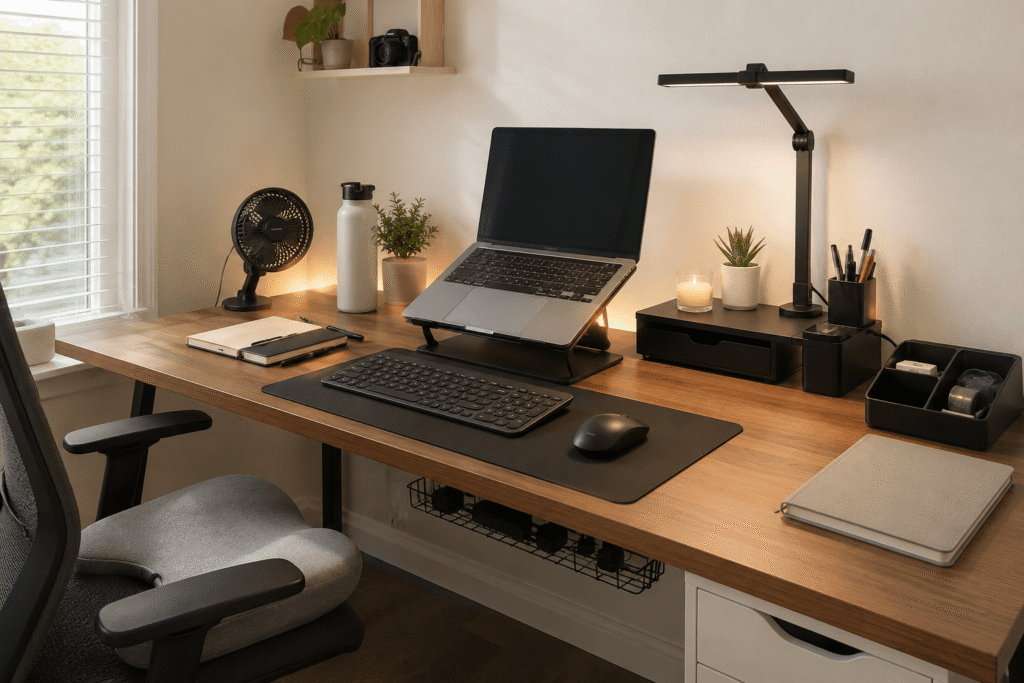
When summer heat starts creeping into your workspace, even a decent desk setup can feel uncomfortable fast. A cluttered surface, tangled cables, poor airflow, and harsh lighting can make it harder to focus during long work sessions.
The good news is that you do not need a complete office makeover to fix it.
A few practical summer desk setup upgrades can make your workspace feel cleaner, cooler, and easier to use every day. Most of these changes are affordable, easy to add, and work well even if you have limited space.
If you are trying to improve a comfortable home office setup, small adjustments often make the biggest difference.
Quick Picks
- Best overall: WALI Monitor Stand Riser
- Best budget option: StoreHappily Drawer Organizer Set
- Best for small desks: Gogoonike Foldable Laptop Stand
Prices are approximate and may change. Ratings and review counts reflect current product data.
Easy Upgrades for a Cleaner Summer Desk
WALI Monitor Stand Riser

A monitor riser is one of the easiest ways to make your desk feel more organized. The WALI Monitor Stand Riser lifts your screen while adding a drawer and pen holders for small items.
A simple option like this is useful if your desk gets crowded with notebooks, chargers, pens, and random accessories during the day.
It is best for remote workers, students, or anyone who wants a cleaner setup without buying a larger desk. By lifting your monitor, it can also help create a more comfortable viewing height.
If your desk usually feels messy by lunchtime, this gives you a place to hide small clutter fast. Something like this works especially well in small home office setups.
A simple addition that makes your desk feel more organized right away.
Cinati Under Desk Cable Tray

Cable clutter can make even a good setup feel messy. The Cinati Under Desk Cable Tray keeps cords, power strips, and adapters tucked underneath the desk instead of hanging everywhere.
A tool like this is especially helpful if you use multiple devices, chargers, or desk accessories every day.
It is best for people who want a cleaner workspace without drilling into the desk. It also helps make cleaning easier, since fewer cables are sitting on the floor or behind the monitor.
If your mouse cable, charger, or power strip always gets in the way, this type of upgrade can make the whole desk feel calmer. You can also check out more cable management tools for a clean desk setup if cords are your biggest issue.
One of those upgrades you notice almost immediately.
StoreHappily Drawer Organizer Set

Small items are usually what make a desk feel messy. The StoreHappily Drawer Organizer Set helps separate pens, clips, cables, sticky notes, and other accessories inside a drawer.
A budget-friendly option like this is ideal if you want to clean up your workspace without adding anything bulky on top of the desk.
It is best for students, home office users, and anyone who keeps reaching for small tools throughout the day.
For example, if you always lose your charging cable or pen right before a meeting, a drawer organizer can reduce that daily frustration. Something like this keeps useful items close without leaving them scattered everywhere.
Easy to add without creating more clutter.
Comfort and Focus Upgrades
SAMPHON Monitor Light Bar
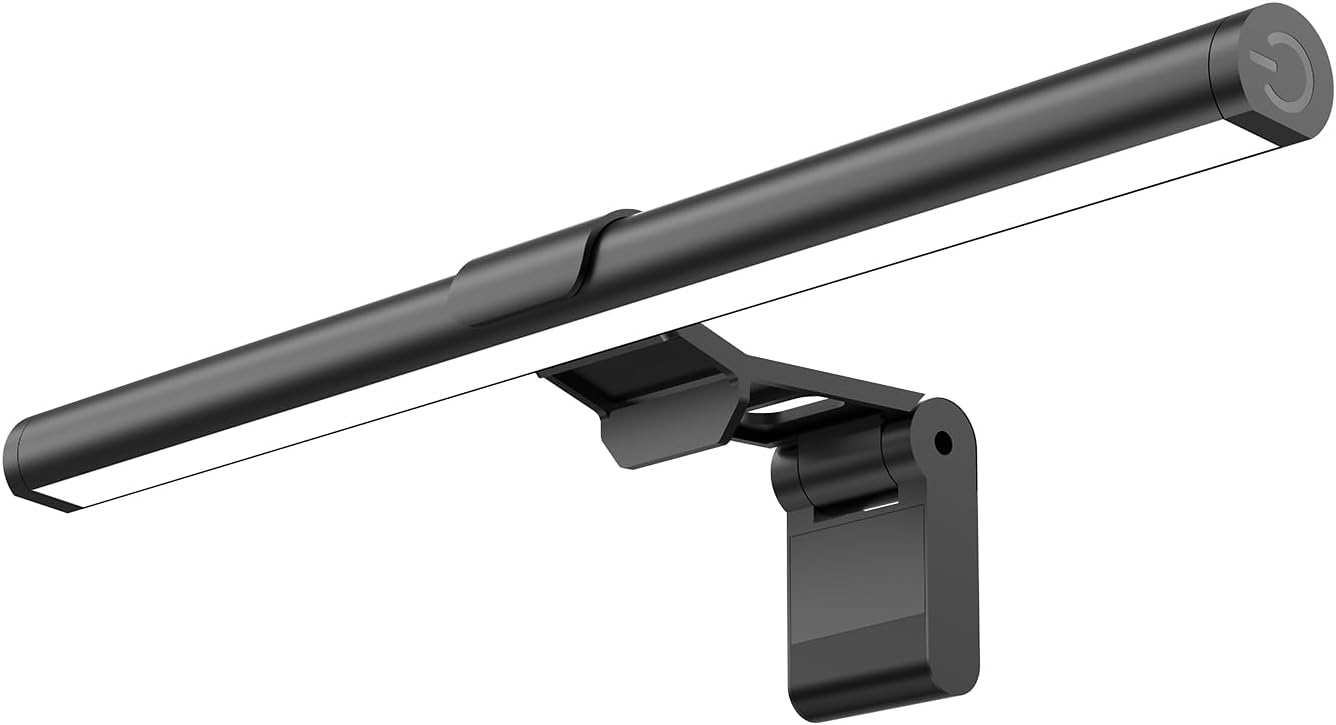
The SAMPHON Monitor Light Bar adds focused lighting without taking up desk space. It sits on top of your monitor and gives your workspace extra light for reading, writing, or evening work.
A simple option like this is useful if overhead lighting feels too harsh or your desk lamp takes up too much room.
It is best for small desks, night work, gaming setups, or home offices where lighting is uneven.
If you close your curtains during hot summer afternoons, your desk can start feeling dark and flat. A monitor light bar helps keep the space usable without adding another lamp.
A no-fuss option like this is easy to add and helps your setup feel more focused.
TushGuard Seat Cushion

A better desk setup is not only about the desk itself. If your chair feels uncomfortable after a few hours, your focus usually drops.
The TushGuard Seat Cushion adds extra support for long sitting sessions. This type of upgrade is useful if you work from a basic office chair, dining chair, or dorm setup.
It is best for remote workers and students who sit for long periods but do not want to replace their entire chair.
If your lower back, hips, or tailbone start bothering you halfway through the day, a cushion can make your setup feel more manageable. Something like this is a simple comfort upgrade that does not require changing your whole workspace.
One of the easiest ways to improve comfort without overthinking it.
Small Desk Tools That Save Space
Gogoonike Foldable Laptop Stand

The Gogoonike Foldable Laptop Stand lifts your laptop off the desk, which can help with airflow, screen height, and posture.
A simple tool like this is useful if your laptop gets warm during long summer work sessions.
It is best for students, remote workers, and anyone using a laptop as their main computer. Since it folds, it also works well for flexible setups or small desks.
If you usually hunch over your laptop, this can make your screen feel easier to use. Something like this pairs well with a separate keyboard and mouse.
Easy to add without changing your entire setup.
Qulose Bluetooth Keyboard

A compact wireless keyboard can help free up desk space fast. The Qulose Bluetooth Keyboard keeps the setup lighter and reduces cable clutter.
A no-fuss option like this is useful if you want more room for notebooks, a mouse, or a desk mat.
It is best for small desks, tablet users, laptop setups, and anyone who likes a cleaner workspace.
For example, if your current keyboard takes up too much room, switching to something slimmer can make the whole desk feel more open. This type of upgrade also works well if you move between devices during the day.
A simple upgrade that helps your setup feel less cramped.
Aothia Desk Pad

The Aothia Desk Pad gives your keyboard, mouse, and writing area a cleaner surface. It helps protect the desk while making the setup look more intentional.
A simple option like this is useful if your desk surface feels messy, scratched, or uneven.
It is best for home office users, students, and anyone who wants a cleaner visual workspace without adding more gadgets.
If your mouse area feels rough or your accessories slide around, a desk pad can make daily work feel smoother. For more options, you can explore desk mats for a clean and modern workspace.
One of those small upgrades that improves both comfort and appearance.
What to Look For Before Buying
Before buying anything for your summer desk setup, keep it simple.
Start with the problem you actually notice every day. If your desk feels hot, focus on airflow. If it feels messy, start with cable management or drawer organization. If you feel sore after working, prioritize comfort.
Measure your desk before buying larger accessories. Small desks can get crowded fast, so compact items usually work better.
Look for upgrades that are easy to clean, easy to move, and easy to use daily. You do not need to overthink this. A solid, no-fuss addition is often better than a complicated setup change.
Conclusion
Refreshing your desk setup for summer does not need to be expensive or complicated.
A better light, cleaner cables, improved airflow, extra comfort, or a more organized surface can completely change how your workspace feels day to day.
The best approach is to start with one simple problem and fix that first. Over time, these small upgrades can create a cleaner, cooler, and more productive desk setup without replacing everything.
You can also explore more clean workspace ideas if you want your setup to stay practical beyond summer.