
Disclosure: As an Amazon Associate I earn from qualifying purchases.
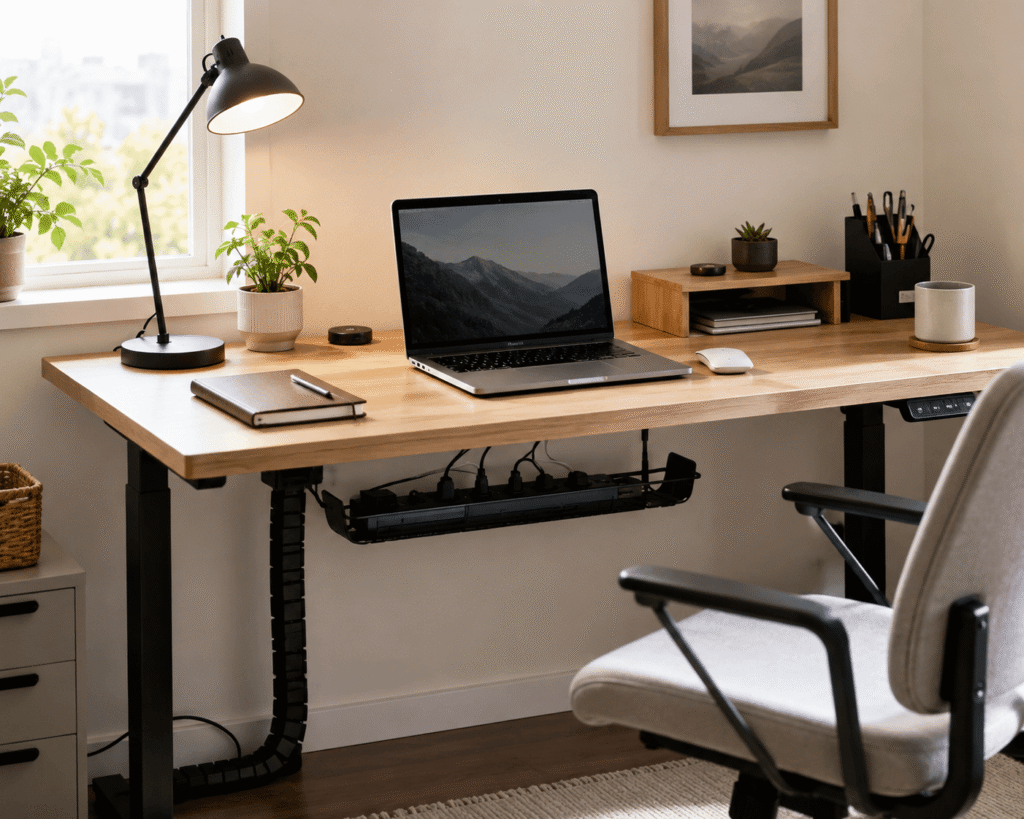
Messy cables can make even a good desk setup feel unfinished.
A few loose charging cables, monitor cords, power strips, and USB cables can quickly turn a clean workspace into something that feels distracting. This is especially annoying if you work from home, study at your desk, or use a small setup where every inch matters.
The good news is that cable management does not need to be complicated. A few simple upgrades can make your desk look cleaner, feel calmer, and become easier to use every day.
If you are already improving your workspace, you may also want to explore these desk organization ideas for a more productive setup overall.
Quick Picks
- Best overall: YECAYE Under Desk Cable Management Tray
- Best budget option: VELCRO Reusable Cable Ties
- Best for small desks: Aarhdi Magnetic Cable Clips
Prices are approximate and may change. Ratings and review counts reflect current product data.
Under-Desk Cable Management Tools
JINGCHENGMEI Under Desk Cable Tray

The JINGCHENGMEI Under Desk Cable Tray is a simple metal tray designed to hold cables, power strips, and extra cord slack underneath your desk.
If you want a simple option like this, it works well for hiding the mess that usually hangs behind or under a workstation. It is especially useful if you have a monitor, laptop charger, lamp, and phone charger all connected in the same area.
A real-life example: if your feet keep touching cables under the desk, this gives those cords a dedicated place to sit.
It is best for home office users who want a cleaner setup without changing their entire desk.
A no-fuss option like this can make the area under your desk feel more organized right away.
YECAYE Under Desk Cable Management Tray

The YECAYE Under Desk Cable Management Tray is a clamp-on metal tray made for people who want cable organization without drilling into the desk.
A tool like this is useful if you rent, move desks often, or simply do not want permanent installation. It helps keep power strips and cables lifted off the floor while protecting the desk surface.
This is a strong pick for remote workers with multiple plugged-in devices.
For example, if you use a laptop, external monitor, speakers, and charging station, the tray keeps those wires from spreading everywhere.
If you want this type of upgrade without making holes in your desk, something like this is easy to add.
One of the easiest ways to make your setup feel cleaner fast.
ARES WING Cable Management Spine

The ARES WING Cable Management Spine is designed for standing desks and setups where cables need to move cleanly as the desk height changes.
A setup upgrade like this keeps wires grouped vertically instead of letting them hang loosely. This is helpful for standing desks, gaming desks, and workstations with several cables running from the desk to the floor.
A common scenario is raising a standing desk and realizing your cables are stretching, pulling, or looking messy. A cable spine helps guide them in a controlled path.
It is best for anyone using an adjustable desk or a setup with visible vertical cable runs.
If your desk moves up and down, this type of cable organizer can make the whole setup feel more intentional.
Easy to add without changing your entire workspace.
Cable Clips, Sleeves, and Cord Hiders
Aarhdi Magnetic Cable Clips
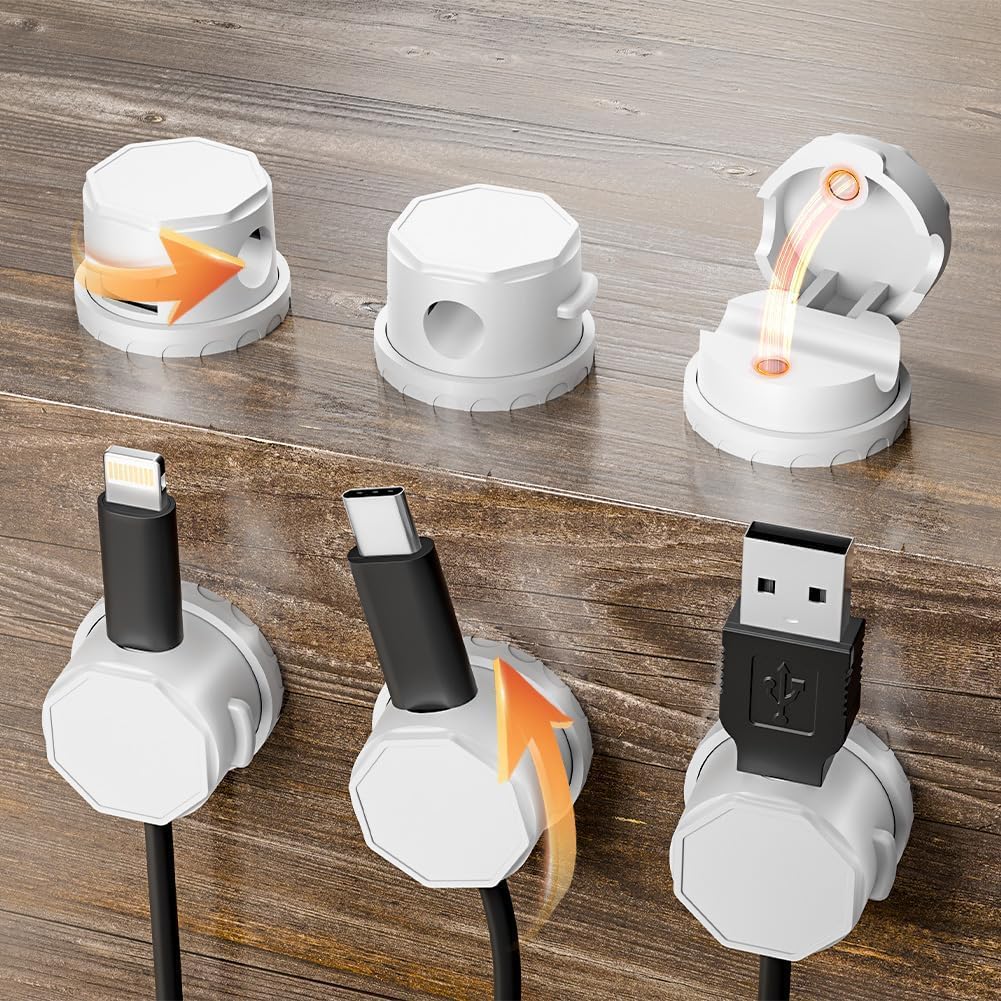
The Aarhdi Magnetic Cable Clips are small adhesive organizers made to keep frequently used cords within reach.
A simple option like this is ideal for phone chargers, USB-C cables, headphones, or any cable that always seems to fall behind the desk.
This is especially useful for small desks where every little mess becomes more noticeable.
For example, if you unplug your phone and the cable drops behind the desk every time, a clip keeps it exactly where you need it.
If you are building a minimalist desk setup, small tools like this help keep the surface clean without adding visual clutter.
A budget-friendly option like this solves a small daily annoyance almost immediately.
VELCRO Reusable Cable Ties

VELCRO Reusable Cable Ties are simple straps for bundling loose cables together.
A no-fuss option like this is one of the easiest cable management upgrades because it is cheap, flexible, and reusable. You can use them behind your monitor, under the desk, inside a drawer, or for travel cables.
They are best for people who regularly move devices around and do not want permanent cable solutions.
For example, if your monitor cable has too much extra length, a reusable tie can bundle the slack neatly instead of leaving it hanging.
You don’t need to overthink this. Something like this is useful in almost every desk setup.
A simple addition that helps reduce cable mess right away.
Delamu Cord Hider

The Delamu Cord Hider is a cable raceway kit designed to hide wires along walls, desks, or entertainment areas.
A tool like this works well when cables need to travel across a visible area and you do not want them exposed. It is useful for monitor cables, wall-mounted screens, routers, or desk setups placed near outlets.
This is best for people who care about a cleaner visual setup.
For example, if your desk is against a wall and cables run sideways toward the outlet, a cord hider can make that path look much cleaner.
If you want a more polished clean workspace, this type of upgrade can make a noticeable difference.
A clean and practical way to make cables less distracting.
Alex Tech Cable Sleeve
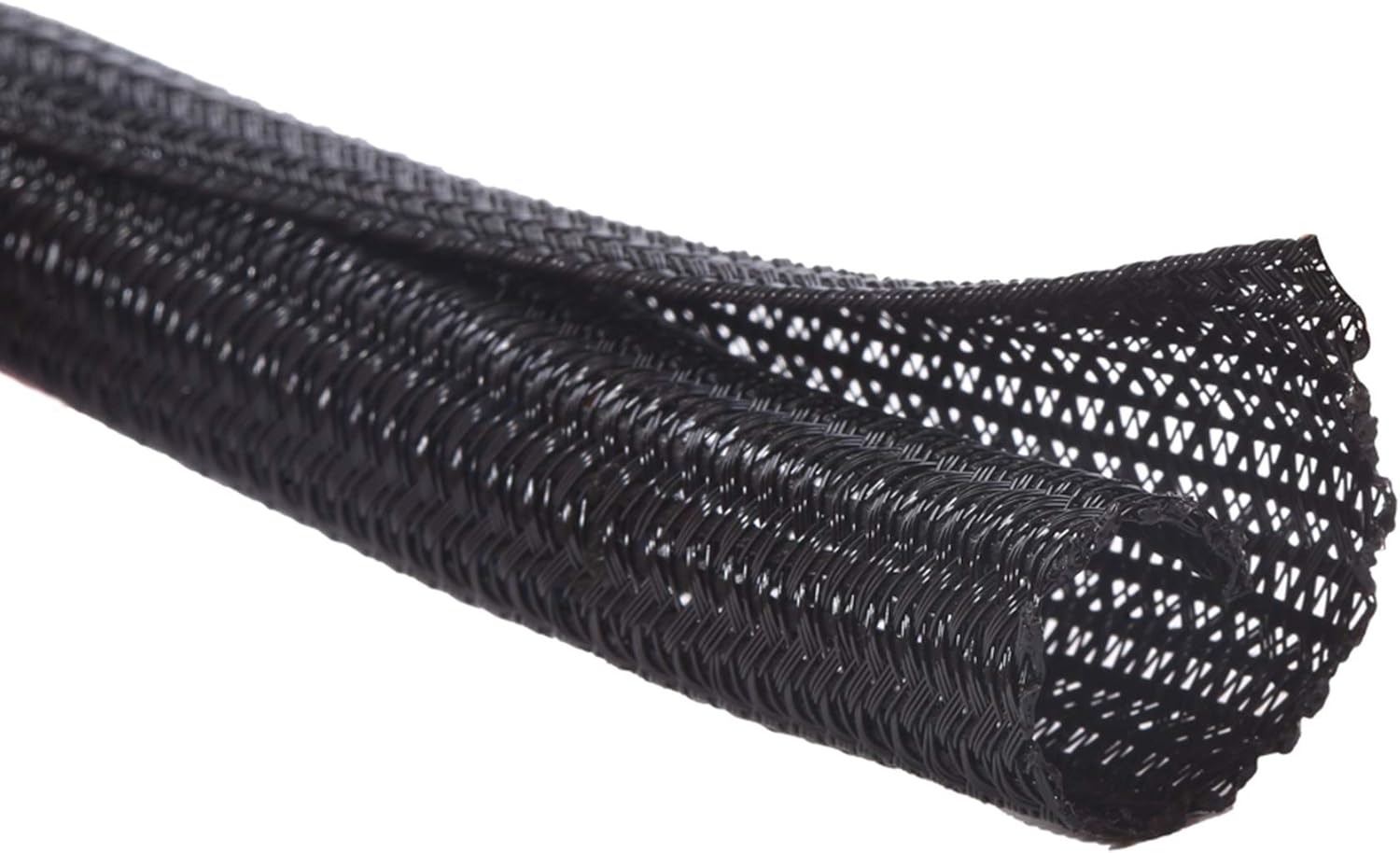
The Alex Tech Cable Sleeve wraps multiple cables together into one cleaner bundle.
A simple cable sleeve like this is useful for monitor cables, power cords, audio cables, and USB cables that run together behind your desk.
It is best for people who want a cleaner look without installing trays or raceways.
For example, if you have three or four cables hanging behind your monitor, a sleeve turns them into one cleaner line.
It can also help protect cords in busy home office spaces where cables get touched, pulled, or bumped often.
If you just want a quick upgrade, something like this is a simple choice.
One of those upgrades you notice almost immediately.
Desk Accessories That Help Control Cable Clutter
BONTEC Wooden Monitor Stand Riser

The BONTEC Wooden Monitor Stand Riser lifts your monitor while adding storage space underneath.
A desk upgrade like this is helpful because cable management is not only about hiding wires. It is also about creating better zones for your accessories, devices, and everyday tools.
This works well for students, remote workers, and anyone with a crowded desk.
For example, you can place a keyboard, notebook, phone, or small accessories under the riser while routing cables more neatly behind it.
It also helps improve screen height, which can make your desk feel more comfortable during long work sessions.
A practical option like this can improve both organization and comfort.
Easy to add without changing your whole setup.
Petutu Metal Desk Grommets

Petutu Metal Desk Grommets help route cables through a desk surface instead of letting them spread across the top.
A simple upgrade like this is useful if your desk already has cable holes or if you are comfortable adding them. It creates a cleaner path for monitor cables, keyboard wires, and charging cords.
This is best for people who want a more built-in cable management look.
For example, instead of running a monitor cable across the back edge of the desk, you can guide it through one controlled opening.
If your workspace feels messy because cables cross the desktop, something like this can help the setup look more intentional.
A simple way to reduce visible clutter on the desk surface.
SHANCAO 10-Port USB Charger Station

The SHANCAO 10-Port USB Charger Station helps centralize charging for multiple devices.
A tool like this is useful if you charge a phone, tablet, earbuds, smartwatch, or other devices at your desk. Instead of using multiple adapters across different outlets, you can keep charging more controlled in one place.
This is best for shared home offices, family desks, students, or anyone with several small devices.
For example, if your desk has three different charging bricks plugged in all the time, a charger station can reduce that mess.
It also works well if you want a simple charging zone that keeps your workspace easier to maintain.
A charging setup like this helps reduce outlet clutter without overcomplicating your desk.
One of the easiest ways to make daily charging feel more organized.
What to Look For Before Buying
Start with the type of cable mess you actually have.
If the mess is under your desk, choose an under-desk tray or cable spine. If cables keep falling behind the desk, adhesive clips or magnetic organizers are enough.
For small desks, focus on compact tools that free up surface space. Cable clips, reusable ties, monitor risers, and sleeves are usually better than bulky organizers.
If you have a standing desk, make sure your cables can move safely when the desk goes up or down. A cable spine or flexible sleeve is usually more useful than fixed clips alone.
For a clean look, choose products that hide or group several cables at once. Trays, raceways, and sleeves usually create the biggest visual improvement.
For flexibility, reusable cable ties are hard to beat. They are easy to adjust later if you change your monitor, charger, or desk layout.
You do not need to buy everything at once. Start with the one cable problem that annoys you most, fix that first, then add more only if needed.
Conclusion
A clean desk setup does not require a full redesign.
Most cable clutter can be fixed with simple, affordable tools like trays, clips, sleeves, cord hiders, and reusable cable ties. These upgrades make your workspace look cleaner, feel calmer, and become easier to use every day.
If your desk feels messy right now, start with one simple cable management product that solves the most visible problem.
For more ways to build a better productivity desk setup, focus on small upgrades that improve comfort, organization, and daily focus without making the setup complicated.