
Disclosure: As an Amazon Associate I earn from qualifying purchases.
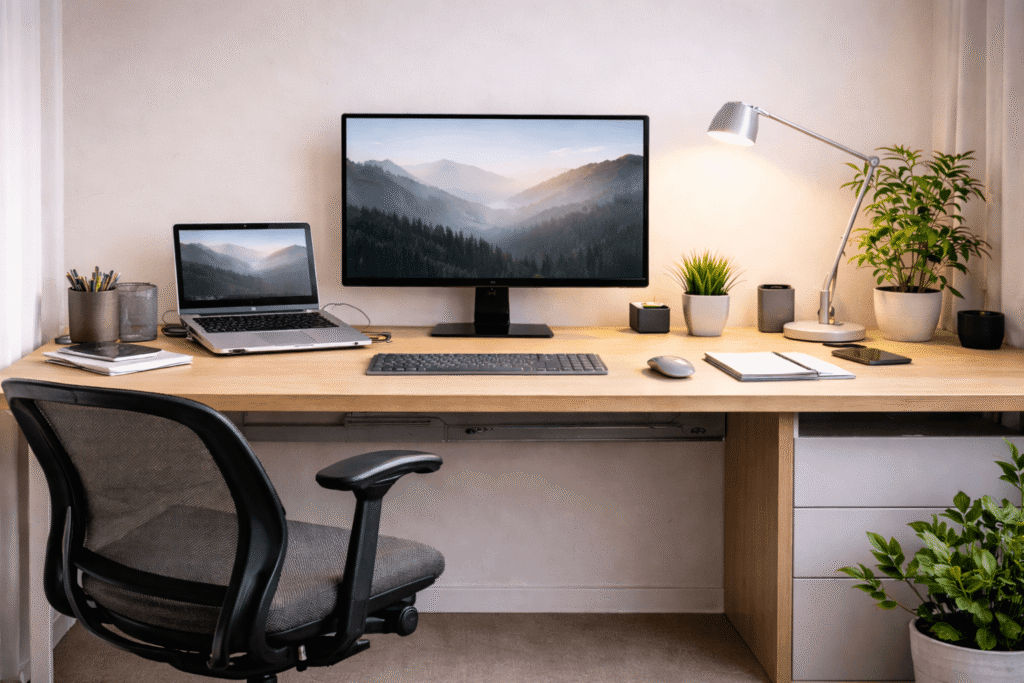
If your desk feels crowded, distracting, or uncomfortable, it becomes harder to focus than most people realize.
You sit down to work, but there are cables everywhere, papers piled up in the corner, and no clear place for the things you use every day. After an hour, your back hurts. By the afternoon, you are switching between tabs, looking around the room, and wondering why it feels so difficult to get anything done.
For many remote workers, students, and home office users, the problem is not a lack of motivation. It is the setup.
A messy desk creates friction. It slows you down, makes work feel more stressful, and turns even simple tasks into something more exhausting than they need to be.
The good news is that you do not need a huge office, expensive furniture, or a perfectly styled room to fix it.
This guide is for people working with small spaces, limited budgets, and real-life homes. Whether you work from a bedroom corner, a tiny apartment, or a shared space, you can build a desk setup that feels cleaner, calmer, and easier to use.
By the end of this guide, you will know how to:
- organize your desk for better focus
- create a more comfortable workspace
- reduce distractions and clutter
- build a setup that works now and improves over time
Why Desk Organization Matters More Than You Think
Most people think productivity comes from better habits, more discipline, or better time management.
Those things matter. But your environment matters too.
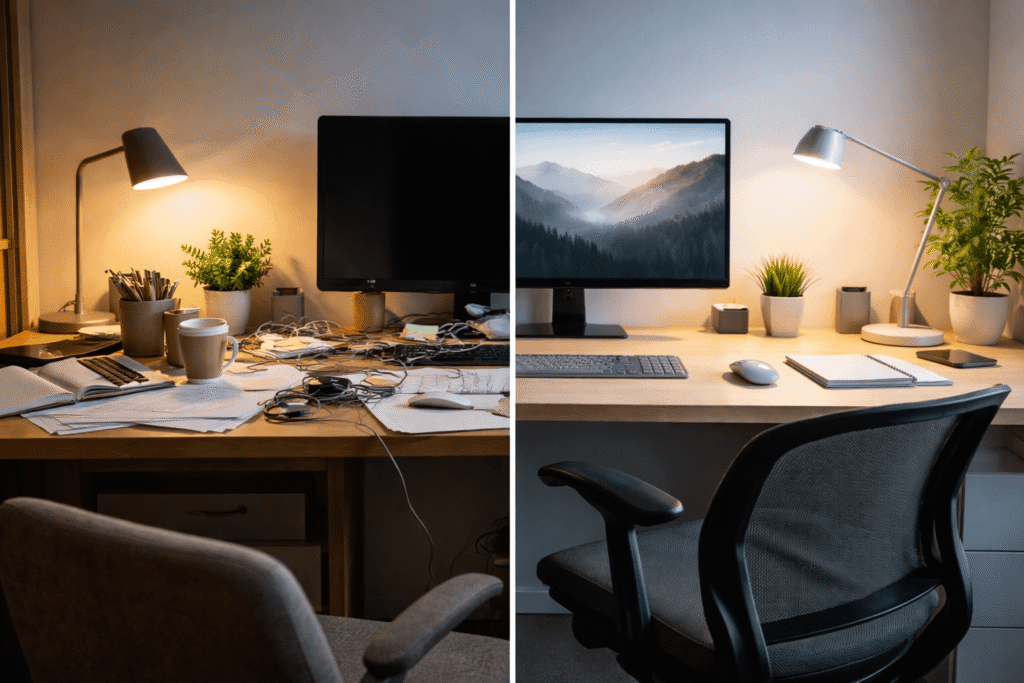
When your desk is crowded, uncomfortable, or visually distracting, your brain has to process more information. Even if you are not actively paying attention to the clutter, it still competes for your focus.
A clean desk does not magically make you more productive. What it does is remove small problems that interrupt your work:
- searching for items
- moving things around to make space
- dealing with glare or poor lighting
- sitting in an uncomfortable position
- getting distracted by unnecessary objects
The fewer small problems you have, the easier it becomes to stay focused.
For remote workers and students, this matters even more because your desk is often used for multiple things:
- work
- studying
- gaming
- video calls
- eating
- charging devices
Without a system, everything starts blending together.
A well-organized setup creates separation. It tells your brain, “this is where I focus.”
The Four Foundations of a Productive Desk Setup
Before you think about buying anything, it helps to understand the four pillars that shape every effective desk setup.
1. Space
Your desk does not need to be large.
It just needs enough clear surface area for what you actually use.
Most people lose desk space because of things they rarely touch:
- old papers
- extra cables
- random decorations
- devices they do not need every day
The goal is not an empty desk. The goal is a usable desk.
You should have enough room for:
- your keyboard and mouse
- your laptop or monitor
- a notebook or small workspace beside it
- a drink or small personal item
Everything else should have another home.
2. Organization
Good desk organization means every item has a purpose and a place.
If you have to move three things every time you sit down, your setup is not organized.
The easiest way to think about this is by frequency:
- Daily items stay on the desk
- Weekly items stay nearby
- Rarely used items get stored elsewhere
For example:
- your notebook and charger can stay within reach
- extra headphones, papers, and spare cables can go in a drawer or storage box
This is why desk organization and cable management often go together. When everything has a place, the desk instantly feels calmer.
3. Comfort
A desk that looks good but feels uncomfortable will not help you stay productive.
Comfort affects how long you can work without losing focus.
Poor posture, a low chair, or a screen placed too high can cause:
- neck pain
- shoulder tension
- wrist strain
- fatigue
You do not need a perfect ergonomic setup right away.
You simply need your body to feel supported.
That usually means:
- feet flat on the floor
- elbows around 90 degrees
- screen near eye level
- enough room to sit comfortably
4. Lighting
Lighting is one of the most overlooked parts of desk organization.
Bad lighting makes you tired faster.
If your desk is too dark, you strain your eyes. If it is too bright or positioned badly, you get glare on your screen.
Natural light is ideal when possible. A desk near a window often feels more open and less draining.
If that is not possible, even a simple adjustable desk lamp can make a huge difference.
The Desk Setup System: Build in Layers
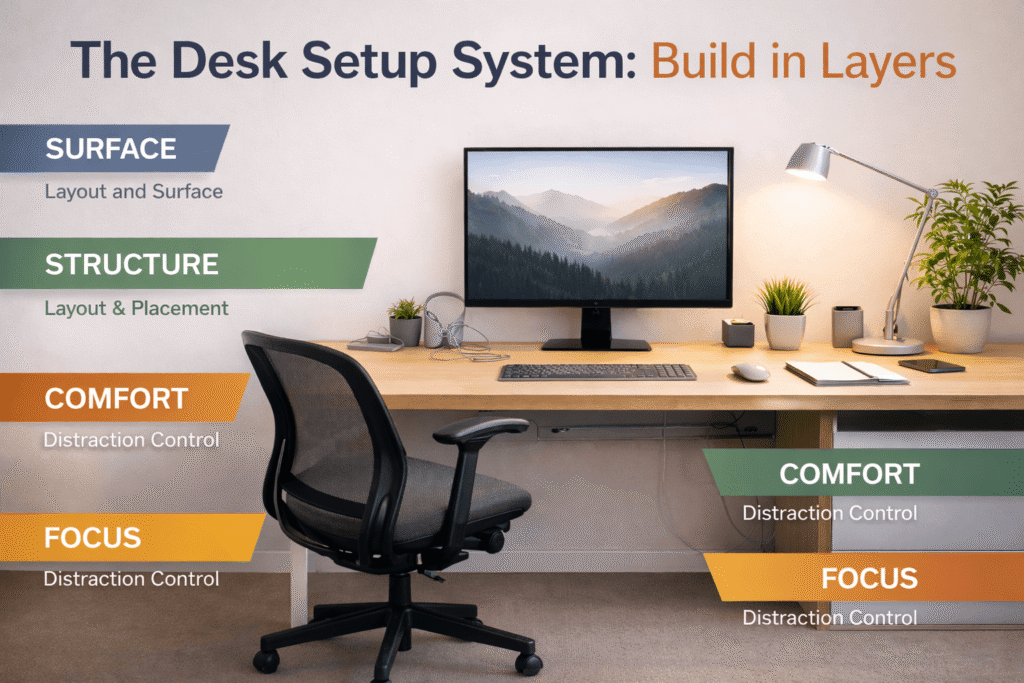
Instead of thinking about your desk as one big project, it helps to build it in layers.
This makes the process easier, especially if you are starting from a messy or cramped setup.
Layer 1: Surface
The surface is the actual desk space you use every day.
Start by removing everything from the desk except the essentials.
Keep only:
- your computer or monitor
- keyboard and mouse
- one notebook
- one light source
- one or two items you use daily
If something has not been used in the past week, it probably does not belong on the desk.
This creates breathing room.
A desk with open space feels easier to work at, even if the desk itself is small.
Layer 2: Structure
Once the surface is clear, think about where each item should go.
The goal is to reduce movement and make the setup feel natural.
For example:
- monitor directly in front of you
- keyboard centered with the monitor
- frequently used items within arm’s reach
- less-used items off to the side or underneath
You can also create zones:
- left side for writing
- center for computer work
- right side for charging or accessories
This is especially useful in small spaces because it prevents everything from piling into one spot.
Layer 3: Comfort
After the layout is set, adjust your position.
Sit down and ask:
- Are my shoulders relaxed?
- Am I leaning forward too much?
- Is my screen too low?
- Are my wrists comfortable?
Small changes make a big difference.
Even raising a laptop with a simple stand or adding a cushion to your chair can make long work sessions easier.
Layer 4: Focus
A productive desk is not only about where things go. It is also about what you remove.
Every unnecessary object competes for your attention.
That does not mean your desk has to feel cold or empty.
A small plant, framed photo, or favorite notebook can make the space feel more personal.
The key is to avoid visual overload.
If your desk contains ten decorations, multiple devices, and piles of unrelated items, your brain never fully settles.
Try to leave at least 70% of the visible desk surface clear.
Layer 5: Lighting
The final layer is lighting.
Place your desk where you can use natural light without creating glare.
If you use a desk lamp:
- keep it slightly off to the side
- avoid shining it directly into your eyes
- use adjustable brightness if possible
Warm light can make the space feel calmer in the evening, while brighter neutral light is usually better during the day.
Practical Desk Setup Recommendations
You do not need to buy everything at once.
The best desk setups are built slowly, based on the problems you actually have.
Below are a few product types that often make the biggest difference.
Adjustable Ergonomic Chair
Example: Adjustable ergonomic chair under $150
What it is:
A chair with adjustable height, back support, and armrests.
Why it matters:
Your chair affects your posture more than almost anything else.
Who it is for:
Anyone who spends more than two hours a day at their desk.
Real-life use case:
If your lower back hurts after working or you constantly shift around in your seat, your chair may be the problem.
What problem it solves:
It reduces discomfort and helps you stay focused longer.
Compact Desk Organizer
Example: Compact desk organizer for small spaces
What it is:
A small tray, drawer unit, or vertical organizer for pens, notebooks, cables, and office supplies.
Why it matters:
It keeps frequently used items off the main desk surface without hiding them completely.
Who it is for:
People working at small desks or shared spaces.
Real-life use case:
Instead of leaving pens, sticky notes, chargers, and receipts all over the desk, you keep them in one spot.
What problem it solves:
It reduces visual clutter and makes the desk easier to clean.
Desk Lamp With Adjustable Brightness
Example: Budget desk lamp with adjustable brightness
What it is:
A lamp that lets you control brightness and angle.
Why it matters:
Lighting affects eye strain, mood, and visibility.
Who it is for:
Anyone working in the evening or in a room without much natural light.
Real-life use case:
You can use brighter light while working and lower light when winding down.
What problem it solves:
It helps reduce eye fatigue and makes the desk feel more comfortable.
Laptop Stand or Monitor Riser
Example: Simple laptop stand for better posture
What it is:
A stand that raises your screen closer to eye level.
Why it matters:
Looking down for hours puts pressure on your neck and shoulders.
Who it is for:
Laptop users, students, and people with small desks.
Real-life use case:
If you often hunch over your laptop, a stand instantly improves your position.
What problem it solves:
It helps create a more ergonomic setup without changing the whole desk.
Cable Management Box or Clips
Example: Basic cable management kit for under-desk use
What it is:
Clips, sleeves, or small boxes that hide cables.
Why it matters:
Visible cables make even a clean desk feel messy.
Who it is for:
Anyone using multiple chargers, monitors, or accessories.
Real-life use case:
You stop seeing tangled cables every time you sit down.
What problem it solves:
It creates a cleaner, more organized look with very little effort.
Small Storage Drawer
Example: Slim rolling drawer for under-desk storage
What it is:
A small drawer unit that fits beside or under the desk.
Why it matters:
It gives you a place for things you do not use every day.
Who it is for:
People working in small apartments or bedrooms.
Real-life use case:
You keep extra notebooks, chargers, paperwork, and accessories out of sight.
What problem it solves:
It prevents clutter from slowly returning to the desk.
How to Build a Productive Desk Setup on Any Budget
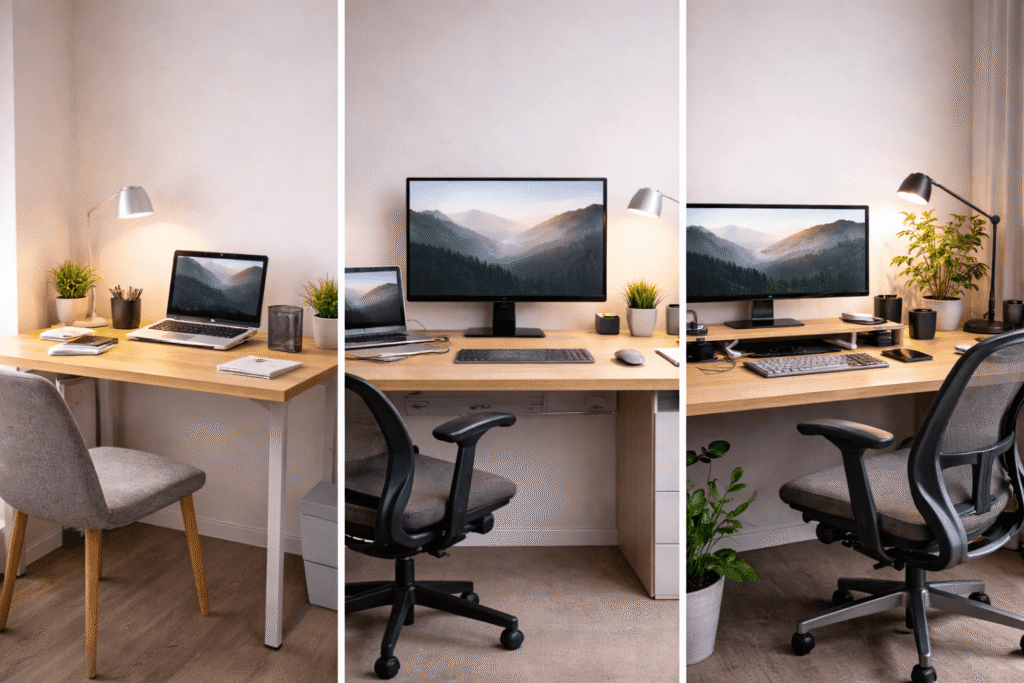
You do not need a large budget to improve your setup.
The biggest mistake is trying to buy everything at once.
Instead, solve the most important problems first.
If You Have Around $100
Focus on the basics:
- better lighting
- simple organization
- improved posture
A realistic $100 setup might include:
- affordable desk lamp
- small desk organizer
- cable clips
- laptop stand
At this stage, do not worry about making the desk look perfect.
The goal is to make it easier to work.
If You Have Around $250
Now you can start improving comfort.
Prioritize:
- a better chair
- extra storage
- cleaner layout
A $250 setup could include:
- budget ergonomic chair
- desk lamp
- cable management kit
- small drawer or organizer
This is usually the point where people notice the biggest difference in how their desk feels.
If You Have Around $500
With a larger budget, focus on long-term comfort and quality.
You can upgrade:
- your chair
- desk size or layout
- monitor placement
- lighting
- storage
At this level, do not buy more things just because you can.
Buy fewer, better items that solve real problems.
A simple, organized setup almost always works better than a desk filled with random gadgets.
Common Desk Organization Mistakes
Even with good intentions, there are a few mistakes that make desk setups harder to use.
1. Putting Too Much on the Desk
More items do not make a desk more functional.
When every inch is covered, you lose space to think and work.
If you are not using something every day, move it off the desk.
2. Ignoring Ergonomics
Many people focus on aesthetics first and comfort second.
A beautiful setup is not useful if it gives you neck pain.
Always prioritize posture, chair height, and screen placement.
3. Using Bad Lighting
A dark desk or harsh overhead light can make you tired much faster.
Lighting should help you see clearly without creating glare.
4. Buying Random Gadgets
It is easy to buy accessories that look useful but never solve the actual problem.
Before buying anything, ask:
What problem am I trying to fix?
If you do not know the answer, you probably do not need it yet.
5. Forgetting About Cable Management
Loose cables make even the cleanest setup feel unfinished.
A few small cable clips can make a bigger difference than an expensive accessory.
6. Trying to Do Everything in One Day
The best setups are built gradually.
You do not need to redesign your entire workspace overnight.
Change one thing at a time, see what helps, and keep improving from there.
Related Desk Setup Ideas to Explore
Once your basic setup is working well, there are a few other areas worth improving over time.
You may want to explore:
- desk organization systems for tiny apartments
- cable management ideas for cleaner desks
- minimalist desk setups for better focus
- productivity habits that work with your workspace
- ways to organize multiple monitors or shared desks
These topics naturally build on the system you created here.
The more organized your desk becomes, the easier it is to make other parts of your workspace feel simpler too.
Final Summary and Simple Action Plan
A productive desk setup is not about having the most expensive furniture or the perfect office.
It is about creating a workspace that feels easier to use.
When your desk is organized, comfortable, and free of unnecessary distractions, it becomes easier to focus and less exhausting to work.
Here is the simplest way to start:
- clear your desk completely
- keep only what you use every day
- improve lighting
- adjust your chair and screen height
- create a place for cables and small items
- add storage for anything you do not need daily
- improve one part of the setup at a time
You do not need to fix everything this week.
Start with the biggest problem.
Maybe your desk is too cluttered. Maybe your chair hurts your back. Maybe the lighting makes it hard to focus.
Fix that first.
Then build from there.
A better desk setup is not built in one shopping trip.
It is built by making your workspace a little calmer, cleaner, and easier to use every day.