
Disclosure: As an Amazon Associate I earn from qualifying purchases.
A desk setup can slowly become uncomfortable without you noticing it at first. Maybe your shoulders feel tight after work. Maybe your back starts hurting halfway through the day. Or maybe your desk just feels cluttered and distracting no matter how often you clean it.
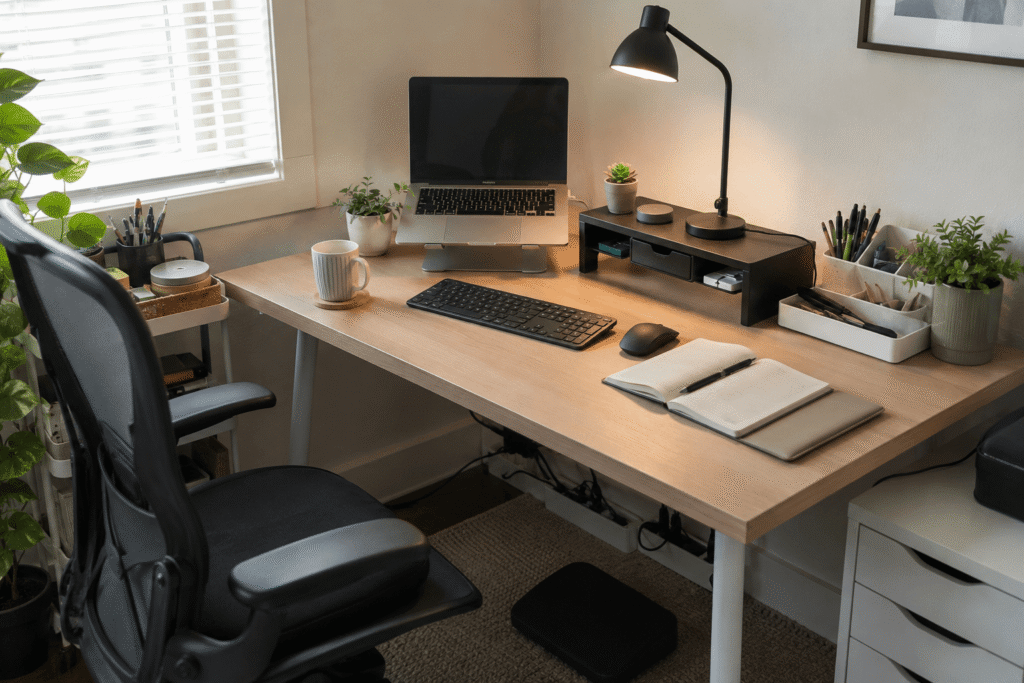
The good news is that you usually don’t need to replace your entire desk or buy a whole new office setup. A few simple upgrades can improve your posture, reduce clutter, and make your workspace feel easier to use every day.
If you’re working with limited space, these compact desk accessories for apartment living can also help you create a cleaner setup without overcrowding your desk.
Quick Picks
- Best overall: Amazon Basics Adjustable Laptop Stand
- Best budget option: CloudBliss Under Desk Footrest
- Best for small desks: Amazon Basics Monitor Stand Riser
Prices are approximate and may change. Ratings and review counts reflect current product data.
Comfort Upgrades for Better Posture
Amazon Basics Adjustable Laptop Stand

If your laptop sits flat on your desk, your neck and shoulders are probably doing more work than they should. A simple option like this raises your laptop closer to eye level, which can make long work sessions feel much more comfortable.
It’s best for students, remote workers, and anyone using a laptop as their main screen. It also folds down, which is helpful if you move between rooms or work in a small space.
A real-life example is working from a kitchen table or bedroom desk where you don’t have room for a full monitor. The stand helps create a better viewing angle without changing your entire setup.
If you just want a quick upgrade, this type of stand is one of the easiest ways to improve your desk comfort.
Easy to add without changing your whole setup.
TushGuard Memory Foam Seat Cushion
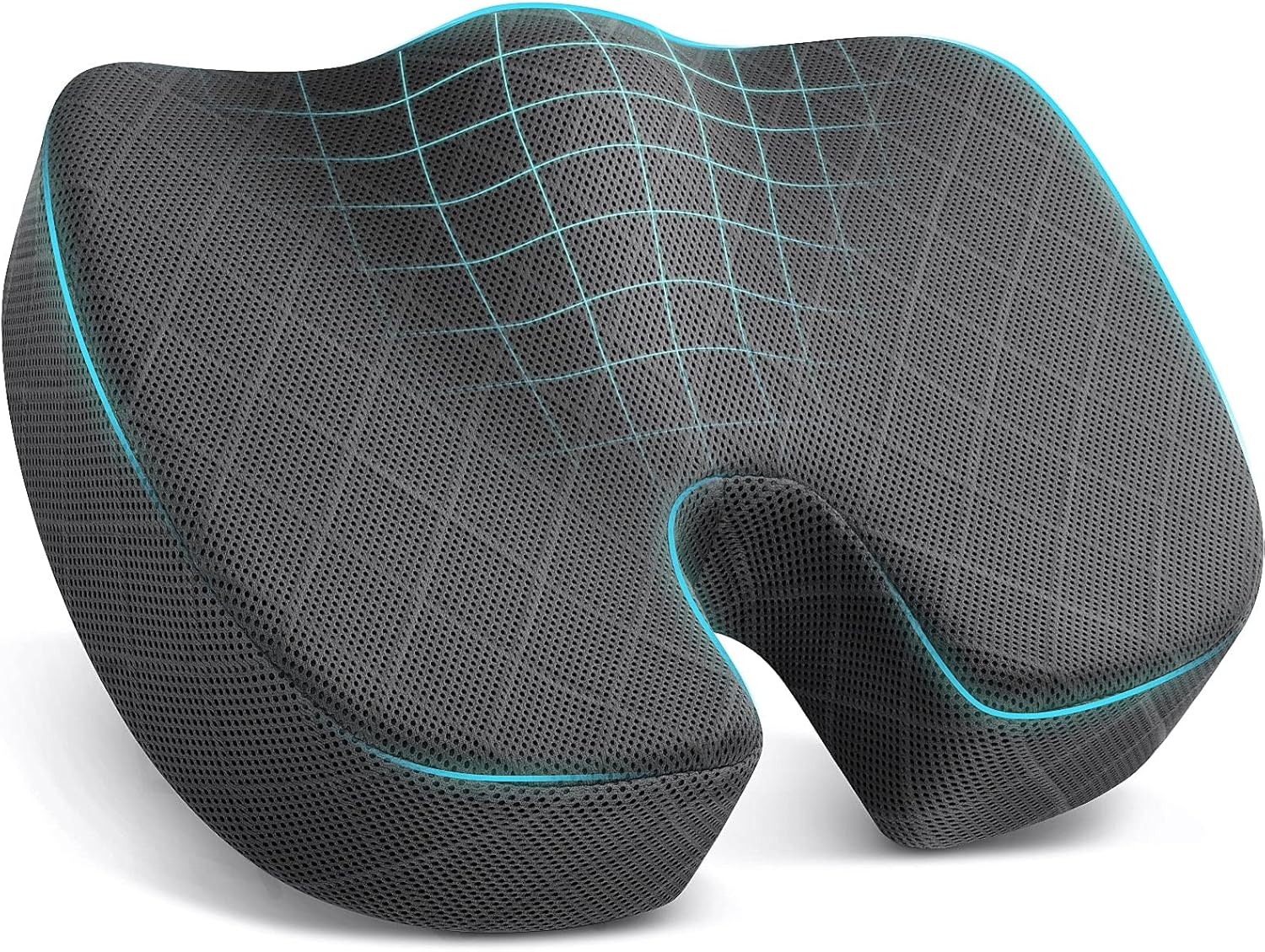
Sometimes the desk is not the main problem. The chair is.
A no-fuss option like this can make a basic office chair, dining chair, or older desk chair feel more supportive. It’s designed for long sitting sessions and can help reduce pressure around the hips, tailbone, and lower back.
This is best for people who work long hours from home but are not ready to buy a new ergonomic chair.
For example, if you keep shifting around during meetings or standing up just to relieve pressure, a cushion can make your current chair easier to use.
Something like this is a simple comfort upgrade that does not require replacing your furniture.
One of those upgrades you notice almost immediately.
CloudBliss Under Desk Footrest

A footrest sounds simple, but it can make a desk feel much more comfortable. A simple tool like this helps support your feet so your legs are not hanging, stretching, or sitting at an awkward angle.
It’s especially useful if your desk is slightly too high or your chair needs to be raised to match your keyboard height.
A common scenario is sitting at a desk where your arms feel fine, but your feet do not sit flat on the floor. A footrest helps close that gap.
If you don’t want to overthink comfort upgrades, a footrest like this is a solid budget-friendly place to start.
A solid, no-fuss addition to most desks.
Organization Upgrades for a Cleaner Workspace
Amazon Basics Monitor Stand Riser

A monitor riser helps with both posture and organization. This type of upgrade lifts your screen higher while creating extra storage space underneath.
It’s best for small desks, shared workspaces, and anyone who wants a cleaner surface without adding bulky storage.
For example, you can slide a keyboard, notebook, or small accessories under the riser when you are not using them. That makes the desk feel less crowded right away.
If you are building a budget home office setup, something like this is practical because it improves comfort and storage at the same time.
A practical upgrade that instantly makes a desk feel cleaner and more comfortable.
JINGCHENGMEI Cable Management Tray

Loose cables can make an otherwise good desk setup feel messy. A cable management tray like this keeps power strips, cords, and charging cables tucked underneath the desk.
It’s best for people with monitors, lamps, chargers, and multiple devices on one desk.
A real-life example is finishing your workday and seeing a clean desktop instead of cables hanging behind your screen. It makes the whole workspace feel calmer.
For more specific cable cleanup options, this guide to smart cable management tools can help. If you just need one simple fix, a tray like this is easy to add.
A simple addition that makes your desk feel more organized right away.
LEHOM Slim Rolling Storage Cart
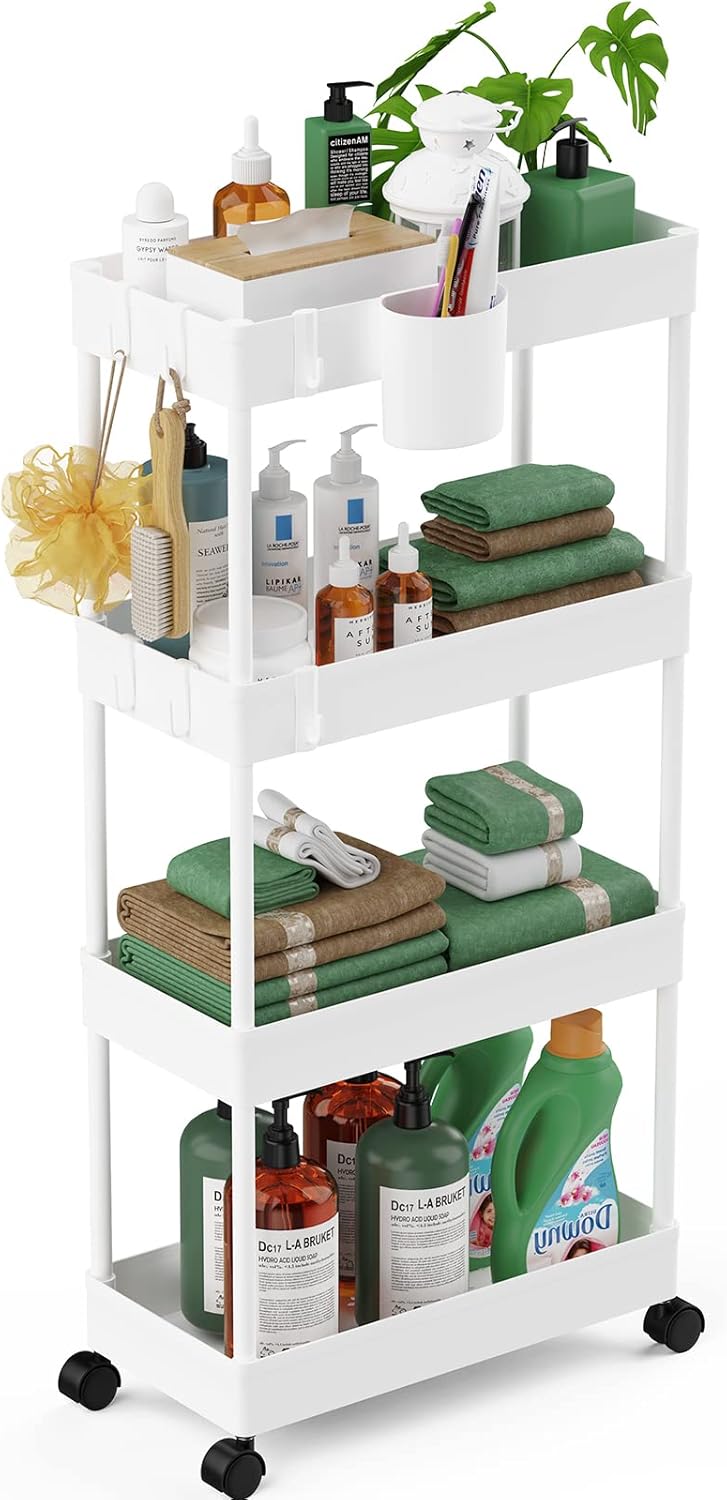
When your desktop is too crowded, the answer is often nearby storage. A slim cart like this gives you extra space for notebooks, tech accessories, office supplies, or personal items.
It’s best for small rooms, apartments, dorms, or home offices where the desk has limited storage.
A real-life example is keeping work supplies on the cart during the day, then rolling it aside when you want the room to feel less busy.
If your desk does not have drawers, this type of storage upgrade can make your setup easier to manage.
Easy to add without changing your entire setup.
Productivity and Lighting Upgrades
Dott Arts LED Desk Lamp

Poor lighting can make your desk feel uncomfortable even if your chair and screen height are fine. A desk lamp like this adds focused light for reading, writing, studying, or working late.
It’s best for darker rooms, evening work sessions, and desks that are not close to a window.
For example, if you rely only on overhead lighting, your workspace may feel harsh or uneven. A small lamp gives you more control over how your desk feels.
A simple option like this is easy to add without taking over your workspace.
A clean, simple addition that improves comfort throughout the day.
SAMPHON Monitor Light Bar
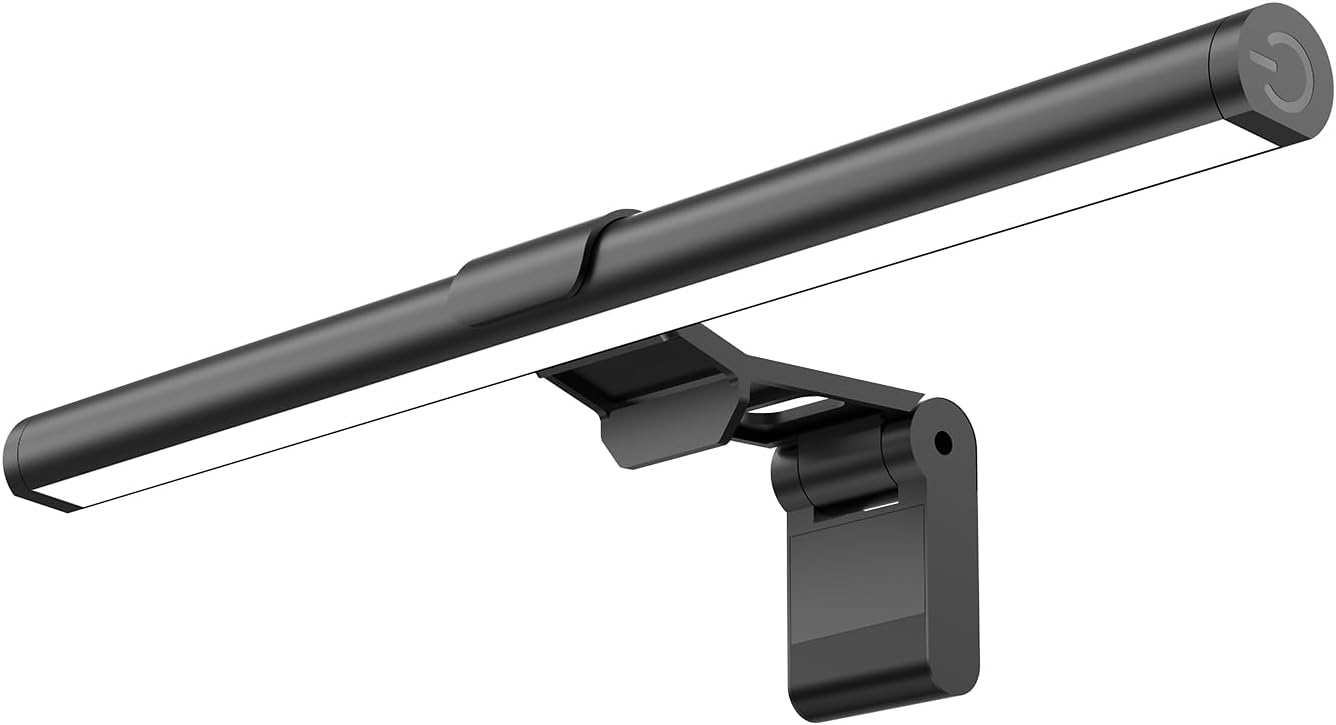
A monitor light bar is a good option if you want better lighting without using desk surface space. This type of upgrade sits above your monitor and lights the desk area more directly.
It’s best for compact setups, late-night work, gaming desks, and anyone who wants a cleaner lighting solution.
A real-life scenario is working at night with your monitor on and the rest of the room dim. A light bar can make the desk feel more balanced without adding another lamp.
If your desk is already crowded, something like this keeps the setup cleaner.
Easy to add without changing your entire setup.
Logitech MK270 Wireless Keyboard and Mouse

A wireless keyboard and mouse combo gives you more control over your posture and desk layout. A tool like this is especially useful if you use a laptop stand or monitor riser.
It’s best for laptop users, students, and remote workers who want a cleaner and more flexible setup.
For example, once your laptop is raised to eye level, typing directly on it becomes uncomfortable. A separate keyboard and mouse let you keep your screen higher while your hands stay in a more natural position.
A no-fuss combo like this also reduces cable clutter and makes the desk look cleaner.
One of the easiest ways to make a desk feel more modern and functional.
What to Look For Before Buying
Start with the problem you feel most often. If your neck hurts, look at screen height. If your back feels tired, focus on your chair or foot position. If your desk feels stressful, start with cable management or storage.
Measure your desk before buying anything large. Small desks can improve quickly, but bulky products can create new clutter.
Choose multi-purpose upgrades when possible. A monitor riser that adds storage or a rolling cart that fits under the desk can solve more than one problem.
Avoid buying everything at once. One or two practical changes are usually enough to make your workspace feel better.
Conclusion
Fixing an uncomfortable desk setup does not need to be complicated. Most people just need better screen height, improved seating support, cleaner organization, or more practical lighting.
Small upgrades can make your workspace feel calmer, more comfortable, and easier to use every day. Start with the issue that bothers you most, choose one simple fix, and build from there.
You can also explore more comfortable home office setup ideas if you want to keep improving your space over time.