
Disclosure: As an Amazon Associate I earn from qualifying purchases.
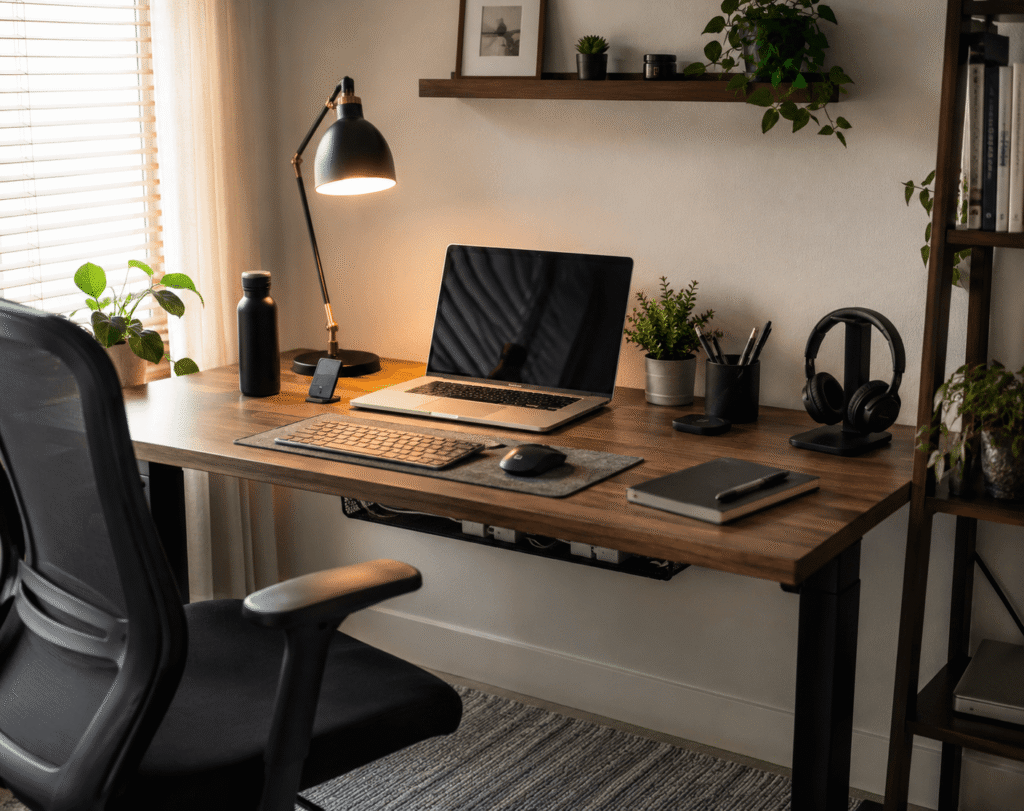
A messy workspace does not always mean you need a new desk.
Sometimes, the real problem is simply the cables.
Laptop chargers, monitor cords, phone cables, power strips, headphones, and USB wires can quickly make even a decent desk feel crowded and distracting. The good news is that cable management is one of the easiest desk upgrades to fix without spending much or changing your entire setup.
If you already like simple workspace upgrades, you may also want to explore minimal desk accessories that make a big difference for more small improvements that are easy to add.
Quick Picks
- Best overall: Litwaro Under Desk Cable Management Tray
- Best budget option: OHill Adhesive Cable Clips
- Best for small desks: smofish Magnetic Cable Clips
Prices are approximate and may change. Ratings and review counts reflect current product data.
Keep Cables Off the Floor
Litwaro Under Desk Cable Management Tray

A simple option like the Litwaro Under Desk Cable Management Tray is one of the easiest ways to clean up a desk without making the top surface look crowded.
It clamps under your desk and gives power strips, adapters, and loose cable length a place to sit. This is especially useful if you have a laptop, monitor, lamp, and charger all plugged in near the same area.
It works best for remote workers, students, and anyone using a standing desk or small home office desk. Instead of cables hanging down behind your chair, they stay tucked underneath.
If your setup looks fine from the front but messy from the back, this type of upgrade can make the whole desk feel more intentional.
A simple addition that makes your desk feel more organized right away.
Yecaye Cable Management Kit
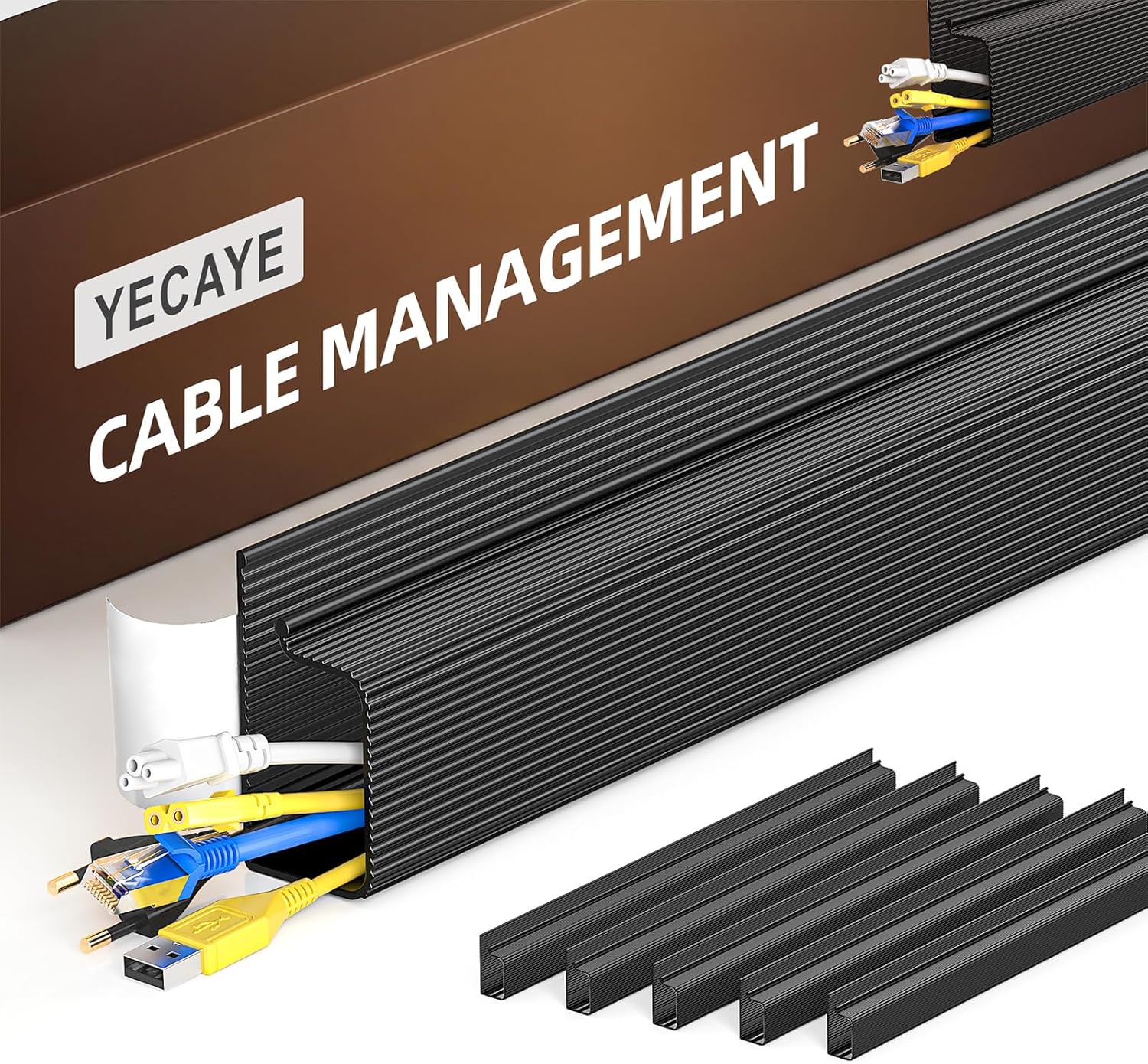
A tool like the Yecaye Cable Management Kit helps hide and route cables underneath your desk instead of letting them hang freely.
This works well when several cords need to travel in the same direction, such as monitor cables, charger cords, speaker wires, or power strip cables. It gives those wires a cleaner path and reduces that messy “cable waterfall” look.
It is best for people who want a cleaner workspace but do not want to drill into the desk.
For example, if your desk faces a wall and all the cords are visible underneath, something like this can make the setup look much cleaner from normal sitting height.
Easy to add without changing your entire setup.
POWSAV Surge Protector Power Strip

A no-fuss option like the POWSAV Surge Protector Power Strip is useful when your main problem is not just cable clutter, but not having enough outlets.
It gives you a central place to plug in your desk essentials, including monitors, lamps, chargers, speakers, and other office devices. The flat plug also helps when the outlet is behind furniture.
This is best for home office users who have multiple devices but want everything powered from one organized area.
If your current power strip is overloaded or awkwardly placed on the floor, this type of setup upgrade can make your desk feel more controlled and easier to maintain.
One of those upgrades you notice almost immediately.
Organize Loose Cables
Nearockle Silicone Cable Straps

A simple tool like the Nearockle Silicone Cable Straps helps turn loose cords into neat bundles.
These reusable straps are useful for laptop chargers, USB cables, headphone wires, and extra cord length behind your desk. Because they are reusable, they also work well if you change your setup often.
They are best for students, renters, and remote workers who want a quick upgrade without installing anything permanent.
If you regularly move your laptop charger between your desk, couch, and bag, something like this keeps the cord from becoming a tangled mess.
A solid, no-fuss addition to most desks.
OHill Adhesive Cable Clips

A budget-friendly option like the OHill Adhesive Cable Clips is perfect for keeping everyday charging cables within reach.
These clips attach to your desk, wall, or nightstand and hold small cables in place. That means your phone charger, USB cable, or headphone cord is less likely to fall behind the desk.
They are best for people who use the same cables every day and want them to stay in one predictable spot.
If you constantly reach under your desk to grab a fallen charger, a simple option like this can fix that small but annoying problem quickly.
Easy to add without changing your whole setup.
Alex Tech Cable Sleeve
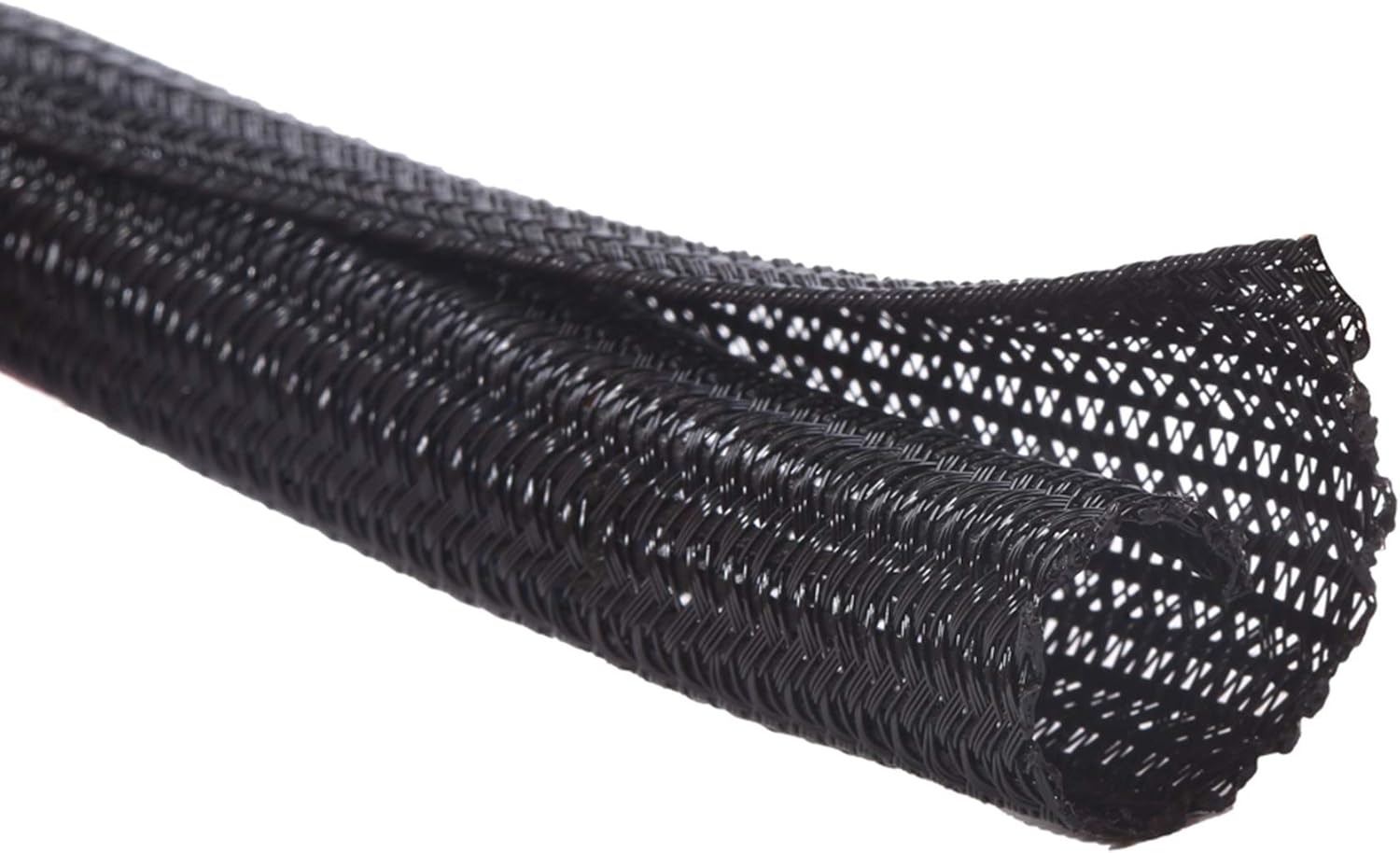
A tool like the Alex Tech Cable Sleeve is useful when you have several cables running along the same path.
Instead of seeing five separate wires behind your monitor or computer, the sleeve groups them into one cleaner-looking line. It can also help protect cords from light wear or pets.
This is best for desktop computer users, dual-monitor setups, gaming desks, and anyone with several visible cords behind the desk.
If the back of your setup looks chaotic even after you organize the surface, something like this can make the cable area look much more finished.
One of those upgrades you notice almost immediately.
MAHDPRO Desk Grommets

A practical option like the MAHDPRO Desk Grommets helps route cables through a desk instead of around the edges.
These are especially useful if your desk already has cable holes or if you are building a custom workspace. They create a cleaner opening for cords to pass through and reduce the messy look of cables spilling over the back.
They are best for DIY desk setups, workbenches, and computer tables where cables need a more permanent path.
If you are trying to build a more polished desk organization system, this type of upgrade can help make the setup feel more finished.
A simple addition that improves both appearance and functionality.
Improve Comfort While Reducing Clutter
ErGear Single Monitor Arm

A setup upgrade like the ErGear Single Monitor Arm can improve both cable management and desk comfort.
It lifts your monitor off the desk surface, gives you more usable space underneath, and includes cable management to help route wires along the arm. That makes the setup cleaner while also helping you position your screen more comfortably.
This is best for remote workers, students, and anyone using an external monitor on a smaller desk.
If your monitor stand takes up too much space, this is also a useful step toward a more comfortable home office setup.
For a desk that feels crowded, something like this can free up surface space and reduce visible cables at the same time.
Easy to add without changing your entire setup.
APPHOME Foldable Headphone Hanger
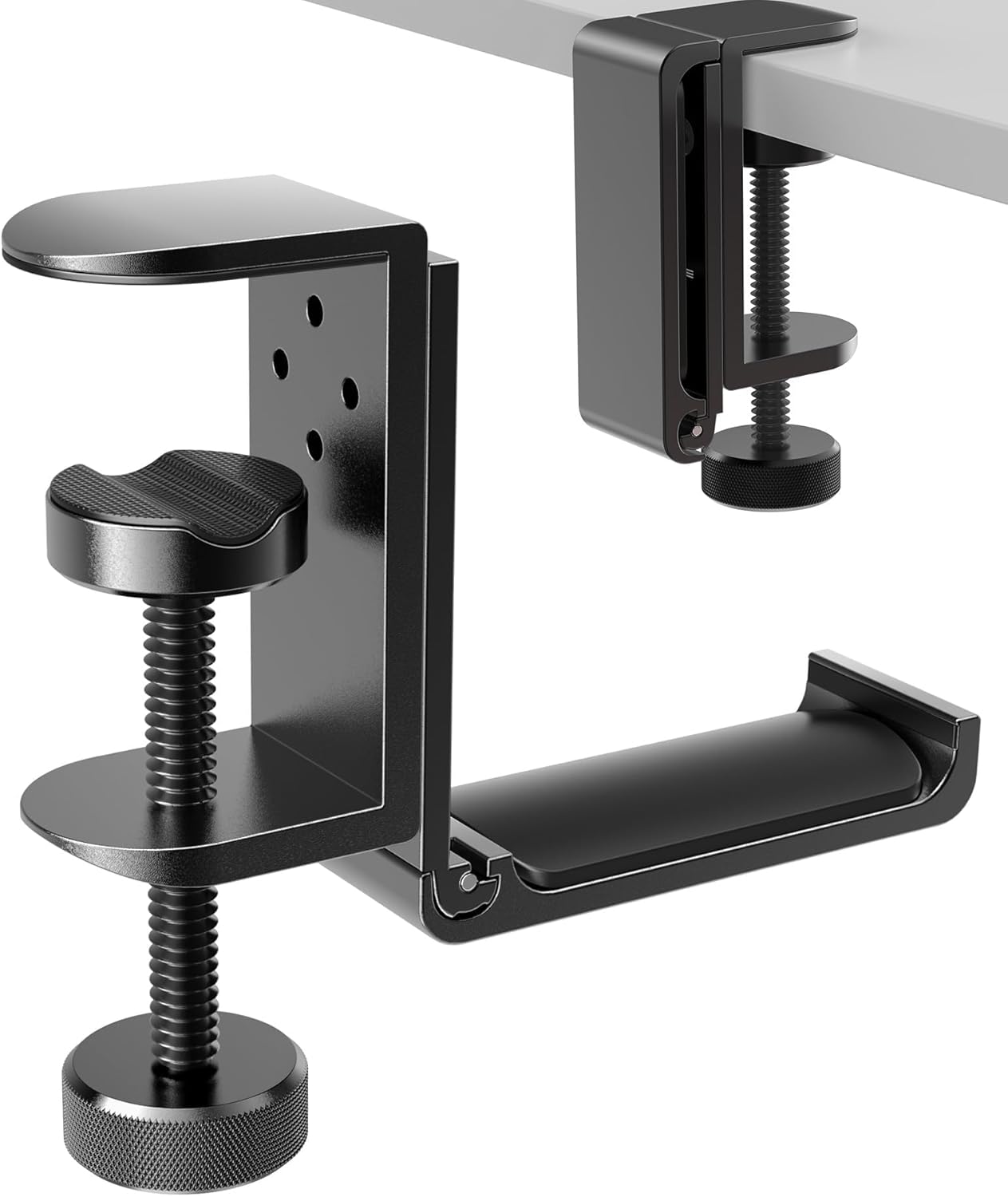
A simple option like the APPHOME Foldable Headphone Hanger gives your headphones a dedicated place to live.
Instead of leaving headphones on your desk, monitor stand, or keyboard, you can hang them under the desk. This helps clear the surface and keeps headphone cables from spreading across your workspace.
It is best for gamers, students, video editors, and remote workers who use headphones throughout the day.
If your desk starts clean but gets messy after a few hours, a no-fuss option like this helps keep one more item off the surface.
A small upgrade that helps maintain a cleaner workspace every day.
smofish Magnetic Cable Clips

A tool like the smofish Magnetic Cable Clips is great for organizing small cables that you use constantly.
These clips help hold phone chargers, USB cords, and other lightweight cables in place so they do not slip behind the desk. The magnetic design also makes it easier to remove and reattach cables when needed.
They are best for small desks, nightstands, and minimal workspaces where every inch matters.
If you want a cleaner surface without adding bulky organizers, something like this is easy to place near your laptop, monitor, or charging area.
A simple addition that makes your setup feel more organized right away.
What to Look For Before Buying
Before buying cable management products, keep it simple.
Start by looking at the biggest problem in your current setup. Are the cables falling behind the desk? Are they hanging under the desk? Are chargers scattered across the surface? The answer tells you what to fix first.
For most people, cable clips and cable straps are the easiest budget-friendly starting point. If the floor area looks messy, an under-desk tray or cable management kit usually makes a bigger difference.
If comfort matters too, monitor arms and stands can help you create a cleaner and more productive desk setup while also improving screen position.
You do not need to buy every cable organizer at once. One or two smart upgrades can make your workspace feel cleaner, calmer, and easier to use.
Conclusion
Cable management is one of the simplest ways to make a desk feel cleaner without replacing your furniture.
The right small upgrades can hide loose cords, keep chargers in place, free up desk space, and make your workspace easier to maintain. Whether you start with cable clips, reusable straps, an under-desk tray, or a monitor arm, the goal is the same: less visual clutter and a more comfortable setup.
If you want to keep improving your workspace, you can also explore more desk organization ideas that make your desk feel cleaner without overcomplicating it.