
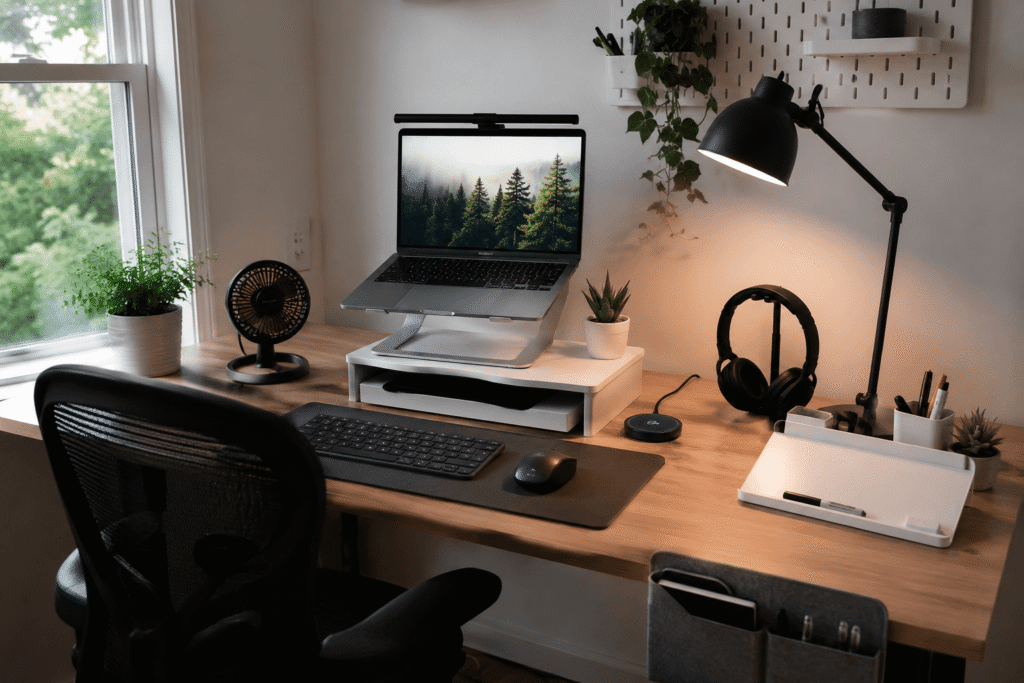
Disclosure: As an Amazon Associate I earn from qualifying purchases.
Working from home during the summer can get uncomfortable fast.
A desk that feels fine in cooler months can suddenly feel warm, cluttered, and harder to focus at when the room heats up. Cables feel messier, your laptop runs hotter, and small distractions become harder to ignore.
The good news is that you don’t need to rebuild your entire office.
A few simple upgrades can make your workspace cooler, cleaner, and easier to use every day. If you’re looking for more practical desk setup ideas for working from home, these summer-friendly products are a good place to start.
Quick Picks
- Best overall: Quntis Monitor Light Bar
- Best budget option: Yootech Wireless Charging Pad
- Best for small desks: WALI Monitor Stand
Prices are approximate and may change. Ratings and review counts reflect current product data.
Cooling and Comfort Upgrades
Quntis Monitor Light Bar

A simple option like this monitor light bar can make your desk feel cleaner and easier to use, especially if your room gets bright during summer.
Instead of taking up space like a regular lamp, it sits on top of your monitor and lights your desk from above. That helps reduce visual strain without adding more clutter.
It’s best for remote workers, students, and anyone who spends long hours in front of a screen.
If you work near a window, summer light can shift throughout the day and make your screen area feel inconsistent. A light bar helps create a more stable workspace.
For small setups, something like this is useful because it improves lighting without taking over your desk.
One of those upgrades you notice almost immediately.
Otlonpe Portable Desk Fan

A tool like this portable desk fan is one of the easiest summer upgrades for a warm home office.
It gives you focused airflow without needing a large fan in the room. Since it’s compact, it can sit near your monitor, on a shelf, or beside your laptop.
This is best for people who work in warmer rooms, small apartments, dorms, or shared spaces.
Picture an afternoon work session where the room starts getting stuffy, but you don’t want to blast a full-size fan. A small fan gives you just enough airflow to stay comfortable.
A no-fuss option like this is easy to move around depending on where you’re working.
Easy to add without changing your whole setup.
KYSMOTIC Gel Seat Cushion
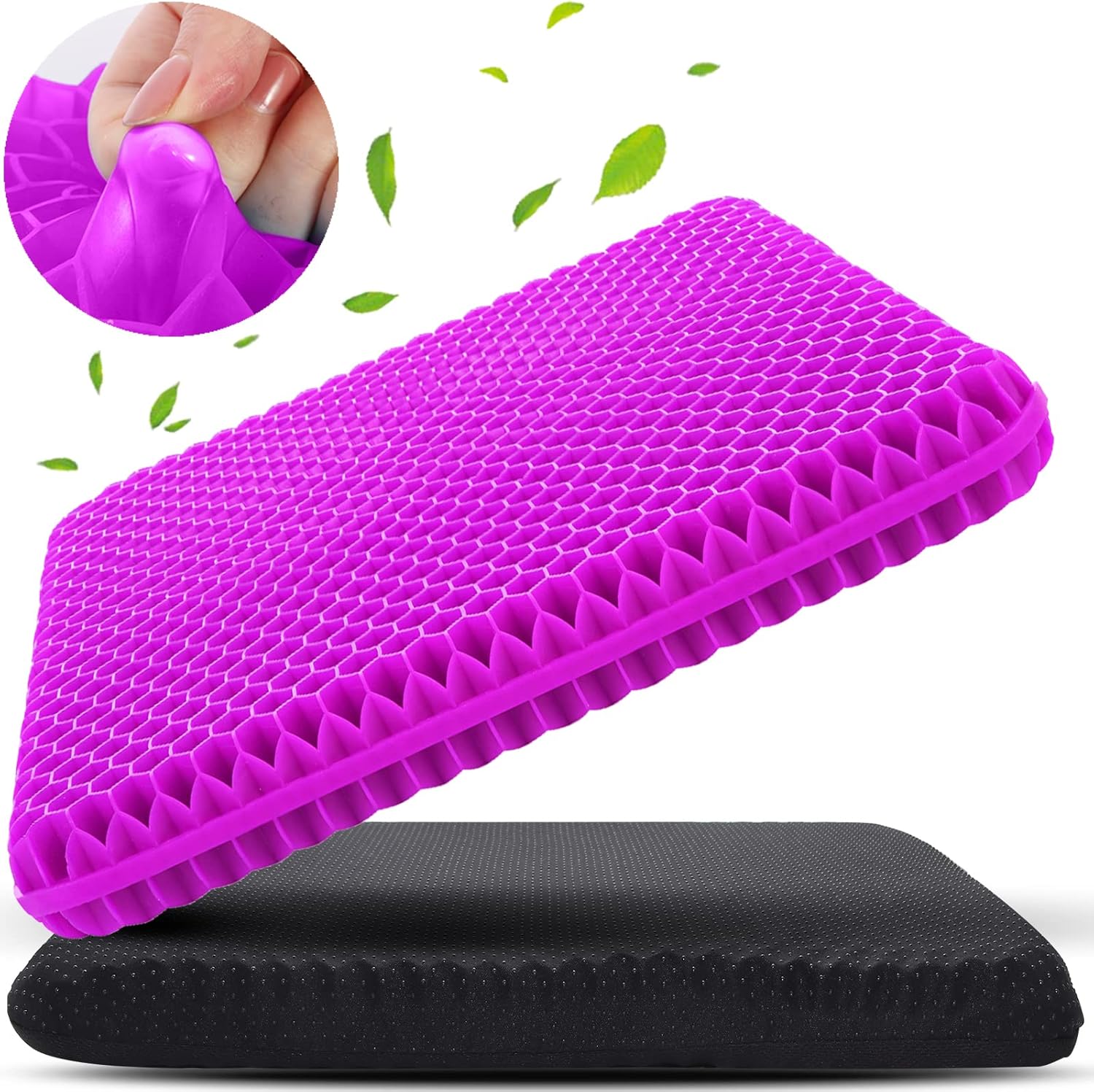
A comfort upgrade like this gel seat cushion can help if your chair starts feeling uncomfortable after a few hours.
During summer, long sitting sessions can feel even more tiring. A gel cushion adds support and helps reduce pressure while you work.
It’s best for people using basic office chairs, dining chairs, or older chairs that don’t offer enough comfort.
If you often stand up feeling stiff after writing, studying, or sitting through meetings, this type of upgrade can make the workday easier.
You don’t need to replace your entire chair if something like this solves the main comfort issue.
A simple addition that makes your desk setup feel better right away.
Organization and Small Desk Upgrades
WALI Monitor Stand

A simple setup upgrade like this monitor stand helps lift your screen while creating storage space underneath.
That extra space can be used for notebooks, sticky notes, a keyboard, small accessories, or anything else that usually sits loose on your desk.
It’s best for small desks where you need more surface area without buying a bigger desk.
For example, if your keyboard, planner, and chargers all compete for the same space, a monitor stand can instantly create a cleaner layout.
If you’re trying to build a more minimal desk setup, a stand like this is a practical starting point.
A simple addition that makes your desk feel more organized right away.
N NOROCME Cable Management Kit

A tool like this cable management kit can quickly make your workspace look more intentional.
It includes different pieces for organizing cords, clips, sleeves, and ties, so you can clean up the mess behind your monitor or under your desk.
This is best for anyone with multiple chargers, monitor cables, laptop cords, speakers, or desk accessories.
A real-life example is the classic messy work-from-home desk: one cable for your laptop, one for your phone, one for your monitor, and a few random cords hanging behind everything.
A budget-friendly option like this helps turn that chaos into a cleaner workspace.
Easy to add without changing your entire setup.
APPHOME Headphone Hook
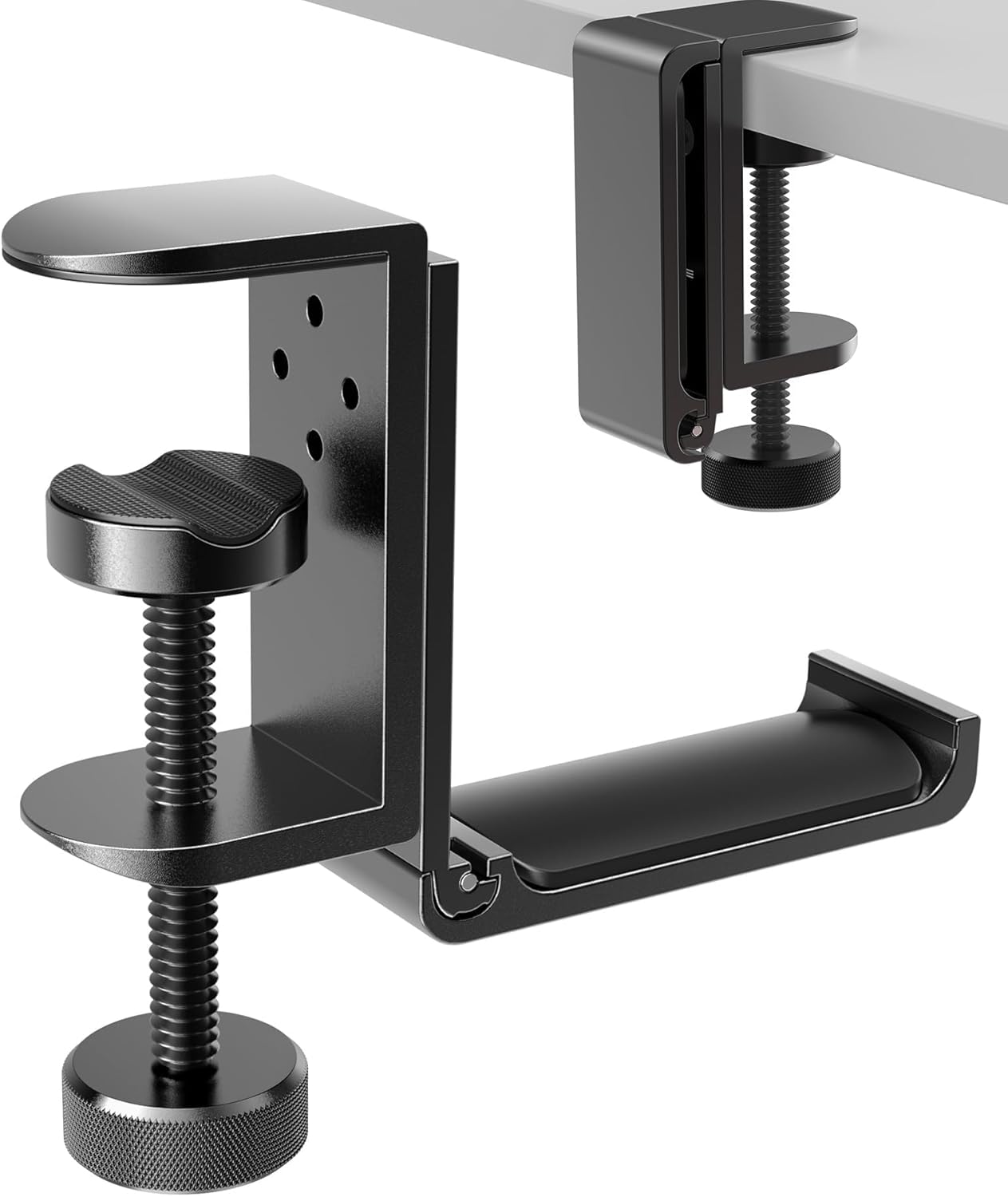
A simple option like this headphone hook solves a small but annoying desk problem.
Instead of leaving headphones on your desk, chair, or monitor stand, you can hang them underneath the desk and keep them within reach.
It’s best for people who use headphones for calls, gaming, editing, studying, or focus work.
If you regularly move your headphones around just to create space, this is the type of small upgrade that makes daily work feel smoother.
Something like this under-desk hook is especially useful when you want a clean workspace without adding another item on top of the desk.
One of those upgrades you notice almost immediately.
Marbrasse Drawer Organizer

A simple tool like this drawer organizer helps keep small supplies from turning into clutter.
Pens, cables, sticky notes, clips, adapters, and random desk items can make a workspace feel messy even when the surface looks clean.
This is best for students, remote workers, and anyone who uses a desk drawer as a catch-all space.
Imagine opening your drawer and actually finding the thing you need instead of digging through a pile of random accessories.
If you’re trying to improve desk organization, something like this gives everything a proper place.
A simple addition that makes your desk feel more organized right away.
Productivity and Workflow Upgrades
Lamicall Laptop Stand

A setup upgrade like this laptop stand can improve comfort and airflow at the same time.
Raising your laptop helps bring the screen closer to eye level, which can make longer work sessions feel more comfortable. It also helps keep the laptop lifted off the desk, which can be useful during warmer months.
It’s best for laptop users who work from home, study online, or use a small desk as their main workstation.
If your laptop usually sits flat on the desk and you spend hours looking down at it, a stand can make the setup feel more ergonomic.
For more options in this category, you can also explore ergonomic desk accessories under $30. A no-fuss option like this is easy to add without rebuilding your whole workspace.
One of those upgrades you notice almost immediately.
Desktop Dry Erase Whiteboard

A tool like this desktop whiteboard is useful if you like keeping tasks visible without using more apps.
It gives you a small space for reminders, quick notes, daily priorities, and small planning tasks.
This is best for people who want a simple productivity system on the desk itself.
For example, you can write your top three tasks for the day and keep them visible while you work. That can be easier than switching between tabs or checking a digital to-do list.
A simple upgrade like this works well if you want your desk to support focus without adding complexity.
A practical addition that makes your workspace feel more intentional right away.
What to Look For Before Buying
Before choosing summer home office upgrades, start with the problem you actually feel every day.
If your room gets hot, start with cooling. If your desk feels messy, start with cable management or storage. If your body feels uncomfortable, start with ergonomics.
Measure your desk before buying anything. Small products can still feel bulky if your workspace is already tight.
Look for upgrades that solve more than one problem. A monitor stand can improve screen height and create storage. A laptop stand can improve comfort and airflow.
Keep the setup simple. You don’t need to overthink this. One or two practical upgrades can make your desk feel much better without turning it into a full project.
Conclusion
The best summer home office upgrades are simple, practical, and easy to live with.
You don’t need a dramatic office makeover to feel more comfortable. Better lighting, cleaner cables, improved airflow, and small ergonomic changes can make your desk easier to use every day.
Start with the one thing that bothers you most about your setup right now.
If you want to keep improving your workspace, these useful desk setup ideas can help you build a cleaner, more comfortable home office over time.