
Disclosure: As an Amazon Associate I earn from qualifying purchases.
Working at a desk during hot weather can make even simple tasks feel harder. Your chair feels less comfortable, your laptop runs warmer, your drink gets lukewarm, and your workspace can start to feel cluttered and heavy.
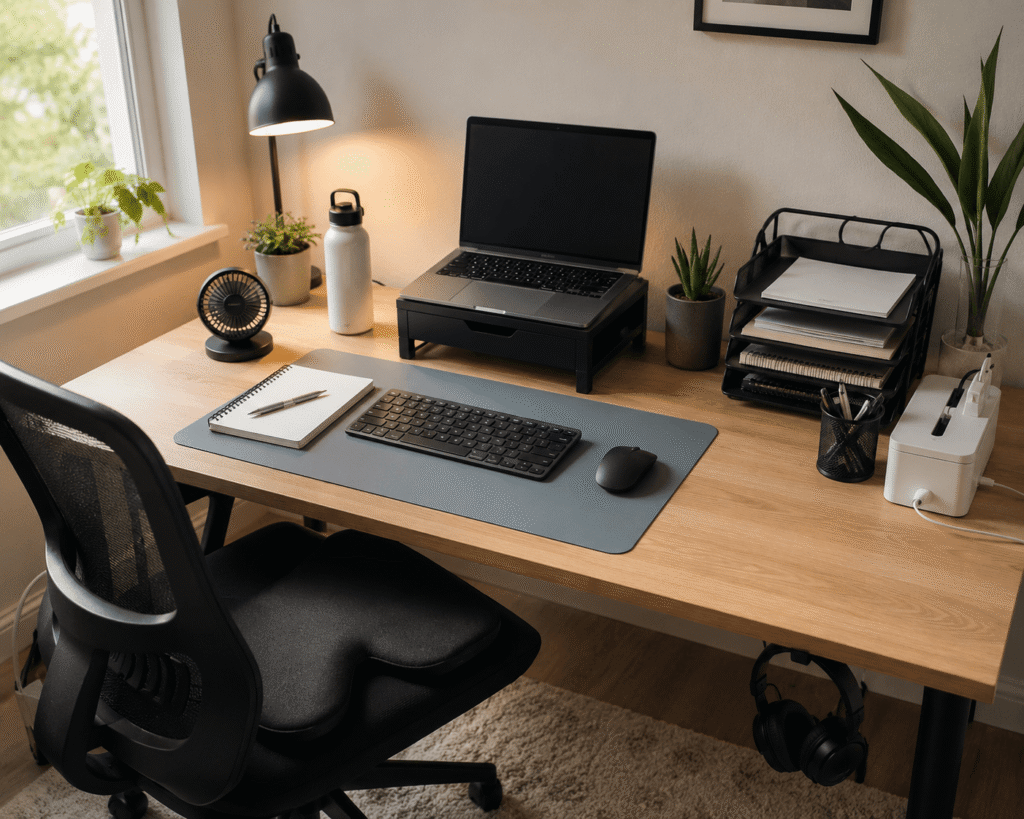
The good news is that you do not need to rebuild your entire home office to make it more comfortable. A few practical desk accessories can improve airflow, reduce clutter, support better posture, and help your setup feel easier to use during long summer workdays.
If you are working with limited space, you may also want to explore these small desk organization ideas for more ways to keep your workspace clean and usable.
Quick Picks
- Best overall: Otlonpe Portable Desk Fan
- Best budget option: Aothia Leather Desk Pad
- Best for small desks: WALI Monitor Stand with Storage
Prices are approximate and may change. Ratings and review counts reflect current product data.
Cooling Accessories for Hot Desk Setups
Otlonpe Portable Desk Fan

The Otlonpe Portable Desk Fan is a compact rechargeable fan designed for desks, bedrooms, travel, and small work areas.
If you just want a quick cooling upgrade, a simple option like this is one of the easiest ways to make your desk feel more comfortable in hot weather. It gives you direct airflow without taking over your workspace.
It is best for remote workers, students, and anyone sitting in a warm room for long stretches.
A real-life example: you are working through a long afternoon, your room feels stuffy, and you do not want to run a large fan across the whole room. A small desk fan gives you focused airflow right where you sit.
It also works well if you have a small desk because it does not require a big floor footprint. Something like this is easy to add without changing your whole setup.
A simple addition that makes your desk feel more comfortable right away.
POWCAN Insulated Water Bottle

The POWCAN Insulated Water Bottle is a stainless steel bottle with a straw and spout lid, designed to keep drinks cold during long workdays.
During hot weather, a tool like this helps you stay hydrated without constantly getting up from your desk. It is a small upgrade, but it can make your workday feel much smoother.
It is best for people who work long hours, study from home, or forget to drink enough water when they get focused.
A real-life scenario: you fill your bottle before starting work, sit down for a few hours, and still have cold water nearby instead of a warm glass sitting on your desk.
This is also a smart fit for anyone trying to build a more practical productivity desk setup without adding clutter. A no-fuss option like this is useful every single day.
One of those upgrades you notice almost immediately.
5 STARS UNITED Seat Cushion

The 5 STARS UNITED Seat Cushion is a memory foam cushion designed to improve sitting comfort on office chairs, gaming chairs, car seats, and desk chairs.
Hot weather can make sitting for long hours feel even more uncomfortable. This type of upgrade gives your chair extra support and can make your desk setup easier to tolerate during long work sessions.
It is best for home office users who spend several hours sitting and want better comfort without buying a new chair.
A real-life scenario: your chair is technically usable, but after a few hours, you start shifting around and losing focus. A cushion can make the seat feel more supportive and stable.
It is not a cooling gadget in the fan sense, but comfort matters more during summer because discomfort builds faster. Something like this can help make your chair feel more work-friendly.
Easy to add without changing your entire setup.
Organization Upgrades That Make a Hot Desk Feel Cleaner
WALI Monitor Stand with Storage

The WALI Monitor Stand with Storage raises your monitor or laptop and gives you extra storage space with a drawer and pen holder.
If your desk feels crowded, a simple option like this can make the whole setup feel lighter and more organized. It lifts your screen while creating space underneath for small items.
It is best for small desks, basic home offices, and students who need more surface area without buying a larger desk.
A real-life scenario: your notebook, pens, cables, and small accessories are scattered across your desk. A monitor stand gives those items a place to go while also improving your screen height.
This is one of the easiest upgrades if you are trying to create a cleaner workspace without overthinking it. A setup upgrade like this works well in most desk layouts.
A simple addition that makes your desk feel more organized right away.
YECAYE Cable Management Box

The YECAYE Cable Management Box is designed to hide power strips, cords, and cable clutter around your desk or floor.
During hot weather, a messy workspace can feel even more overwhelming. A tool like this helps hide the visual mess so your desk area feels calmer and easier to use.
It is best for people with multiple chargers, monitors, lamps, or devices plugged in around the same desk.
A real-life scenario: your fan, laptop charger, monitor cable, and phone charger are all visible at once. A cable box helps contain the mess and makes the setup look more intentional.
If you are trying to maintain a clean workspace, cable control is one of the fastest wins. Something like this keeps the desk area from feeling chaotic.
Easy to add without changing your entire setup.
Marbrasse Paper Organizer

The Marbrasse Paper Organizer is a multi-tier mesh tray for papers, folders, notebooks, and desk documents.
If your desk collects papers during the week, a simple tool like this can keep everything stacked vertically instead of spread across your workspace.
It is best for students, remote workers, teachers, and anyone who deals with papers, notebooks, or printed documents.
A real-life scenario: you sit down to work, but your desk is covered with loose papers from previous tasks. A tiered organizer lets you separate active work, notes, and documents without losing desk space.
This is especially useful for small setups because vertical storage usually works better than spreading everything sideways. A no-fuss option like this can make your desk feel more under control.
One of those upgrades you notice almost immediately.
Comfort and Productivity Accessories
Amazon Basics Laptop Stand

The Amazon Basics Laptop Stand is a foldable, height-adjustable laptop riser with a ventilated design.
Laptops can feel warmer during long summer work sessions, especially when they sit flat on a desk. This type of upgrade helps elevate the laptop and improve airflow around it.
It is best for remote workers, students, and anyone using a laptop as their main computer.
A real-life scenario: you are working on a video call, your laptop starts heating up, and your neck feels strained from looking down. A stand can help with both airflow and screen height.
For a more comfortable home office setup, it pairs especially well with a separate keyboard and mouse. Something like this is a solid, practical upgrade for daily work.
A solid, no-fuss addition to most desks.
Logitech MK270 Keyboard and Mouse
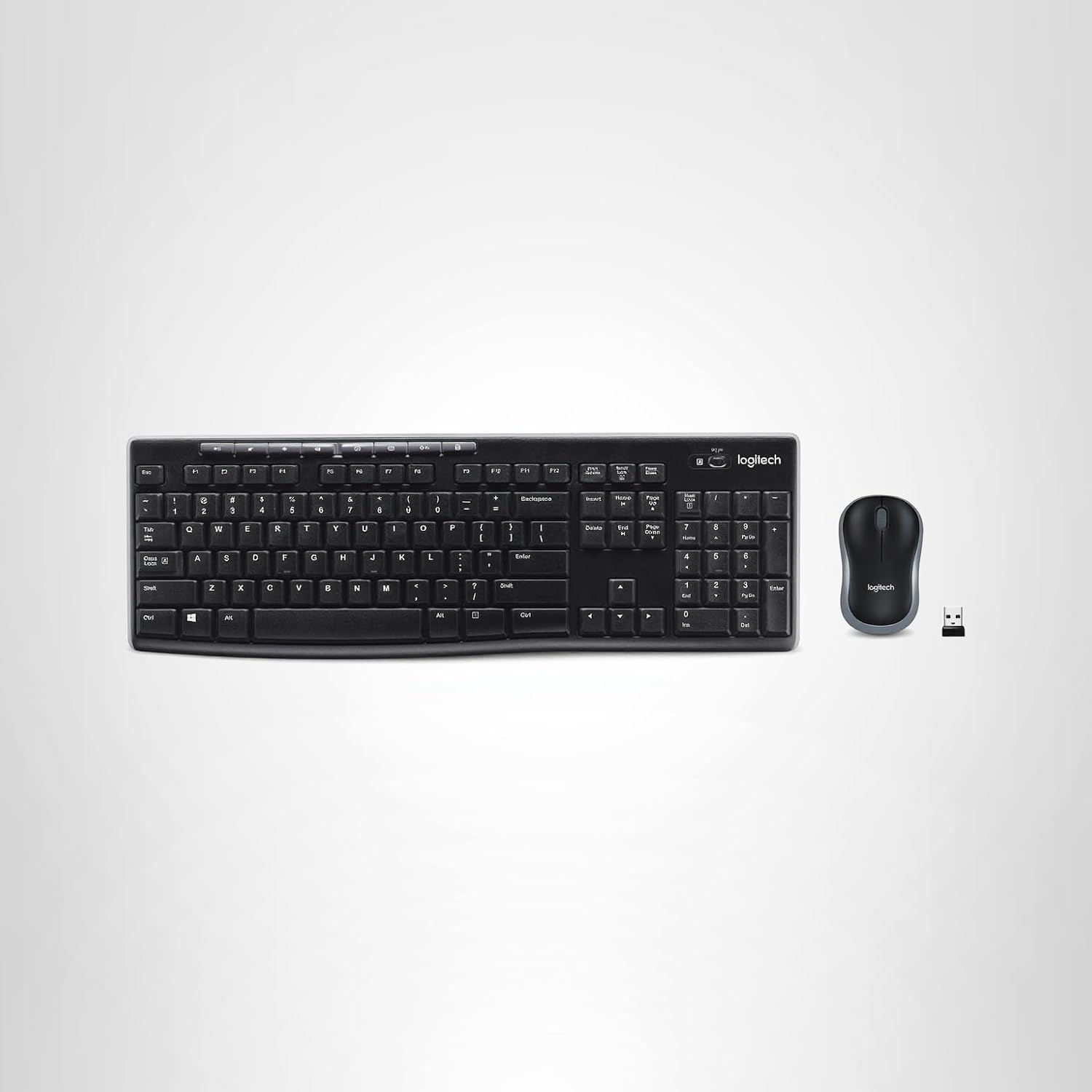
The Logitech MK270 Keyboard and Mouse is a wireless keyboard and mouse combo for basic home office and desk use.
If you use a laptop stand, a tool like this helps you create a more comfortable typing position. It also removes extra cable clutter from the desk.
It is best for laptop users, students, and remote workers who want a simple wireless setup without overcomplicating things.
A real-life scenario: your laptop is raised for better posture, but typing directly on it feels awkward. A separate keyboard and mouse let you work in a more natural position.
This is one of those practical upgrades that supports both comfort and productivity. A simple option like this works well for most everyday desk setups.
Easy to add without changing your whole setup.
Aothia Leather Desk Pad

The Aothia Leather Desk Pad is a large desk mat that works as a writing surface, mouse pad, and desk protector.
If your desk surface feels uncomfortable or visually messy, a budget-friendly option like this can make the whole area feel cleaner almost instantly.
It is best for people who want a more organized-looking desk without buying several separate accessories.
A real-life scenario: your keyboard, mouse, notebook, and mug all sit directly on the desk, making the workspace feel scattered. A desk pad visually brings everything together into one clean zone.
It can also make typing and mouse movement feel smoother during long work sessions. Something like this is easy to add and does not require any setup.
One of those upgrades you notice almost immediately.
Quntis Monitor Light Bar

The Quntis Monitor Light Bar is a screen-mounted desk light designed to illuminate your workspace without taking up desk surface area.
In hot weather, a traditional desk lamp can feel bulky and may add unwanted clutter. A simple option like this gives you focused lighting while keeping the desk surface open.
It is best for people who work in the evening, use smaller desks, or want better lighting without a large lamp.
A real-life scenario: you are working late, your room lighting is uneven, and a normal lamp takes up too much space. A monitor light bar keeps the desk brighter without adding another object to the tabletop.
It is a useful upgrade for focus, comfort, and a more minimal setup. A no-fuss option like this can make your workspace feel cleaner and easier to use.
A solid, no-fuss addition to most desks.
What to Look For Before Buying
Before buying desk accessories for hot weather, keep the goal simple: make your desk cooler, cleaner, and easier to use.
Look for accessories that solve one clear problem. A fan improves airflow. A water bottle helps hydration. A monitor stand adds storage and improves screen height. You do not need to overthink this.
For small desks, prioritize vertical storage and compact items. Monitor stands, cable boxes, and paper organizers can make a bigger difference than large accessories that take up more surface area.
For comfort, focus on the things you touch every day. Your chair, keyboard, mouse, laptop height, and desk surface affect how your body feels after a few hours of work.
For productivity, avoid clutter-heavy upgrades. The best desk accessories should make your workspace feel easier, not busier.
Conclusion
The best desk accessories for hot weather are not complicated. They help you stay cooler, sit more comfortably, reduce clutter, and keep your workspace easier to use.
A portable fan, insulated water bottle, monitor stand, cable organizer, or laptop stand can each improve your setup in a simple, practical way. You do not need a full home office makeover to feel the difference.
Start with the problem that bothers you most: heat, clutter, posture, or focus. Then choose one small upgrade that fixes that issue.
For more simple upgrades, you can also explore these budget desk gadgets that help productivity and build your setup step by step.