
Disclosure: As an Amazon Associate I earn from qualifying purchases.
A small desk can quickly turn into a frustrating workspace.
One minute you’re trying to focus, and the next you’re shifting items around just to make space for your keyboard. Cables get tangled, your posture suffers, and even simple tasks feel harder than they should.
The good news is you don’t need a bigger desk—you need a smarter setup.
Prices are approximate and may change. Ratings and review counts reflect current product data.
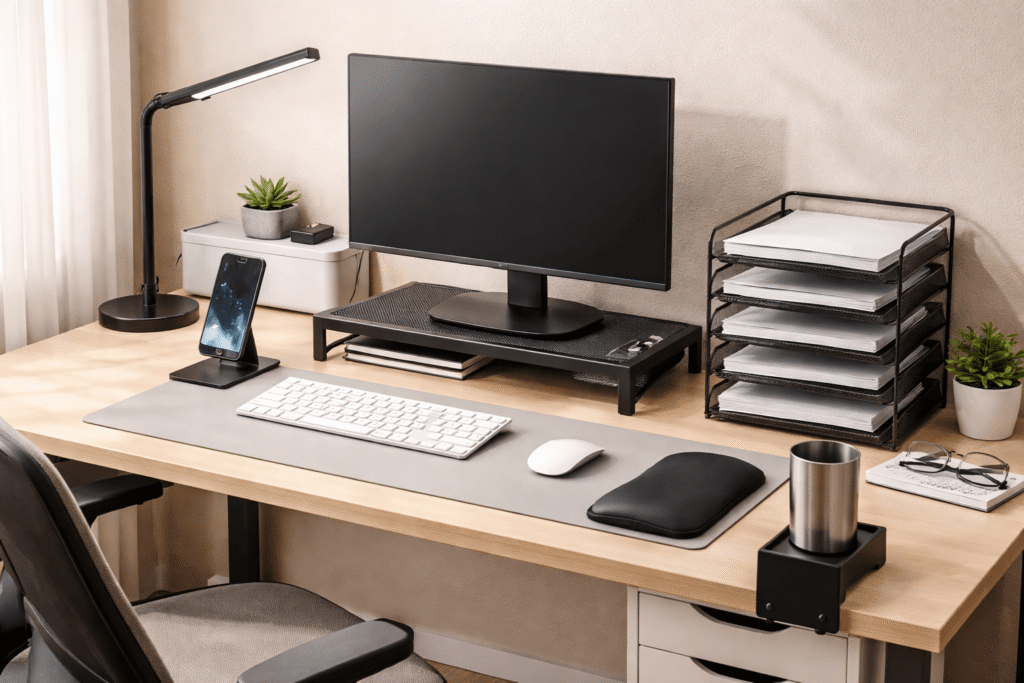
With a few simple upgrades, you can turn even the smallest desk into a clean, comfortable, and productive workspace. The key is choosing accessories that reduce clutter, improve ergonomics, and help you stay focused without taking up extra space.
Simple Upgrades That Improve Focus
EVOOMI Back Saver Monitor Stand

The EVOOMI Back Saver Monitor Stand is a sturdy metal riser that lifts your screen while giving you extra storage space underneath.
If you’ve ever finished a work session with a stiff neck, your screen height is likely the issue. This stand brings your monitor closer to eye level, which helps reduce that strain immediately.
A practical use case: you can slide your keyboard or a notebook underneath when you’re not using them. On a small desk, that alone can free up a surprising amount of space.
Best for: Anyone working daily on a monitor or iMac
Benefit: Better posture and a cleaner, more open desk surface
Honeywell Sunturalux LED Desk Lamp

The Honeywell Sunturalux LED Desk Lamp is a compact, foldable light with adjustable brightness and built-in USB charging ports.
If your current lighting feels harsh or uneven, this type of lamp creates a softer, more controlled workspace. It’s especially useful if you work at night or in a dim room.
For example, instead of relying on overhead light, you can dim this lamp to a comfortable level and keep your phone charging at the same time. It’s a simple upgrade that helps reduce eye strain and visual distractions.
Best for: Late-night work sessions or low-light setups
Benefit: More comfortable lighting and fewer interruptions
Sycoodeal Office Chair Mat

The Sycoodeal Office Chair Mat protects your floor while also stabilizing your chair movement.
On small setups, even your chair movement affects focus. If your chair sticks or makes noise, it becomes a constant distraction.
Picture working on a hard floor where your chair moves smoothly and quietly instead of dragging or slipping. It creates a more controlled environment, which helps you stay in the flow longer.
Best for: Hardwood or tile floor setups
Benefit: Smoother movement and fewer distractions during work
Smart Organization for Small Desks
D-Line Cable Management Box

The D-Line Cable Management Box hides your power strip and cables inside a clean enclosure.
Cables are one of the biggest visual distractions on any desk. This box removes that problem almost instantly.
A common scenario: instead of seeing a mess of wires under or behind your desk, everything is contained in one place. It makes your setup feel more intentional and easier to maintain.
Best for: Multi-device setups with chargers and extensions
Benefit: Cleaner look and less mental clutter
Marbrasse 6 Tier Paper Organizer

The Marbrasse 6 Tier Paper Organizer is a vertical file tray that helps you store documents without using horizontal space.
On a small desk, stacking papers quickly gets out of control. This organizer keeps everything sorted and upright.
For instance, instead of piling documents next to your keyboard, you can separate them by priority or category. It’s especially useful if you juggle schoolwork, notes, or printed materials.
Best for: Students or paper-heavy workflows
Benefit: Organized documents without sacrificing desk space
Laura Davidson 3 Drawer File Cabinet

The Laura Davidson 3 Drawer File Cabinet adds hidden storage under your desk while keeping important items secure.
Even in small setups, you sometimes need real storage—not just surface solutions. This cabinet gives you space for files, tools, or accessories without cluttering your desk.
Imagine moving everything non-essential off your desk and into a dedicated drawer system. Your workspace instantly feels calmer and more focused.
Best for: Home offices with ongoing paperwork or supplies
Benefit: Clear desk surface and better long-term organization
MOFT Phone Tripod Stand
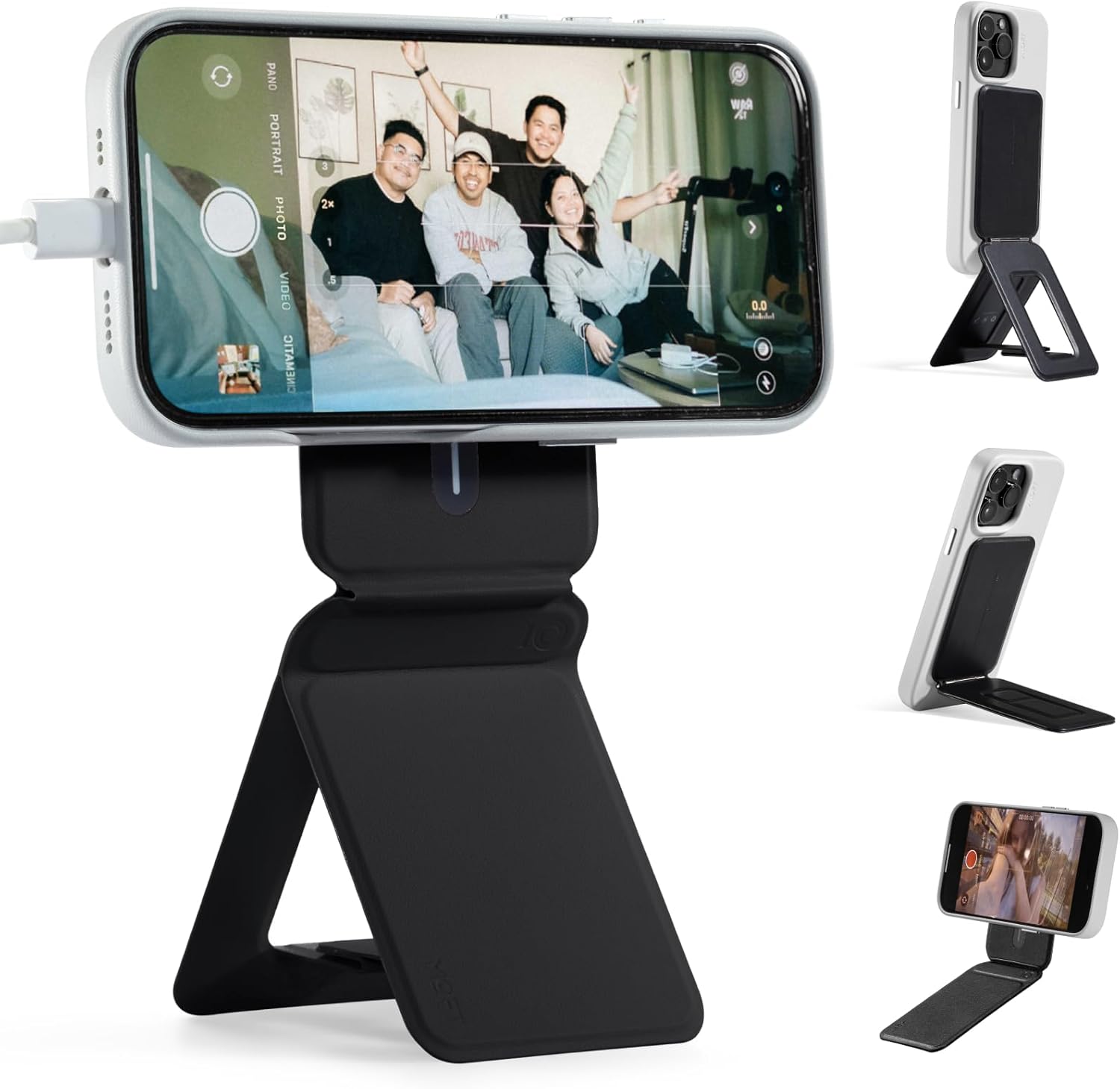
The MOFT Phone Tripod Stand is a slim, foldable stand that keeps your phone upright without taking up space.
Instead of placing your phone flat on your desk (where it’s easy to pick up and scroll), this keeps it visible but less intrusive.
For example, during work hours, you can glance at notifications without breaking your workflow. It subtly reduces the urge to check your phone constantly.
Best for: Anyone balancing work and phone usage
Benefit: Fewer distractions and a more intentional setup
Comfort Improvements for Long Work Sessions
Hokafenle Ergonomic Mouse Pad with Wrist Support

The Hokafenle Ergonomic Mouse Pad includes memory foam wrist support to reduce strain during long sessions.
If your wrist starts to feel tired after hours of clicking and scrolling, this is one of the easiest fixes.
A real-life example: during a full workday, your hand stays in a more natural position, which helps prevent that gradual discomfort that builds up over time.
Best for: Long computer sessions
Benefit: More comfort and less strain on your wrist
Amazon Basics Adjustable Laptop Stand

The Amazon Basics Laptop Stand is a foldable, adjustable riser that improves both posture and airflow.
Working directly on a desk often forces you to look down, which affects your neck and shoulders. This stand lifts your screen to a better angle.
For example, pairing it with an external keyboard turns a cramped setup into a more ergonomic workstation without adding bulk.
Best for: Laptop users in small spaces
Benefit: Better posture and improved device cooling
Cup-Holster Desk Cup Holder Clamp

The Cup-Holster Desk Cup Holder attaches to the side of your desk, keeping drinks off your main workspace.
On a small desk, a single coffee mug can take up valuable space—and increase the risk of spills.
Imagine having your drink within reach but completely off your working surface. It’s a small change that makes a big difference in keeping your desk clean and safe.
Best for: Tight desk setups with limited surface area
Benefit: More usable space and fewer accidents
What to Look For Before Buying
When choosing desk accessories for a small setup, focus on practicality:
Check dimensions carefully
Even compact items can feel bulky on a small desk.
Prioritize vertical space
Stacking and lifting (like risers and trays) helps maximize limited areas.
Look for multi-use items
Accessories that combine functions reduce clutter faster.
Keep cable control in mind
A clean workspace starts with managing wires early.
Don’t ignore comfort
Even the most organized desk won’t help if it’s uncomfortable to use.
Conclusion
A small desk doesn’t have to limit how you work.
With the right accessories, you can create a setup that feels clean, focused, and comfortable without adding unnecessary clutter. The goal isn’t to fill your space—it’s to make it work better.
Start with a few simple upgrades, and you’ll notice the difference almost immediately.