
Disclosure: As an Amazon Associate I earn from qualifying purchases.
A productive desk does not have to be expensive.
Most people do not need a full home office makeover. They need a cleaner surface, better lighting, fewer distractions, and a few small tools that make daily work feel easier.
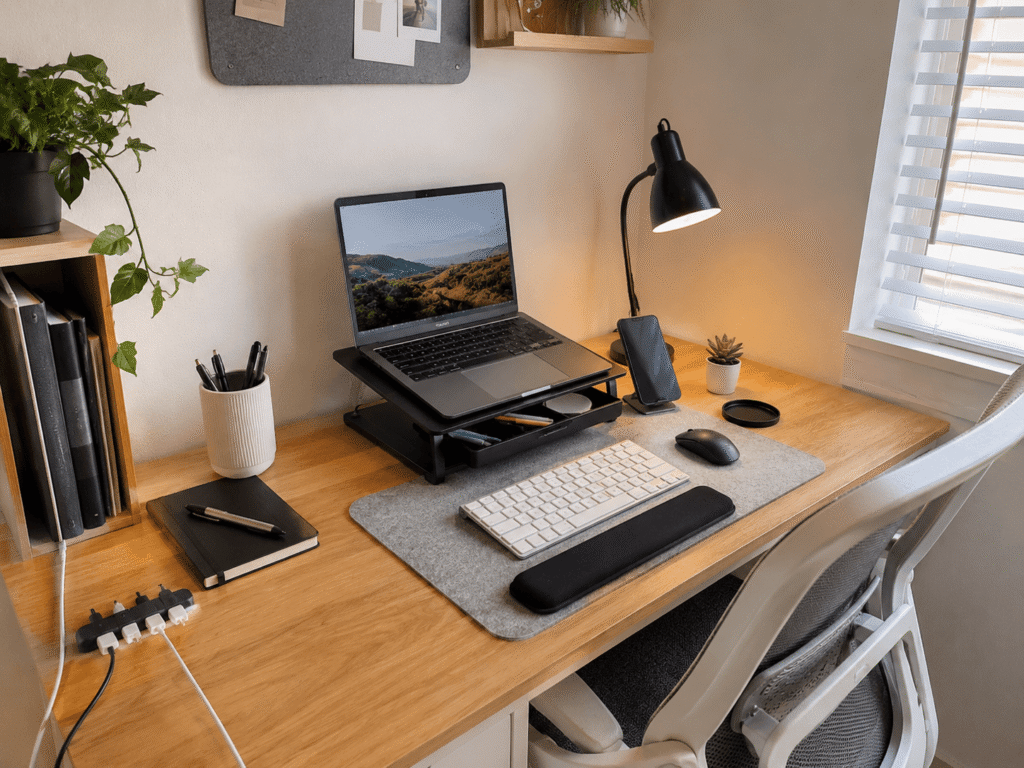
If your desk feels cramped, messy, or uncomfortable, a few affordable upgrades can make a noticeable difference. The right accessories can help you stay focused, organize small items, improve posture, and make your workspace feel more intentional.
If you are shopping around seasonal deals, you can also compare these with other productivity accessories for students and home office users.
Quick Picks
- Best overall: WALI Monitor Stand Riser
- Best budget option: JOYROOM Magnetic Cable Clips
- Best for small desks: EURPMASK Rotating Headphone Stand
Prices are approximate and may change. Ratings and review counts reflect current product data.
Organization Upgrades for a Cleaner Desk
WALI Monitor Stand Riser

The WALI Monitor Stand Riser is a simple desk upgrade that lifts your monitor while giving you extra storage space underneath.
If your screen sits too low, a simple option like this can help improve your viewing angle without replacing your desk or buying a large monitor arm.
It also includes a drawer and pen holders, which makes it useful for small items like sticky notes, pens, cables, and everyday office supplies.
This is best for remote workers, students, or anyone who wants a cleaner desk without adding bulky furniture.
A real-life example: if your keyboard, notebook, and pens are always competing for space, this riser gives your desk a more organized structure right away.
For more setup upgrades in this category, you can also compare it with other student desk deal ideas.
One of those upgrades you notice almost immediately.
JOYROOM Magnetic Cable Clips
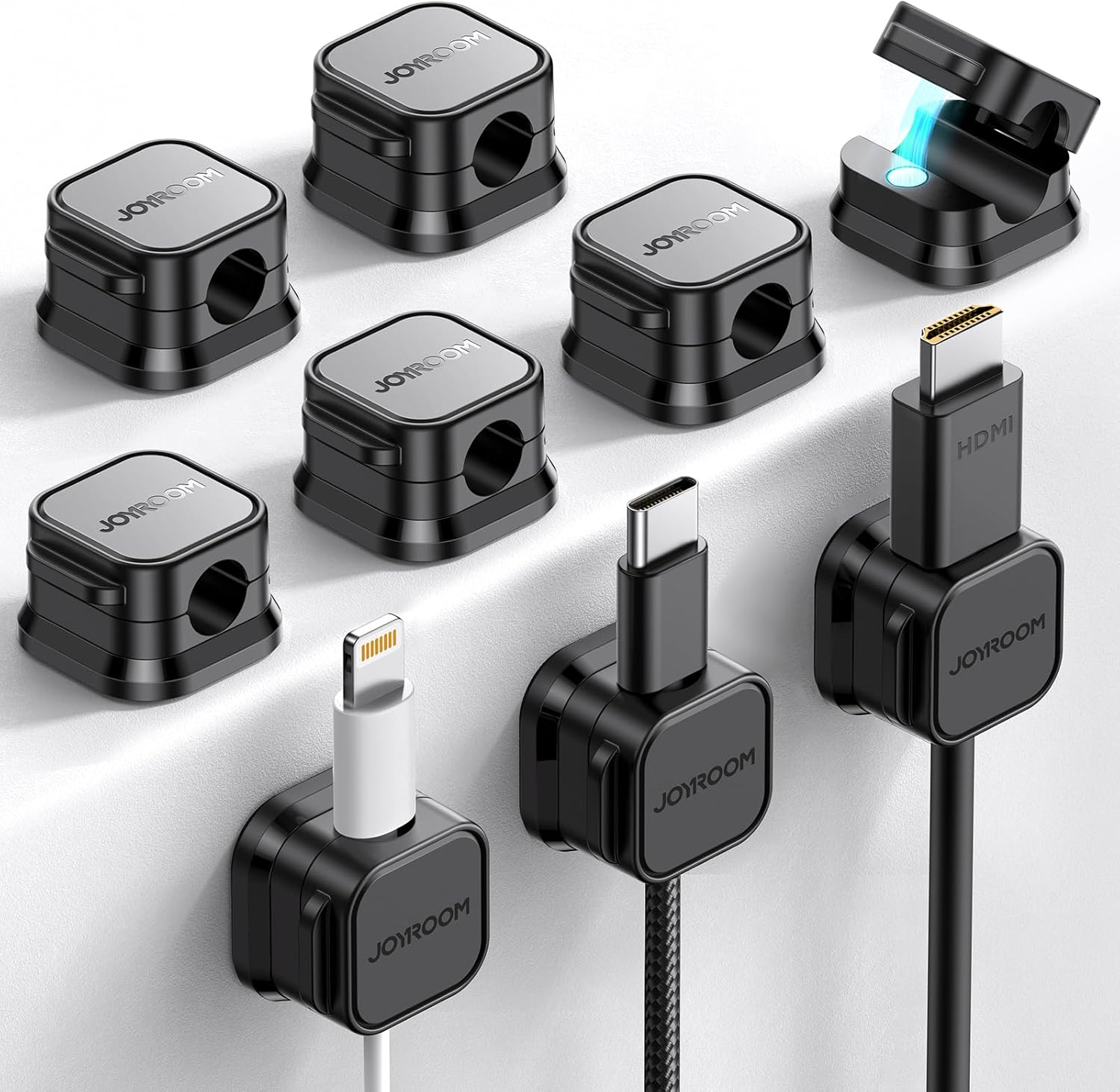
The JOYROOM Magnetic Cable Clips help keep charging cables, USB cords, and desk wires from sliding behind your desk.
If cable clutter is the main problem, a no-fuss option like this is one of the easiest ways to make your setup feel cleaner.
The magnetic design makes it easier to place and remove cables when needed. That is helpful if you regularly charge your phone, tablet, headphones, or other desk devices.
This is best for small desks, shared workspaces, nightstands, and home office setups where cables tend to pile up.
Imagine finishing your workday and not having three cables tangled around your keyboard. Something like this helps your workspace feel calmer with very little effort.
You can also explore more cable management deals and ideas if cable clutter is a recurring issue.
A simple addition that makes your desk feel more organized right away.
Marbrasse Desk Drawer Organizer

The Marbrasse Desk Drawer Organizer is made for keeping small office supplies separated and easy to find.
Instead of letting pens, paper clips, sticky notes, chargers, and random accessories pile up, a tool like this gives each item a clear place.
It works well for people who already have a desk drawer but do not use it efficiently.
This is best for students, remote workers, teachers, and anyone who wants a cleaner workspace without keeping everything visible on the desktop.
A real-life scenario: you need a pen before a meeting, but instead of digging through a messy drawer, you open it and find everything in seconds.
A budget-friendly option like this makes daily work feel smoother without changing your whole setup.
Easy to add without overthinking it.
Focus Tools That Reduce Distractions
OORAII Rotating Pomodoro Timer
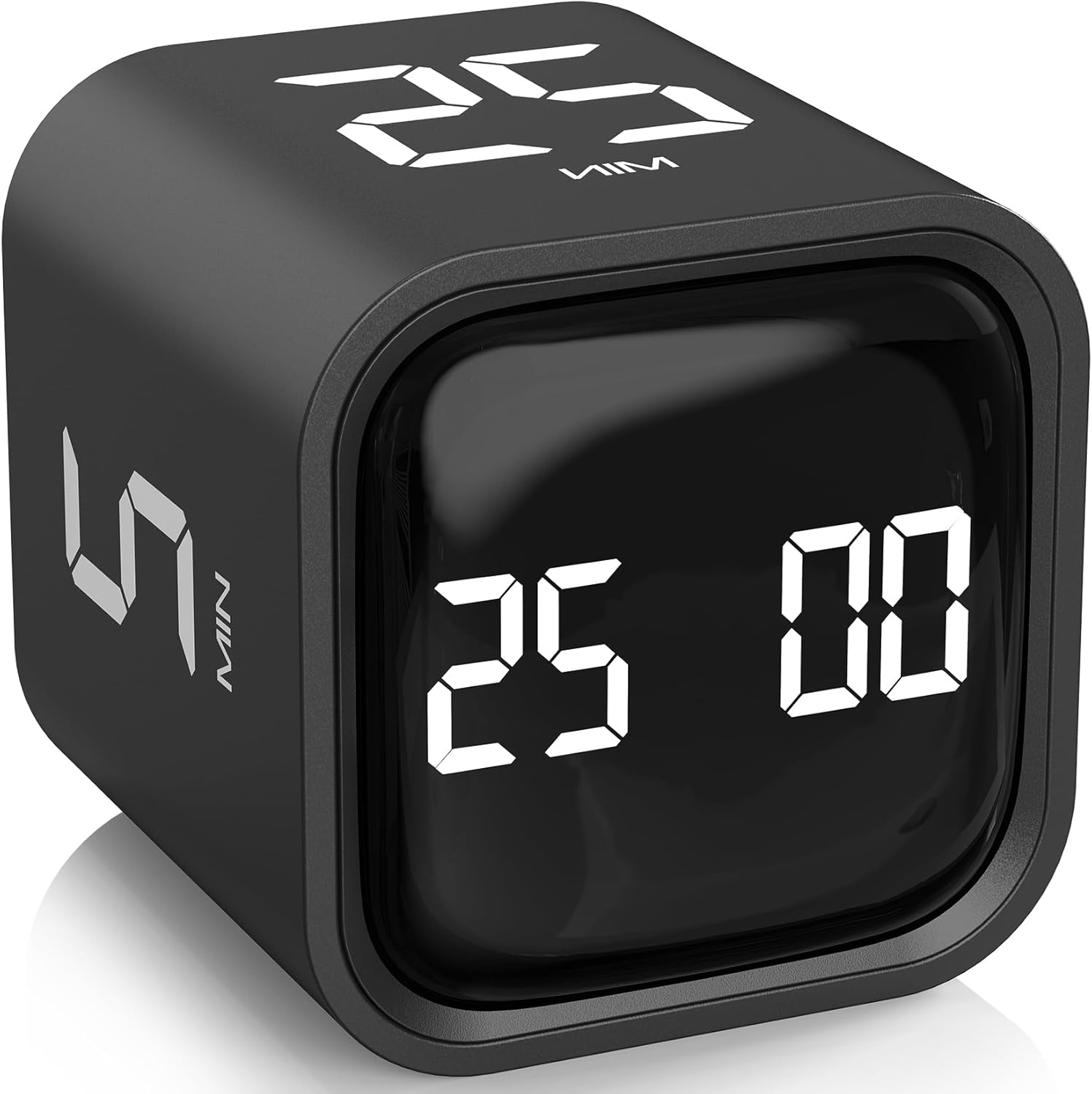
The OORAII Rotating Pomodoro Timer is a desk productivity timer designed for focused work sessions.
If you want to stay focused without constantly checking your phone, a simple tool like this can help create structure during your workday.
It includes preset time options for common focus blocks, which makes it useful for studying, writing, editing, admin work, or deep work sessions.
This is best for students, freelancers, remote workers, and anyone who struggles with time management.
A real-life example: instead of telling yourself you will “work for a while,” you set a 25-minute session and focus on one task until the timer ends.
Something like this can make productivity feel less vague and more actionable.
One of the easiest ways to add structure to your desk setup.
Lamicall Adjustable Phone Stand

The Lamicall Adjustable Phone Stand keeps your phone visible without letting it take over your workspace.
If you use your phone for messages, calls, two-factor authentication, or quick reference, a simple option like this keeps it at a better viewing angle.
It can also reduce the habit of constantly picking up your phone and unlocking it.
This is best for remote workers, students, content creators, and anyone who needs their phone nearby but wants fewer distractions.
Imagine checking a notification at a glance instead of grabbing your phone and accidentally losing ten minutes to scrolling.
A compact stand like this is easy to add without changing your whole setup.
A solid, no-fuss addition to most desks.
Fluxynara Felt Bulletin Board

The Fluxynara Felt Bulletin Board gives you a visual place for notes, reminders, schedules, and small planning items.
If you think better when tasks are visible, something like this can help keep priorities in front of you without covering your desk in sticky notes.
It is especially useful for home offices, student rooms, creative workspaces, and small productivity corners.
This is best for visual planners, students, teachers, and remote workers who like seeing their weekly priorities at a glance.
A real-life example: instead of keeping deadlines in random notebooks and apps, you can place your most important reminders where you actually see them.
A board like this can make your workspace feel more organized and intentional.
One of those upgrades that quietly supports better focus every day.
Comfort and Small Desk Accessories
GORILLA GRIP Memory Foam Wrist Rest

The GORILLA GRIP Memory Foam Wrist Rest supports your wrists while typing or using a mouse.
If you spend hours at your computer, a comfort upgrade like this can make long sessions feel easier on your hands and arms.
It is not a complicated ergonomic setup. It is simply a small cushion that supports daily typing and mouse use.
This is best for writers, students, office workers, programmers, and anyone who spends a lot of time at a keyboard.
A real-life scenario: after a long day of emails, writing, or studying, your desk feels more comfortable because your wrists are not resting directly on a hard surface.
Something like this is easy to add without changing your entire workstation.
A simple comfort upgrade you can notice quickly.
EURPMASK Rotating Headphone Stand

The EURPMASK Rotating Headphone Stand is a clamp-on holder that stores your headphones under or beside your desk.
If your headset is always sitting on your keyboard, chair, or desk surface, a no-fuss option like this frees up space immediately.
The rotating design helps keep headphones accessible while moving them out of the way when not in use.
This is best for small desks, gaming setups, home offices, and anyone who uses headphones daily.
Imagine finishing a video call and hanging your headset under the desk instead of leaving it in the middle of your workspace.
A compact accessory like this helps keep your desktop cleaner without taking up extra room.
Easy to add without changing your entire setup.
Airlonv LED Desk Lamp

The Airlonv LED Desk Lamp is a clamp-style desk light with adjustable brightness and a flexible gooseneck design.
If your workspace feels dim or unevenly lit, this type of upgrade can improve visibility without using much desk space.
The clamp design is especially useful for small desks because it does not need a traditional lamp base.
This is best for reading, studying, writing, late-night work, and home office setups with poor lighting.
A real-life example: instead of relying on a ceiling light that creates shadows, you can point the lamp exactly where you need it.
Something like this improves comfort and focus, especially during longer work sessions.
One of the easiest ways to improve your setup without making it feel crowded.
Dott Arts LED Desk Lamp

The Dott Arts LED Desk Lamp is a compact desk lamp with USB ports, brightness settings, and multiple light modes.
If you want lighting plus extra charging convenience, a simple option like this can be a practical fit for everyday desk use.
It works well for people who want a more traditional desk lamp instead of a clamp-on style.
This is best for students, bedside desks, home offices, and compact workstations where lighting and charging both matter.
A real-life scenario: you are studying or working at night, and you can adjust the light while keeping your phone or small device plugged in nearby.
A lamp like this can make your desk feel more useful without adding much complexity.
A solid, practical upgrade for everyday productivity.
What to Look For Before Buying
Before buying desk accessories under $30, keep the decision simple.
Start with the problem you want to solve.
If your desk feels messy, prioritize cable clips, drawer organizers, or a headphone holder. If your body feels uncomfortable, look at a monitor riser, wrist rest, or better lighting.
For small setups, avoid anything bulky. Choose accessories that clamp on, stack vertically, or create extra storage.
For productivity, focus on tools that reduce friction. A timer, phone stand, or visible reminder board can help you stay on task without making your setup complicated.
You do not need to buy everything at once. Pick one or two upgrades that solve your biggest daily annoyance first.
Conclusion
The best desk accessories for productivity under $30 are simple, practical, and easy to add.
You do not need a perfect desk setup to work better. You need fewer distractions, better organization, improved comfort, and tools that make your workspace easier to use every day.
Whether you start with a monitor riser, cable clips, a phone stand, or a better desk lamp, each small improvement can make your setup feel cleaner and more focused.
For more affordable workspace upgrades, you can explore other desk productivity accessories that help improve focus, comfort, and organization.