
Disclosure: As an Amazon Associate I earn from qualifying purchases.
Introduction
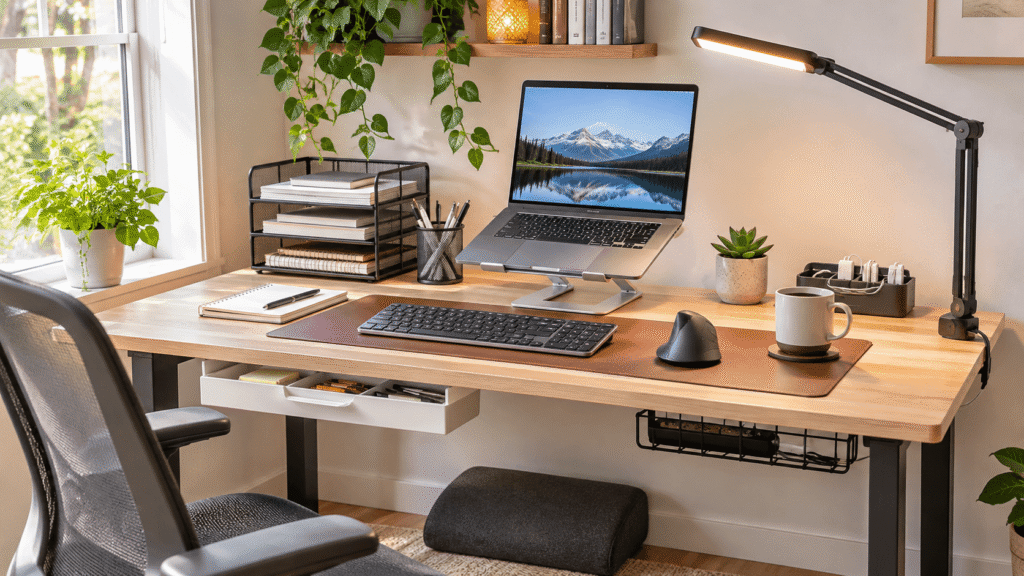
A cluttered desk, an uncomfortable sitting position, and constantly searching for everyday essentials can make even simple tasks feel frustrating. When you’re working or studying for hours, those little distractions add up.
Cyber Monday is a useful opportunity to explore productivity accessories that could make your workspace more comfortable, organized, and practical without replacing your entire setup.
The best upgrades aren’t necessarily the most expensive or complicated. Sometimes raising your laptop, improving your lighting, or giving your cables a permanent home makes everyday work noticeably easier.
Whether you’re building a home office, improving a student desk, or making better use of limited space, choosing accessories that solve actual problems matters more than buying everything that looks interesting.
For additional inspiration, explore these Cyber Monday work from home deals to see which improvements might complement your current workspace.
Below are 10 practical Cyber Monday productivity accessories worth considering, including a few small improvements that are surprisingly easy to overlook.
Quick Picks
- Best Overall: LOXP Adjustable Laptop Stand — Raises your laptop screen and offers flexible positioning for everyday work.
- Best Budget Option: Aothia Leather Desk Pad — Provides a protective, non-slip working surface at a relatively low listed price.
- Best for Small Desks: Bostitch Konnect Under Desk Drawer — Adds convenient storage underneath your desktop without occupying your main working area.
Prices are approximate and may change. Ratings and review counts reflect current product data.
Best Cyber Monday Productivity Accessories for Comfort and Ergonomics
1. LOXP Adjustable Laptop Stand

Working directly from a laptop often means looking downward for hours, especially at a small desk.
Raising the screen closer to eye level can make your setup feel more natural. The LOXP Adjustable Laptop Stand offers an adjustable design with a 360-degree rotating base, making it easier to reposition your laptop throughout the day.
Remote workers and students who spend long periods reading or attending video meetings may appreciate that flexibility. Its foldable design also makes it convenient to put away when your desk needs to serve another purpose.
For example, pairing a raised laptop with an external keyboard can create a more comfortable workstation.
The LOXP Adjustable Laptop Stand is worth considering when you want better screen positioning without replacing your desk.
Price: ~$27.99
Rating: 4.6 ⭐
Reviews: 2,565+
2. ComfiLife Adjustable Memory Foam Footrest

Sitting comfortably becomes difficult when your feet don’t rest firmly on the floor.
The ComfiLife Adjustable Memory Foam Footrest provides a cushioned place to support your feet while working. Its adjustable height allows you to adapt the footrest to your preferred seated position.
It’s particularly useful for shorter users or anyone whose chair needs to stay elevated to match desk height.
During a long study session, having proper foot support may reduce the temptation to sit awkwardly.
The ComfiLife Adjustable Memory Foam Footrest is a practical option when your chair and desk heights don’t quite work together.
Price: ~$39.99
Rating: 4.6 ⭐
Reviews: 14,129+
3. SUPEASY 5-Tier Paper Organizer

Loose documents, notebooks, and printed assignments can quickly take over a desk.
The SUPEASY 5-Tier Paper Organizer gives paperwork dedicated storage space across five trays, helping separate documents instead of stacking everything together.
Its mesh design and built-in handle make it suitable for organizing materials in home offices, classrooms, and study spaces.
Students managing multiple subjects or remote workers handling printed documents may find this especially useful.
Imagine keeping current assignments on one tray and reference documents on another rather than searching through a single pile.
The SUPEASY 5-Tier Paper Organizer can make paper-heavy workspaces easier to manage.
Price: ~$17.99
Rating: 4.5 ⭐
Reviews: 4,854+
Best Cyber Monday Productivity Accessories for a Cleaner Workspace
4. Scanfield Under Desk Cable Management Tray

Loose charging cables and power cords can make an otherwise tidy workstation feel chaotic.
The Scanfield Under Desk Cable Management Tray provides a dedicated space beneath your desk for power strips, chargers, and bundled cords.
This two-pack uses an adhesive mounting system rather than screws, with a specified 24-hour curing period. That makes checking your desk surface and installation requirements important before setting everything up.
Anyone using multiple monitors, chargers, or computer accessories can benefit from better cable organization.
For instance, keeping excess cable length contained prevents it from gathering around your feet.
The Scanfield Under Desk Cable Management Tray offers a practical way to keep cables out of your immediate working area.
Price: ~$31.95
Rating: 4.5 ⭐
Reviews: 6,777+
5. Pzloz Adjustable LED Desk Lamp

Dim lighting can make reading notes or working with paperwork unnecessarily tiring.
The Pzloz Adjustable LED Desk Lamp provides flexible task lighting with five color settings and an adjustable design.
Its clamp attachment is particularly useful when you want to illuminate your desk without placing another lamp base on the work surface.
Students studying after sunset and remote workers with poorly lit desks may find this especially practical.
Picture reviewing printed documents in the evening while directing light toward your notebook instead of relying entirely on ceiling lighting.
The Pzloz Adjustable LED Desk Lamp is worth exploring when better lighting and desktop space are both priorities.
Price: ~$46.47
Rating: 4.7 ⭐
Reviews: 3,639+
6. Logitech K270 Wireless Keyboard

Limited desktop space becomes frustrating when cables restrict where you can position your keyboard.
The Logitech K270 Wireless Keyboard offers a full-size layout with a number pad, eight multimedia keys, and a USB-A wireless receiver.
This gives you flexibility in positioning your keyboard while retaining familiar keys for everyday typing and numerical work.
It’s particularly suitable for Windows users who regularly work with documents, spreadsheets, or other keyboard-heavy tasks.
For example, you can move the keyboard aside when reviewing handwritten notes and return it to your preferred typing position afterward.
The Logitech K270 Wireless Keyboard makes sense for anyone who values a familiar layout without another cable crossing the desk.
Price: ~$22.45
Rating: 4.3 ⭐
Reviews: 10,194+
7. TECKNET Ergonomic Vertical Mouse

Repeated clicking and scrolling can become uncomfortable when your mouse doesn’t suit your preferred hand position.
The TECKNET Ergonomic Vertical Mouse uses a right-handed vertical design, offering an alternative to the shape of a conventional mouse.
It supports switching among three devices, provides six DPI levels, and includes quiet-click buttons.
People who spend hours editing documents, navigating spreadsheets, or switching between computers may appreciate these conveniences.
During a busy workday, being able to change devices without constantly swapping your mouse can make routine tasks easier.
The TECKNET Ergonomic Vertical Mouse is worth considering if a vertical grip appeals to you and you work across multiple devices.
Price: ~$22.99
Rating: 4.4 ⭐
Reviews: 12,932+
Best Cyber Monday Productivity Accessories for Small Desk Setups
8. Aothia Leather Desk Pad

A desktop covered with separate accessories can feel visually busy, especially when space is limited.
The Aothia Leather Desk Pad creates a defined working area with a non-slip PU leather surface that can accommodate writing, laptop use, and mouse movement.
Its waterproof design also helps protect the desktop from everyday spills.
Home office users who want a cleaner-looking setup without adding bulky equipment may find it appealing.
For example, placing your keyboard and mouse on one pad can make a compact workstation feel more cohesive.
The Aothia Leather Desk Pad is a straightforward upgrade for anyone who wants a more consistent, protected work surface.
Price: ~$13.99
Rating: 4.6 ⭐
Reviews: 79,684+
9. Quntis Computer Monitor Light Bar

Traditional desk lighting sometimes creates unwanted reflections or occupies space needed for other essentials.
The Quntis Computer Monitor Light Bar provides USB-powered task lighting designed to sit at your monitor rather than taking up desktop space.
Its adjustable brightness, automatic dimming, and touch controls offer flexibility for different lighting conditions.
This makes it particularly interesting for compact workstations where a traditional desk lamp might feel inconvenient.
Imagine reviewing handwritten notes beside your keyboard while keeping the surrounding work surface clear.
The Quntis Computer Monitor Light Bar is a useful option when you want dedicated desk lighting without adding another lamp base.
Price: ~$39.95
Rating: 4.6 ⭐
Reviews: 13,923+
10. Bostitch Konnect Under Desk Drawer

Small desks often lack enough room for charging accessories, stationery, and miscellaneous supplies.
The Bostitch Konnect Under Desk Drawer uses otherwise overlooked space beneath the desktop to keep smaller items within reach.
Its self-adhesive installation, slide-out design, and customizable dividers help create separate storage areas without requiring additional desktop organizers.
The supplied package includes two drawers, making it useful for organizing different categories of small essentials.
For example, storing spare cables and stationery underneath your desk leaves more room for your laptop and daily tasks.
The Bostitch Konnect Under Desk Drawer demonstrates how better use of existing space can be more effective than adding more furniture.
Price: ~$14.19
Rating: 4.5 ⭐
Reviews: 918+
What to Look For Before Buying
Cyber Monday deals can be tempting, but the right accessory should solve a specific problem.
Consider these factors before choosing:
- Desk size: Measure your available workspace, including clearance beneath the desk and space around your monitor.
- Comfort: Prioritize accessories that support your preferred sitting, typing, and working positions.
- Storage needs: Choose organizers based on whether you mainly handle paperwork, small supplies, or electronic accessories.
- Cable management: Check whether accessories accommodate your existing cords, chargers, and equipment.
- Durability: Look for stable construction and materials suited to regular use.
- Ease of use: Favor upgrades that are simple to install, adjust, clean, and maintain.
It’s also worth comparing typical prices before Cyber Monday rather than assuming every advertised discount represents meaningful savings. Listed prices can change, and a lower promotional price doesn’t automatically make an accessory the right choice.
If you’re planning a broader workspace refresh, explore these Cyber Monday desk accessories for additional ideas that could complement your setup.
Conclusion
The best Cyber Monday productivity accessories aren’t necessarily the ones with the longest feature lists.
They’re the ones that address everyday frustrations, whether that’s poor lighting, uncomfortable positioning, tangled cables, or limited storage.
Start with the problem you notice most. A carefully chosen accessory can improve comfort, support focus, and make organization easier without requiring a complete workspace makeover.
For more practical upgrades, explore these Cyber Monday desk gadgets to discover other ways to make your workspace more convenient.
A better workspace often begins with just one useful change.