
Disclosure: As an Amazon Associate I earn from qualifying purchases.
Introduction
Cyber Monday is a great opportunity to improve your laptop setup, but sorting through endless accessories can quickly become overwhelming. Some products look useful at first, only to end up forgotten in a drawer a few weeks later.
The best Cyber Monday laptop accessories are the ones that solve problems you already experience. Maybe your neck feels uncomfortable after working for hours, your laptop doesn’t have enough ports, or your desk is constantly covered in tangled cables.
You don’t need an expensive workstation to fix these frustrations. A few carefully chosen upgrades can make your everyday setup more comfortable, organized, and convenient.
Cyber Monday is also a useful time to plan ahead for holiday shopping. Our guide to useful Christmas gifts for office workers offers more practical ideas.
Below are ten laptop accessories worth considering, from affordable everyday essentials to upgrades that can noticeably change how you work, study, or relax.
Quick Picks
- Best Overall: LOXP Adjustable Laptop Stand — A foldable stand with adjustable positioning and a rotating base for everyday desk use.
- Best Budget Option: Alex Tech Cable Sleeve — An inexpensive way to bundle loose cables and reduce visible clutter.
- Best for Small Desks: Hiearcool 7-in-1 USB-C Hub — Combines several useful connections in one compact accessory.
Prices are approximate and may change. Ratings and review counts reflect current product data.
Comfort and Ergonomics for Everyday Laptop Use
1. LOXP Adjustable Laptop Stand

Price: ~$27.99
Rating: 4.6 ⭐
Reviews: 2,565+
Looking down at your laptop for hours can leave your neck feeling stiff, especially when your screen sits far below eye level.
The LOXP Adjustable Laptop Stand helps address this problem by raising your laptop and allowing you to adjust its position. Its foldable design and 360-degree rotating base offer flexibility when arranging your workspace.
Remote workers and students who spend long hours reading, studying, or attending video calls may appreciate having more control over screen placement.
Picture adjusting your laptop before an afternoon meeting instead of leaning forward throughout the conversation. Pairing the stand with an external keyboard and mouse can also help create a more comfortable working position.
The LOXP Adjustable Laptop Stand is worth considering when you want to improve your existing desk without replacing your laptop.
Sometimes a better screen position makes more difference than adding another expensive device.
2. Hiearcool 7-in-1 USB-C Hub

Price: ~$19.99
Rating: 4.6 ⭐
Reviews: 52,121+
Running out of laptop ports becomes frustrating when you’re connecting a monitor, storage device, and other peripherals.
The Hiearcool 7-in-1 USB-C Hub brings several connections together, including HDMI, USB 3.0, and SD/TF card readers. It also supports USB-C power delivery up to 100W.
This makes it useful for laptop owners who need more connection options without filling their desks with separate adapters.
Imagine returning home, connecting your monitor and external storage, and getting back to work without repeatedly swapping devices.
The Hiearcool 7-in-1 USB-C Hub is particularly appealing for work and travel, although you should verify your laptop’s port, display, and charging compatibility first.
A more convenient connection setup can remove several small frustrations from your day.
3. Amazon Basics Wireless Optical Mouse

Price: ~$13.50
Rating: 4.5 ⭐
Reviews: 70,162+
A laptop trackpad works well for quick tasks, but extended editing, spreadsheet work, or browsing can become tiring.
The Amazon Basics Wireless Optical Mouse offers wireless control through a 2.4 GHz USB nano receiver, allowing you to position your hand separately from the laptop.
It’s a practical choice for students, remote workers, and anyone who prefers a traditional mouse during longer sessions.
Imagine organizing research documents or editing a presentation without constantly dragging your fingers across a trackpad.
The Amazon Basics Wireless Optical Mouse focuses on straightforward everyday functionality rather than unnecessary extras. Just make sure your laptop can accommodate its USB receiver.
Better control can make routine computer tasks feel noticeably easier.
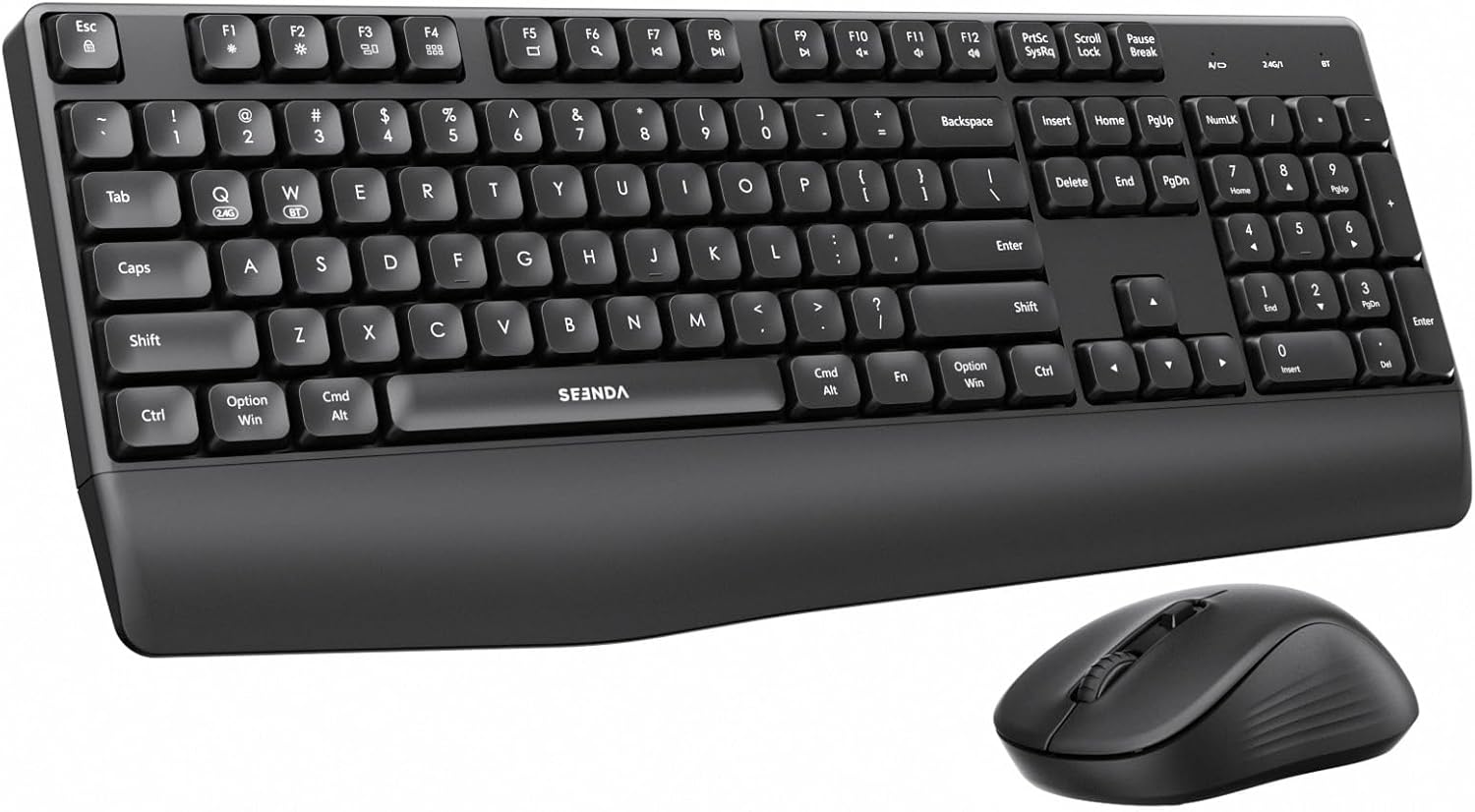
4. seenda COE200 Wireless Keyboard and Mouse Combo
Price: ~$21.98
Rating: 4.3 ⭐
Reviews: 1,074+
Laptop keyboards can feel cramped during long writing sessions, particularly when your screen needs to sit farther away.
The seenda COE200 Wireless Keyboard and Mouse Combo provides a full-size keyboard, wrist rest, and wireless mouse, helping you create a more flexible typing arrangement.
Its USB and Bluetooth connectivity options also support switching between devices.
This is especially useful for people who spend hours writing reports, completing assignments, or working across multiple computers.
For example, you could place your laptop on a stand while keeping the keyboard and mouse in more comfortable positions.
The seenda COE200 Wireless Keyboard and Mouse Combo is better suited to desks with room for a full-size keyboard than extremely compact workspaces.
A separate typing setup can make everyday laptop work feel more natural.
Productivity and Workspace Organization
5. havit HV-F2056 Laptop Cooling Pad

Price: ~$25.19
Rating: 4.4 ⭐
Reviews: 45,540+
A laptop that becomes noticeably warm during demanding tasks can make working uncomfortable, especially when its fans become loud.
The havit HV-F2056 Laptop Cooling Pad uses three quiet USB-powered fans to circulate air beneath compatible laptops.
It also offers two height settings, giving you some flexibility when positioning your computer.
Students running demanding applications, remote workers, and casual gamers may find additional airflow useful during longer sessions.
Picture working through a video project while your laptop rests on a ventilated surface instead of directly against the desk.
The havit HV-F2056 Laptop Cooling Pad is designed for laptops measuring approximately 15.6 to 17 inches. Cooling results depend on the laptop’s ventilation design and operating conditions.
It’s a sensible upgrade when heat and airflow are genuine concerns.
6. kksmart 15.6-Inch Portable Monitor

Price: ~$94.99
Rating: 4.8 ⭐
Reviews: 3,230+
Switching repeatedly between documents, browser tabs, and video calls can interrupt your concentration.
The kksmart 15.6-Inch Portable Monitor provides additional display space through supported HDMI or USB-C connections.
Its portable design makes it appealing to people who need a second screen without committing to a permanent desktop monitor.
Imagine keeping research notes visible on one display while writing an assignment on your laptop. You spend less time switching between windows and more time concentrating on the task.
The kksmart 15.6-Inch Portable Monitor also includes built-in speakers and VESA compatibility, providing additional setup possibilities.
Check your laptop’s display output compatibility before buying.
For people who regularly juggle several applications, a second screen can be a particularly useful investment.
7. Alex Tech Cable Sleeve
Price: ~$8.99
Rating: 4.7 ⭐
Reviews: 85,573+
Charging cables have a habit of spreading across the desk, tangling with other wires, or slipping behind furniture.
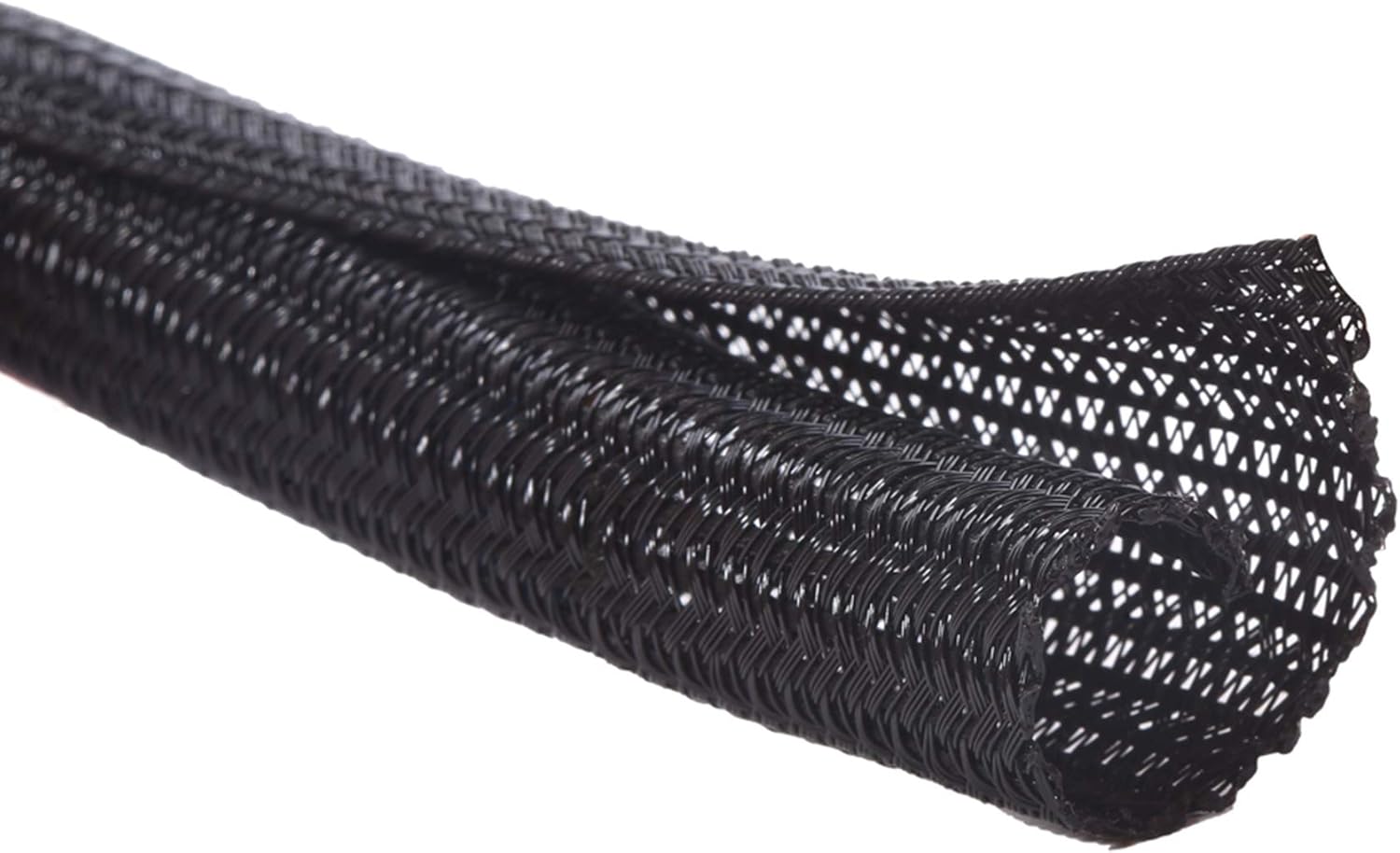
The Alex Tech Cable Sleeve helps bundle cables together using split protective tubing.
The supplied version measures 10 feet long with a half-inch diameter, making it suitable for organizing compatible cable runs.
It’s particularly helpful for people with several charging cables, monitor connections, or other wires around their workspace.
Imagine routing multiple cables neatly behind your desk instead of leaving them scattered across the floor.
The Alex Tech Cable Sleeve can also help protect enclosed cords from pets that tend to chew cables, although it should not be considered a guarantee against damage.
For a relatively small expense, tidier cable routing can make an entire desk feel more organized.
8. tomtoc 360° Protective Laptop Sleeve

Price: ~$35.14
Rating: 4.8 ⭐
Reviews: 27,769+
Carrying a laptop between classes, meetings, or coffee shops creates opportunities for scratches and minor bumps.
The tomtoc 360° Protective Laptop Sleeve offers protective coverage for compatible 16-inch laptops, including specified MacBook Pro and Dell XPS models.
Its water-resistant construction adds another useful layer of protection during everyday travel.
Students and hybrid workers who regularly move their devices may find this especially practical.
Imagine placing your laptop inside a backpack alongside notebooks and other essentials without leaving its exterior completely exposed.
The tomtoc 360° Protective Laptop Sleeve is worth considering when you want dedicated protection without relying solely on your regular bag.
Always check the exact device dimensions before choosing a sleeve.
Protecting a laptop you already own can be just as worthwhile as upgrading the accessories around it.
Flexible Workspaces and Charging Essentials
9. Lamicall Adjustable Laptop Stand

Price: ~$29.99
Rating: 4.7 ⭐
Reviews: 10,556+
A fixed laptop position can become inconvenient when you alternate between typing, reading, and video meetings.
The Lamicall Adjustable Laptop Stand offers an adjustable, foldable aluminum design for compatible laptops ranging from 10 to 17.3 inches.
Unlike a dedicated lap desk, this model is intended to support your laptop on a stable surface.
It’s particularly useful for people who want more flexibility when arranging a home office or study area.
Imagine moving your laptop between a desk and a shared table while maintaining a familiar raised-screen arrangement.
The Lamicall Adjustable Laptop Stand offers another practical option for improving screen placement, especially when portability and adjustable positioning matter.
A flexible stand can help make different work surfaces feel more consistent.
10. AOC 65W USB-C GaN Charger

Price: ~$23.99
Rating: 4.7 ⭐
Reviews: 2,338+
Carrying several bulky charging adapters can become inconvenient when moving between home, work, and school.
The AOC 65W USB-C GaN Charger offers a compact charging solution with three ports and up to 65W of charging power.
It’s designed for compatible laptops, phones, and tablets, making it useful for people who regularly carry several devices.
Imagine setting up at a library or coffee shop without unpacking a separate wall charger for every device.
The AOC 65W USB-C GaN Charger is worth considering if your devices support its charging connections and power output.
Check the charging requirements of your laptop, particularly when powering multiple devices simultaneously.
Reducing the number of adapters you carry can make everyday travel and desk organization much simpler.
What to Look For Before Buying
Cyber Monday discounts can be tempting, but a useful accessory should fit your actual workspace and routine.
- Desk size: Measure available space before choosing stands, keyboards, or larger accessories. A full-size keyboard may be comfortable, but it still needs sufficient room.
- Comfort: Prioritize improvements that address how you sit, type, and view your screen.
- Storage needs: Consider whether accessories need to fit inside drawers, backpacks, or shared workspaces.
- Cable management: Check how new devices connect and whether they introduce additional clutter.
- Durability: Look for stable construction, dependable connections, and materials suited to daily use.
- Ease of use: Choose accessories that work naturally with your existing laptop rather than adding unnecessary setup steps.
Compatibility matters just as much as convenience. Check laptop dimensions, USB-C capabilities, charging wattage, and connection requirements before ordering.
Also compare Cyber Monday prices with typical selling prices. A large advertised discount doesn’t automatically mean you’re getting good value.
If you’re shopping for someone else, our collection of best desk gifts for Christmas 2026 offers additional workspace gift ideas.
Conclusion
The best Cyber Monday laptop accessories aren’t necessarily the most expensive or technologically impressive.
They’re the ones that solve everyday frustrations.
A well-positioned laptop stand can improve viewing comfort, a USB-C hub can simplify connections, and a cable sleeve can help maintain a cleaner workspace.
Start with the problem you notice most often, then choose an upgrade that directly addresses it.
If you’re planning a broader workspace refresh or shopping for a remote worker, explore our best home office Christmas gifts for more practical ideas.
A better laptop setup often starts with just one thoughtful improvement.