
Disclosure: As an Amazon Associate I earn from qualifying purchases.
A desk can look fine but still feel uncomfortable after a few hours.
Maybe your wrists start to hurt. Maybe your chair feels too firm. Maybe your laptop sits too low, your cables are everywhere, or your desk always feels slightly cramped no matter how often you clean it.
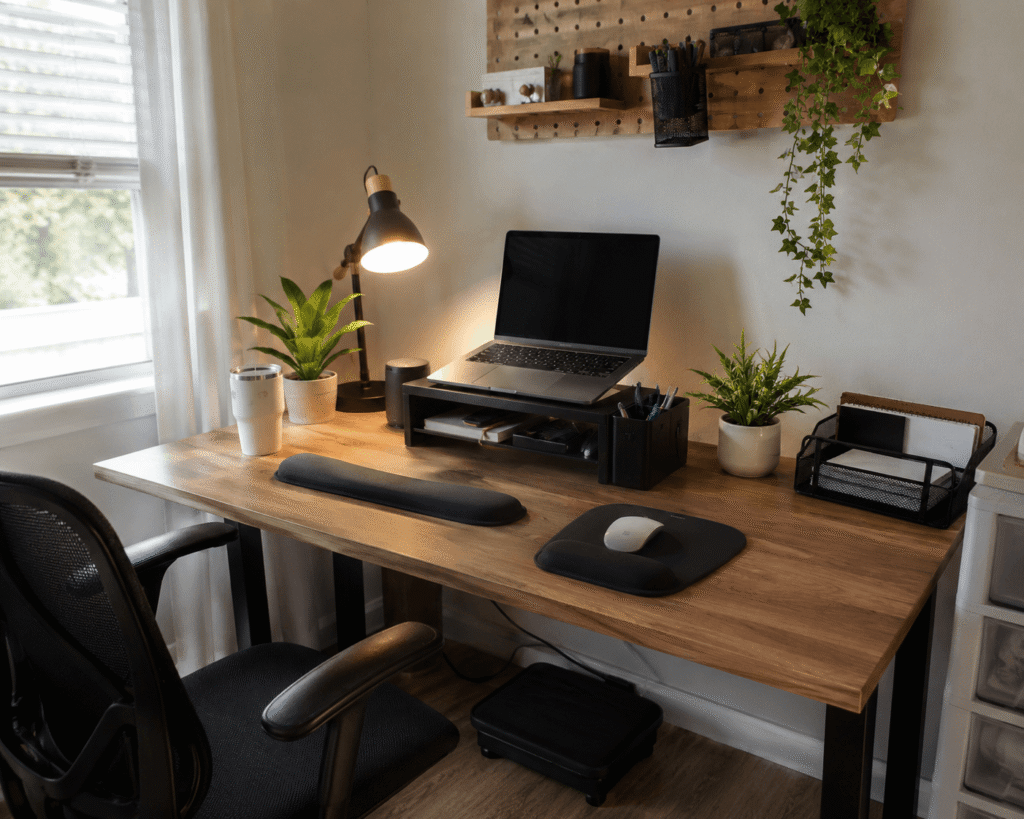
The good news is that you do not need a full home office makeover to make your workspace feel better. A few small, affordable upgrades can improve comfort, reduce clutter, and make your desk easier to use every day.
If you are starting from scratch, you can also check out these budget desk setup essentials for more simple ways to build a practical workspace without overspending.
Quick Picks
- Best overall: WALI Monitor Stand Riser
- Best budget option: EURPMASK Rotating Headphone Stand
- Best for small desks: Amazon Basics Adjustable Monitor Stand
Prices are approximate and may change. Ratings and review counts reflect current product data.
Simple Comfort Upgrades That Help Right Away
GORILLA GRIP Memory Foam Wrist Rest

If your wrists feel tired after typing for a few hours, a simple option like this can make your desk feel more comfortable without changing your whole setup.
This wrist rest set gives your keyboard and mouse area a softer surface, which can help reduce pressure during long work or study sessions.
It is best for remote workers, students, writers, and anyone who spends a lot of time typing.
A real-life example is simple: you sit down to answer emails, write a report, or work on assignments, and your wrists are no longer resting directly on the hard desk surface.
If you just want a quick upgrade, this type of comfort add-on is easy to add and does not take much space.
One of those upgrades you notice almost immediately.
BlissTrends Under Desk Foot Rest

A foot rest is one of the easiest ways to improve your sitting position, especially if your feet do not rest comfortably on the floor.
A no-fuss option like this can help support your feet and legs while you work, which may make long desk sessions feel less tiring.
It is useful for people who sit for hours, work from home, study at a desk, or use a chair that feels slightly too tall.
Picture a long afternoon of video calls or focused work. Instead of shifting around constantly, your legs have a more stable place to rest.
Something like this works well if you want better comfort without replacing your chair or desk.
Easy to add without changing your entire setup.
5 STARS UNITED Seat Cushion

If your chair is not very comfortable, replacing it may not be the first move.
A budget-friendly option like this can make an older office chair, dining chair, or basic desk chair feel more supportive.
This seat cushion is best for people who sit for long work hours but do not want to spend a lot on a new chair.
It can help make your setup feel softer and more comfortable during writing, studying, gaming, or remote work.
For more comfort-focused ideas, these desk accessories for long work hours can also help you build a better daily setup.
If your current chair feels hard after an hour or two, something like this is a simple upgrade to try first.
A practical addition that can make long sitting sessions feel more manageable.
Small Desk Organization Upgrades
WALI Monitor Stand Riser

A monitor riser can improve both comfort and organization at the same time.
A tool like this raises your screen while giving you extra storage space for pens, notes, small supplies, or daily desk items.
It is especially helpful if your monitor sits too low or your desk surface always feels crowded.
A simple real-life scenario: your keyboard, notebook, and small office supplies are all fighting for space. With a riser, your screen sits higher and some of that clutter can move underneath.
If you are working with a compact desk, this type of setup upgrade can make the workspace feel more open without adding bulky furniture.
A simple addition that makes your desk feel more organized right away.
Amazon Basics Adjustable Monitor Stand
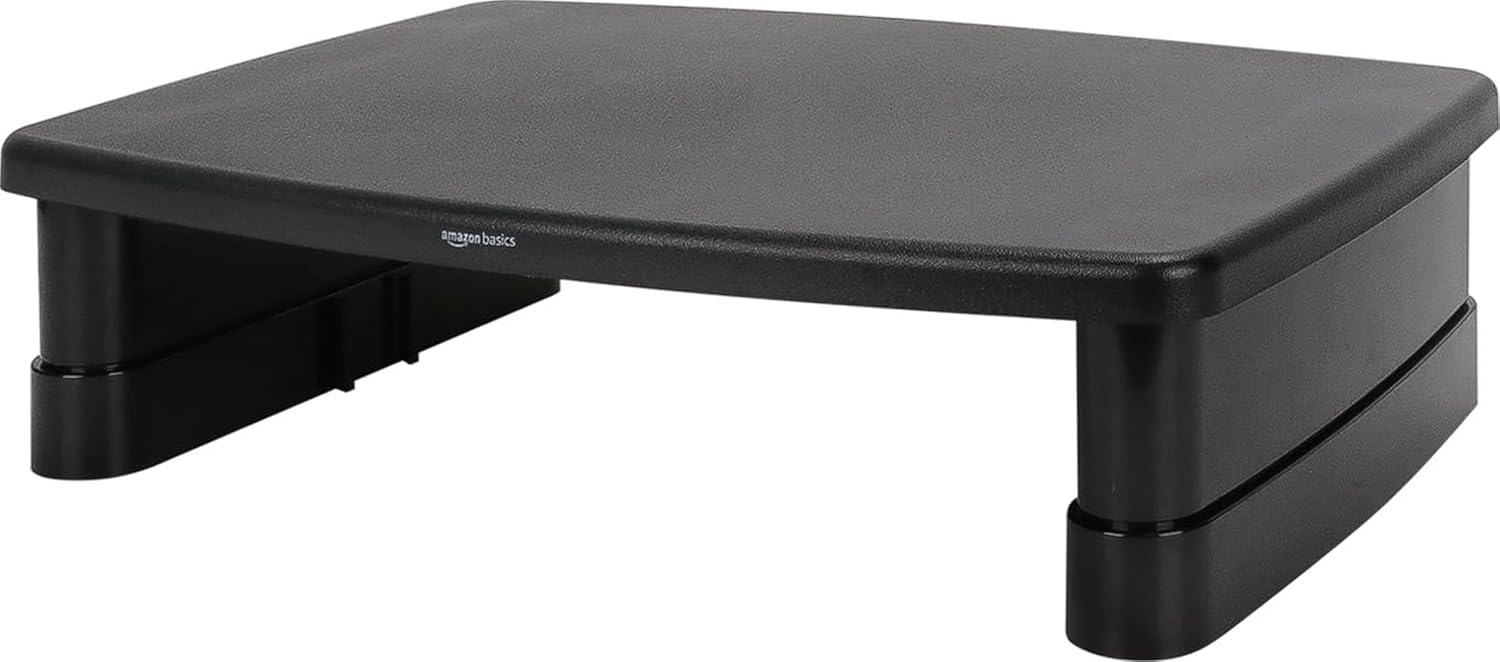
If you want a clean and simple way to lift your monitor or laptop, a solid option like this keeps things practical.
This adjustable monitor stand is best for people who want better screen height and a bit of storage space without a complicated setup.
It works well for small desks, beginner home offices, dorm desks, and basic remote work setups.
The biggest benefit is that it helps bring your screen closer to a more natural viewing height. That can reduce the habit of leaning forward or looking down all day.
If you do not want to overthink this, something like this is a simple, low-risk desk improvement.
Easy to add without changing your whole setup.
REFLYING Cable Management Tray

Cable clutter can make even a nice desk feel messy.
A simple upgrade like this helps move cords, power strips, and charging cables underneath the desk instead of leaving them tangled on the floor or desktop.
It is best for people with monitors, chargers, speakers, lamps, or multiple devices around the desk.
Imagine cleaning your workspace and not seeing cables hanging everywhere. The desk instantly feels calmer and more intentional.
If your goal is a clean workspace, this type of cable tray is one of the easiest upgrades to make.
A simple addition that makes your desk feel cleaner almost immediately.
Marbrasse Desk Drawer Organizer

A messy drawer can slow you down more than you realize.
A practical organizer like this gives pens, clips, sticky notes, chargers, and other small supplies a proper place to go.
It is best for anyone who likes a clean desktop but still needs quick access to everyday office items.
A real-life example: instead of digging through a drawer for a pen or cable, you open it and everything has its own section.
If you are trying to improve desk organization without adding more items on top of your desk, something like this is a smart choice.
A simple addition that makes your setup feel more controlled right away.
EURPMASK Rotating Headphone Stand

Headphones are easy to leave on the desk, the chair, or the keyboard.
A small tool like this gives them a dedicated place under the desk, which helps free up surface space.
It is ideal for remote workers, students, gamers, and anyone who uses headphones for calls, meetings, music, or focus sessions.
The rotating design makes it easier to move the headset out of the way when you are not using it.
If you want a cleaner setup without buying a larger desk, a compact add-on like this can help more than expected.
A solid, no-fuss addition to most desks.
Focus and Productivity Improvements
Airlonv LED Desk Lamp

Bad lighting can make your desk feel uncomfortable even if the rest of the setup is fine.
A simple lamp like this gives you more control over your workspace lighting, especially during evening work, reading, studying, or focused tasks.
It is best for people who work in bedrooms, dorm rooms, shared spaces, or home offices with weak overhead lighting.
A real-life scenario: you are working late, but instead of relying on harsh room lighting, you can direct light exactly where you need it.
For a better productivity desk setup, lighting is one of the easiest areas to improve.
If you want a quick upgrade, this type of desk lamp is easy to add without taking over your workspace.
One of the easiest ways to make your desk feel more focused and comfortable.
TSJ OFFICE Desktop Whiteboard

A desktop whiteboard can help reduce mental clutter during the day.
A useful tool like this gives you a visible place for reminders, daily priorities, quick notes, and small tasks.
It is best for students, remote workers, planners, and anyone who tends to use too many sticky notes.
Instead of keeping five scraps of paper around your keyboard, you can keep the most important notes in one clear spot.
This can make your desk feel cleaner while also helping you stay focused on what needs to get done next.
If you like simple productivity tools, something like this is easy to use every day.
A practical addition that makes your desk feel more organized and intentional.
What to Look For Before Buying
Start with the problem you actually have.
If your wrists hurt, choose comfort first. If your desk feels crowded, focus on storage or cable management. If you feel tired while working, look at seating, lighting, or screen height.
Measure your desk before buying anything that sits on top of it. Small upgrades are only helpful if they actually fit your space.
Look for items that solve more than one problem. A monitor riser with storage, a lamp with a clamp, or a whiteboard with a drawer can make a small setup feel more efficient.
You do not need to buy everything at once. Start with one or two simple upgrades that fix your biggest daily frustration.
Conclusion
Making your desk more comfortable does not have to be expensive or complicated.
A wrist rest, foot rest, monitor stand, cable tray, better lamp, or simple organizer can make your workspace feel cleaner, calmer, and easier to use.
The best approach is to start small. Pick the upgrade that solves the most annoying part of your current setup, then build from there.
You can also explore more small desk storage solutions if your main goal is to create a cleaner, more comfortable workspace without needing a larger desk.