
Disclosure: As an Amazon Associate I earn from qualifying purchases.
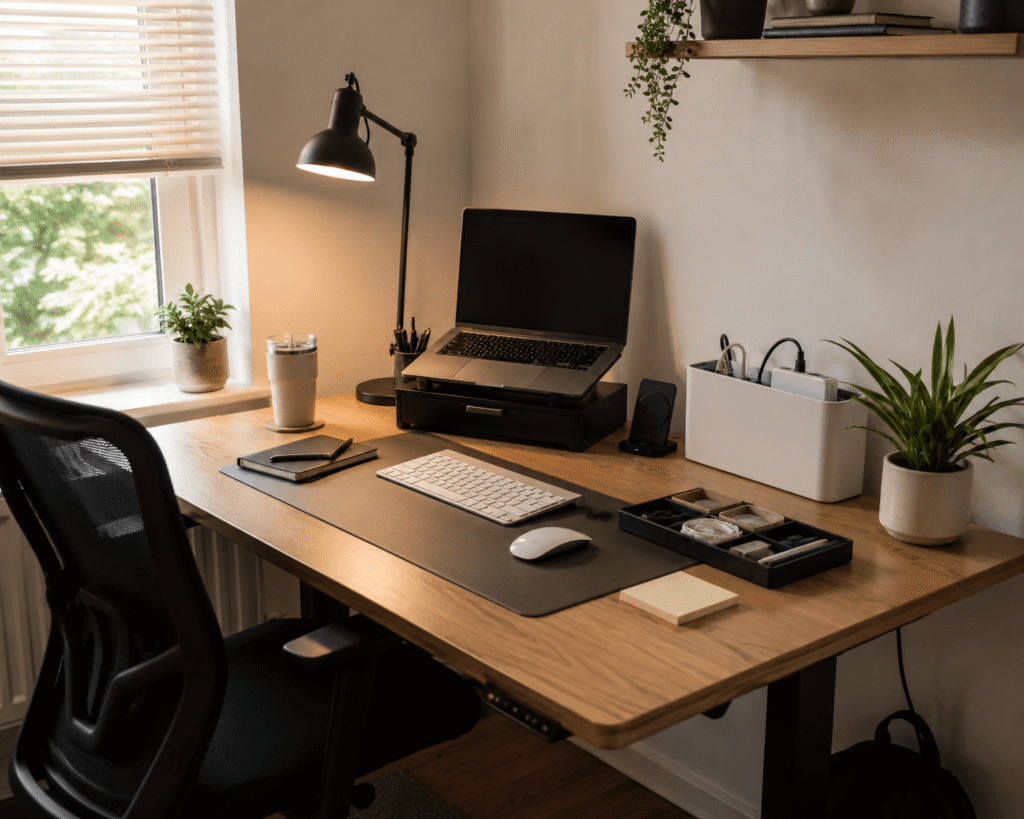
Working at a cluttered, uncomfortable desk can make even simple tasks feel harder than they need to be. A messy cable area, poor lighting, low laptop screen, or random accessories spread everywhere can quietly drain your focus.
The problem is that many desk setup trends look good online but do not actually improve your day-to-day workflow.
The good news is that some trends are genuinely useful. They can help you create a cleaner workspace, improve comfort, and make your desk feel more productive without replacing everything you already own.
If you’re working with limited space, you may also like these small workspace ideas that feel bigger.
Quick Picks
- Best overall: WALI Monitor Stand Riser
- Best budget option: ProCase Noise Reduction Ear Muffs
- Best for small desks: Gogoonike Adjustable Laptop Stand
Prices are approximate and may change. Ratings and review counts reflect current product data.
Smart Organization Trends That Reduce Clutter
WALI Monitor Stand Riser

The WALI Monitor Stand Riser is a simple desk upgrade that lifts your screen while adding storage underneath.
A simple option like this makes sense if your monitor, laptop, notebooks, and small accessories are all competing for the same space.
It is useful because it improves both organization and screen height. That means your desk looks cleaner, and your monitor sits in a more comfortable position.
This is best for remote workers, students, and anyone with a compact home office setup.
For example, if your pens, sticky notes, and small tech accessories always end up scattered around your keyboard, this riser gives them a more obvious place to go.
Something like this is easy to add without changing your whole setup.
A simple addition that makes your desk feel more organized right away.
Yecaye Cable Management Box

The Yecaye Cable Management Box helps hide power strips, extra cords, and charging cables.
A tool like this is one of the easiest ways to make a desk look cleaner almost instantly.
Cable clutter is one of those things that makes a workspace feel messy even when the actual desk surface is clear. A cable box keeps the mess contained and makes the setup feel more intentional.
It is best for people with multiple devices, chargers, monitors, lamps, or a power strip under the desk.
A real-life example is a work-from-home desk with a laptop charger, phone charger, lamp cable, and monitor cable all visible at once. This box helps hide that visual clutter.
A no-fuss option like this works well if you want a cleaner workspace without drilling, mounting, or redesigning your desk.
One of those upgrades you notice almost immediately.
Marbrasse Desk Drawer Organizer

The Marbrasse Desk Drawer Organizer is designed to keep small office supplies separated and easy to find.
Something like this is useful if your drawer has become a random mix of pens, cables, sticky notes, clips, and small accessories.
Instead of digging through clutter, you can give each item its own section. That makes your workspace feel calmer because the mess is no longer hiding in one overloaded drawer.
It is best for students, writers, remote workers, and anyone who uses a lot of small desk supplies.
For example, if you always lose your adapter, pen, or charging cable right when you need it, this organizer makes those daily moments less annoying.
If you’re building a cleaner workspace, you may also like these best budget desk setup essentials for beginners.
A simple organizer like this can make your desk feel more controlled without adding anything bulky on top.
Easy to add without changing your entire setup.
Comfort Trends That Improve Daily Work
Colorpanda Monitor Light Bar

The Colorpanda Monitor Light Bar adds focused lighting to your desk without taking up surface space.
This type of upgrade makes sense if you work in the evening, read documents at your desk, or dislike having a bulky lamp beside your monitor.
A monitor light bar helps brighten the work area while keeping the desk clean. It can make typing, reading, and planning more comfortable during long sessions.
It is best for home office users, students, and anyone working in rooms with inconsistent lighting.
For example, if your desk feels too dim at night but a regular lamp takes up too much room, this gives you light from above the screen instead.
For more lighting-focused options, you can explore these desk lamp ideas.
A simple option like this can improve comfort without making your desk feel crowded.
One of the easiest ways to improve your setup.
BlissTrends Foot Rest

The BlissTrends Foot Rest is a soft under-desk support that helps keep your feet in a more comfortable position.
A tool like this is useful if your feet do not rest naturally on the floor or if you feel uncomfortable after sitting for long periods.
Many people upgrade their chair but ignore foot position. A foot rest can make sitting feel more stable and supported.
It is best for people who work long hours at a desk, shorter users, or anyone who feels lower-body fatigue while sitting.
For example, if you often tuck your feet under the chair or shift positions constantly, a foot rest can give your body a more consistent base.
Something like this is a simple comfort upgrade that does not require a new chair or desk.
A practical addition you may notice during longer work sessions.
Aothia Desk Pad

The Aothia Desk Pad gives your keyboard, mouse, laptop, and accessories a smoother shared surface.
A budget-friendly option like this is useful if your desk feels visually messy or your mouse area is too small.
A desk pad can make a basic workspace feel more finished. It also helps protect the desk surface and creates a clearer work zone.
It is best for people using small desks, shared tables, or simple home office setups.
For example, if you work from a plain table, adding a desk pad can make the area feel more like a dedicated workstation.
This type of setup upgrade is easy to add and works with almost any desk style.
A simple addition that makes your setup feel more intentional.
Productivity Trends That Are Actually Useful
Gogoonike Adjustable Laptop Stand

The Gogoonike Adjustable Laptop Stand raises your laptop screen to a more comfortable viewing height.
A simple option like this makes sense if you use a laptop as your main work device.
Looking down at a laptop for hours can make your setup feel uncomfortable. A laptop stand helps bring the screen closer to eye level and can make your desk feel more structured.
It is best for remote workers, students, writers, and anyone who spends long sessions on a laptop.
For example, if you take video calls, write articles, or study from a laptop every day, raising the screen can make your workspace feel more serious and comfortable.
Something like this pairs well with an external keyboard and mouse if you want a more complete productivity desk setup.
Easy to add without changing your whole setup.
Amazon Basics Wireless Charging Pad

The Amazon Basics Wireless Charging Pad creates a simple charging spot for compatible devices.
A no-fuss option like this is useful if your phone cable constantly ends up across your desk.
Instead of plugging and unplugging throughout the day, you can place your device in one spot and keep your workspace cleaner.
It is best for people who want fewer visible cables and a more convenient daily charging routine.
For example, if you check your phone between tasks, a wireless pad can keep it charged while also giving it a designated place on the desk.
A tool like this is not a dramatic upgrade, but it makes the desk feel easier to manage.
One of those small improvements that feels convenient every day.
Jerry & Maggie Desktop Organizer Shelf

The Jerry & Maggie Desktop Organizer Shelf adds vertical storage to your desk.
Something like this is helpful when your desk surface is limited but you still need space for notebooks, small tech items, or decor.
Instead of spreading everything horizontally, a desktop shelf lets you use height. That is why it works especially well for small setups.
It is best for dorm rooms, apartments, compact workstations, and home offices with limited storage.
For example, if your speakers, notebooks, and small accessories are all sitting flat on the desk, this shelf can create more structure.
A simple storage upgrade like this helps keep everyday items visible without letting them take over your workspace.
A solid, no-fuss addition to most desks.
ProCase Noise Reduction Ear Muffs

The ProCase Noise Reduction Ear Muffs help reduce background noise while studying or working.
A tool like this makes sense if your biggest productivity problem is not clutter, but distraction.
They are not a desk decoration, but they can still improve your desk setup by making the work environment feel more controlled.
They are best for students, remote workers, and people in shared homes, apartments, or noisy environments.
For example, if you are trying to focus while people are talking nearby, a simple noise-reduction option can help you stay locked into the task.
Something like this is an affordable way to support focus without changing your whole workspace.
One of the easiest ways to improve focus while working.
What to Look For Before Buying
Before adding new desk accessories, keep it simple.
Start with the problem that annoys you most. If your desk looks messy, fix cables and storage first. If your body feels uncomfortable, look at lighting, screen height, and foot support.
Measure your desk before buying anything. Small upgrades can still feel bulky if they do not fit your space.
Avoid buying several products that solve the same problem. One good organizer is usually better than three random storage pieces.
Think about your daily workflow. The best desk setup trends are the ones you actually use every day.
You do not need to overthink this. A few simple upgrades can make your desk cleaner, more comfortable, and easier to work at.
Conclusion
The desk setup trends that actually make sense are not about making your workspace look perfect. They are about making it easier to sit down, focus, and get things done.
A monitor riser, cable box, light bar, laptop stand, or desk pad can improve your setup without requiring a full redesign.
Start with one practical upgrade, see how it changes your workflow, then build from there.
For more practical improvements, you can explore these best budget desk setup essentials for beginners.