
Disclosure: As an Amazon Associate I earn from qualifying purchases.
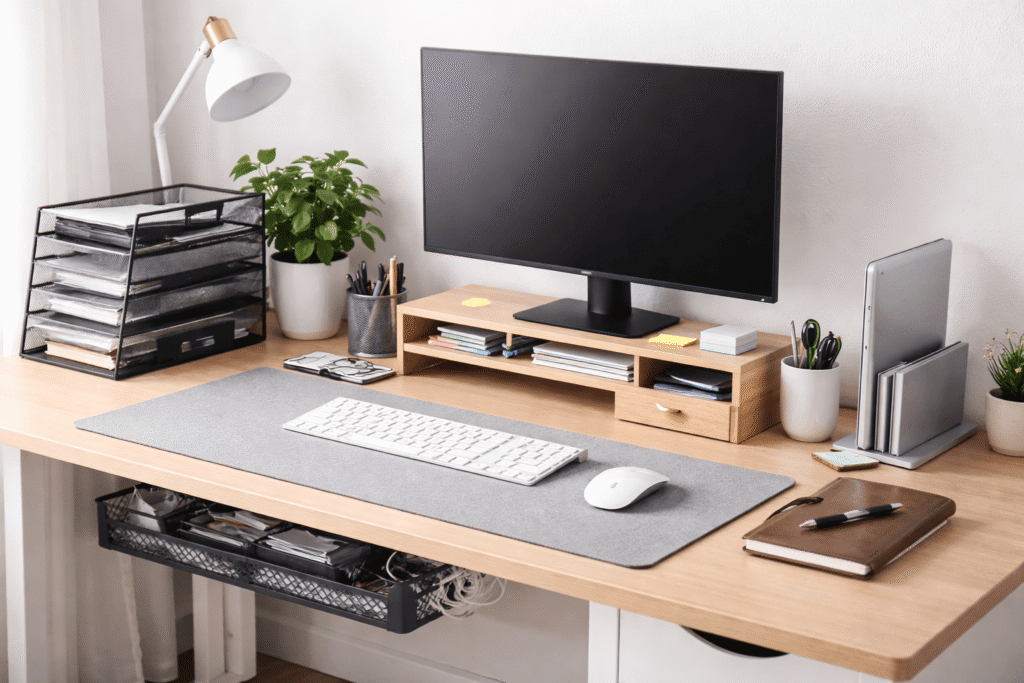
A cluttered desk doesn’t just look messy—it actively slows you down. When your workspace is disorganized, you waste time searching for things, lose focus more easily, and feel mentally overwhelmed without even realizing it.
Most people try to fix this by buying random desk accessories, but that often makes things worse. The real solution is understanding what’s not working—and then using the right tools to fix those specific problems.
Prices are approximate and may change. Ratings and review counts reflect current product data.
Below are the most common desk organization mistakes that hurt productivity, along with practical tools that actually solve them.
1. Letting Small Clutter Take Over Your Workspace
One of the biggest mistakes is ignoring small items—pens, notes, chargers—until they pile up. These micro-distractions add up fast.
Marbrasse Desk Organizer with File Holder (5-Tier with Drawer and Pen Holders)

This is a multi-function desktop organizer that combines paper trays, pen holders, and a small drawer into one compact unit.
It’s useful because it replaces multiple separate organizers with a single structured system. Instead of having items scattered across your desk, everything—from documents to writing tools—has a clear place.
Best for people who deal with both paperwork and small accessories daily, especially in a home office setup.
It improves your desk by centralizing clutter into one organized zone, which reduces visual noise and makes your workspace feel more controlled.
Supeasy 5-Tray Paper Organizer (Mesh Letter Tray with Handle)

This is a simple, stackable paper tray system designed specifically for sorting documents.
It works well because it creates clear categories for paperwork—like “to review,” “in progress,” and “completed”—without overcomplicating things.
Best for anyone who handles printed documents, notes, or mail regularly.
It improves productivity by reducing decision fatigue. Instead of dealing with a messy pile of papers, you can process tasks step by step.
NYCCO Under-Desk Pencil Drawer (23-Inch Wide with Ball-Bearing Slides)
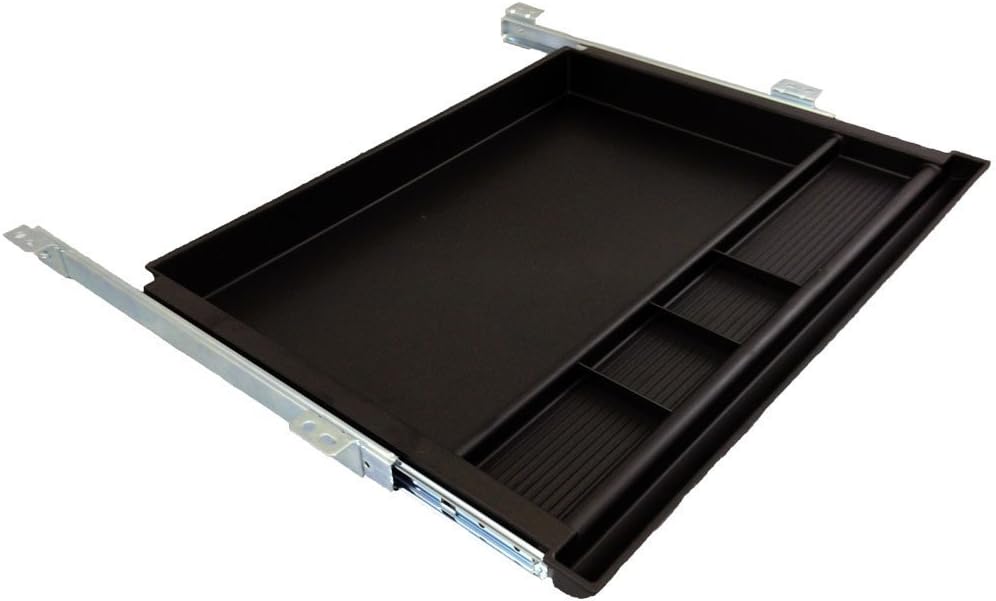
This is a full-width under-desk drawer that mounts beneath your desk surface.
It’s useful because it moves less frequently used items off your desk without making them hard to access. The smooth sliding mechanism makes it feel like part of the desk itself.
Best for users with limited desk space or those who want a cleaner, more minimal surface.
It improves your setup by freeing up valuable workspace while still keeping essentials within reach.
2. Poor Cable Management That Creates Chaos
Loose cables are more than just ugly—they make your workspace feel chaotic and harder to use.
Litwaro Under-Desk Cable Management Tray (No-Drill Clamp Mount)

This is a metal mesh tray that attaches under your desk using clamps—no drilling required.
It’s useful because it hides power strips and excess cables completely out of sight, which instantly cleans up your setup.
Best for remote workers with multiple devices like monitors, laptops, and charging hubs.
It improves your desk by removing one of the biggest sources of visual clutter and making cable management effortless.
Costop Magnetic Cable Clips (8-Pack Cord Organizer Holders)

These are small adhesive clips designed to hold charging cables in place on your desk.
They’re useful because they eliminate one of the most annoying daily problems—cables falling behind your desk or getting tangled.
Best for anyone who frequently charges devices like phones, wireless headphones, or tablets.
They improve your workflow by removing friction. Your cables are always exactly where you expect them to be.
Alex Tech Cable Sleeve (10ft Split Wire Loom Tubing)

This is a flexible cable sleeve designed to bundle multiple wires into one clean line.
It works well because it simplifies complex cable setups into a single organized structure.
Best for multi-device setups, including dual monitors, audio gear, or streaming equipment.
It improves your desk by making everything look intentional and tidy, while also protecting cables from wear (or even pets).
3. Using Flat Desk Space Inefficiently
Most people only think in two dimensions—using the surface of their desk but ignoring vertical space.
eVoomi FlowMax Ergonomic Monitor Stand (with Drawer and Storage)

This is an ergonomic monitor stand that raises your screen to eye level while adding built-in storage underneath.
It’s useful because it combines posture improvement with practical organization. The added compartments help store papers, accessories, and small tools.
Best for anyone working long hours at a desk who also wants a cleaner layout.
It improves your setup by reducing neck strain while creating additional storage without taking extra space.
Gianotter Wood Monitor Stand Riser (2-Tier with Drawer and Pen Holder)

This is a two-tier desk shelf that adds both elevation and structured storage to your workspace.
It’s useful because it gives you multiple layers—top for your monitor, lower level for accessories or notebooks, plus a drawer for smaller items.
Best for people who want a more organized and visually structured desk without going fully minimal.
It improves your desk by maximizing vertical space and reducing clutter on the main surface.
OMOTON Vertical Laptop Stand (Adjustable Double Slot)

This is a vertical stand that holds one or two laptops upright instead of flat on your desk.
It’s useful because it frees up a significant amount of space, especially if you use an external monitor.
Best for hybrid workers who connect their laptop to a larger setup.
It improves your desk by removing bulky devices from your main workspace and creating a cleaner, more streamlined layout.
What to Look For Before Buying
Before adding anything to your desk, take a step back and evaluate your actual needs.
First, prioritize function over aesthetics. A product should solve a real problem, not just look good.
Second, consider your workflow. If you rarely use something, it shouldn’t live on your desk surface.
Third, avoid over-organizing. Too many compartments can become just as distracting as clutter.
Finally, measure your space. Many people buy organizers that don’t fit their desk properly, which creates more frustration.
Conclusion
Most desk organization problems don’t come from a lack of effort—they come from solving the wrong problems.
Adding more items to your desk won’t fix clutter. In fact, it often makes things worse. The key is identifying what’s slowing you down—loose cables, scattered tools, wasted space—and fixing those specific issues with simple, practical solutions.
A well-organized desk doesn’t have to be perfect or aesthetic. It just needs to support how you actually work.
Start small. Fix one problem at a time. And you’ll notice your focus—and productivity—improve almost immediately.