
Disclosure: As an Amazon Associate I earn from qualifying purchases.
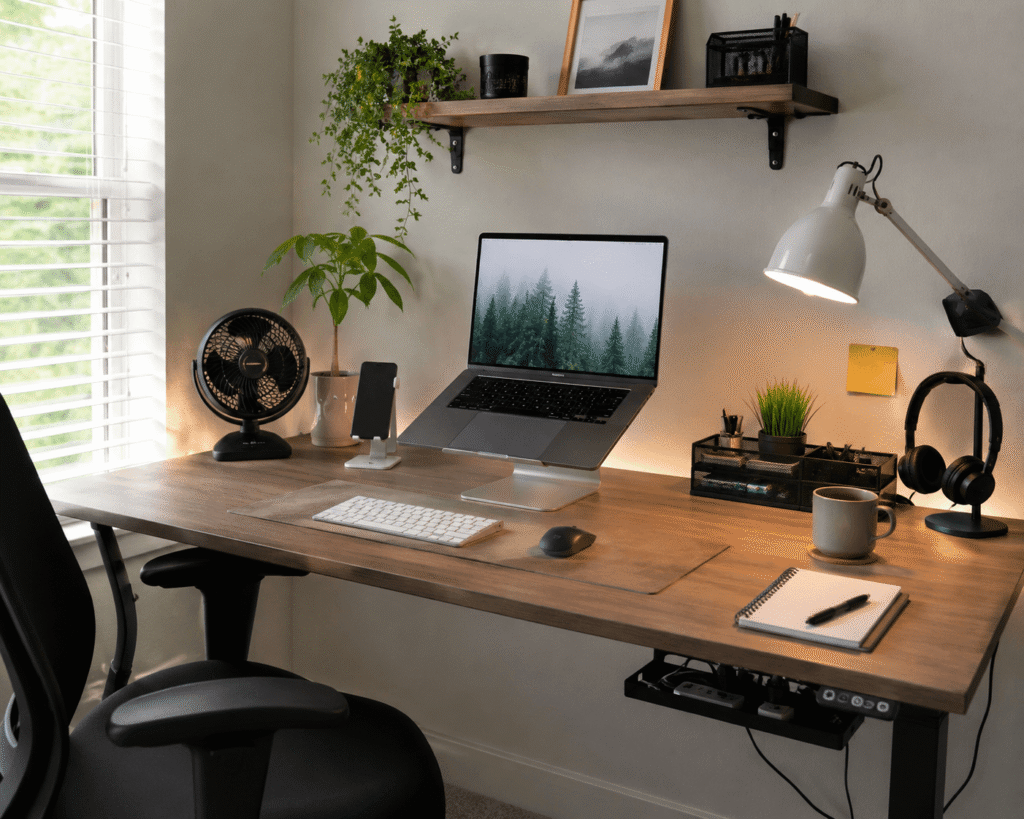
A messy or uncomfortable desk can make a normal workday feel harder than it should. Cables get in the way, your laptop sits too low, small items pile up, and the whole setup starts to feel cramped.
The good news is that you do not need a full desk makeover to fix it. A few affordable accessories can make your workspace cleaner, more comfortable, and easier to use every day.
If your current setup feels awkward, you may also want to read these simple ways to fix an uncomfortable desk setup before choosing what to upgrade first.
Quick Picks
- Best overall: Lamicall Adjustable Laptop Stand
- Best budget option: Aothia Leather Desk Pad
- Best for small desks: Lamicall Headphone Hanger
Prices are approximate and may change. Ratings and review counts reflect current product data.
Organization Upgrades for a Cleaner Desk
Lamicall Headphone Hanger

Headphones are useful, but they often end up sitting in the middle of the desk when they are not being used. A simple option like this gives them a proper place without taking up extra desktop space.
The Lamicall Headphone Hanger sticks under your desk and keeps your headset tucked away but still easy to reach. It is best for remote workers, students, gamers, or anyone who uses headphones daily.
In a small setup, this can make a real difference. Instead of moving your headphones every time you need more room, you can hang them under the desk and keep your surface cleaner.
If your desk always feels crowded, something like this is a low-effort way to reduce visual clutter.
Easy to add without changing your entire setup.
Lirtylle Cable Management Tray
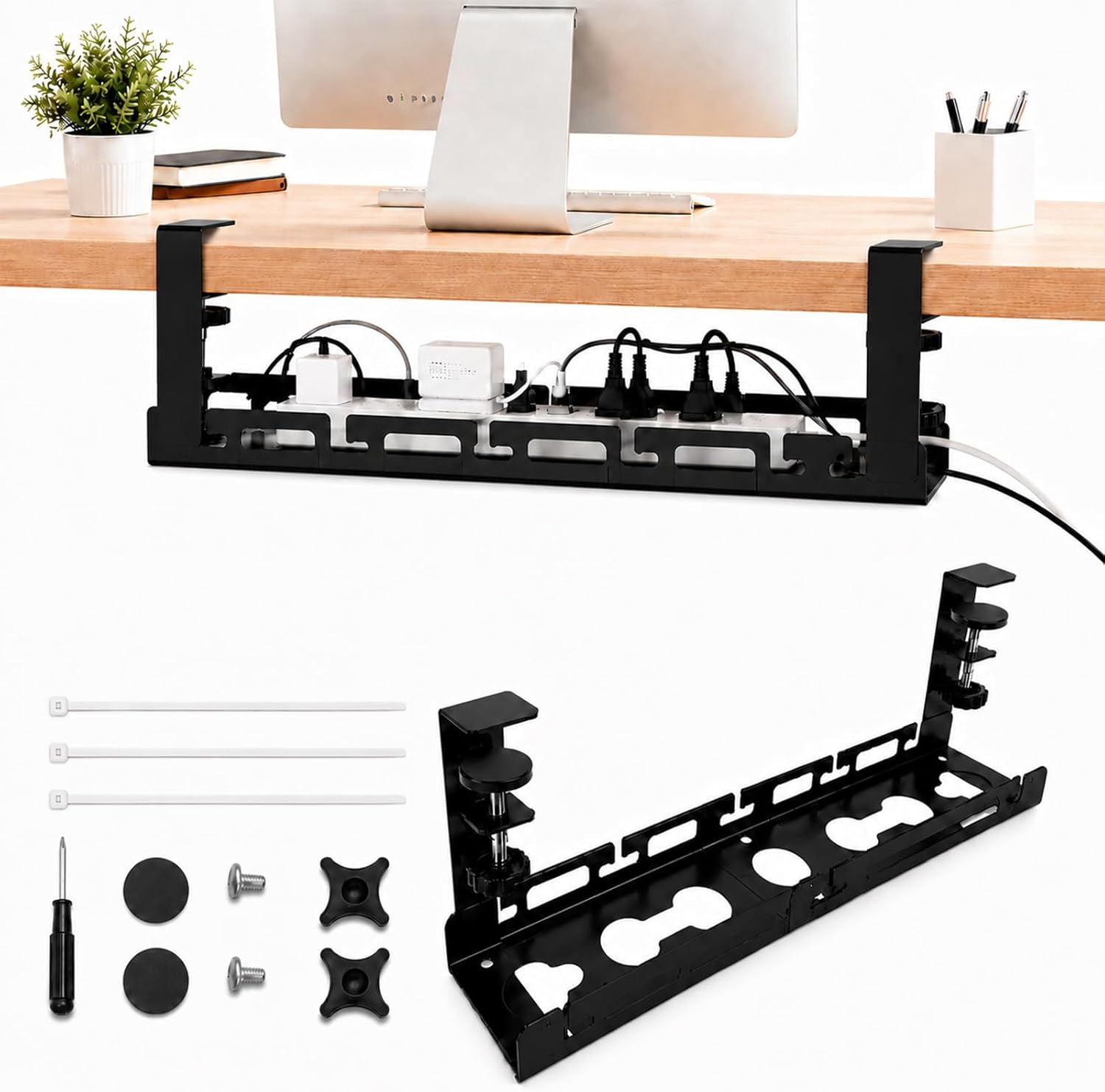
Cable clutter can make even a good desk setup look messy. A no-fuss option like this helps hide power strips, cords, and charging cables underneath the desk.
The Lirtylle Cable Management Tray clamps onto the desk, so it is useful if you do not want to drill holes. It is best for people using multiple devices, monitors, chargers, or a laptop docking setup.
A real-life example is simple: you sit down to work and no longer see a pile of cords hanging behind your desk. That alone can make the space feel cleaner and calmer.
If you are trying to create a more clean workspace, this type of upgrade is one of the easiest places to start.
A simple addition that makes your desk feel more organized right away.
Marbrasse Drawer Organizer

Small items create clutter fast. Pens, sticky notes, adapters, chargers, and random office supplies can turn one drawer into a junk drawer in a week. A tool like this gives those items a clear place to go.
The Marbrasse Drawer Organizer has adjustable compartments, which makes it useful for different types of desk supplies. It is best for anyone who wants a cleaner surface but still needs small tools nearby.
Instead of leaving everything on top of the desk, you can move the clutter into an organized drawer and still find what you need quickly.
For a simple desk organization upgrade, something like this makes sense because it improves the setup without adding another visible item to the desktop.
One of those upgrades you notice almost immediately.
DOLLAR BOSS Monitor Memo Boards

Sticky notes can be helpful, but they can also make your workspace look chaotic. A simple option like this keeps notes, reminders, and small task lists visible without spreading paper across your desk.
The DOLLAR BOSS Monitor Memo Boards attach to the side of your monitor and give you a vertical space for quick reminders. They are best for students, remote workers, and anyone who keeps daily notes nearby.
For example, you can keep your top three tasks next to your screen instead of covering your desk with loose notes.
If your desk is small, this type of upgrade helps because it uses vertical space instead of taking over the surface.
Easy to add without changing your whole setup.
Comfort and Productivity Upgrades
Lamicall Adjustable Laptop Stand

If your laptop sits flat on the desk, your neck and shoulders may feel it after a few hours. A simple option like this raises your screen closer to eye level and helps create a more comfortable working position.
The Lamicall Adjustable Laptop Stand is foldable and designed to lift your laptop while freeing up space underneath. It is best for laptop users who work, study, or take video calls from the same desk every day.
A typical scenario is working from a small desk where your laptop, notebook, mouse, and coffee cup all compete for space. Raising the laptop gives your setup more breathing room.
If comfort is your main problem, you may also like these desk setup tips to reduce neck and back pain. For a quick physical improvement, a tool like this is easy to add.
One of those upgrades you notice almost immediately.
Macally Wireless Keyboard and Mouse

A full-size keyboard can take up more space than you realize. A compact setup upgrade like this helps create more room for your mouse, notebook, or other daily items.
The Macally Wireless Keyboard and Mouse combo is best for people who want a cleaner desktop without switching to a complicated setup. It is especially useful if you pair it with a laptop stand.
In real life, this helps when you want your laptop raised but still need a comfortable typing position. A separate keyboard and mouse can make the setup feel more natural.
If you are building a productivity desk setup, something like this can make your desk feel more flexible.
Easy to add without changing your entire setup.
Colorpanda Monitor Light Bar

Poor lighting can make your desk feel uncomfortable, especially during early mornings, cloudy days, or evening work sessions. A tool like this adds direct desk lighting without taking up space like a normal lamp.
The Colorpanda Monitor Light Bar sits on top of your monitor and lights the desk area below. It is best for people who write, read, study, or work near a screen for long hours.
A real-life example is working at night without turning on harsh overhead lights. Your keyboard, notebook, and desk surface are easier to see, while the setup still feels calm.
If your desk feels dark or unfinished, this type of upgrade can make it feel more polished and usable.
A simple addition that improves comfort right away.
Otlonpe Portable Desk Fan

Comfort is not only about posture. Temperature matters too. A simple option like this gives you personal airflow without needing a large fan in the room.
The Otlonpe Portable Desk Fan is rechargeable, compact, and easy to place on a desk. It is best for warm rooms, small offices, dorm setups, and anyone who gets uncomfortable during long work sessions.
Imagine working through a hot afternoon and being able to cool your immediate desk area without moving your whole setup around.
For warmer rooms, something like this can make your workspace feel more comfortable without taking up much space.
One of those upgrades you notice almost immediately.
Small Desk Accessories That Make Everyday Work Easier
Aothia Leather Desk Pad

A desk mat is one of the easiest visual upgrades you can make. A budget-friendly option like this creates a defined work area and makes the desk feel more intentional.
The Aothia Leather Desk Pad works as a writing surface, mouse area, and general desk protector. It is best for anyone who wants a cleaner-looking setup without buying new furniture.
In a real workspace, this helps pull everything together. Your keyboard, mouse, laptop, and accessories feel like part of one setup instead of random items scattered across the desk.
If you want simple small desk setup ideas, a desk pad like this is an easy place to start.
A simple addition that makes your desk feel more organized right away.
OMOTON Phone Stand

Your phone probably sits on your desk all day. A simple option like this gives it a proper place so it is easier to see, charge, and use without adding clutter.
The OMOTON Phone Stand is useful for video calls, timers, messages, authentication apps, or simply keeping your phone off the desk surface.
It is best for remote workers, students, and anyone who checks their phone throughout the day but wants the desk to stay neat.
Instead of picking your phone up every few minutes, you can glance at it while keeping your main work area clear.
For a small, practical upgrade, something like this is hard to overthink.
Easy to add without changing your entire setup.
What to Look For Before Buying
Before choosing desk accessories, keep it simple. The best upgrades should solve a real problem in your current setup.
Look for accessories that improve one of these things:
- Comfort
- Organization
- Focus
- Cable control
- Small desk space
- Daily convenience
If your desk feels cramped, choose items that use vertical space or move clutter off the surface. If your body feels uncomfortable, start with your laptop height, keyboard position, lighting, and airflow.
You do not need to buy everything at once. Start with the problem you notice most often, then add one simple upgrade at a time.
Conclusion
The best Prime Day desk accessories under $50 are not about making your desk look perfect. They are about making your workspace easier to use every day.
A laptop stand can improve comfort. A cable tray can clean up visual clutter. A desk pad can make the whole setup feel more intentional. Small changes like these can make your desk feel calmer, cleaner, and more productive.
If you want to keep improving your workspace without overspending, these budget desk setup ideas are a good next step.