

Disclosure: As an Amazon Associate I earn from qualifying purchases.
A charging cable slipping behind your desk seems like a tiny annoyance—until you’re reaching under the desk for it several times a day. Add a laptop charger, phone cable, headphones, and a few accessories, and even a clean workspace can quickly turn into a mess of loose cords.
The best magnetic cable holders solve that problem without requiring a complicated cable management system. They keep frequently used cords within reach, help prevent cables from sliding onto the floor, and can make a small desk feel noticeably more organized.
The useful part is that there isn’t just one style. Some holders are designed for everyday charging cables, while others can organize several cords or keep them hidden underneath your desk.
If you’re building your setup gradually, these budget desk essentials for daily work offer more practical upgrades that don’t require completely changing your workspace.
Quick Picks
- Best Overall: Smartish Cable Wrangler — a weighted organizer that keeps several frequently used cords together and within easy reach.
- Best Budget Option: JOYROOM Magnetic Cable Clips — an affordable nine-pack for controlling individual charging and accessory cables around a desk.
- Best for Small Desks: LISEN 360° Rotating Magnetic Cord Holders — compact rotating clips that can keep cables accessible without consuming valuable work surface.
Prices are approximate and may change. Ratings and review counts reflect current product data.
Simple Magnetic Cable Holders for Everyday Organization
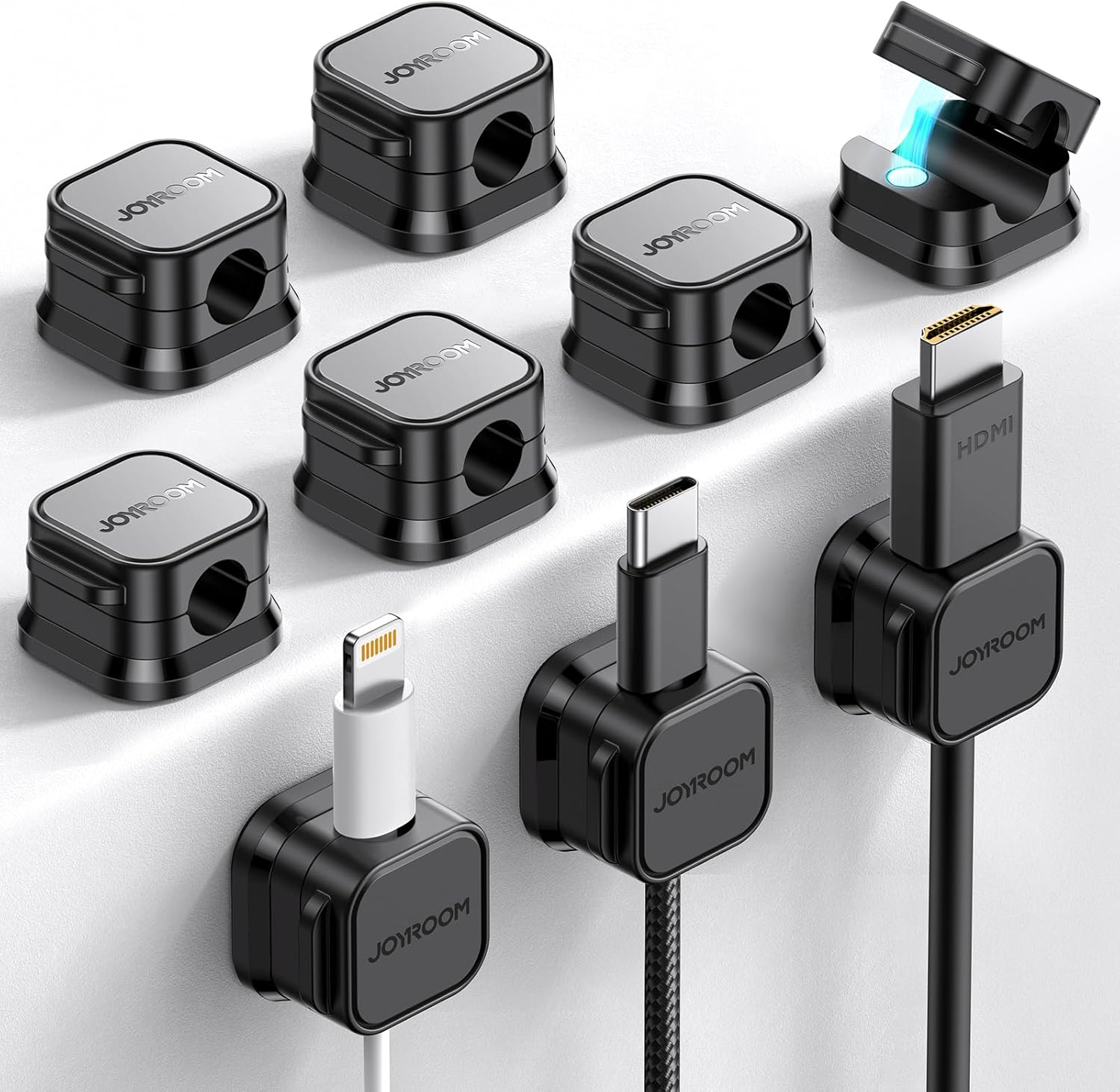
JOYROOM Magnetic Cable Clips
Approx. Price: ~$8.99
Rating: 4.6 ⭐
Reviews: 2,293+
If your charging cable constantly disappears behind your desk, plugging in your phone can become more annoying than it should be. Ideally, the cable should simply stay where you left it.
The JOYROOM Magnetic Cable Clips provide an easy way to create dedicated resting places for frequently used cords. With nine clips in the pack, you can organize several cables around a desk rather than relying on a single central holder.
They’re especially useful for remote workers and students who regularly connect phones, tablets, headphones, or other accessories. You could keep one beside your keyboard, another near a nightstand, and still have extras for other problem areas.
For example, placing a phone charger in one of the JOYROOM Magnetic Cable Clips means it can stay beside your work area instead of falling behind the desk every evening. Many people overlook this simple upgrade, but removing a repeated annoyance can make a workspace surprisingly easier to use.
Aocii Magnetic Cable Raceway Kit
Approx. Price: ~$19.99
Rating: 4.5 ⭐
Reviews: 303+
Several loose cables running across or underneath a desk can make an otherwise organized workspace look unfinished. Getting those cords onto a consistent path can immediately make the setup feel cleaner.
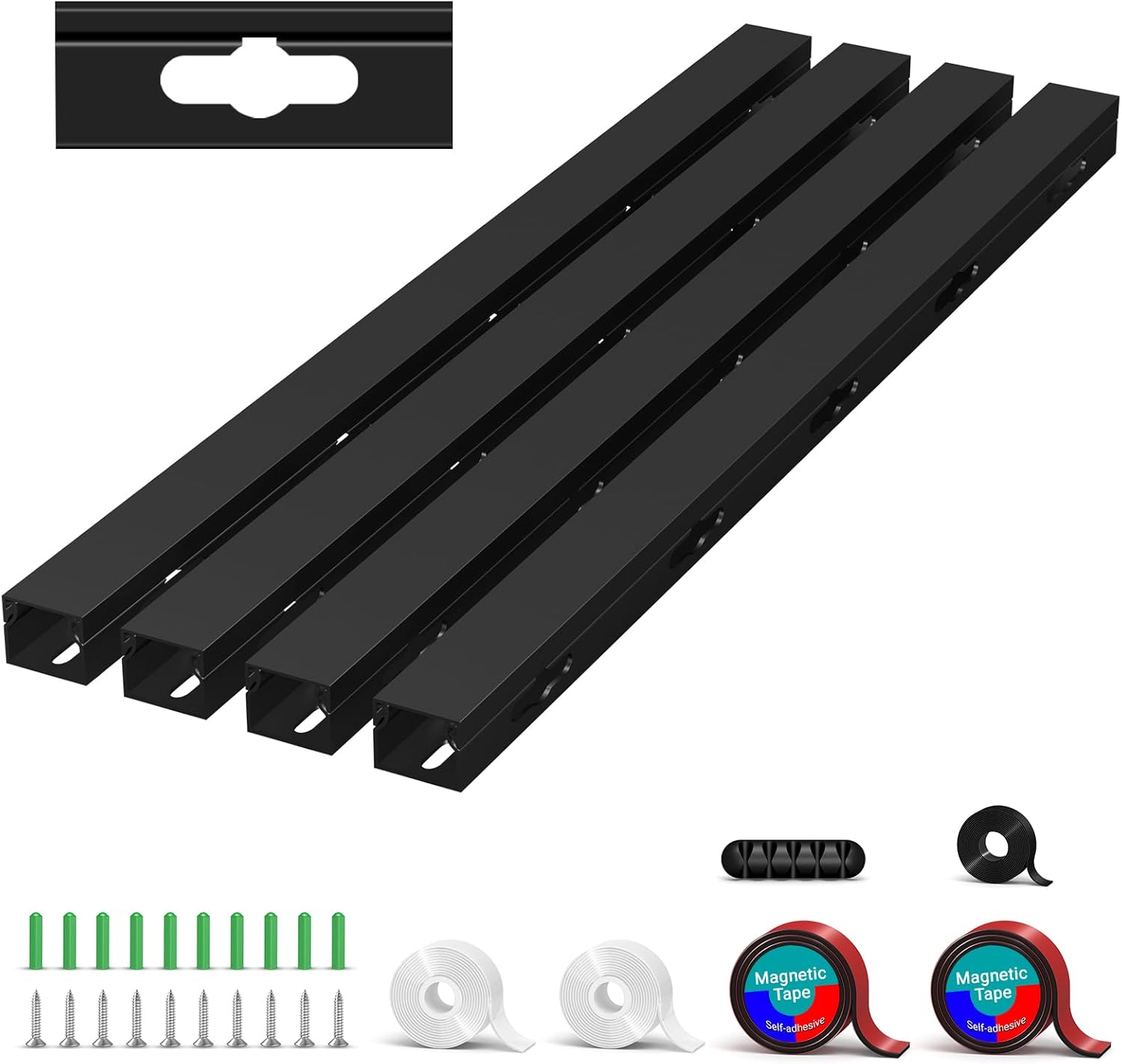
The Aocii Magnetic Cable Raceway Kit takes a more substantial approach than small individual clips. Its raceway-style design is intended to hide and route multiple computer, power, and network cables together.
That makes it particularly useful for desktop workstations, gaming desks, or home offices where several cables need to travel in the same direction.
Instead of having cords hanging independently underneath your work surface, the Aocii Magnetic Cable Raceway Kit can give them a more organized route. If the back or underside of your desk is where most of the clutter lives, this is one of those upgrades that can make more difference than expected.
Smartish Cable Wrangler

Approx. Price: ~$29.99
Rating: 4.6 ⭐
Reviews: 5,178+
Not everyone wants to stick cable organizers permanently to a desk. Adhesives can be inconvenient on furniture you don’t own, while permanent placement makes future rearranging harder.
The Smartish Cable Wrangler solves that problem with a weighted base that can sit on a desk or nightstand without requiring permanent installation. It can hold up to five cords and includes additional cable clips for managing your setup.
It’s particularly appealing for renters, students, and remote workers who regularly rearrange their workspace.
Place it near the front corner of your desk, for example, and several charging cables can remain accessible without being permanently mounted. The Smartish Cable Wrangler is easy to reposition when your setup changes, making it a practical option if flexibility matters as much as organization.
Rocoren Magnetic Cable Clips
Approx. Price: ~$14.99
Rating: 4.6 ⭐
Reviews: 1,312+
Sometimes you know exactly where a cable needs to stay, yet it keeps wandering away. Having several small anchor points around your workspace can make frequently repeated connections much easier.
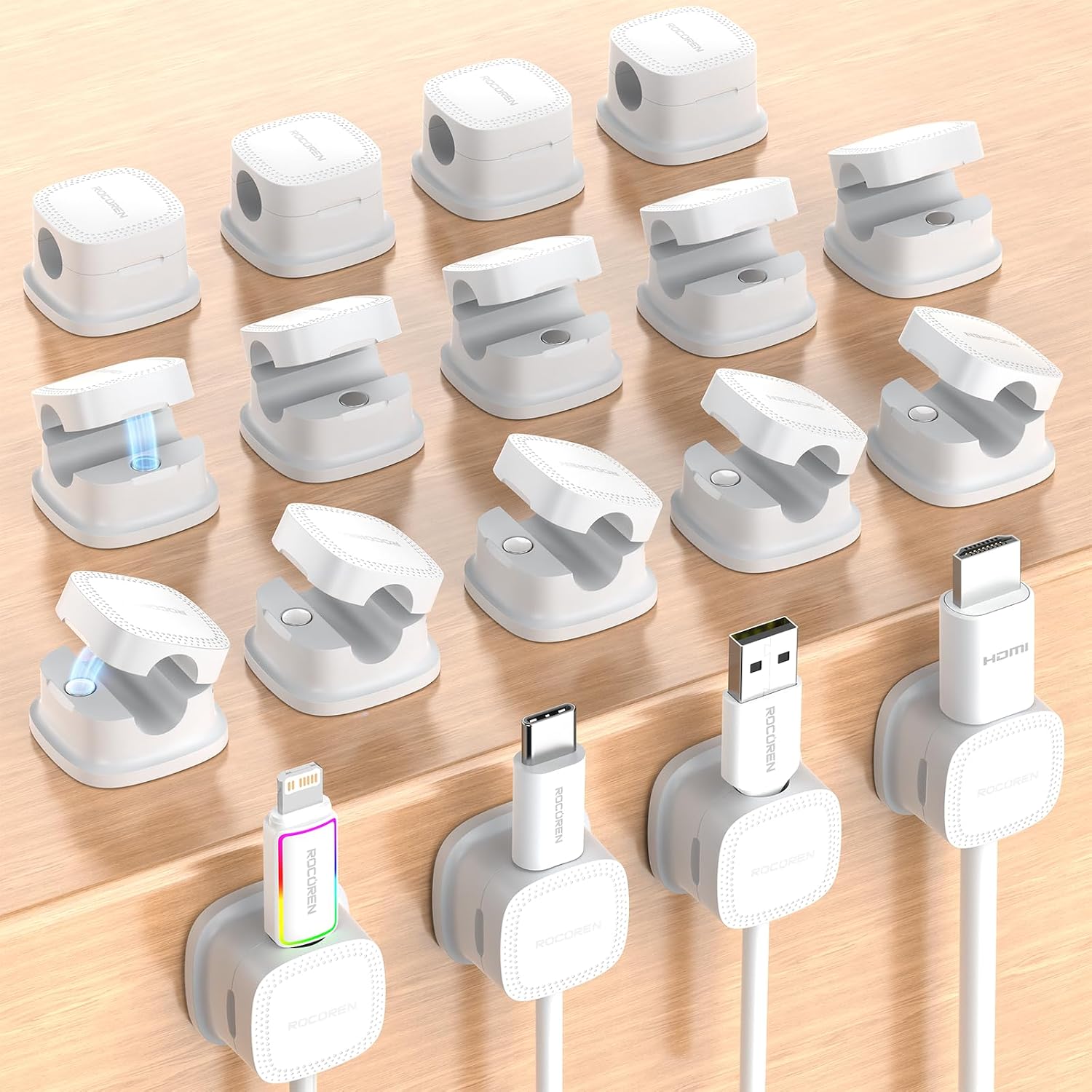
The Rocoren Magnetic Cable Clips come in an 18-pack, giving you plenty of flexibility for organizing cords across a desk, wall, nightstand, or other suitable surface.
They’re useful when one large organizer wouldn’t make sense. A home office user might place one beside a laptop stand, another near a phone charger, and several more around the back of the desk.
With enough clips to tackle multiple areas, the Rocoren Magnetic Cable Clips can also work well when you’re organizing more than one workspace. They’re easy to overlook because they’re small, but that’s exactly what makes them convenient.
Better Magnetic Cable Management for Busy Desks
Maveek Magnetic Cable Holder

Approx. Price: ~$9.99
Rating: 4.7 ⭐
Reviews: 269+
When several charging and accessory cables gather around the same part of your desk, finding the right one becomes unnecessarily frustrating. Giving those cables defined positions can make everyday connections feel much smoother.
The Maveek Magnetic Cable Holder includes five clips designed for common cables up to 0.2 inches thick. That makes it suitable for many USB-C, charging, and headphone cables.
Remote workers with a handful of frequently used cords can spread the clips around their setup rather than allowing everything to collect in one tangled area.
For example, you could keep one charging cable beside your laptop and another near your phone stand. The Maveek Magnetic Cable Holder is a straightforward option when you want better organization without introducing a large cable management accessory.
LISEN 360° Rotating Magnetic Cord Holders
Approx. Price: ~$11.98
Rating: 4.5 ⭐
Reviews: 442+
Small desks create a different challenge: even minor accessories can compete for usable workspace. Moving cables toward the perimeter helps preserve the area where you actually work.
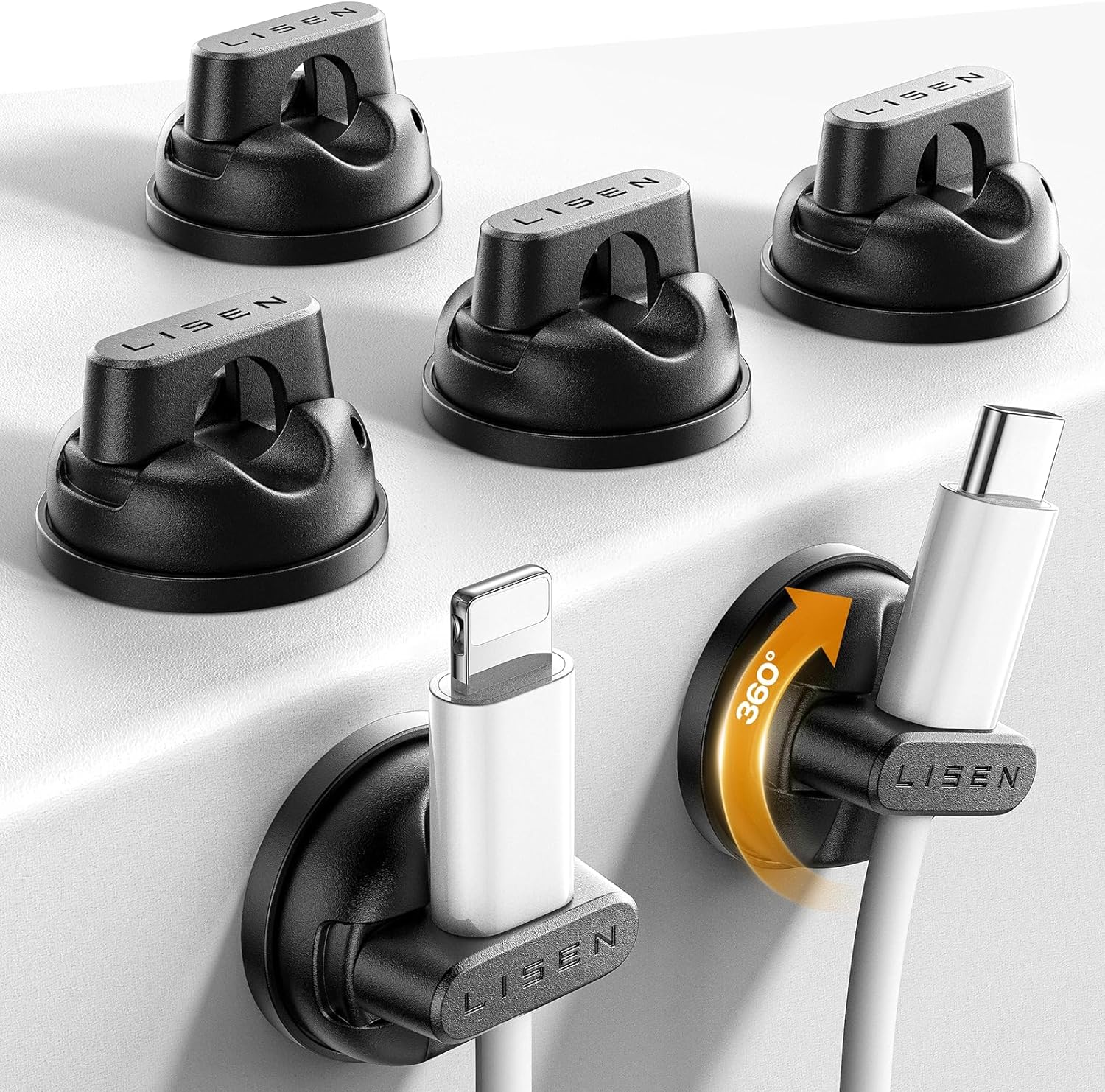
The LISEN 360° Rotating Magnetic Cord Holders use compact adhesive mounts with a rotating design, allowing you to adjust the direction of individual cables instead of forcing every cord into the same position.
They’re particularly useful for compact desks, dorm setups, nightstands, and small home offices where flexibility matters.
Imagine unplugging your laptop at the end of the day and leaving its cable secured near the edge rather than stretched across the surface or dropped onto the floor. The LISEN 360° Rotating Magnetic Cord Holders make sense when you need cable control without sacrificing much space.
For other compact-space ideas, these workspace upgrades for small apartments can help you make better use of limited room.
LISEN Magnetic Cable Clips
Approx. Price: ~$11.98
Rating: 4.5 ⭐
Reviews: 442+
Once several cables become part of your daily routine, remembering where each one ended up can become surprisingly annoying. A predictable place for each cord makes switching between devices much easier.
The LISEN Magnetic Cable Clips provide six individual cable positions with a 360-degree rotating design. That lets you distribute cables around the desk instead of squeezing everything through one fixed organizer.
They make the most sense for someone using multiple devices throughout the day, especially when those cables need to approach the workspace from different directions.
You might keep one clip near your phone, another beside a laptop stand, and a third closer to a tablet or headphones. Because the LISEN Magnetic Cable Clips can rotate, it’s easier to adapt their positioning to the way your particular setup is arranged.
It’s a practical improvement that’s easy to appreciate once it becomes part of your routine.
Statik MagStack Pro USB-C Cable

Approx. Price: ~$24.99
Rating: 4.0 ⭐
Reviews: 616+
Charging cables don’t only create clutter when they’re plugged in. A long cable sitting unused can quickly turn into a loose coil or become tangled with everything else in your bag.
The Statik MagStack Pro USB-C Cable approaches cable organization differently by building magnetic coiling into the cable itself. The six-foot USB-C to USB-C cable can coil together when you want to store excess length.
That can be particularly convenient for laptop users, travelers, students, and anyone who moves their charging setup regularly.
At a desk, you can keep unnecessary cable length bundled instead of letting it spread across the work surface. When traveling, the Statik MagStack Pro USB-C Cable can be packed without needing a separate cable tie.
It’s one of those upgrades that makes sense if the cable itself—not just where you place it—is causing the clutter.
Space-Saving Options for Cleaner Setups
Maveek Magnetic Cable Clips
Approx. Price: ~$9.99
Rating: 4.7 ⭐
Reviews: 269+
Visible cable clutter isn’t always the biggest problem. Sometimes the annoying cords are the ones hanging around the edge or underneath the desk, where they can brush against your legs or disappear onto the floor.
The Maveek Magnetic Cable Clips give you five compact points for controlling cables around suitable areas of your setup. Because each clip can be positioned separately, you have more freedom to create a cable route that matches your desk.
This can be especially useful for people trying to clean up a smaller workspace without adding a bulky organizer.
For example, you could use the Maveek Magnetic Cable Clips to keep frequently used cords positioned closer to the edge or other convenient areas rather than allowing them to hang freely.
If desk space is already limited, small accessories can be particularly useful because they solve the problem without creating another one.
Rocoren Magnetic Adjustable Cable Clips

Approx. Price: ~$21.99
Rating: 4.6 ⭐
Reviews: 296+
A well-organized desk at home doesn’t help much when cables become tangled again around other parts of your workspace. If you have cords in several locations, a small pack of clips can disappear surprisingly quickly.
The Rocoren Magnetic Adjustable Cable Clips come in a 30-pack, making them better suited to larger organization projects or multiple work areas. Rather than treating only one charging cable, you can create consistent cable positions throughout your setup.
They’re particularly useful for home offices with several devices or for people who want matching cable management across a desk, nightstand, and other frequently used areas.
You might organize your primary workstation first and keep the remaining clips available as new cables and accessories are added. With the Rocoren Magnetic Adjustable Cable Clips, having plenty of individual holders gives you room to adjust the system instead of trying to get everything perfect immediately.
For more ways to improve a compact workspace, these small home office accessories are another useful place to look for ideas.
What to Look For Before Buying
Start with your desk size. A large raceway may be unnecessary on a compact desk, while a few individual magnetic clips might become inconvenient if you’re trying to manage a complete desktop PC setup.
Mounting-surface compatibility is especially important with magnetic cable organizers. Some products use magnets as part of the cable-holding mechanism but still rely on adhesive to attach the base to your desk. Others may require a suitable metal surface for magnetic mounting. Check how the specific organizer attaches before assuming it will stick directly to your desk.
Think about comfort and placement, too. Frequently used cables should be easy to reach without forcing you to stretch behind your monitor or crawl underneath your desk.
Your storage needs matter as well. If you only need to control one phone charger, a few simple clips may be enough. A weighted multi-cable organizer or raceway makes more sense when several cords need permanent positions.
For overall cable management, decide whether you want cords visible and accessible or routed out of sight. Desktop holders are convenient for cables you constantly plug and unplug, while under-desk solutions work better for cords you rarely touch.
Finally, consider durability and ease of use. Check the supported cable thickness, mounting method, and how easily the cable can be removed. A holder shouldn’t grip so awkwardly that grabbing your charger becomes another inconvenience.
Conclusion
The best magnetic cable holders aren’t about transforming your entire workspace. They’re about removing small annoyances that happen repeatedly throughout the day.
For a couple of charging cables, compact clips from JOYROOM, LISEN, Maveek, or Rocoren may be all you need. A weighted organizer like the Smartish option makes more sense when you want several cables accessible without attaching anything permanently, while the Aocii raceway tackles a larger collection of hidden cords.
You don’t need all 10 upgrades. Start with the cable problem that bothers you most and choose the simplest option that addresses it.
Keeping chargers from falling behind the desk, separating frequently used cords, and controlling excess cable length can all contribute to a workspace that feels more comfortable and organized. Less cable clutter also means fewer little distractions getting in the way when you’re trying to focus.
If you’re still refining your setup, exploring other small home office accessories can help you identify similarly simple improvements.
Sometimes a workspace becomes noticeably better not because of one expensive upgrade, but because several small frustrations finally disappear.