
Disclosure: As an Amazon Associate I earn from qualifying purchases.
Let’s be honest. Most student desks end up covered in notebooks, coffee mugs, charging cables, and whatever random items landed there between classes. It’s not exactly the ideal setup for studying effectively. And when your workspace is cluttered, focusing on assignments or online lectures can feel harder than it should be.
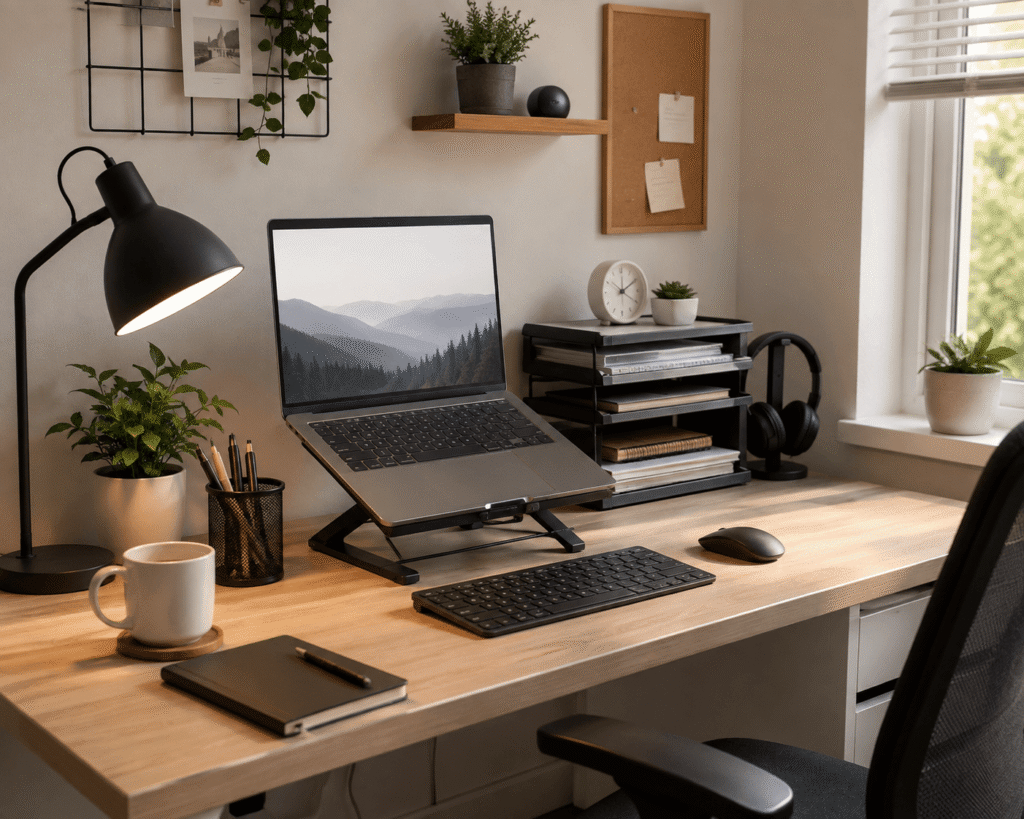
The good news is that small desk upgrades can make a surprising difference. You don’t need an expensive overhaul or a larger room. Sometimes the simplest changes can turn a chaotic study space into something that actually works for you. If you’re working with a smaller desk setup, there are plenty of practical ways to make better use of the space you already have. For more inspiration, check out these best budget college desk setup ideas that won’t break the bank.
This article covers ten straightforward upgrades that students and remote learners find genuinely helpful. Nothing fancy. Nothing expensive. Just practical improvements that make studying feel a little easier.
Quick Picks
- Best Overall: Nulaxy Ergonomic Adjustable Laptop Stand
- Best Budget Option: Aothia Desk Pad Protector
- Best for Small Desks: EVOOMI Back Saver Monitor Stand
Prices are approximate and may change. Ratings and review counts reflect current product data.
Maximizing Comfort and Posture
Nulaxy Ergonomic Adjustable Laptop Stand

If you’re studying from a laptop, you’ve probably noticed that working for hours can leave your neck feeling stiff. Looking down at a screen that sits too low eventually catches up with you. It’s not something you notice right away, but after a few semesters of remote or hybrid classes, it becomes hard to ignore.
A more comfortable setup can make long study sessions feel less draining. Raising your screen closer to eye level removes that forward head tilt and makes reading, typing, and attending virtual lectures feel more natural.
The Nulaxy Ergonomic Adjustable Laptop Stand elevates your laptop to a comfortable height, improving your posture without requiring an external monitor. Priced around $15.99 with a 4.8 ⭐ rating from over 16,700 reviews, it’s a lightweight solution that also improves airflow around your laptop to help keep it running smoothly during extended use.
Students who spend hours typing papers or watching recorded lectures benefit most from this simple upgrade. Many also pair it with a separate keyboard and mouse for better typing posture.
Imagine a study session where you’re actually comfortable. No more neck craning or slouching forward. It’s one of those upgrades most people don’t think about until they try it. Over 10,000 units were purchased in the past month alone, which tells you plenty of students are already discovering this improvement.
EVOOMI Back Saver Monitor Stand

For students using desktop setups, the standard desk height doesn’t always work well. Staring down at a monitor that’s below eye level strains your neck over time, and it’s easy to ignore until the discomfort becomes a regular annoyance.
Bringing your screen to a more natural height can dramatically improve how your body feels during long study sessions. And having extra space underneath doesn’t hurt either.
The EVOOMI Back Saver Monitor Stand is a simple way to elevate your screen while simultaneously creating storage space beneath it. At around $23.99 with a 4.8 ⭐ rating from over 5,600 reviews, it’s constructed from durable hexagonal steel and includes free cable ties to keep things tidy. You can slide notebooks, a keyboard, or even a small lamp underneath to free up valuable desk real estate.
This works especially well for students using larger monitors or docking stations. It’s also great for anyone who wants to keep their desk surface clear without sacrificing screen height.
Picture your monitor sitting at eye level, and underneath it, your keyboard and mouse slide away neatly when you need space for writing. A small improvement with a bigger impact than many expect. And with two stands included in the pack, you can elevate both your main display and a secondary monitor if you’re working with a dual-screen setup.
Organizing Your Study Space
D-Line Cable Management Box

Phone chargers. Laptop cables. Headphone wires. It’s amazing how many cords end up tangled around your desk after just a few weeks of classes. They look messy, collect dust, and sometimes even get in the way of your mouse or keyboard.
A cleaner desk surface makes it easier to focus and reduces the constant visual clutter that competes for your attention. When cables are tucked away, everything feels more organized and intentional.
The D-Line Cable Management Box is an effective solution for hiding power strips and excess wiring. With a 4.5 ⭐ rating from over 7,200 reviews and a price of about $27.99, you simply place your power strip inside, route your chargers through the opening, and suddenly that messy pile of cords disappears. It’s surprisingly satisfying to see a clear desk surface again.
Anyone tired of cables spreading across their desk will appreciate this upgrade. It’s also useful for protecting cords from accidental unplugging or getting tangled. The large size accommodates bulky power strips, and the sleek black design blends easily with most desk setups.
You might be surprised how much difference this can make. A quick fix that keeps your desk looking clean without any complicated installation.
gianotter 4-Tier Desk Organizer

Students often have a collection of small items that need a home. Pens, sticky notes, USB drives, earbuds, and other essentials end up scattered across the desk because there’s nowhere obvious to put them. And when things don’t have a designated spot, they rarely stay organized.
Having a dedicated place for everyday study items can make your workspace feel calmer and more efficient. It’s easier to find what you need when you know exactly where it lives.
The gianotter 4-Tier Desk Organizer provides a clean, accessible place for the small items you reach for regularly. With a 4.6 ⭐ rating from nearly 5,000 reviews and a price around $23.99, it features a drawer, two pen holders, and a file holder. It slides under your monitor or sits beside your laptop, keeping essential supplies within reach but not in the way. No more hunting for a pen or misplacing your earbuds before a lecture.
Students who like their workspace neat and organized will appreciate this simple addition. It’s also helpful for anyone sharing a desk or trying to minimize clutter.
Sometimes the simplest improvements are the ones you notice most. An easy way to keep everyday items orderly and easy to find.
Simple Trending Monitor Stand with Drawer

If your desk surface is crowded, it’s easy to forget that you can also use the area above it. Many students stack things haphazardly, ending up with a workstation that’s cluttered and hard to use.
Creating more usable surface area can help you organize your space more efficiently without upgrading to a bigger desk. You can stack items upward instead of spreading them outward.
The Simple Trending Monitor Stand with Drawer adds an extra layer of usable space by raising your monitor or laptop and creating storage underneath. At just $19.99 with a 4.7 ⭐ rating from over 13,700 reviews, it features a handy pull-out drawer and two pen holders. It holds books, notes, or a tablet while keeping your primary work surface clear for writing or typing.
Students with compact desk setups often find this particularly useful. It’s a practical solution for small dorm rooms, shared spaces, or anyone who wants to maximize limited square footage.
For more workspace organization ideas, be sure to explore these best student desk setup accessories to complement your new organization system.
SUPEASY 5-Tray Paper Organizer

Paper clutter is one of those problems that creeps up slowly. A few handouts here, some printed lecture notes there, and before you know it, your desk is buried in documents that you can’t easily sort through. Finding that one specific paper becomes a frustrating scavenger hunt.
A well-organized document system makes studying more efficient and reduces the stress of misplaced materials. When every paper has its place, your workflow feels smoother from the moment you sit down.
The SUPEASY 5-Tray Paper Organizer provides a dedicated home for all those loose papers. With a 4.5 ⭐ rating from over 4,700 reviews and a price around $17.99, it features five spacious trays with convenient handles for easy portability. The mesh design allows you to see contents at a glance, and the recycled materials construction adds an eco-friendly touch.
Students juggling multiple subjects will appreciate having a separate tray for each class. It’s also useful for organizing bills, mail, or any other paperwork that tends to accumulate.
A practical improvement that’s easy to appreciate once it becomes part of your routine. Over 6,000 units were purchased last month alone, showing just how many people are tackling their paper clutter.
Improving Everyday Productivity
TECKNET Laptop Cooling Pad
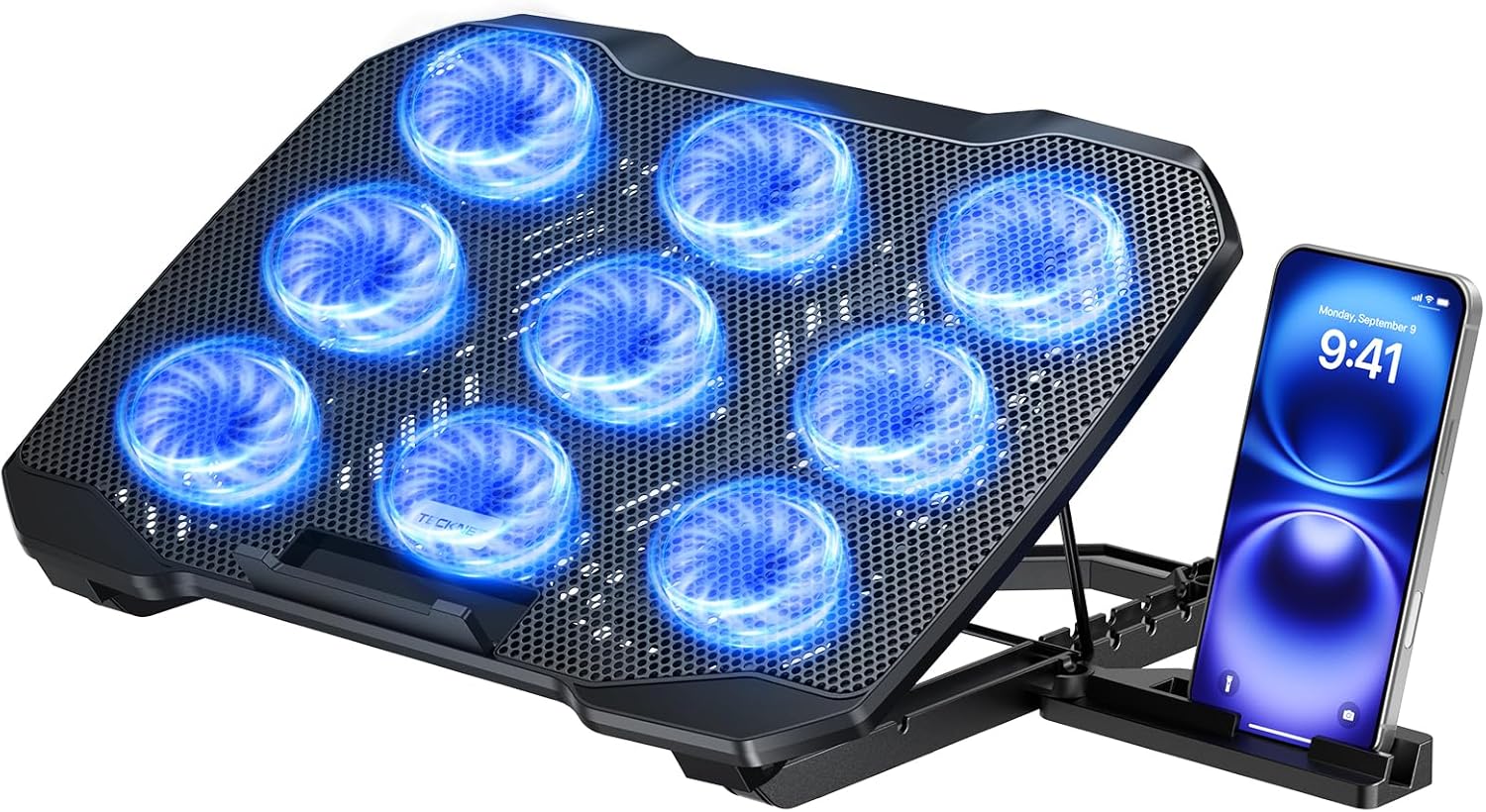
It’s happened to everyone. You’re in the middle of an assignment, and your laptop starts heating up, slowing down, and making its fans sound like they’re preparing for takeoff. Intensive tasks can push student laptops to their limit, and heat buildup directly affects performance and longevity.
A cooler laptop runs more smoothly and lasts longer between upgrades. Reducing heat exposure also protects internal components, which is especially important for students who rely on their device for everything.
The TECKNET Laptop Cooling Pad raises your laptop slightly while using built-in fans to improve airflow. At about $25.99 with a 4.4 ⭐ rating from over 7,700 reviews, it offers stepless speed control up to 2600 RPM and whisper-quiet operation. It’s compatible with laptops from 12 to 15.6 inches and even includes a built-in phone stand.
Students who regularly run multiple applications, stream lectures, or use resource-intensive software will notice the biggest benefit. It’s also helpful for anyone whose laptop sits directly on their desk without good ventilation.
A practical improvement that’s easy to appreciate once it becomes part of your routine. And it’s one less thing to worry about during a busy semester.
APPHOME Foldable Headphone Stand
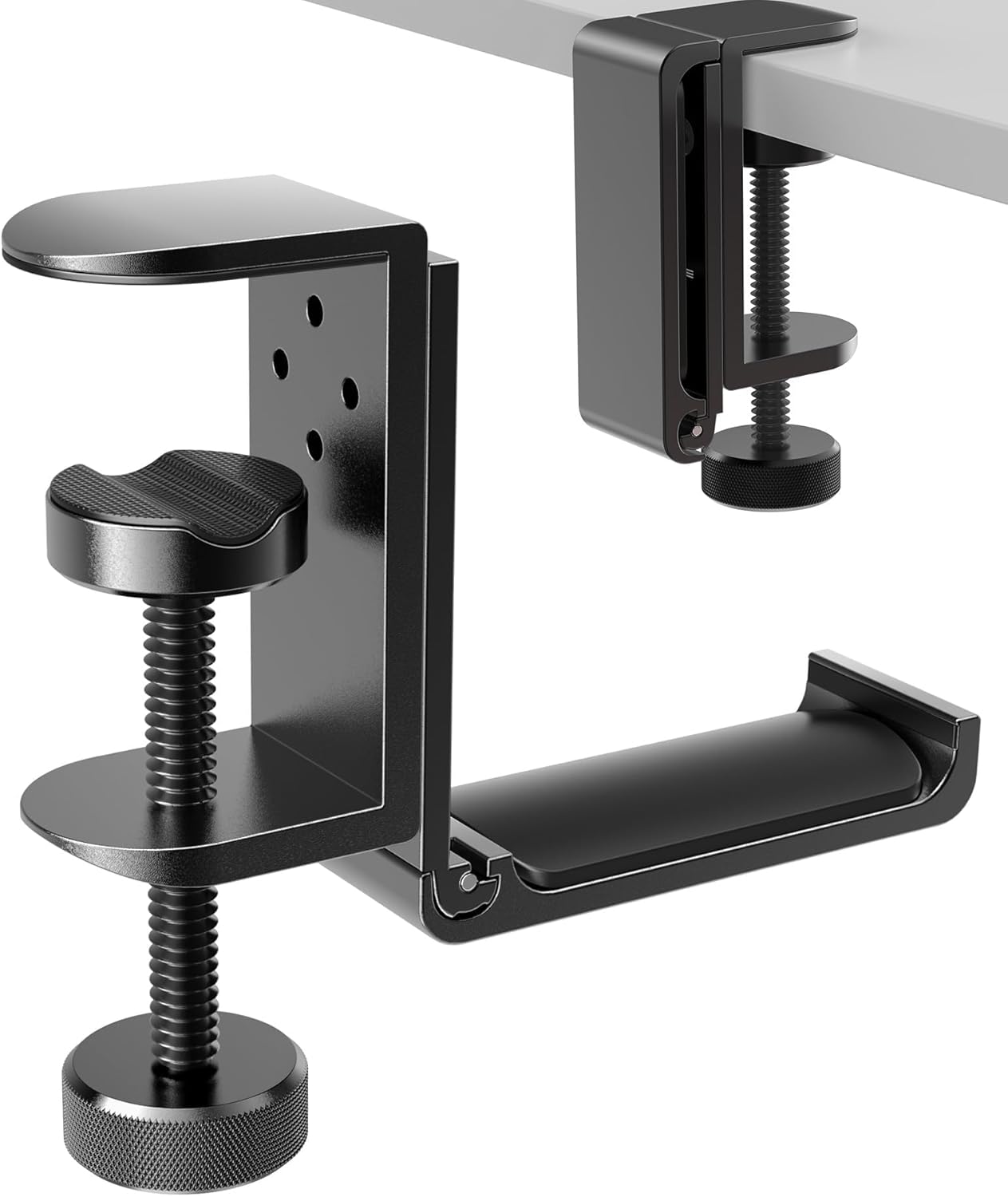
Headphones are essential for online classes and focused study sessions, but storing them properly is often overlooked. Leaving them on your desk takes up space and risks tangling or damage. And when your desk is already crowded, every inch matters.
Having a designated spot for your headphones keeps your desk surface clear and protects your gear. It’s also convenient when you reach for them multiple times throughout the day.
The APPHOME Foldable Headphone Stand mounts discreetly out of sight, keeping your headphones accessible without eating up desk space. With a 4.8 ⭐ rating from over 8,900 reviews and a price of about $16.99, it clamps securely to the edge of your desk and folds flat when not in use. The durable aluminum construction supports most headphone and gaming headset models.
Anyone who uses headphones frequently for studying or attending virtual lectures will find this helpful. It’s also useful for students who want to protect expensive audio equipment from accidental damage.
Easy to ignore until you experience the difference. A tiny upgrade with surprisingly practical benefits.
Aothia Desk Pad Protector

If you’ve ever tried writing or using a mouse on a desk with a rough or uneven surface, you know how distracting it can be. Some desks just don’t provide the smooth, comfortable workspace you need for extended study sessions.
A better writing and working surface makes every interaction with your desk feel more pleasant. It reduces friction, protects your furniture, and creates a cleaner aesthetic for your workspace.
The Aothia Desk Pad Protector spreads out across your work area, providing a smooth, comfortable surface for both writing and mouse movement. At just $9.99 with an impressive 4.6 ⭐ rating from over 78,600 reviews, it’s constructed from non-slip waterproof PU leather that protects your desk from spills, scratches, and daily wear. It’s the #1 best seller in mouse pads for good reason.
Students who switch frequently between writing notes and using their computer will appreciate the versatility. It’s also great for anyone wanting to refresh their desk’s appearance without major changes.
If you want a cleaner home office setup, this is one of the simplest ways to upgrade. A small change that makes studying feel a little easier every day.
Enhancing Your Workspace Lighting
Airlonv LED Desk Lamp with Clamp

Studying late into the evening often means relying on whatever overhead light is available. The problem is that most room lights create harsh shadows, uneven brightness, and can even make you feel sleepier than you actually are. When you’re trying to focus, lighting matters more than most students realize.
Better illumination reduces eye strain and makes reading, writing, and screen work more comfortable. The right lighting can also help maintain your energy levels during evening study sessions.
The Airlonv LED Desk Lamp with Clamp gives you control over the brightness and warmth of your workspace light. Priced around $19.92 with a 4.5 ⭐ rating from nearly 8,000 reviews, it features a 360° gooseneck design and clamp that fits monitors up to 30 inches. Cooler light mimics natural daylight and can help you stay alert, while warmer tones are easier on your eyes during late-night work.
Anyone who studies in the evenings or works in a dimly lit room will benefit from better lighting. It’s also helpful for reducing screen glare and improving concentration. The stepless dimming feature lets you adjust brightness precisely to your preference.
One of those upgrades that feels small until you use it every day. A practical improvement that supports both focus and eye comfort.
What to Look For Before Buying
Before making any changes to your workspace, consider a few practical factors. Think about your desk size and how much surface area you actually have available. Comfort should always come first, especially with items you’ll use daily. Consider your storage needs and what you realistically need to keep within reach. Cable management is worth addressing if cords constantly tangle or block your working area. Durability matters for items you’ll move or adjust frequently. And ease of use ensures you’ll actually incorporate these changes into your routine. If you’re looking for more study efficiency ideas, these best productivity tools for students can help round out your workspace improvements.
Conclusion
Making a few thoughtful updates to your study space doesn’t have to be complicated or expensive. The ten upgrades outlined here are practical, affordable, and designed to address the daily frustrations that students face. Whether you’re struggling with posture, organization, lighting, or simply feeling distracted by clutter, there are straightforward solutions available. Small improvements can noticeably improve your comfort, focus, and overall productivity. And if you’re looking to stay focused while working, these upgrades provide a solid foundation for better study habits.