
Disclosure: As an Amazon Associate I earn from qualifying purchases.
Introduction
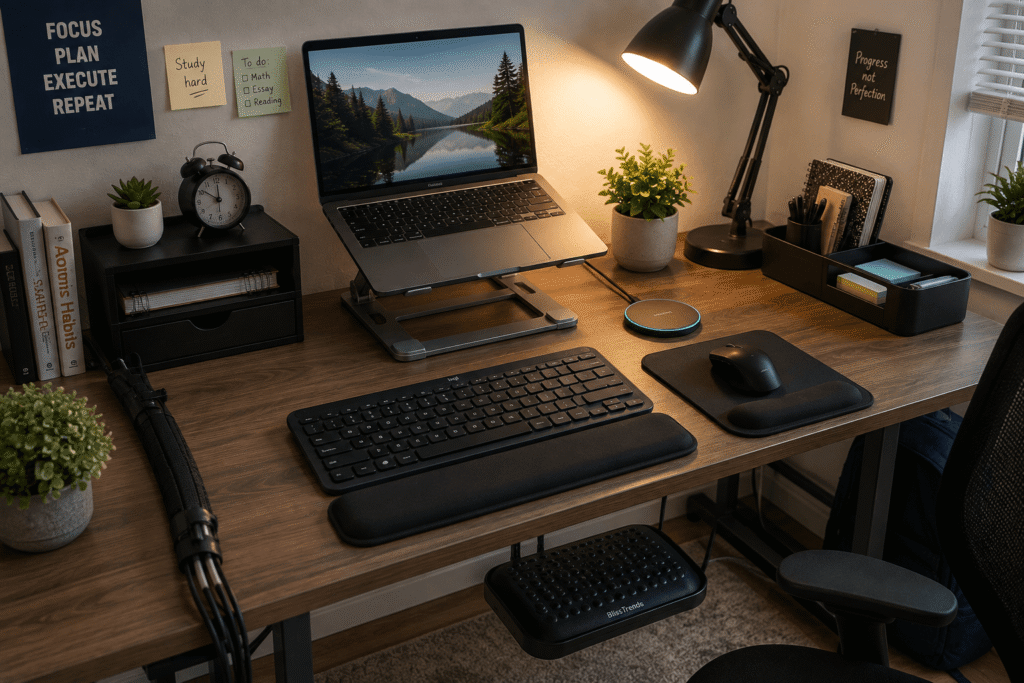
If you’re working from a small dorm desk or a cramped corner in your apartment, you already know the struggle. Your workspace probably feels cluttered, and your back might be starting to ache after a few hours of studying or remote work. The thing is, you don’t need a massive budget or a giant desk to create a setup that actually works for you.
Small, affordable upgrades can make a surprising difference in how comfortable and productive you feel throughout the day. Whether you’re pulling late-night study sessions or logging into class, the right tools help you stay focused without feeling cramped. If you’re working with a smaller desk setup, you’ll find these ideas especially useful. Let’s walk through some practical changes that won’t break the bank but will change how you work.
Prices are approximate and may change. Ratings and review counts reflect current product data.
Quick Picks
Best Overall: Nulaxy Adjustable Laptop Stand – ~$15.99, 4.8 ⭐ (16,710+ reviews)
Best Budget Option: Alex Tech Cable Management Sleeve – ~$8.99, 4.7 ⭐ (84,213+ reviews)
Best for Small Desks: OPNICE Desk Shelf with Drawer – ~$19.79, 4.7 ⭐ (3,137+ reviews)
Comfort and Ergonomics
Nulaxy Adjustable Laptop Stand

Looking down at your laptop for hours can leave your neck feeling stiff and sore by the end of the day. That slight angle forces your head forward, which adds unnecessary strain to your shoulders and upper back. Over time, it becomes harder to focus when discomfort keeps pulling your attention away from your work.
Raising your screen to eye level makes a huge difference in how you hold yourself while working. It encourages a more neutral posture, which helps you stay comfortable for longer stretches.
The Nulaxy Adjustable Laptop Stand is one of those upgrades most people don’t think about until they try it. It lifts your laptop to a more natural height, allowing you to look straight ahead instead of cranking your neck downward. This stand folds up easily, so you can tuck it away when you’re not using it. It also improves airflow underneath your device, which keeps it from overheating during long study sessions.
This upgrade is especially helpful for anyone who spends more than a couple of hours at a time on a laptop. It also pairs well with a separate keyboard and mouse for an even more comfortable posture.
Picture yourself preparing for a big exam. You’ve got your notes open, your textbook nearby, and your laptop elevated comfortably. No slouching. No neck pain. Just focus. Once you experience the difference, it’s hard to go back.
At around $15.99 with over 16,700 positive reviews, this stand is a practical improvement that’s easy to appreciate once it becomes part of your routine.
Amazon Basics Monitor Riser
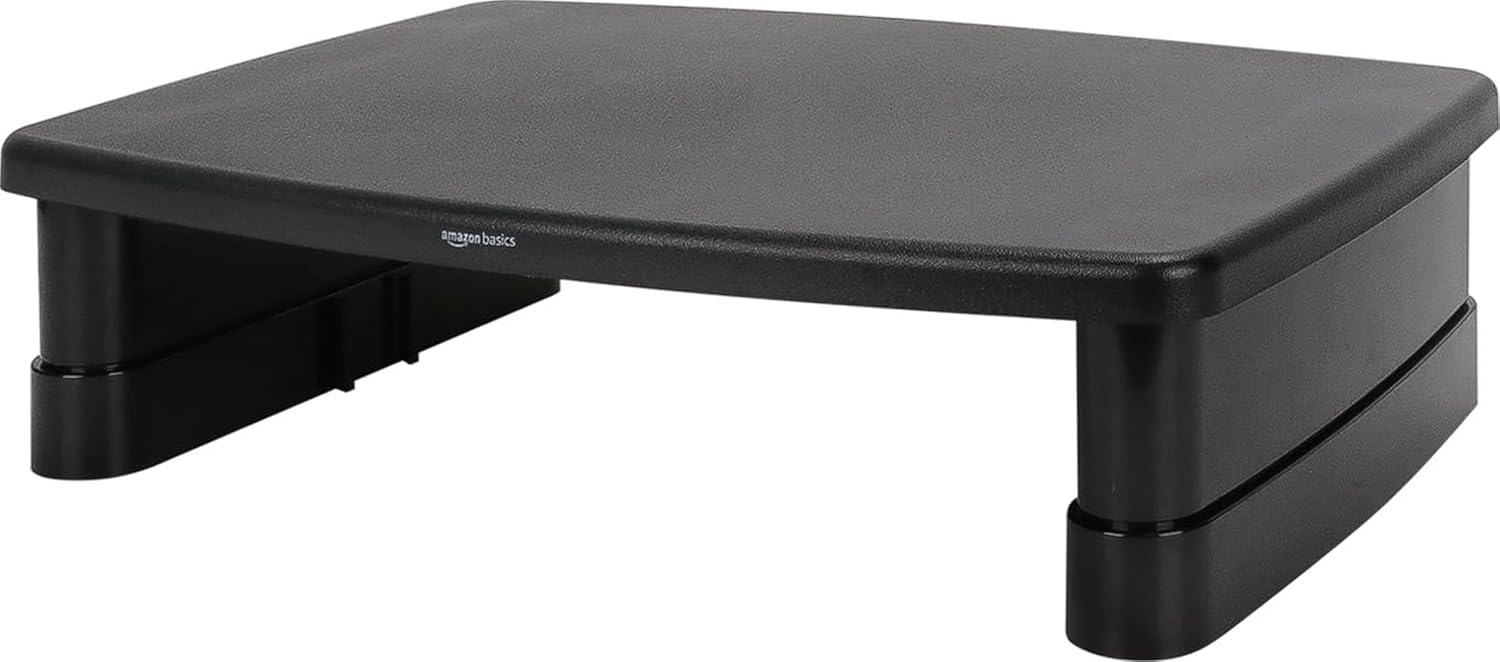
If you’re using an external monitor, you might still be looking slightly down at it if it’s sitting directly on your desk. That position forces your neck into a forward tilt, which can cause strain even if you don’t realize it in the moment.
Having your screen at a proper height helps you maintain better alignment, which can make a real difference during those long work sessions. An elevated monitor just feels more natural.
The Amazon Basics Monitor Riser is a simple way to bring your screen to the right level while creating extra storage space underneath. You can slide your keyboard, notebooks, or other items out of the way when you’re not using them. This riser also has a three-level stackable design, so you can adjust it to your preferred height. The durable ABS plastic construction supports up to 22 pounds, which is sturdy enough for most monitors.
This works great for anyone who wants to keep their desk surface clear while improving their viewing angle. It’s especially helpful if you use multiple devices and need a clean space to switch between them.
Imagine finishing a long study session and realizing you haven’t had to shift your position constantly to see your screen. That’s the kind of comfort that lets you focus on your work instead of your posture.
For around $16.19 and backed by over 25,000 reviews, this riser is easy to ignore until you experience the difference.
BlissTrends Under-Desk Foot Rest

You might not think about where your feet are while you’re sitting, but if they’re dangling or resting awkwardly on the floor, your lower back ends up compensating. That can lead to discomfort that builds slowly over the day.
Having your feet supported helps keep your spine aligned, which reduces pressure on your lower back and makes sitting feel more stable.
The BlissTrends Under-Desk Foot Rest is one of those simple fixes you didn’t know you needed. It lets you rest your feet at a comfortable angle, which takes strain off your legs and improves your overall posture. This foot rest offers two adjustable heights, so you can find the position that feels best for you. The washable cover makes it easy to keep clean, and the black finish blends in with most setups.
This is especially useful if you’re shorter or your chair doesn’t adjust low enough to keep your feet flat on the floor. It’s also a great addition if you tend to shift around a lot while working.
Think about sitting through a long lecture or meeting online. With this foot rest, you can stay comfortable without fidgeting or losing focus. It’s one of those upgrades that makes everyday work feel a little smoother.
Available for about $19.97 and rated 4.4 stars from over 9,000 reviews, small upgrades like this often have a bigger impact than expected.
Organization and Desk Space
WALI Desk Organizer Tray

When your desk is covered with loose pens, sticky notes, and random gadgets, it’s hard to find anything quickly. That clutter doesn’t just look messy—it also makes it harder to concentrate.
A clean workspace helps you focus more easily because your attention isn’t divided by visual chaos. Having a designated place for everything makes a noticeable difference in how your desk feels.
The WALI Desk Organizer Tray gives you a simple home for your everyday essentials. Pens, highlighters, sticky notes, earbuds, and small accessories all have a spot. This four-tier tray keeps everything visible but contained, so items don’t spread across your desk. It also includes a drawer and two pen holders, which is perfect for stashing smaller supplies that tend to get lost. The black finish keeps it looking professional and neutral.
This upgrade is perfect for anyone who uses multiple tools throughout the day, whether you’re jotting down class notes, sketching ideas, or just need quick access to your supplies.
Imagine reaching for your favorite pen or a sticky note without having to dig through piles of random items. It’s a small improvement, but it makes your workspace feel more functional and less chaotic.
At $17.99 with a 4.6-star rating from over 4,400 reviews, this organizer is a practical improvement that’s easy to appreciate once it becomes part of your routine.
OPNICE Desk Shelf with Drawer

If your desk is small, every inch of surface space matters. Piling things up just makes it harder to spread out your actual work, whether that’s a laptop, notebook, or textbook.
Adding vertical storage can free up the surface area you need for the tasks that matter most. It’s a clever way to work smarter with limited space.
The OPNICE Desk Shelf with Drawer gives you both elevation and hidden storage. You can place your laptop or monitor on top while using the drawer for smaller essentials like chargers, headphones, or sticky notes. This two-tier shelf also includes two pen holders, adding even more organization to your setup. It’s particularly useful for tight spaces where traditional drawers aren’t an option.
This is ideal for students and remote workers with limited desk space. It’s also a smart solution if you tend to accumulate small items that don’t have a natural home.
Picture a workspace where your monitor sits at the right height, and your extra cables, notebooks, and desk accessories are tucked neatly away. That’s the kind of setup that feels intentional and productive.
With over 8,000 monthly purchases and a 4.7-star rating from more than 3,100 reviews, this shelf is one of those simple improvements that quietly makes a big difference.
Alex Tech Cable Management Sleeve
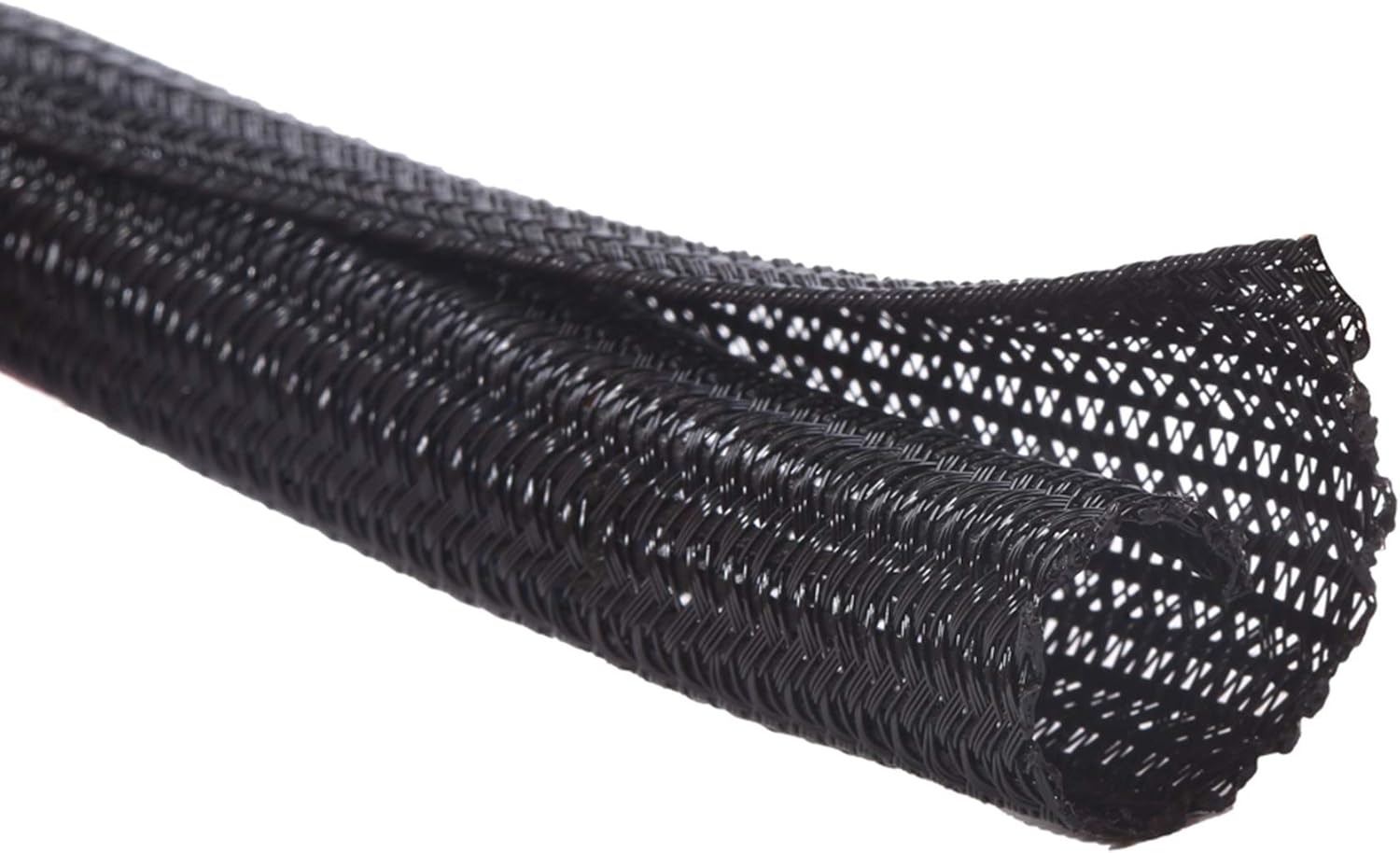
If your desk has a tangle of chargers, USB cables, and power cords, you know how frustrating it can be to find the right one when you need it. Cables also collect dust and make your workspace feel chaotic.
Keeping cords contained and routed neatly helps your setup look cleaner and makes it easier to keep your desk surface clear.
The Alex Tech Cable Management Sleeve is an affordable way to bundle your cables together into one tidy tube. You just feed your cables through the sleeve, and they stay organized and out of sight. This 10-foot sleeve is split for easy installation, and it protects your cables from getting tangled or damaged over time. The black finish blends in nicely, and it can be tucked under your desk or along the back edge.
This is perfect for anyone with multiple devices, including a laptop, external monitor, charger, phone, and other peripherals. It’s also helpful if you share a workspace and want to keep things looking polished.
Imagine never having to trace a cable to figure out what it’s connected to. You can just glance at your setup and know exactly what goes where.
For only $8.99 and with an impressive 4.7-star rating from over 84,000 reviews, you might be surprised how much difference this can make.
Velener Small Artificial Plant
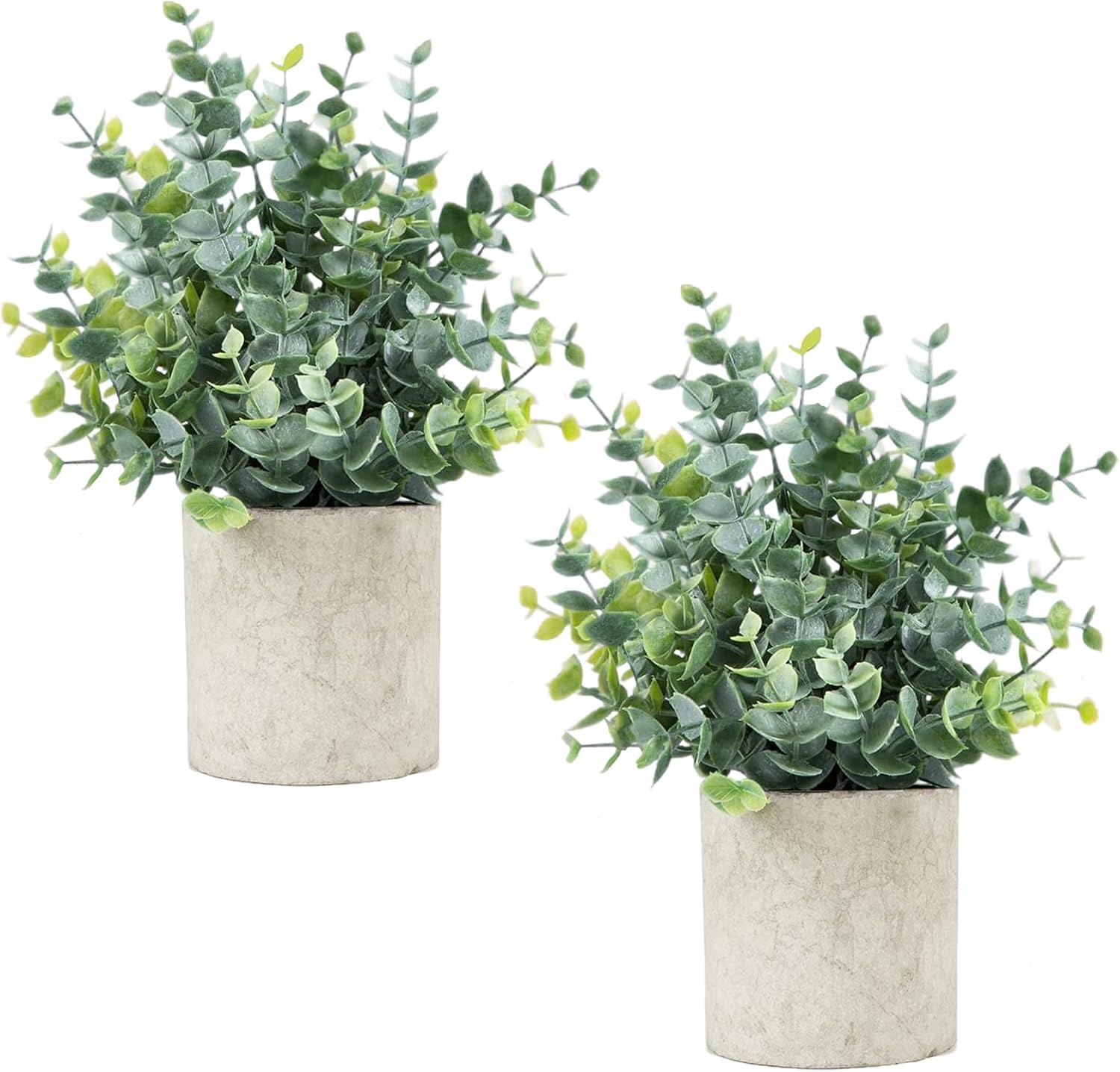
Desk setups can feel overly functional or even sterile without a little character. Staring at the same blank workspace day after day can start to feel a bit draining.
Adding something alive, even a small plant, can make your desk feel more inviting and refreshing. It’s a simple way to brighten up your environment.
The Velener Small Artificial Plant is an affordable and low-maintenance way to bring some warmth to your workspace. This set includes two small eucalyptus plants that look natural and require zero care. They come in a sage green color that adds visual interest without being distracting. Even a small pot on the corner of your desk can change the overall feel of your setup.
This works well for anyone who spends a lot of time at their desk and wants to create a more pleasant atmosphere. It’s also a nice touch for people who want their workspace to feel personal without being cluttered.
Picture glancing over at one of these plants while you’re taking a break from studying. It’s a small reminder to breathe and reset.
At $12.59 for a two-pack and with over 5,400 positive reviews, this is one of those inexpensive additions that makes your workspace feel more complete.
Productivity and Convenience
Amazon Basics Wireless Charging Pad

Plugging and unplugging your phone throughout the day can become a small but constant interruption. You might also find that your phone ends up taking up valuable space with a cable trailing across your desk.
A clean charging setup saves you time and keeps your workspace looking tidy without adding unnecessary clutter.
The Amazon Basics Wireless Charging Pad provides a dedicated spot for your phone to charge without the hassle of cables. Just set it down, and it starts charging. This Qi-certified pad delivers 15W fast charging, and it works with most cases. The non-slip surface keeps your phone in place, and the USB cable is included so you can plug it in right away.
This is a great option for anyone who uses their phone throughout the day for class updates, quick research, or staying connected. It’s also helpful if you want to limit cable clutter around your workspace.
Imagine always knowing where your phone is and never having to search for the charging cable. You just place it down, and it’s ready to go when you need it.
Priced at $21.59 with over 6,600 reviews, this charging pad is a small convenience that adds up over time.
Gorilla Grip Ergonomic Mouse Pad with Wrist Rest

Using a regular mouse pad over long periods can cause your wrist to sit at an awkward angle. That strain can lead to fatigue and discomfort, especially when you’re doing detailed work like editing, design, or just scrolling through documents.
Keeping your wrist supported helps reduce pressure and makes repetitive tasks feel less tiring.
The Gorilla Grip Ergonomic Mouse Pad with Wrist Rest keeps your wrist in a more neutral position while you work. The cushioned memory foam support reduces pressure on your wrist and forearm, which can help prevent discomfort over time. This two-piece set includes a mouse pad and a separate keyboard wrist rest, so you get full support for both hands. The stain-resistant material also makes it easy to keep clean.
This is especially beneficial for remote workers, students, or anyone who spends several hours navigating spreadsheets, documents, or design work. It’s a small investment that can make a noticeable difference in how your hand feels at the end of the day.
Think about finishing a long project without feeling the need to shake out your wrist. That kind of comfort is what makes consistent work possible.
At just $12.99 and rated 4.5 stars from over 6,900 reviews, this set is one of those upgrades that feels small until you use it every day.
Airlonv Desk Lamp with Clamp

Poor lighting can make it hard to read, study, or focus, especially if your desk sits away from a window or you tend to work during evenings. Relying on overhead lights can also leave shadows across your workspace.
Good lighting helps you see clearly and reduces eye strain, making it easier to stay focused for longer periods.
The Airlonv Desk Lamp with Clamp attaches to the edge of your desk, saving valuable surface space. It also gives you adjustable lighting that you can position exactly where you need it. This lamp features a 17-inch gooseneck with 100 LEDs, offering stepless dimming and adjustable color temperatures from warm to cool. The clamp fits monitors up to 30 inches, and the flicker-free design helps reduce eye strain during late-night work sessions.
This is perfect for anyone who works in low-light conditions or wants to reduce the glare on their screen. It’s also a great option for small desks where traditional lamp bases take up too much room.
Imagine being able to work comfortably late into the night without struggling to see your materials. Good lighting helps everything else fall into place.
For around $19.92 and with a 4.6-star rating from over 7,900 reviews, this lamp is an improvement that’s easy to appreciate once you experience the difference.
What to Look For Before Buying
Before picking out any upgrades, consider your specific setup. A few simple considerations can help you choose the right options for your space.
Think about desk size first. If your desk is small, prioritize items that take up minimal surface space, like clamp-on lamps or under-desk foot rests. Measure your desktop area so you know what can comfortably fit.
Comfort is another priority. Focus on upgrades that improve posture, reduce strain, or support better alignment. Adjustable stands, wrist rests, and foot rests tend to have the biggest impact on how you feel during and after work.
Storage needs matter too. If your workspace gets cluttered, prioritize organizers, shelves, and cable management tools before focusing on comfort upgrades. A tidy space is easier to work in.
Cable management isn’t just about aesthetics. Keeping cords organized prevents tripping hazards and makes it easier to reconfigure your setup. Look for tools that are easy to install and adjust.
Durability and ease of use also matter. You want products that hold up over time and are easy to set up without a lot of effort. Simple, practical solutions tend to work best.
Conclusion
Creating a better desk setup doesn’t require a huge budget or a massive workspace. The right small upgrades can noticeably improve your comfort, focus, and organization. Whether you’re a student or a remote worker, you deserve a workspace that supports the time you spend at your desk.
Start with one or two upgrades that address your biggest frustrations, and build from there. Even small changes add up. If you’re looking for more workspace inspiration, check out our guide on Best Summer Workspace Upgrades for seasonal ideas.
Your desk should work for you, not against you.