
Disclosure: As an Amazon Associate I earn from qualifying purchases.
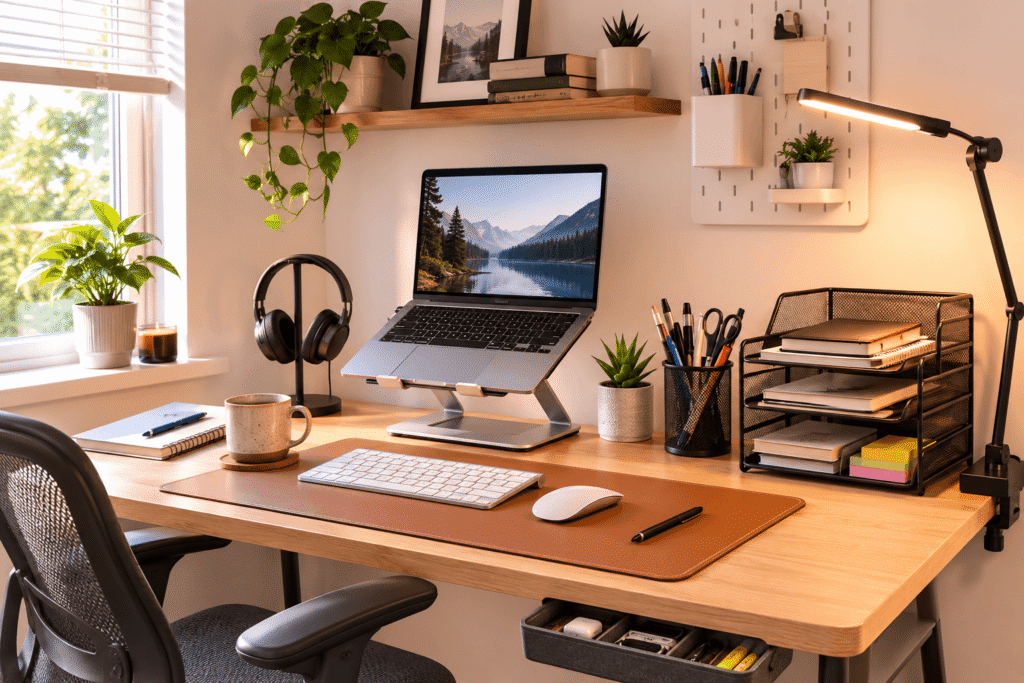
A desk doesn’t have to be expensive to be comfortable, organized, and genuinely pleasant to use. Some of the most frustrating workspace problems—tangled cables, poor screen height, scattered supplies, or not enough usable surface space—can often be improved with surprisingly simple accessories.
That’s especially useful if you’re working from a bedroom, dorm, apartment, or small home office where replacing the entire desk isn’t practical. The right upgrade can make the space you already have work much better without adding unnecessary clutter.
The best desk accessories under $20 tend to solve one specific everyday annoyance rather than trying to completely transform your setup. Below are ten practical upgrades for organization, ergonomics, comfort, and productivity, with options for different types of workspaces.
If space is your biggest limitation, our Best Compact Desk Accessories guide has more ideas designed specifically for smaller setups.
Quick Picks
Best Overall: Nulaxy Ergonomic Adjustable Laptop Stand — A versatile upgrade for improving laptop screen positioning and everyday desk comfort.
Best Budget Option: Lamicall Cord Organizer — A simple way to stop frequently used charging cables from constantly disappearing behind your desk.
Best for Small Desks: Bostitch Konnect Under Desk Drawer — Adds useful storage without taking away valuable desktop space.
Prices are approximate and may change. Ratings and review counts reflect current product data.
Main Article
Everyday Comfort and Desk Essentials
Nulaxy Ergonomic Adjustable Laptop Stand

Working directly from a laptop for hours can leave you constantly looking down at the screen. Even if you don’t notice it immediately, that position can become uncomfortable during longer work or study sessions.
Raising the display closer to eye level can make the whole setup feel more natural. The Nulaxy Ergonomic Adjustable Laptop Stand provides an adjustable platform that lets you change the height and angle of your laptop instead of leaving it flat on the desk.
Approx. price: ~$16.99 | Rating: 4.7 ⭐ | Reviews: 16,784+
It’s easy to overlook because a laptop technically works perfectly well without a stand. The difference becomes more obvious when you’re writing, attending meetings, or editing for several hours at a time.
Remote workers and students who use laptops as their primary computers will probably benefit most. You could raise your screen during a long research session and use an external keyboard when you need a more desktop-like setup.
The foldable design also makes the Nulaxy Ergonomic Adjustable Laptop Stand easier to move or store when desk space is limited. It’s one of those upgrades that feels small until you use it every day.
Aothia Leather Desk Pad

If your keyboard, mouse, notebook, and coffee mug always seem to be shifting around, your desk can feel messy even when there isn’t much on it.
Creating one defined working area can make the surface feel more intentional. The Aothia Leather Desk Pad provides a large surface for everyday desk essentials while also protecting the desktop underneath.
Approx. price: ~$8.99 | Rating: 4.6 ⭐ | Reviews: 78,903+
Desk pads are often treated as decorative accessories, so their practical side is easy to overlook. In everyday use, the non-slip surface can help keep frequently used items in place while giving you a consistent area for both mouse movement and writing.
Students, remote workers, and anyone switching between digital and paper tasks can benefit. Picture sitting down in the morning with your keyboard, mouse, and notebook already positioned within the same workspace.
At 23.6 by 13.7 inches, the Aothia Leather Desk Pad is worth measuring against your desk before buying. Sometimes the simplest improvements are the ones you notice most.
Lamicall Cord Organizer

A few loose cables can make an otherwise clean desk frustrating to use. Charging cords fall behind the desk, cables get tangled, and unplugging one device can turn into a small daily annoyance.
Keeping those cables in predictable places makes everything easier. The Lamicall Cord Organizer includes eight adhesive cable clips designed to hold frequently used cords where you actually need them.
Approx. price: ~$8.99 | Rating: 4.7 ⭐ | Reviews: 4,115+
Because cable holders are tiny, they’re one of those upgrades most people don’t think about until they try them. They can be particularly useful along the back or side of a desk where charging cables naturally tend to disappear.
Anyone using multiple chargers, peripherals, or USB devices can benefit. For example, your phone cable can stay beside your keyboard rather than falling to the floor every time you unplug your phone.
Planning each cable route before installing the Lamicall Cord Organizer will help you get more from the eight-piece set. It’s an easy way to make everyday work feel a little smoother.
SUPEASY 5-Tray Paper Organizer

Notebooks, documents, mail, and loose papers can consume desk space surprisingly quickly. Stacking everything in one pile solves the problem temporarily, but finding something later becomes another task.
Separating papers into dedicated levels keeps them accessible without spreading them across your workspace. The SUPEASY 5-Tray Paper Organizer provides five vertical trays for sorting documents while using a relatively compact area of the desk.
Approx. price: ~$16.99 | Rating: 4.5 ⭐ | Reviews: 4,734+
Paper storage is easy to overlook in increasingly digital workspaces, but many students and home office users still deal with notes, forms, receipts, and printed documents regularly.
A student could keep assignments on one level, notebooks on another, and papers that need attention near the top. Remote workers can use the same idea to separate active documents from items that need filing.
If paper clutter is one of your biggest problems, the SUPEASY 5-Tray Paper Organizer makes more sense than simply adding another container. You can find more space-saving ideas in our guide to the Best Desk Storage Solutions for Small Spaces.
Ergonomic and Space-Saving Upgrades
BlissTrends Adjustable Foot Rest

A chair can feel perfectly fine while your legs still never quite find a comfortable position. This is particularly noticeable when your desk height requires you to raise the chair higher than you’d naturally prefer.
Supporting your feet can make your seated position feel more stable. The BlissTrends Adjustable Foot Rest provides a cushioned surface with two height options for changing how your feet are supported under the desk.
Approx. price: ~$19.97 | Rating: 4.4 ⭐ | Reviews: 9,066+
It’s often ignored because people naturally focus on chairs when thinking about desk comfort. But where your feet rest can also influence how comfortable your sitting position feels over a long session.
Anyone whose feet don’t comfortably sit flat on the floor may find it useful. During a full workday, having a dedicated place to reposition your feet can feel better than constantly adjusting your chair or tucking your legs underneath it.
The washable cover also makes the BlissTrends Adjustable Foot Rest practical for everyday use. It’s a small improvement that’s easy to appreciate once it becomes part of your routine.
Height Adjustable Monitor Stand Riser

If your monitor sits too low, you may find yourself leaning forward or looking downward without realizing how often you do it.
A better screen position can make long computer sessions feel more comfortable while creating useful space underneath the display. The Height Adjustable Monitor Stand Riser offers three height settings and a platform designed to support monitors or laptops.
Approx. price: ~$16.19 | Rating: 4.6 ⭐ | Reviews: 25,105+
That combination of screen elevation and extra storage space is why this type of upgrade can be more useful than it initially appears. Instead of occupying desk space without giving anything back, the raised platform creates room underneath.
It’s particularly useful for compact home offices where one desk handles work, studying, and personal tasks. At the end of the day, you might slide smaller accessories beneath the riser and immediately regain some usable surface area.
With support for up to 22 pounds, the Height Adjustable Monitor Stand Riser is still something you’ll want to match carefully to your monitor. Small upgrades like this often have a bigger impact than expected.
Voncerus LED Clamp Desk Lamp

A workspace that feels fine during the day can become surprisingly unpleasant once natural light disappears. Dim lighting can also make reading notes or working with physical documents more difficult.
Adding focused light exactly where you need it can make evening work much more comfortable. The Voncerus LED Clamp Desk Lamp attaches to the edge of a desk and uses a flexible gooseneck to direct light toward your working area.
Approx. price: ~$16.99 | Rating: 4.6 ⭐ | Reviews: 8,994+
Lighting is often treated as decoration rather than part of a functional setup, which makes this upgrade easy to ignore. The clamp design is particularly interesting for smaller desks because the lamp doesn’t need a large base occupying valuable surface space.
Students, night owls, and anyone working in a darker corner of a room should get the most use from it. You can direct light toward a notebook during an evening study session without illuminating the entire room as brightly.
With three lighting modes and multiple brightness levels, the Voncerus LED Clamp Desk Lamp also gives you room to adjust the lighting for different tasks. Good lighting is one of the simplest ways to make a workspace feel more comfortable.
Organization and Productivity Upgrades
APPHOME Foldable Headphone Hanger
Headphones often occupy far more desk space than expected. Leave them beside your keyboard, and they quickly become one more object you have to move whenever you need extra room.
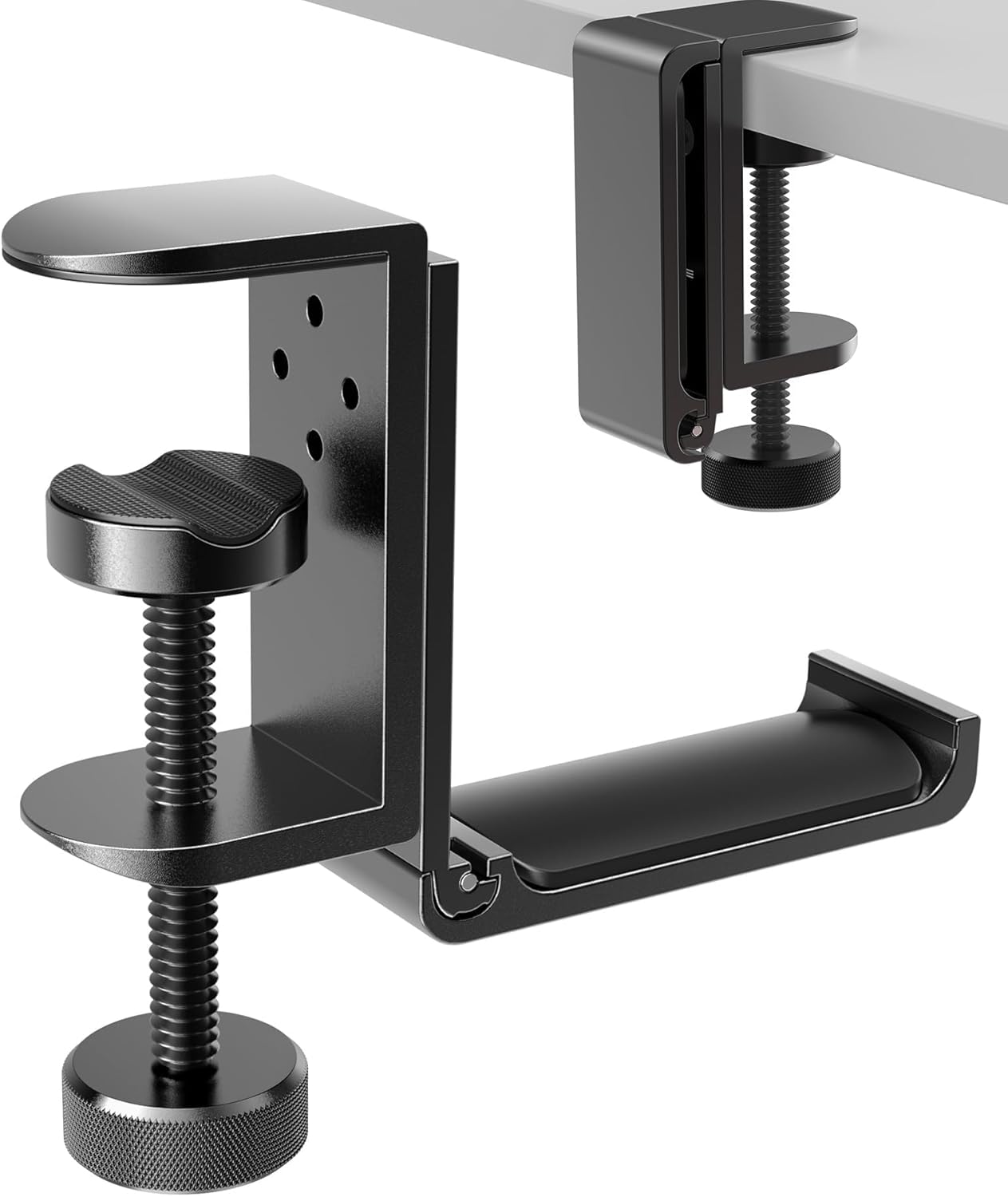
Moving them underneath the desktop keeps them accessible without sacrificing working space. The APPHOME Foldable Headphone Hanger clamps underneath a desk and provides a dedicated hook for storing a headset when it isn’t being used.
Approx. price: ~$16.99 | Rating: 4.8 ⭐ | Reviews: 8,914+
A headphone hanger can seem unnecessary until you’re repeatedly moving a headset out of the way. For people who use headphones every day for meetings, studying, music, or gaming, having a consistent storage location becomes surprisingly convenient.
Imagine finishing a video call and hanging your headphones underneath the desk rather than dropping them on top of a notebook.
The foldable design means the APPHOME Foldable Headphone Hanger can also stay out of the way when it isn’t needed. One less loose object on your desktop can make organization noticeably easier.
Bostitch Konnect Under Desk Drawer

Small desks often have enough surface area for actual work but almost no room for storage. Adding another organizer on top only reduces the space available for your laptop, keyboard, or notebook.
Moving small items underneath the desk can solve that problem. The Bostitch Konnect Under Desk Drawer adds slide-out storage beneath the desktop instead of occupying the working surface.
Approx. price: ~$14.19 | Rating: 4.5 ⭐ | Reviews: 854+
This is particularly easy to overlook because the underside of a desk doesn’t normally feel like usable storage. That’s exactly what makes the idea useful for compact setups.
Students could keep pens, sticky notes, flash drives, and small charging accessories underneath while leaving the desktop clear for studying. The customizable dividers also make it easier to separate smaller items instead of creating another miscellaneous drawer.
The Bostitch Konnect Under Desk Drawer comes as a two-pack, which can be useful if you have several categories of small accessories to store. For dorm setups where every inch matters, our Best Dorm Room Desk Setup Essentials guide has more practical ideas.
OORAII Rotating Productivity Timer
When your desk is comfortable but you still keep checking your phone, the problem may have less to do with the workspace and more to do with maintaining focus.
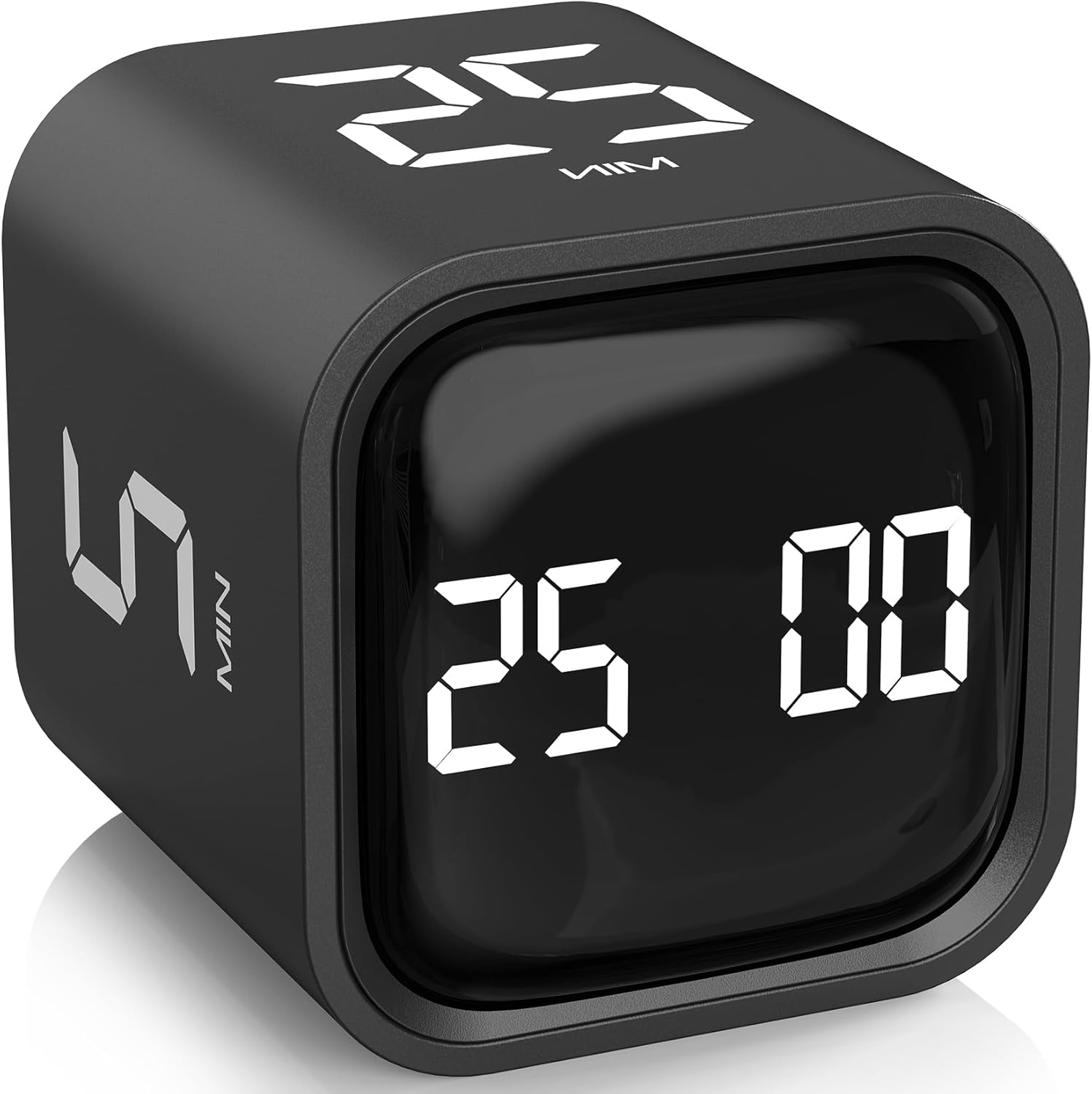
Creating defined periods for concentrated work can make a long task easier to approach. The OORAII Rotating Productivity Timer provides preset countdown options for common work intervals without requiring you to open a timer app on your phone.
Approx. price: ~$16.99 | Rating: 4.6 ⭐ | Reviews: 1,252+
A dedicated timer can sound unnecessary when every phone already includes one. The advantage is precisely that you don’t have to pick up the device containing your messages, social media, and other distractions just to check how much time remains.
Students, writers, and remote workers doing independent tasks may benefit most. You can set a 25-minute session, place the timer beside your monitor, and concentrate on one task until the countdown ends.
The OORAII Rotating Productivity Timer also offers other preset intervals, vibration, volume settings, and a custom mode, so it isn’t limited to one routine. Sometimes removing one small distraction is more useful than adding another productivity app.
What to Look For Before Buying
Start with desk size. Measure your available surface and under-desk clearance rather than assuming an accessory will fit. This matters particularly with monitor risers, paper organizers, lamps, headphone hangers, and storage drawers.
Think about comfort next. Ergonomic accessories should address a specific issue in your current setup, such as a low screen or an awkward sitting position. There’s little benefit in adding equipment simply because it appears ergonomic.
Your storage needs matter too. Identify what actually creates clutter before buying an organizer. If loose cables are the main problem, improving cable management may make more sense than adding another storage container.
Consider durability for anything supporting your equipment. Laptop stands, monitor risers, adhesive drawers, and clamp-mounted accessories should feel secure enough for their intended use.
Finally, prioritize ease of use. The best desk accessories tend to blend into your routine. If something requires constant adjustment, blocks another accessory, or creates extra clutter, you’re less likely to keep using it.
Conclusion
Improving a desk setup doesn’t require replacing everything at once. A better screen position, fewer loose cables, more useful storage, comfortable lighting, or a simple way to stay focused can noticeably change how your workspace feels.
The best place to start is with whatever currently annoys you most. Solve that problem first, use the setup for a while, and then decide whether another upgrade would genuinely improve your comfort, focus, or organization.
Even inexpensive accessories can be worthwhile when they address something you deal with every day. If you want to keep refining a limited workspace, explore our Best Compact Desk Accessories for more practical ways to make a smaller setup work better.