
Cable clutter is one of the biggest problems in home office setups.
Even a clean desk can quickly look messy when power cords, monitor cables, chargers, and adapters start piling up. Over time, those cables tangle together, fall behind the desk, or collect dust underneath your workspace.
For remote workers, this can make a desk feel chaotic and harder to maintain.
The good news is that organizing cables does not require a full office redesign. A few well-chosen cable management tools can dramatically improve how your desk looks and functions.
Prices are approximate and may change. Ratings and review counts reflect current product data.
Below are practical, affordable cable management solutions that help create a cleaner and more organized desk setup.
Tools That Hide and Organize Desk Cables
No-Screw Under Desk Cable Management Tray – Scandinavian Hub

An under-desk cable tray is one of the most effective upgrades for reducing visible cable clutter.
The Scandinavian Hub No-Screw Under Desk Cable Management Tray uses strong adhesive mounting instead of screws, which makes installation simple. You can attach the trays underneath your desk without drilling holes.
Each tray holds power strips, charging bricks, and bundled cables, keeping them off the floor and hidden beneath the desk surface.
This type of solution is ideal for desks with multiple devices such as monitors, docking stations, speakers, or laptop chargers.
Best for:
Remote workers who want to hide power strips and adapters without modifying their desk.
How it improves your desk:
It removes cables from the floor and consolidates them into a single organized location under the desk.
D-Line Cable Management Box

Power strips are often the main source of cable chaos.
The D-Line Cable Management Box hides extension cords and power strips inside a protective enclosure. Cables enter and exit through side openings, keeping everything neatly contained while still allowing easy access.
It also helps reduce the visual clutter around the desk area and protects cables from dust, pets, or accidental pulls.
Best for:
People with multiple plugged-in devices or visible power strips near the desk.
How it improves your desk:
It hides bulky adapters and power cords while keeping everything organized in one place.
Alex Tech Cable Sleeve (Split Wire Loom Tubing)
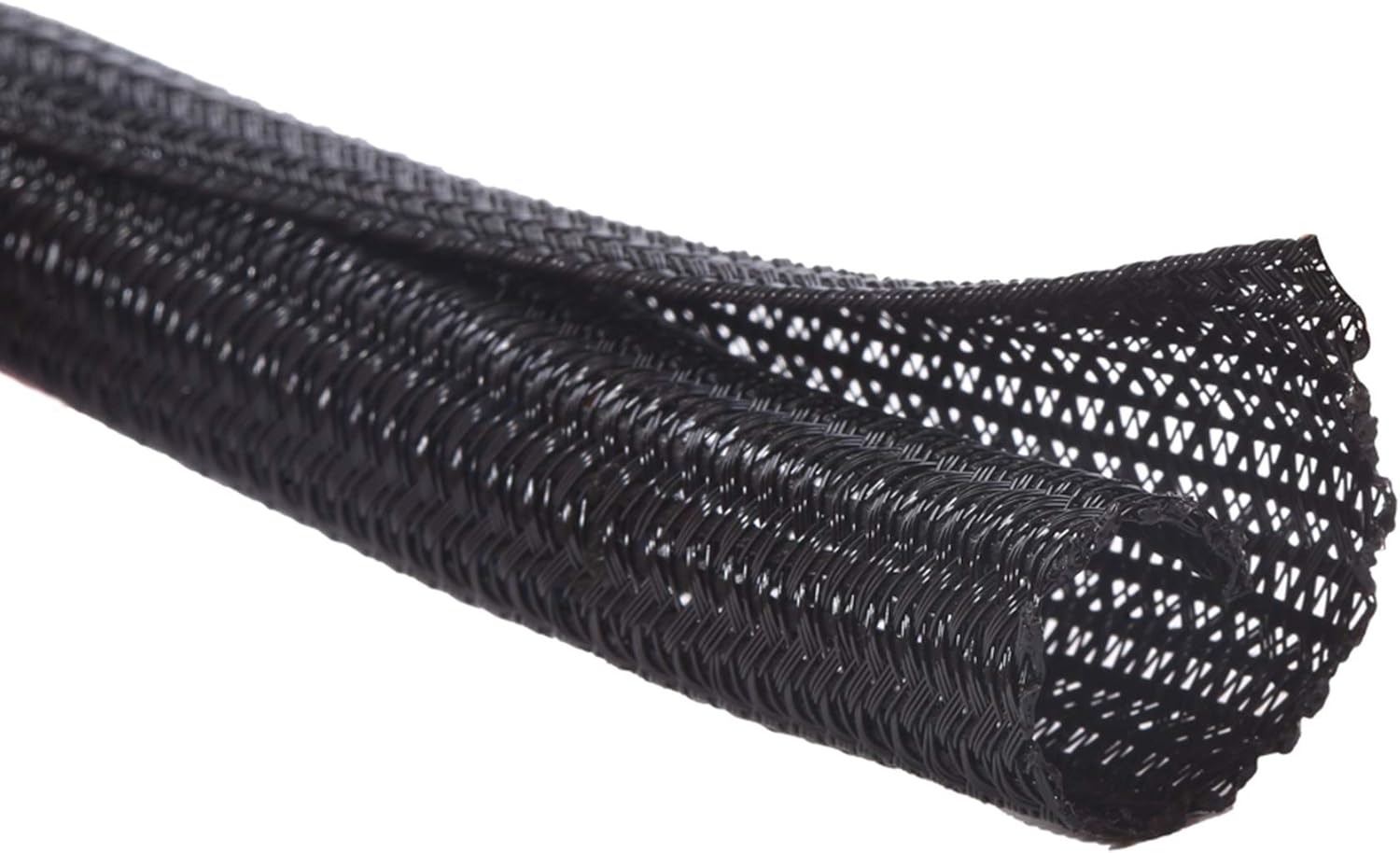
When several cables run from your desk to the floor, they often become tangled and messy.
The Alex Tech Cable Sleeve bundles those cables into a single organized line. The split sleeve design allows you to easily insert or remove cables without disconnecting everything.
The flexible tubing also protects cables from wear and can help prevent damage from pets or accidental pulls.
Best for:
Monitor setups, gaming desks, and workstations with multiple cables running together.
How it improves your desk:
It reduces cable tangles and creates a cleaner cable path behind the desk.
Small Tools That Make Cable Control Easy
SOULWIT Self-Adhesive Cable Management Clips

Sometimes the simplest tools make the biggest difference.
SOULWIT Self-Adhesive Cable Clips attach directly to your desk surface, monitor stand, or wall. They hold individual cables in place so they don’t fall behind the desk or slide off the edge.
They are especially useful for frequently used cables such as phone chargers, laptop chargers, or USB cables.
Since the clips are small and low-profile, they help keep cables accessible without adding clutter.
Best for:
Daily-use cables that you plug and unplug often.
How it improves your desk:
It keeps cables within reach and prevents them from disappearing behind furniture.
Smofish Magnetic Desk Cable Clips

Magnetic cable holders offer a flexible alternative to traditional clips.
The Smofish Magnetic Desk Cable Clip system uses a base with small magnetic holders that keep cables in place. Because the clips detach magnetically, cables can be removed easily without pulling them through tight loops.
This makes them especially convenient for phone chargers, headphones, or USB cables you use throughout the day.
Best for:
People who want easy access to frequently used cables.
How it improves your desk:
It keeps cables aligned and organized while remaining easy to adjust.
Nettbe Reusable Cable Ties

Reusable cable ties are one of the most practical cable management tools available.
The Nettbe reusable ties use a hook-and-loop design that allows you to bundle cables together neatly while still being able to adjust them later. Unlike disposable zip ties, they can be opened and reused many times.
These ties are useful for organizing cables behind monitors, bundling charging cables in drawers, or grouping cables under the desk.
Best for:
Anyone who frequently modifies or upgrades their desk setup.
How it improves your desk:
It keeps cables bundled neatly while allowing easy adjustments when devices change.
Structural Cable Management Solutions
Jgstkcity USB-C Hidden Desktop Power Grommet

A desk grommet provides a clean way to route cables through the desk surface.
The Jgstkcity Hidden Desktop Power Grommet fits into a standard desk hole and provides built-in power and USB charging ports. Instead of running charging cables across the desk, devices can plug directly into the grommet.
This creates a cleaner workspace while also adding convenient charging access for laptops, phones, and accessories.
Best for:
Desks that support grommet installations or conference-style setups.
How it improves your desk:
It reduces visible cables on the desk surface while adding integrated charging.
Mzmaxy Clamp-On Under Desk Cable Tray
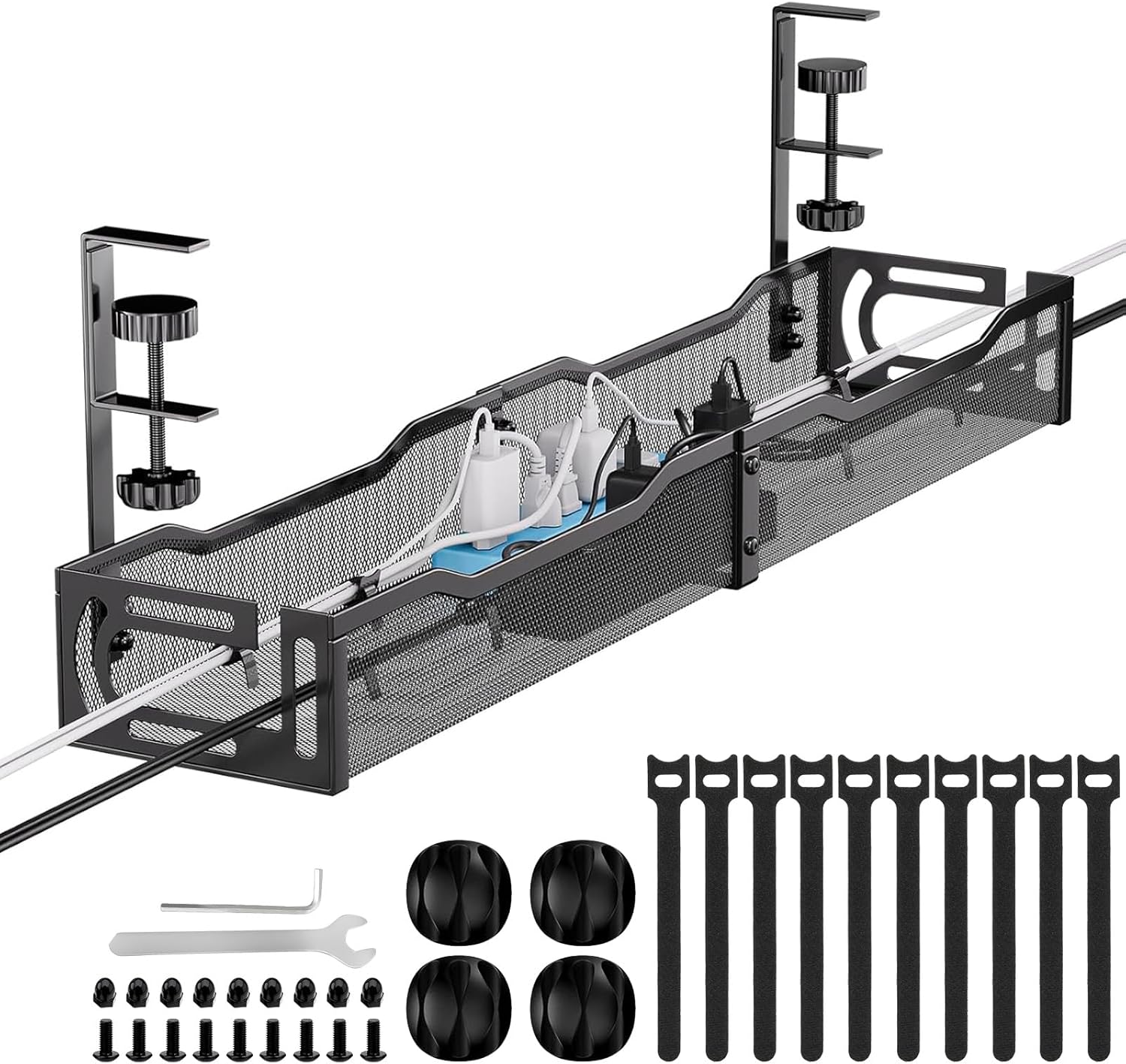
For people who prefer not to use adhesive mounting, clamp-on cable trays are another strong option.
The Mzmaxy Under Desk Cable Organizer attaches to the desk edge using adjustable clamps. It provides a sturdy metal tray that holds power strips, adapters, and bundled cables underneath the desk.
Because it doesn’t require drilling, it works well for standing desks, rented furniture, or shared office setups.
Best for:
Standing desks or users who want a removable cable management solution.
How it improves your desk:
It keeps cables off the floor and consolidates them under the desk.
ENONCI Cable Raceway Kit

Cable raceways are ideal for hiding longer cable runs along walls or under desks.
The ENONCI Cable Raceway Kit includes open-slot channels that allow cables to be placed inside and routed neatly across a surface. These raceways can be mounted along walls or underneath desks to guide cables where they need to go.
This helps eliminate visible cable lines running from desks to power outlets.
Best for:
Workspaces where cables need to run across walls or long desk surfaces.
How it improves your desk:
It hides extended cable paths and creates a cleaner overall workspace.
What to Look For Before Buying
Before choosing cable management tools, consider a few practical factors.
Installation method
Some tools use adhesive, while others clamp or mount under the desk. Choose the method that works best for your desk type and living situation.
Cable capacity
If your setup includes multiple monitors or accessories, choose tools that can handle several cables at once.
Flexibility
Reusable ties and adjustable sleeves allow you to change your setup easily in the future.
Desk compatibility
Check desk thickness and available space underneath before purchasing trays or clamps.
Combining several cable management tools usually produces the best results.
Final Thoughts
Cable clutter is one of the easiest problems to solve in a home office.
With the right combination of trays, clips, sleeves, and organizers, you can dramatically improve the look and functionality of your desk.
Start by organizing large cable groups with trays or sleeves. Then use smaller tools like clips and ties to control everyday charging cables.
Over time, these small upgrades create a workspace that feels cleaner, more organized, and easier to maintain.