
Working from home often starts with a simple setup: a laptop, a desk, and maybe a chair that wasn’t originally meant for full workdays. Over time, small inefficiencies begin to add up. Poor lighting strains your eyes, clutter builds up on the desk, and posture slowly becomes uncomfortable.
The good news is that improving a home office doesn’t require a full redesign or expensive furniture upgrades. A few practical desk accessories can dramatically improve comfort, organization, and daily workflow.
These tools help reduce friction during the workday. They keep frequently used items within reach, improve ergonomics, and make it easier to stay focused for longer stretches.
Prices are approximate and may change. Ratings and review counts reflect current product data.
Below are several practical home office accessories that can make everyday productivity smoother and more comfortable.
Ergonomic Accessories That Improve Comfort
Comfort is one of the biggest factors in long-term productivity. When your desk setup supports your body properly, it becomes easier to work for extended periods without fatigue or discomfort.
Amazon Basics Adjustable Ergonomic Laptop Stand

The Amazon Basics Ergonomic Laptop Stand is a foldable aluminum riser designed to elevate laptops up to 17.3 inches. Its ventilated surface helps improve airflow while supporting a wide range of laptop sizes.
Many remote workers place their laptop directly on the desk, which forces them to look downward for hours at a time. This stand raises the screen closer to eye level, helping reduce neck and shoulder strain during long work sessions.
The adjustable design allows you to fine-tune the height to match your seating position, while the foldable construction makes it easy to store or move between workspaces.
This stand works particularly well for:
- Remote workers using laptops as their main computer
- Small desk setups where external monitors aren’t practical
- Anyone looking to improve posture during long work sessions
By lifting the laptop and improving airflow, this accessory helps create a more ergonomic and organized workstation.
BlissTrends Adjustable Foot Rest

The BlissTrends Foot Rest is a compact under-desk support cushion designed to improve sitting posture during long workdays. It features two adjustable height levels and a soft, washable fabric cover.
Footrests help stabilize your seating position by keeping your feet properly supported. Without that support, pressure can build up in the lower back and legs over time.
This particular model uses high-density foam to provide comfortable support while maintaining its shape throughout the day.
It’s especially useful for:
- Desks that sit slightly too high for comfortable foot placement
- Workers who spend long hours sitting
- People looking to relieve pressure on the lower back or knees
A small upgrade like this can significantly improve overall comfort during long remote work sessions.
Quntis Monitor Light Bar with Adjustable Brightness

The Quntis Monitor Light Bar mounts directly on top of your monitor and shines light onto the desk surface without creating glare on the screen.
Unlike traditional desk lamps, a monitor light bar frees up valuable desk space while providing focused illumination exactly where you need it.
This model offers adjustable brightness levels and multiple color temperature settings, allowing you to customize lighting depending on the time of day or the type of work you’re doing.
It’s particularly helpful for:
- Late-night work sessions
- Desks located in dim rooms
- Reducing eye strain during long computer use
Better lighting conditions make it easier to stay focused while reducing visual fatigue.
Organization Tools That Keep Your Desk Clear
Clutter can quickly reduce productivity. When small items pile up on your desk, even simple tasks can start to feel chaotic.
The following accessories help organize common desk items and keep your workspace clean.
Amazon Basics Metal Mesh Desk Organizer

The Amazon Basics Metal Mesh Desk Organizer is a compact organizer designed with six compartments for storing everyday office supplies.
Pens, sticky notes, paper clips, and small gadgets tend to scatter across the desk unless they have a dedicated place. This organizer keeps those items contained and easy to access.
Its metal mesh construction is lightweight but durable, and the anti-slip base helps keep it stable on the desk surface.
This type of organizer is ideal for:
- Shared desks
- Multi-purpose workspaces
- Minimalist setups that benefit from contained storage
Keeping small items organized helps reduce visual clutter and makes daily tasks easier to manage.
KingFuture 10-Port USB-C Charging Station
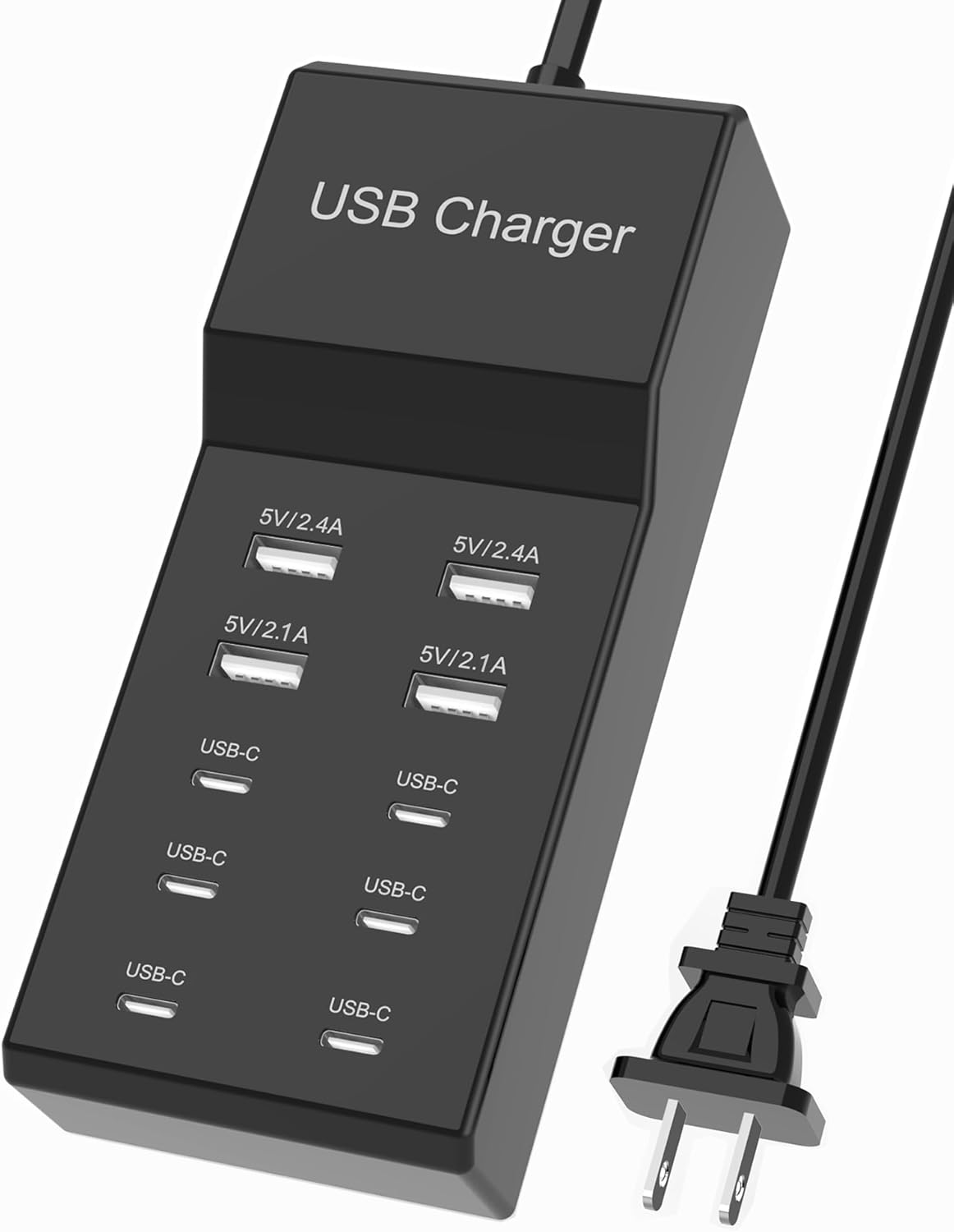
Modern desks often include multiple devices that need charging: phones, wireless earbuds, tablets, cameras, and other accessories.
The KingFuture 10-Port Charging Station consolidates these devices into one centralized charging hub. It includes multiple USB-C and USB-A ports, allowing you to charge several devices at the same time.
Instead of plugging chargers into separate outlets around the desk, everything stays organized in one location.
This accessory is especially useful for:
- Remote workers with multiple devices
- Content creators with cameras or accessories
- Workspaces where power outlets are limited
Centralizing charging reduces cable clutter and simplifies everyday device management.
OSPNIEEK Adjustable Desktop Document Holder

The OSPNIEEK Document Holder is a metal copyholder designed to hold printed documents upright while you work.
Instead of placing papers flat on the desk, this stand positions them closer to eye level, reducing the need to constantly look down while typing.
The stand offers multiple adjustable angles, making it easy to position documents for comfortable viewing.
It works particularly well for:
- Writers and editors referencing printed notes
- Data entry or transcription tasks
- Anyone reviewing reports or printed materials
A document holder can significantly streamline tasks that require switching between physical papers and digital screens.
Space-Saving Additions for a Cleaner Setup
A productive desk isn’t only about what you add — it’s also about how efficiently you use the space available.
These accessories help maximize desk space while keeping essential tools accessible.
Aothia Solid Wood Dual Monitor Stand Riser

The Aothia Solid Wood Monitor Stand is a long desktop shelf designed to elevate one or two monitors while creating storage space underneath.
By lifting monitors slightly higher, it encourages better viewing posture while also clearing room for keyboards, notebooks, or external drives below the stand.
The natural wood design also adds a clean, modern look to a workspace without feeling overly technical.
This stand works well for:
- Dual monitor setups
- Compact desks needing extra storage space
- Users looking to raise monitor height for ergonomic viewing
It’s a practical upgrade that improves both desk organization and posture.
EURPMASK Rotating Under-Desk Headphone Holder

Headphones often end up lying on the desk, taking up space and becoming tangled in cables.
The EURPMASK Under-Desk Headphone Holder attaches to the underside of your desk with an adjustable clamp. Its rotating arm allows the hook to swivel out when needed and tuck away neatly when not in use.
It also includes a small cable clip to help manage headphone wires.
This accessory is ideal for:
- Gaming headsets
- video call headphones
- desks where surface space is limited
By moving headphones off the desk surface, it helps keep the workspace cleaner and more organized.
AVINIA Digital Visual Timer

The AVINIA Digital Timer is a simple productivity tool designed to track focus sessions with a large LED display and countdown or count-up modes.
Many remote workers use timers to structure their work sessions and avoid distractions. A dedicated desk timer keeps your phone out of reach, which can help prevent notification-driven interruptions.
Its clear display makes it easy to track remaining focus time during tasks like writing, editing, or studying.
This tool is particularly useful for:
- time-blocking workflows
- focused writing or coding sessions
- students and remote professionals managing structured work intervals
A simple timer can help maintain momentum and structure throughout the workday.
What to Look For Before Buying
Before adding new accessories to your desk, consider a few practical factors.
Desk space
Make sure the item fits comfortably without overcrowding your workspace.
Durability
Choose materials that will hold up to daily use.
Adjustability
Accessories like laptop stands, document holders, and footrests should allow flexible positioning.
Cable management
Products that reduce cable clutter can make a noticeable difference in desk organization.
Real usefulness
Focus on items that solve real problems in your daily workflow rather than purely decorative additions.
A productive desk is built around functionality.
Final Thoughts
A well-designed home office doesn’t require expensive upgrades or complicated equipment. Often, the most meaningful improvements come from simple accessories that remove everyday friction.
Better lighting, improved ergonomics, organized storage, and efficient use of desk space can dramatically improve the way a workspace feels and functions.
If you work from home regularly, investing in a few thoughtful desk accessories can help you stay focused, reduce clutter, and make your workday run more smoothly.
The key is choosing tools that genuinely support how you work rather than filling your desk with unnecessary gear.