
Disclosure: As an Amazon Associate I earn from qualifying purchases.
If you’re a student working from a dorm room, kitchen table, or a shared desk, you already know how cramped and cluttered workspaces can get. Between textbooks, notebooks, chargers, and your laptop, there’s barely enough room to move a mouse. And when you’re juggling classes, study sessions, and late-night deadlines, the last thing you want to deal with is neck pain or a messy setup.
The good news is that a few small desk upgrades can make a dramatic difference. The right laptop accessories do more than just look neat—they help you stay comfortable, focused, and organized. You don’t need to overhaul your entire workspace or spend a lot of money. Sometimes, the simplest tweaks can turn a frustrating setup into one that actually works for you. If you’re working with a smaller desk setup, these recommendations are designed to fit right in.
Quick Picks
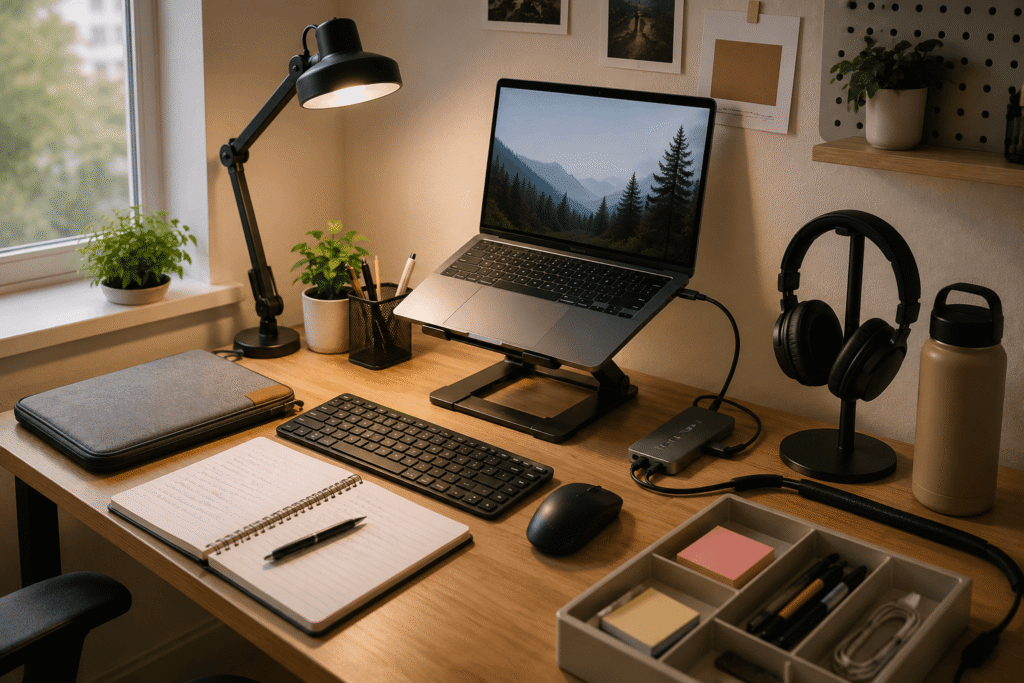
Best Overall: The Gogoonike Laptop Stand paired with a wireless keyboard and mouse for a more comfortable, flexible workspace.
Best Budget Option: The Alex Tech Cable Sleeve to instantly reduce clutter without spending much.
Best for Small Desks: The Simple Houseware Drawer Organizer Tray that keeps everyday essentials within reach without taking up valuable surface space.
Prices are approximate and may change. Ratings and review counts reflect current product data.
Ergonomics and Comfort Upgrades
Gogoonike Laptop Stand

Spending hours hunched over a laptop screen is a fast track to neck and shoulder pain. It’s a problem many students don’t notice until they’re already uncomfortable. Ideally, the top of your screen should be at or slightly below eye level, but a laptop on a flat surface forces you to look down for too long.
Raising your screen closer to eye level can make long study sessions much more comfortable. The Gogoonike Laptop Stand (~$17.99, 4.6 ⭐, 4,024+ reviews) allows you to set your screen at the right height while also improving airflow to keep your laptop from overheating. It’s a small change that might feel awkward for the first day, but you will probably wonder how you managed without it.
Students who spend a lot of time typing, writing, or watching lectures benefit the most. Imagine settling into a four-hour study session without constantly adjusting your posture or massaging your neck halfway through. Once the screen is at the right height, it becomes much easier to stay focused.
One of those upgrades most people don’t think about until they try it.
QUASIO Wireless Keyboard and Mouse Combo

Once your laptop is raised, typing on the keyboard becomes awkward because your wrists are at an unnatural angle. It might not seem like a big deal at first, but over time it can lead to wrist fatigue and discomfort that interrupts your work.
Placing a separate wireless keyboard and mouse on your desk allows your hands to rest naturally while keeping the screen at the proper height. The QUASIO Wireless Keyboard and Mouse Combo (~$28.97, 4.3 ⭐, 2,854+ reviews) gives you more flexibility in how you position your body, and wireless models eliminate the tangle of cords that often clutter a student workspace.
This is especially helpful if you’re working from a small desk because you can move the keyboard and mouse out of the way when you need more surface space. Imagine switching from typing an essay to reading a textbook without having to physically move your laptop. A setup like this simply makes everything feel smoother.
Anker USB-C Hub

Many laptops, especially thinner models, limit the number of ports you have available. You might need to plug in a monitor, charge your phone, connect a USB drive, and use an external hard drive all at the same time, but your laptop only has two USB-C ports.
A USB-C hub gives you multiple ports in one small device. The Anker USB-C Hub (~$19.99, 4.4 ⭐, 18,291+ reviews) plugs into your laptop and suddenly you have access to HDMI, extra USB-A ports, and more. It cuts down on the frustration of constantly swapping cables and makes connecting to external displays or projectors much easier.
Students who frequently work in different locations—a library, a coffee shop, or a study lounge—benefit most because they can quickly plug into any setup. Imagine walking into a study group with a fully charged laptop, a hub in your bag, and the ability to connect to a monitor in seconds without fumbling for adapters.
You might be surprised how much time and hassle a simple hub can save.
Lighting and Protection
Voncerus LED Desk Lamp with Clamp

A poorly lit workspace can make reading, note-taking, and screen work surprisingly difficult. Dim lighting strains your eyes, while harsh overhead lights create glare on your screen and lead to headaches. Many students overlook the importance of desk lighting, but it’s one of the simplest ways to improve your workspace.
A desk lamp with adjustable brightness and a flexible neck lets you direct light exactly where you need it without affecting your screen. The Voncerus LED Desk Lamp with Clamp (~$22.99, 4.6 ⭐, 8,745+ reviews) gives you control over both brightness and direction, which can make late-night study sessions much more comfortable and reduce eye fatigue.
This upgrade is especially valuable if you tend to work in the evening or have a desk in a darker corner of the room. Imagine opening a textbook and being able to read every line clearly without leaning forward or squinting. It’s one of the easiest ways to make your workspace feel more intentional.
MOSISO Laptop Sleeve

A laptop is an investment, but when you’re constantly moving between classes, libraries, and home, it’s easy for it to pick up scratches, dings, and dust. You might think your laptop is safe in your backpack, but books, pens, and other items can easily damage the screen or casing.
A laptop sleeve provides a layer of protection without adding much bulk. The MOSISO Laptop Sleeve (~$16.99, 4.7 ⭐, 62,454+ reviews) keeps your laptop secure while offering a dedicated space for accessories like your charger or a small notebook. Many sleeves fit comfortably inside a backpack, keeping your laptop separate from heavier items.
Students who walk across campus or commute regularly will appreciate the peace of mind. Imagine sliding your laptop into a well-padded sleeve before packing your bag, knowing that even if your backpack gets jostled, your laptop stays safe.
A simple upgrade that protects your gear every single day.
SightPro Laptop Privacy Screen Filter

Working in a library, lecture hall, or coffee shop means you’re often surrounded by other people. Glare from windows and overhead lights makes it harder to focus, and there’s always the chance that someone nearby might glance at your screen.
A privacy screen filter attaches directly to your laptop display and limits the viewing angle so only the person directly in front of the screen can see clearly. The SightPro Laptop Privacy Screen Filter (~$29.99, 4.3 ⭐, 4,073+ reviews) also reduces glare, which makes it easier to work in bright or mixed lighting conditions.
Students who use their laptops in public spaces will notice an immediate improvement in comfort and confidence. Imagine being able to work on a research paper at a busy cafe without worrying about prying eyes or constantly tilting your screen to avoid glare.
It’s a practical improvement that’s easy to appreciate once it becomes part of your routine.
Organization and Space Management
Simple Houseware Drawer Organizer Tray

A cluttered desk can make it harder to concentrate. Papers, pens, sticky notes, chargers, and small gadgets pile up quickly, leaving your laptop with less room to breathe. Many students don’t realize how much mental clutter physical clutter causes until they clear it away.
A desk organizer tray gives your items a designated home. The Simple Houseware Drawer Organizer Tray (~$15.87, 4.7 ⭐, 6,066+ reviews) lets you group your essentials into compartments so they’re easy to find but out of the way. It keeps your workspace clear and helps you start each study session with a clean surface.
This upgrade works well for students with smaller desks or shared spaces where keeping things tidy matters. Imagine reaching for a pen or a sticky note without having to dig through a pile of papers. It’s a small improvement that often has a bigger impact than expected.
HUANUO FlowLift Single Monitor Mount

If you’re using an external monitor with your laptop, you might notice that your desk feels crowded and the monitor doesn’t align well with your eye level. A monitor arm attaches to the edge of your desk and holds your display at the perfect height while freeing up space underneath.
The HUANUO FlowLift Single Monitor Mount (~$33.22, 4.6 ⭐, 16,260+ reviews) lets you tilt, swivel, and adjust the monitor without taking up any extra surface area. It also helps reduce neck strain and makes your workspace feel more open and organized. Students who use an external display for coding, design work, or multitasking find this especially useful.
Imagine having your monitor suspended above your desk, with nothing underneath except your keyboard and mouse. Suddenly, your workspace feels larger and more manageable, and you have room for books or notes next to your keyboard.
Alex Tech Cable Sleeve
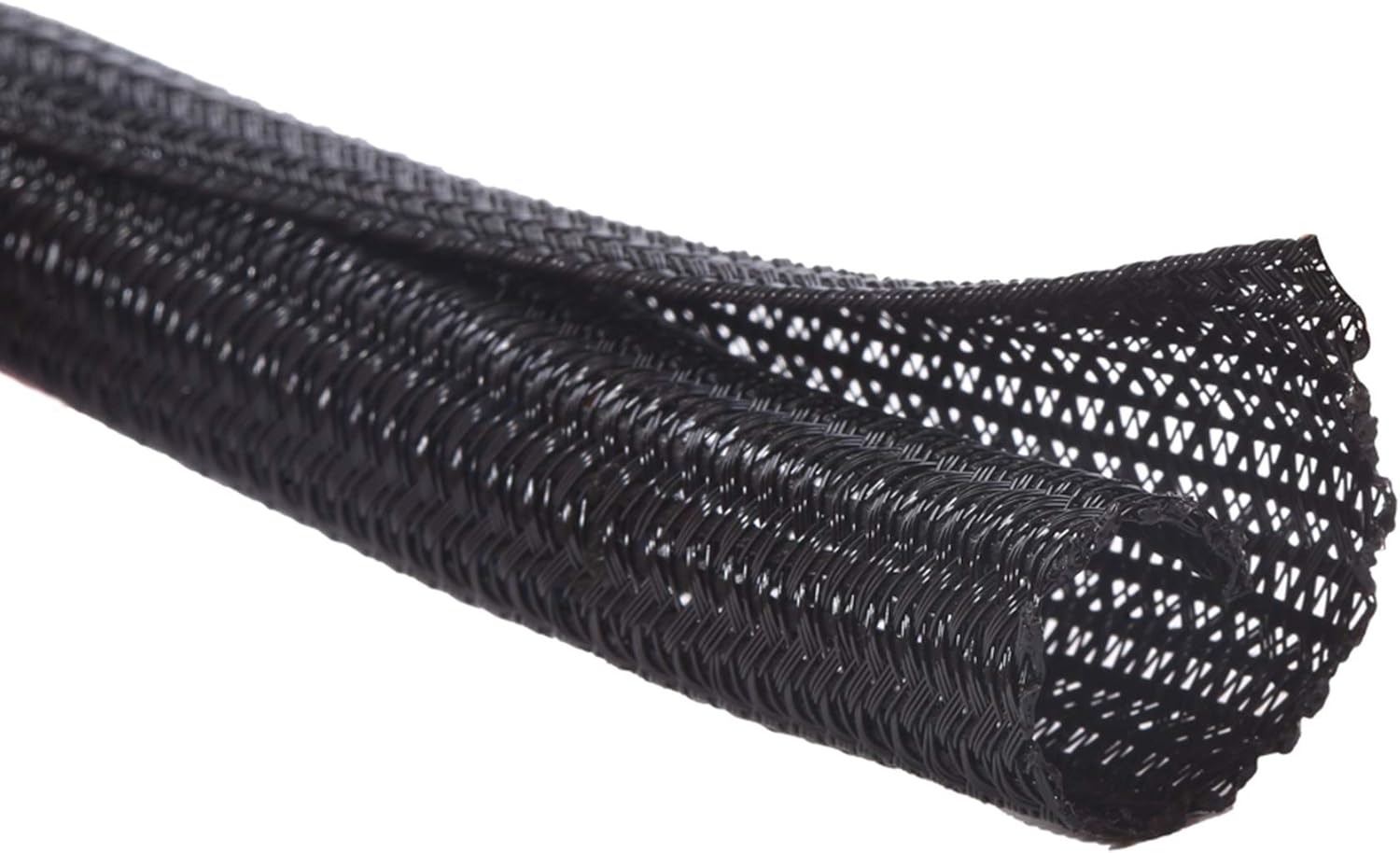
Chargers, phone cables, and accessory cords have a way of becoming tangled and ugly. They don’t just look messy—they also make it harder to clean your desk and find the right cable when you need it.
A cable management sleeve keeps your cords neatly contained and out of sight. The Alex Tech Cable Sleeve (~$8.99, 4.7 ⭐, 83,793+ reviews) lets you run multiple cables through a single sleeve, resulting in a cleaner, more minimalist desk that’s much easier to keep tidy.
Students who share workspaces or move their setups frequently will love how quickly it cleans things up. Imagine being able to wipe down your desk without moving a tangle of cables first. It sounds simple, but it makes a noticeable difference.
Lamicall Headphone Stand

If you use headphones for listening to lectures, taking calls, or just getting in the zone, they can easily take up space on your desk or get damaged in a bag. Many students simply set them aside, and they end up in the way.
An under-desk headphone hook keeps your headphones accessible but out of your workspace. The Lamicall Headphone Stand (~$8.99, 4.7 ⭐, 4,434+ reviews) attaches to the edge or underside of your desk and is a simple way to save space while keeping your headphones safe from being knocked off the desk or buried under papers.
Imagine having your headphones within arm’s reach, hanging neatly under your desk, ready to grab when you need them. It’s a small adjustment that keeps your space looking intentional and organized.
What to Look For Before Buying
Before choosing any accessories, consider your desk size and how much surface space you have. If your desk is small, prioritize items that don’t take up too much room, like compact monitor arms or under-desk hooks. Comfort matters too, especially if you spend long hours at your laptop, so pay attention to adjustability and ease of use. Think about your storage habits and whether you need portability, protection, or a cleaner display.
Cable management is an often-forgotten factor that can significantly affect how tidy and functional your workspace feels. Choose materials that feel durable and easy to clean. Finally, consider how easy each accessory is to set up and use daily.
Conclusion
Your workspace should work for you, not against you. The laptop accessories listed here are designed to address the most common frustrations students face: limited desk space, discomfort from poor posture, clutter that distracts, and lighting that strains the eyes.
Small improvements can noticeably improve your comfort, focus, and organization. You don’t need to buy everything at once. Pick one or two upgrades that address your biggest challenge and see how they feel. Even one change can make a difference.
If you want a cleaner home office setup or want to explore other simple desk improvements, check out our guide on best desk accessories for high school students for even more practical ideas. Start small, and let your workspace evolve with your needs.