
Disclosure: As an Amazon Associate I earn from qualifying purchases.
Introduction
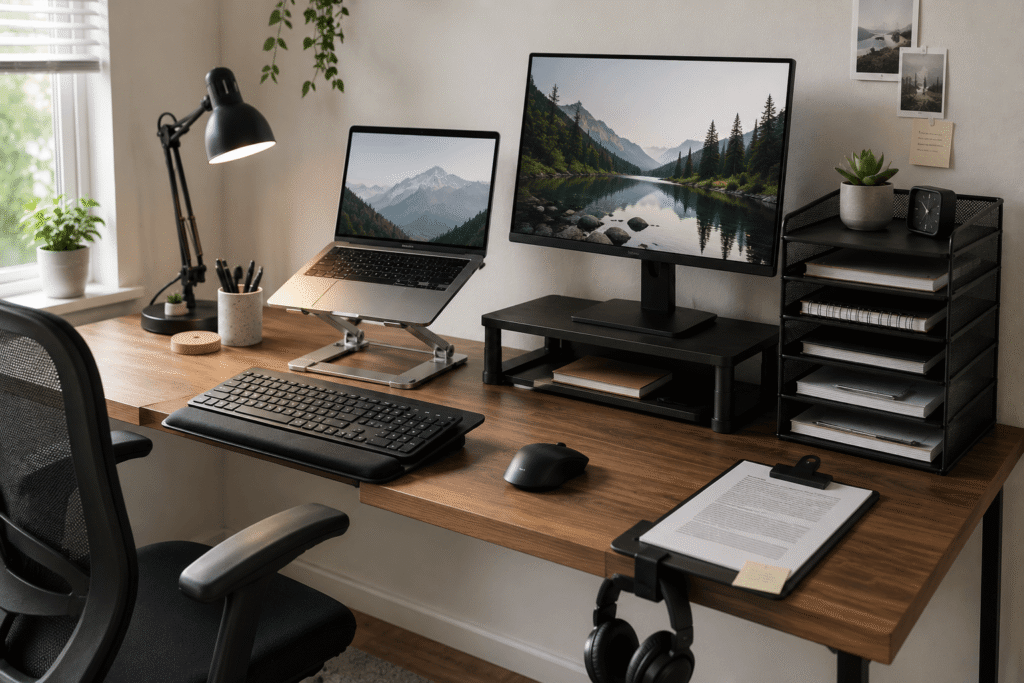
If you’ve been spending more time studying or working from home, you’ve probably noticed that your desk setup isn’t quite as comfortable as you’d like. Maybe your neck feels stiff after a couple of hours, or your workspace feels cluttered no matter how much you tidy up. The truth is, small adjustments can make a surprisingly big difference.
You don’t need to buy a whole new desk or completely redesign your room to feel more productive and comfortable. A few thoughtful upgrades can turn a frustrating workspace into one that actually works for you. The key is knowing which improvements actually help and which ones just take up space. If you’re working with a smaller desk setup, this becomes even more important.
Let’s walk through some practical, budget-friendly options that people often overlook but tend to appreciate once they try.
Prices are approximate and may change. Ratings and review counts reflect current product data.
Quick Picks
Best Overall: An Amazon Basics Adjustable Laptop Stand that raises your screen to eye level for better posture.
Best Budget Option: A SUPEASY 5-Tray Paper Organizer that keeps documents contained and off your work surface.
Best for Small Desks: An OSPNIEEK Desktop Document Holder Stand that attaches to your screen or desk edge without taking up extra space.
Ergonomic Upgrades That Protect Your Body
Amazon Basics Adjustable Laptop Stand

~$29.99 | 4.6 ⭐ | 3,680+ reviews
One of the most common issues with working or studying at a desk is the tendency to hunch over a laptop screen. After a while, your shoulders round forward and your neck starts to ache. It’s easy to ignore in the moment, but that discomfort adds up over time.
Raising your screen closer to eye level can change how your body feels throughout the day. That’s where a simple Amazon Basics Adjustable Laptop Stand comes in. It lifts your screen so you can sit up straighter and keep your head in a more natural position.
The best part is the adjustability. You can change the height and angle to match how you prefer to sit, and you can easily fold it away if you switch to a different workspace.
This is especially useful for anyone who works from a laptop for several hours at a time. Students attending virtual classes, remote workers on back-to-back video calls, and anyone who finds themselves slouching forward after thirty minutes will appreciate the difference.
A quick example: imagine starting your day with your screen at the right height, sitting comfortably, and realizing halfway through the afternoon that your neck doesn’t hurt for once.
It’s one of those upgrades most people don’t think about until they try it.
KOTEMON Acrylic Tilted Keyboard Stand

~$11.99 | 4.8 ⭐ | 3,869+ reviews
Typing on a laptop keyboard forces your wrists into an awkward angle. Over time, that can lead to strain or even discomfort that lingers well after you close your computer.
Having your keyboard at the right height and angle can make typing feel much more natural. The KOTEMON Acrylic Tilted Keyboard Stand attaches under your desk and lets you position the keyboard so your wrists stay straight and your shoulders stay relaxed. The non-slip silicone case keeps everything secure, even during fast typing.
Many people overlook this upgrade because they assume their current setup is fine. But if you notice tension in your wrists or forearms after a long session, this stand can help address that.
It’s particularly helpful for people who type frequently throughout the day. If you’re writing papers, responding to emails, or handling data entry, this small improvement tends to be appreciated more over time.
Picture yourself typing comfortably without thinking about your wrist position. You just focus on your work, not on the strain.
A practical improvement that’s easy to appreciate once it becomes part of your routine.
Amazon Basics Monitor Stand Riser
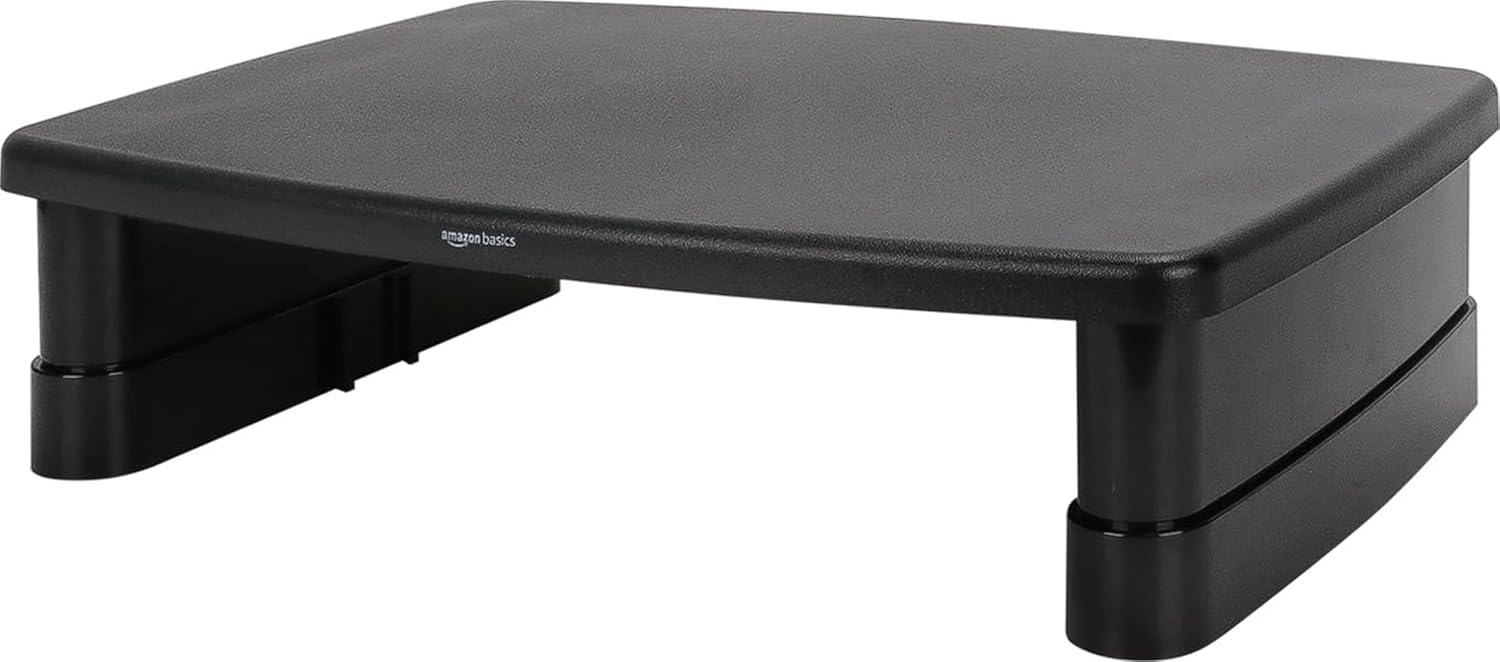
~$16.19 | 4.6 ⭐ | 25,077+ reviews
If you use an external monitor or even a secondary screen, you might notice your setup feels slightly off. Maybe the monitor sits too low, or you have your laptop and screen at different heights, making it awkward to switch between them.
The Amazon Basics Monitor Stand Riser can help create a more consistent viewing height. It lifts your screen so your eyes naturally align with the top of the display. This encourages better posture without constant adjustment.
The surprising benefit is the extra space underneath. You can tuck your keyboard, notebooks, or other desk items beneath the riser to free up surface area for whatever you’re actively working on. The stackable design also gives you flexibility to adjust the height as needed.
This works well for anyone who wants a cleaner, more organized workspace but doesn’t have a lot of room. People with limited desk space often find it helpful to stack vertically rather than spread things out horizontally.
Imagine having your main screen at the right height, plus hidden storage underneath for whatever you want to keep close but out of the way.
A small upgrade that often has a bigger impact than expected.
Organization Solutions for a Clutter-Free Workspace
SUPEASY 5-Tray Paper Organizer

~$18.99 | 4.5 ⭐ | 4,697+ reviews
It’s surprising how quickly a desk can become covered in papers, notebooks, and random documents. Every time you reach for something, you have to push things aside or dig through a pile.
Having a dedicated spot for papers and folders keeps your surface clear and makes it easier to find what you need. The SUPEASY 5-Tray Paper Organizer gives you five tiers of storage for incoming mail, class notes, project files, and reference materials. The built-in handle also makes it easy to move when you need to clean your desk.
The reason this works is simple: when things have a designated place, you spend less time searching and more time focusing on your actual work.
Anyone who tends to collect papers on their desk will appreciate having a central spot for them. Remote workers juggling multiple projects, students with different class binders, or anyone who likes having reference materials within reach will benefit from this.
Picture being able to reach for a specific folder or document without moving a stack of papers first.
Sometimes the simplest improvements are the ones you notice most.
Vtopmart Drawer Organizer Set
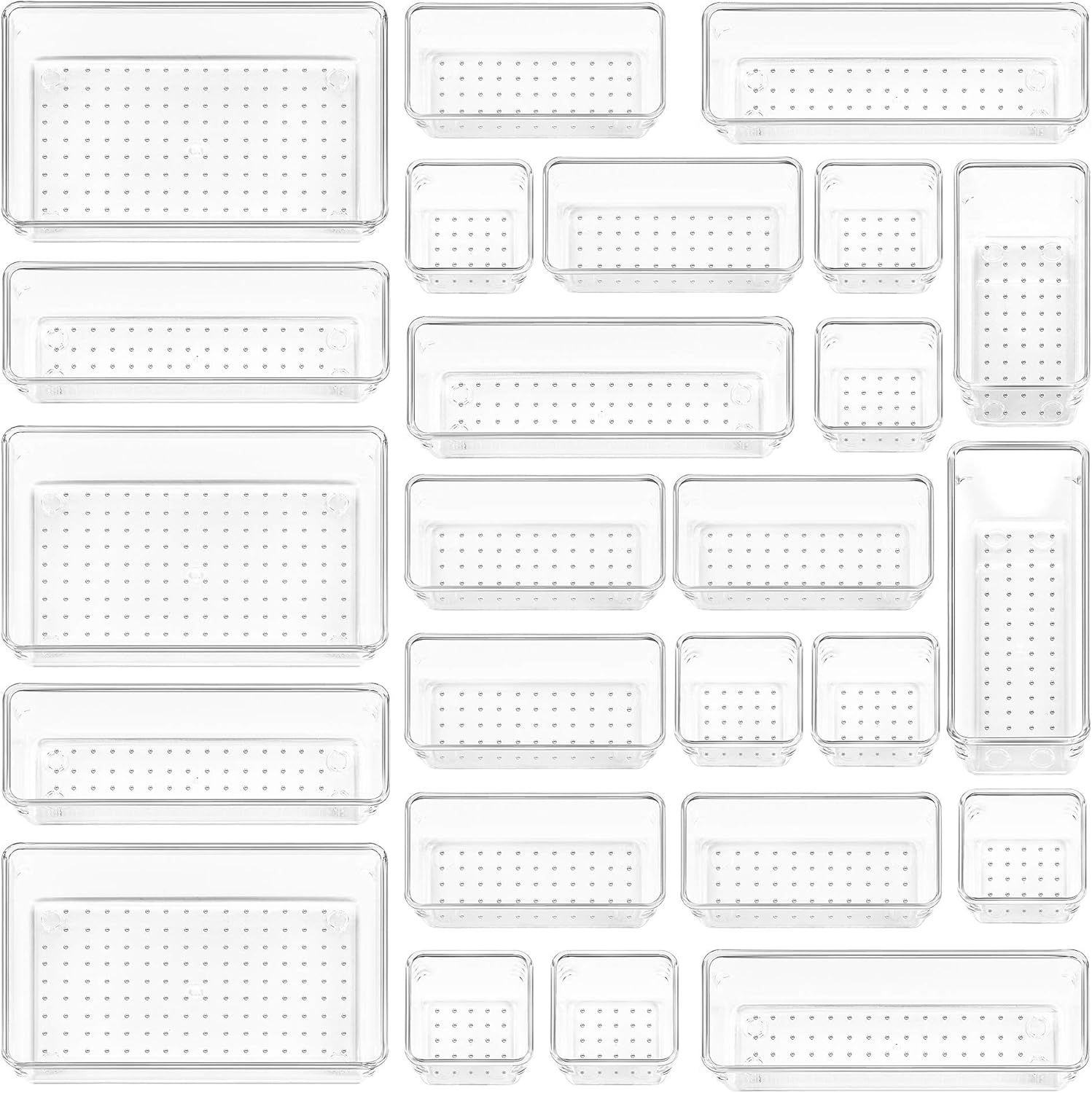
~$17.98 | 4.7 ⭐ | 49,113+ reviews
If your desk has drawers, there’s a good chance they’ve become a messy mix of loose items. Cables, spare batteries, sticky notes, and random office supplies all mixed together, making it hard to find anything.
The Vtopmart Drawer Organizer Set fits inside your desk drawer and creates separate sections for different items. Instead of rummaging through a pile, you can see exactly where each thing belongs. With 25 pieces in four different sizes, you can customize the layout to match your drawer perfectly.
This upgrade works well for anyone with limited surface space who relies on drawers for storage. Students storing supplies between classes, professionals keeping spare cables ready, or anyone who likes a tidy workspace will find it helpful.
Imagine opening your drawer and instantly seeing where your spare earbuds are, rather than digging past three pens and a stray paperclip.
It’s a small improvement that adds a sense of order to everyday work.
OSPNIEEK Desktop Document Holder Stand

~$11.99 | 4.6 ⭐ | 1,951+ reviews
If you’re working with printed materials or books while using a computer, you’ve likely dealt with the awkwardness of balancing papers next to your keyboard. You look down at your notes, then back up at your screen, and your neck starts to feel the strain.
The OSPNIEEK Desktop Document Holder Stand attaches to the edge of your desk or even to the side of your monitor. It holds papers upright at eye level so you can read them without tilting your head down repeatedly. With seven adjustable positions and a built-in paper clip, it stays stable even when you’re referencing multiple pages.
This is especially helpful for students, researchers, or anyone doing work that requires referencing printed materials while typing on a computer. It also works well for people following instructions, reading sheet music, or checking paperwork while processing orders.
Imagine reading through printed notes while keeping your eyes level with your screen. No more dropping your gaze every few seconds.
One of those upgrades most people don’t think about until they try it.
Comfort and Convenience Add-Ons
BlissTrends Foot Rest

~$19.97 | 4.4 ⭐ | 9,028+ reviews
It’s easy to overlook how your feet affect your overall comfort. When you sit for a while, your feet might dangle or rest flat on the floor, but that doesn’t always feel great for your lower back or legs.
The BlissTrends Foot Rest provides a stable surface for your feet at a comfortable height. It encourages better sitting posture by aligning your hips and knees in a more natural position. With two adjustable height settings and a washable cover, it adapts to different chairs and preferences.
This upgrade is useful for anyone whose chair height requires their feet to hang slightly or anyone who feels fidgety when sitting still.
Picture the end of a long study session when you notice your legs aren’t as tired as they used to be.
Small upgrades like this often have a bigger impact than expected.
Airlonv LED Clamp Desk Lamp

~$19.92 | 4.6 ⭐ | 7,928+ reviews
If your desk feels dim in the evening, it’s surprisingly difficult to stay focused. Poor lighting can strain your eyes and make it harder to read or work on detailed tasks. Even during the day, shadows from your own hands or screen can create an uncomfortable work environment.
Better lighting can make your workspace noticeably more comfortable, and the Airlonv LED Clamp Desk Lamp is one of the easiest ways to achieve that. You can angle the light exactly where you need it and adjust the intensity to match the time of day. With 100 LEDs, a 360° gooseneck, and stepless dimming from warm to cool tones, you get full control over your lighting environment.
Good lighting helps reduce eye strain and makes everything feel a bit more pleasant. Whether you’re reading, writing, or working late, having the right light can make a real difference.
This benefits anyone who works during early mornings or late evenings, students hitting deadlines, or remote workers adapting to different schedules.
Imagine being able to concentrate on reading or fine detail work without squinting or leaning closer to the page.
An easy way to make everyday work feel a little smoother.
FEATOL Anti-Fatigue Desk Mat

~$44.99 | 4.6 ⭐ | 6,391+ reviews
Even when sitting, the surface under your hands matters more than you might think. A smooth, cushioned mat can make typing or writing feel more comfortable over a long day.
The FEATOL Anti-Fatigue Desk Mat sits on your desk surface and provides a gentle cushion for your forearms and wrists. Made with extra-thick memory foam, it reduces pressure points and makes long sessions feel less tiring.
This is particularly helpful for people who type or write for extended periods. Students working on long assignments and professionals doing heavy typing may notice a difference in arm comfort.
Picture being able to rest your arms naturally on a soft, supportive surface while you focus on your screen.
A practical improvement that’s easy to appreciate once it becomes part of your routine.
Alex Tech Cable Sleeve
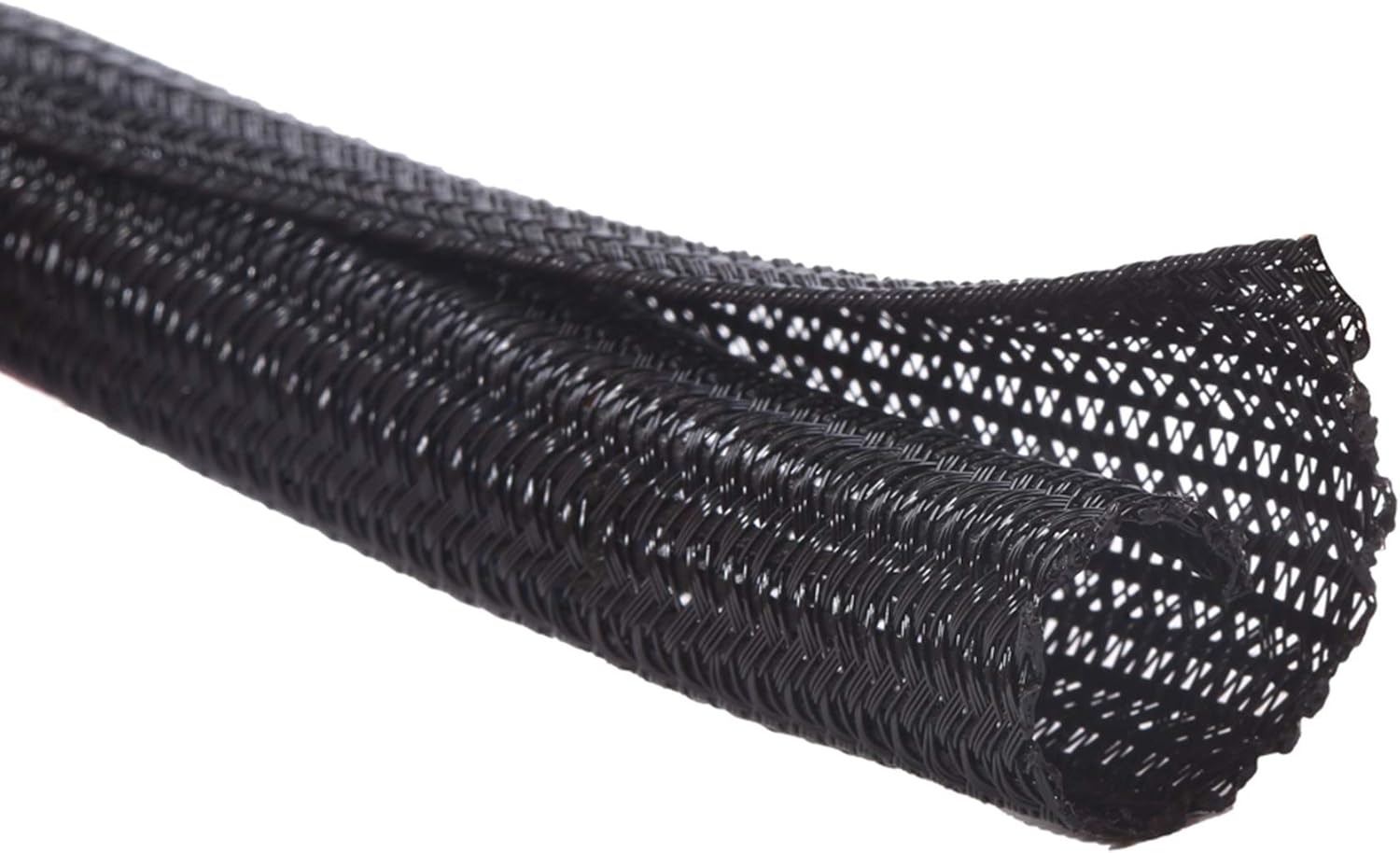
~$8.99 | 4.7 ⭐ | 84,213+ reviews
Cable clutter can be frustrating. Even if your desk is otherwise organized, a tangle of charging cables and wires can make everything feel messy and cramped.
The Alex Tech Cable Sleeve bundles your cables together so they stay neat and hidden. You gather your wires, slide them into the sleeve, and zip it up. The result is a cleaner, less distracting workspace where cables are out of the way. It also provides protection against pets chewing on cords, which is an added bonus.
For anyone with multiple devices, this simple solution can make a noticeable difference. Students with laptops, tablets, and phones plus remote workers juggling computers, monitors, and chargers will find this helpful for keeping things tidy.
Imagine glancing under your desk and seeing neat, organized cables instead of a tangled mess.
It’s a small improvement that adds a sense of order to everyday work.
What to Look For Before Buying
Before you start upgrading your desk, consider a few factors to make sure you choose options that truly fit your space and habits.
Desk Size: Measure your desk’s surface area before you add anything new. This helps you avoid overcrowding.
Comfort Priorities: If your neck or wrists bother you, focus on ergonomics first. If clutter stresses you out, start with organization.
Storage Needs: Look for products that offer storage or vertical solutions if you have limited space.
Cable Management: Keeping wires tidy is easier if you plan where cables will go before you add new devices. If you need more structured storage, you can also explore guides on best under desk storage solutions for additional ideas.
Durability: Some materials last longer than others. If you use your desk daily, choose options that hold up well.
Ease of Use: If an upgrade is hard to set up or adjust, you might not use it as often. Prioritize simplicity.
Conclusion
Small upgrades can make a meaningful difference in how comfortable and productive your workspace feels. You don’t need a complete office overhaul to notice improvements. A better sitting posture, a cleaner surface, and better lighting all add up to a workspace that works with you instead of against you.
The key is picking the improvements that actually match how you work. Whether it’s a riser for your screen, a better spot for your pens, or a simple way to keep cables under control, each small change contributes to a more comfortable setup.
For more workspace organization ideas that fit small spaces, you might enjoy exploring the other simple improvements in our guide on best desk shelves for small spaces.